
自然肤质修饰
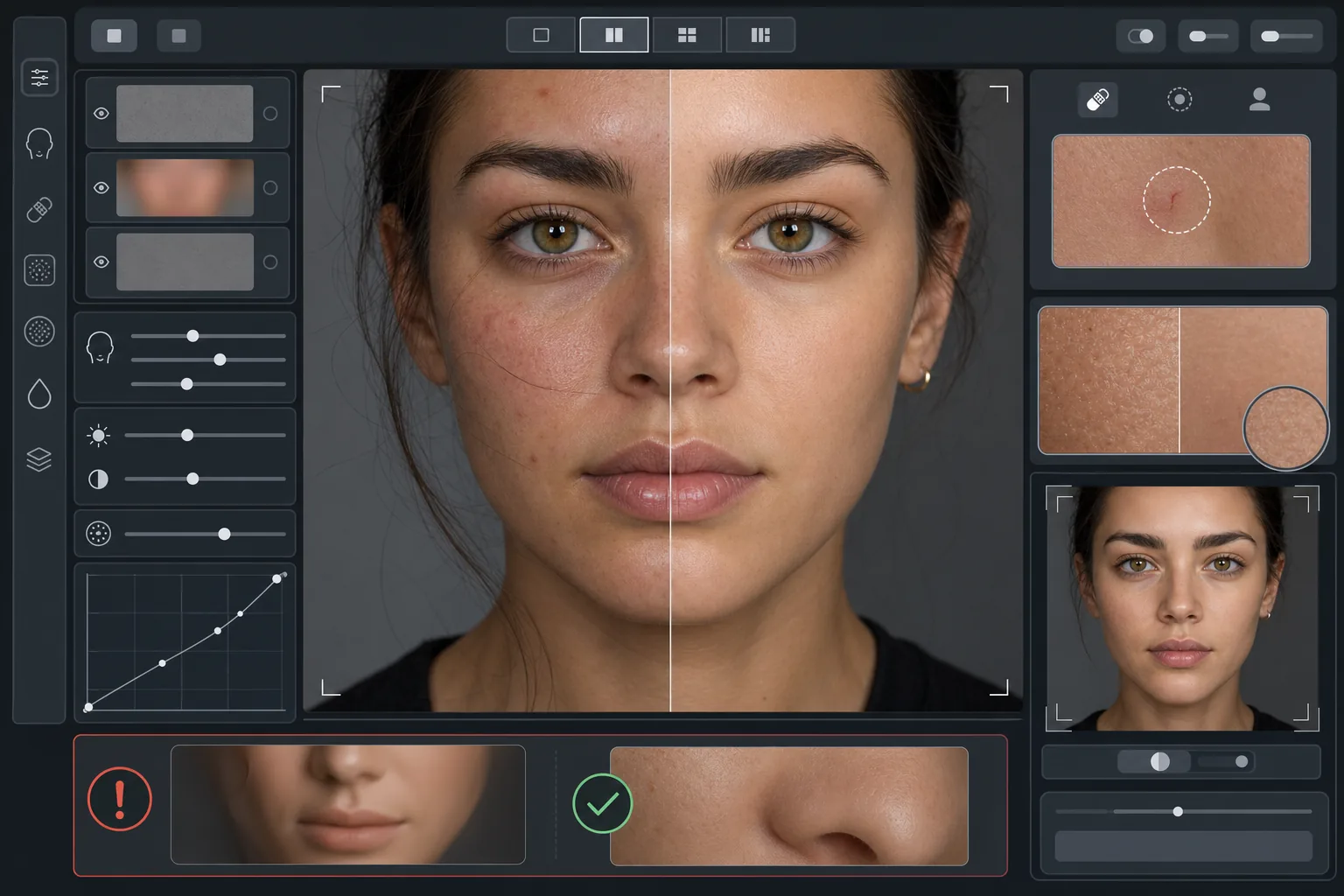
提升人像质感,又不显塑料感。此模板去除暂时性瑕疵、均匀肤色并平滑光照不均,同时刻意保留让皮肤看起来真实的毛孔、细纹和自然纹理。最终呈现的人像,是拍摄对象在最佳状态下最好的自己——而非 AI 生成的人偶。
免费试用此模板Portrait template preview
此模板的作用
采用区分纹理与色调的频率感知肤质修饰。AI Enhance 去除暂时性瑕疵(痘痘、泛红、黑眼圈),同时保留肉眼视为真实的细腻肤质纹理——毛孔、汗毛和自然的色彩变化。当 AI 修饰范围过大时,由 Magic Eraser 处理特定的局部去除,例如在不影响周围皮肤的前提下抹掉一道划痕或一处蚊虫叮咬。整体效果是均匀、健康、经得起放大检验的皮肤。
模板设置
| 修饰强度 | 自然——针对瑕疵和泛红,保留纹理 |
| 毛孔保留 | 完整——在像素级别保留所有自然肤质纹理 |
| 肤色均匀 | 适中——减少斑驳和泛红,同时不压平色彩变化 |
| 眼下修正 | 轻微——提亮黑眼圈,同时不消除自然阴影 |
| 光照平滑 | 填补生硬阴影,减少直射闪光产生的高光点 |
| 输出分辨率 | 与输入一致(为裁剪和放大保留完整细节) |
如何使用此模板
上传一张人像照片
使用光线充足、面部清晰对焦的人像。当原图中可见自然肤质纹理时,此模板效果最佳——柔焦或高度压缩的图像能让 AI 保留的纹理更少。
应用自然修饰
AI Enhance 识别暂时性瑕疵、不均匀的泛红和色调不规则之处并加以修正,同时使底层肤质纹理完全保持原样。毛孔、细纹和自然的色彩变化依然可见——只有瑕疵会发生变化。
对特定区域进行局部修正
对于任何想去除的剩余个别痕迹,可使用 Magic Eraser——正在愈合的划痕、暂时性皮疹,或横在脸上的一根杂发。每次去除都与周围的自然肤质纹理融为一体。
放大至全尺寸检查并导出
放大到 100% 以确认肤质纹理完好——毛孔应清晰可见且自然。若某区域看起来过于平滑,请降低修饰强度并重新处理。以完整分辨率导出,以保留自然细节。
获得最佳效果的专业技巧
- ✓从最低的修饰强度开始,仅在需要时才提高——添加平滑远比找回已被处理掉的纹理容易得多。
- ✓对于有痘痘或玫瑰痤疮的拍摄对象,此模板会去除个别瑕疵,而不改变底层肤色——结果看起来像是皮肤状态良好的一天,而非换了一个人。
- ✓避免将此模板与手机相机的美颜滤镜叠加使用——许多手机相机内置的平滑功能已经削减了纹理,二次处理会产生此模板旨在避免的塑料感。
- ✓如有可能,请以 RAW 格式拍摄并在上传前转换为 JPEG——RAW 能捕捉更多肤质纹理数据,供 AI 在修饰过程中保留。
常见问题
这与让皮肤变平滑的美颜滤镜有何不同?
+
美颜滤镜会施加均匀的模糊,抹掉毛孔、细纹和自然纹理——产生那种一眼可辨的塑料感。此模板采用区分纹理与色调的频率感知处理,从色调层去除瑕疵,同时保持纹理层不受影响。最终效果看起来像真实的皮肤,而非渲染出的表面。
这会改变面部五官的形状吗?
+
不会。此模板只影响皮肤表面的外观——肤色、瑕疵和光照均匀度。它绝不会重塑鼻子、下颌、眼睛或任何面部结构。拍摄对象看起来与本人完全一致,只是皮肤更干净、光照更均匀。
我可以将其用于专业证件照和作品集吗?
+
可以。自然修饰标准能满足企业证件照、表演作品集、交友资料以及注重真实感的社交媒体的专业要求。拍摄对象本人看起来会和照片一致——而这正是自然修饰的全部意义所在。
Related templates
More portrait templates for your workflow.
适合年龄的学校肖像修饰模板。自然的瑕疵去除、一致的背景和年鉴标准输出,并对整个班级进行批处理。
工作室品质的宠物肖像模板。处理毛皮边缘,去除皮带和处理程序,替换背景,并锐化狗、猫和其他动物的眼睛。
通过柔和的暖色调、温和的皮肤平滑、去除道具和干扰以及用于公告和墙壁艺术的可打印尺寸来增强新生儿和婴儿照片的效果。
使用温和的皮肤平滑、柔和的发光照明、背景简化和暖色调分级来修饰孕妇照片,打造永恒的孕妇肖像外观。
通过消除背景干扰、修复曝光不均匀、自然平滑皮肤以及确保每个人在同一帧中呈现最佳状态来清理全家福。