
房地产挂牌照片
将普通的房产照片变成 MLS 就绪的挂牌照片。此模板应用类似 HDR 的动态范围恢复、替换阴沉的天空、消除分散注意力的杂物并平衡室内光线 — 让每个房间都呈现买家期待的精致外观。
免费试用此模板Real Estate template preview
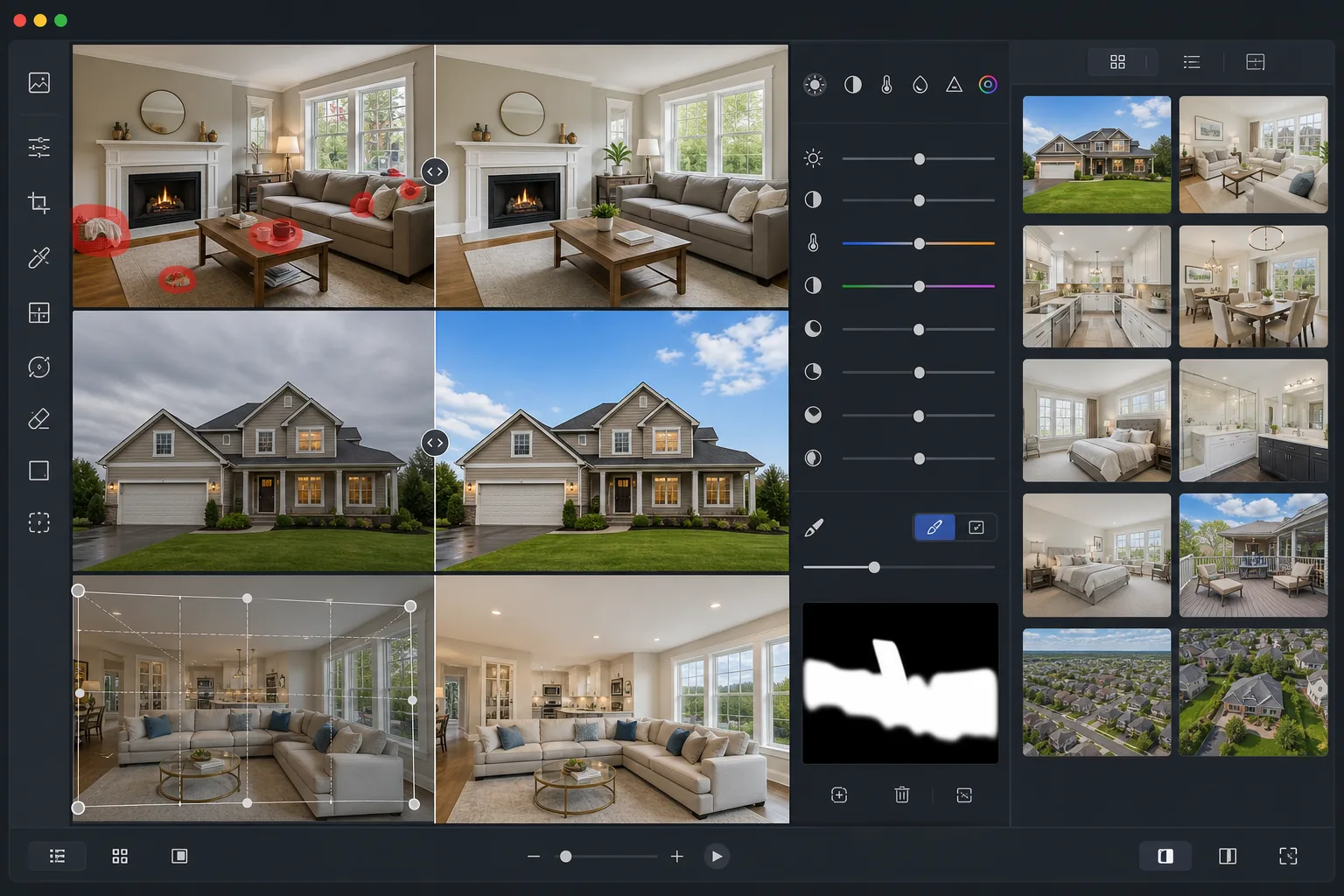
此模板的作用
使用房地产摄影师所用的专业级校正来增强房产照片。该模板可恢复曝光过度的窗户、提亮昏暗房间中的阴影细节、校正混合的室内光线,并消除垃圾桶、车道上的车辆和个人物品等日常杂物。最终效果看起来就像专业包围曝光拍摄的 HDR 照片,无需三脚架或编辑时间。
模板设置
| 输出尺寸 | 3000×2000px(3:2 MLS 标准) |
| 动态范围 | HDR 色调映射(+2 EV 阴影恢复) |
| 天空增强 | 阴天自动替换为蓝天 |
| 色温 | 5500K 日光平衡(中和室内偏黄色调) |
| 文件格式 | JPEG 90% 质量(针对 MLS 上传优化,小于 10MB) |
| 镜头校正 | 自动垂直校正和桶形畸变修复 |
如何使用此模板
上传您的房产照片
上传用任何相机或智能手机拍摄的室内或室外照片。广角镜头最适合拍摄房间,但模板会自动校正桶形畸变。
消除杂物和干扰
Magic Eraser 可消除个人物品、车道上的车辆、垃圾桶、电线以及其他分散对房产本身注意力的元素。选择要消除的对象,或让 AI 检测常见的干扰物。
增强光线和色彩
AI Enhance 应用类似 HDR 的色调映射,恢复曝光过度的窗户并提亮昏暗的角落。来自钨丝灯、荧光灯和日光等混合光源的光线会自动平衡为干净中性的色调。
导出至 MLS 和挂牌网站
以 3000×2000px 下载,适用于 MLS、Zillow、Realtor.com 和 Redfin。JPEG 输出经过优化,可在保留细节的同时保持在各平台文件大小限制以内。
获得最佳效果的专业技巧
- ✓拍摄室内时打开所有灯光并拉开窗帘 — 模板可以恢复窗户亮度,但房间内有一些自然光会产生最逼真的 HDR 效果。
- ✓拍摄室外时,从街对面以胸部高度拍摄,以捕捉完整的外立面,避免过度的仰拍角度扭曲垂直线条。
- ✓拍摄前布置好空间:移走小件个人物品、盖上马桶盖并清理厨房台面。虽然 Magic Eraser 可以消除物体,但更整洁的原始照片能带来最自然的效果。
- ✓对关键房间同时拍摄横向和纵向 — MLS 使用横向,但 Zillow 的移动应用常常裁剪为正方形,因此拥有多种选择可确保在每个平台上获得最佳呈现。
常见问题
这符合 MLS 照片要求吗?
+
符合。模板以 3:2 的宽高比输出 3000×2000px,满足或超过美国和加拿大所有主要 MLS 系统的要求。JPEG 质量经过校准,可保持在通常的 10MB 上传限制以内。
我可以修复室内照片中窗户的曝光过度吗?
+
当然可以。HDR 色调映射算法可在保留自然室内光线的同时恢复曝光过度窗户的细节。效果是透过窗户显示室外景色而不会使房间变暗 — 类似于专业的闪光-环境光融合。
编辑后的照片会显得不自然吗?
+
这些增强经过校准,以匹配专业房地产摄影的外观,而非过度处理的 HDR。色彩保持真实,阴影自然提亮,天空替换使用与原始照片光线方向相符的真实天空照片。
Related templates
More real estate templates for your workflow.
通过垂直线校正、天空替换、去除车辆和行人以及黄金时段调色,提升建筑外观照片,适用于房源展示和作品集。
通过房间增亮、杂乱消除、Color correction 和广角镜头畸变修复来改变 Airbnb 和度假租赁照片,以提高预订率。
通过房间增亮、杂乱消除、材料纹理锐化以及饰面和织物的色彩准确渲染来增强室内设计作品集照片。
通过天空替换、财产边界突出显示、色彩鲜艳度 Boost 以及消除房地产和土地调查的干扰来增强无人机航空摄影。
用逼真的家具、装饰和灯光对空房间进行虚拟布置。帮助买家直观感受居住空间,无需实际布置成本。
通过去除污渍、锐化线条和保持一致的样式,清洁、增强和标准化房地产列表的平面图图像。