
Uncover the Image Behind an Emoji
学习如何使用 Magic Eraser 显示表情符号背后的图像。免费 AI 工具的简单分步指南。支持网页、iOS 和 Android。
Last updated
立即尝试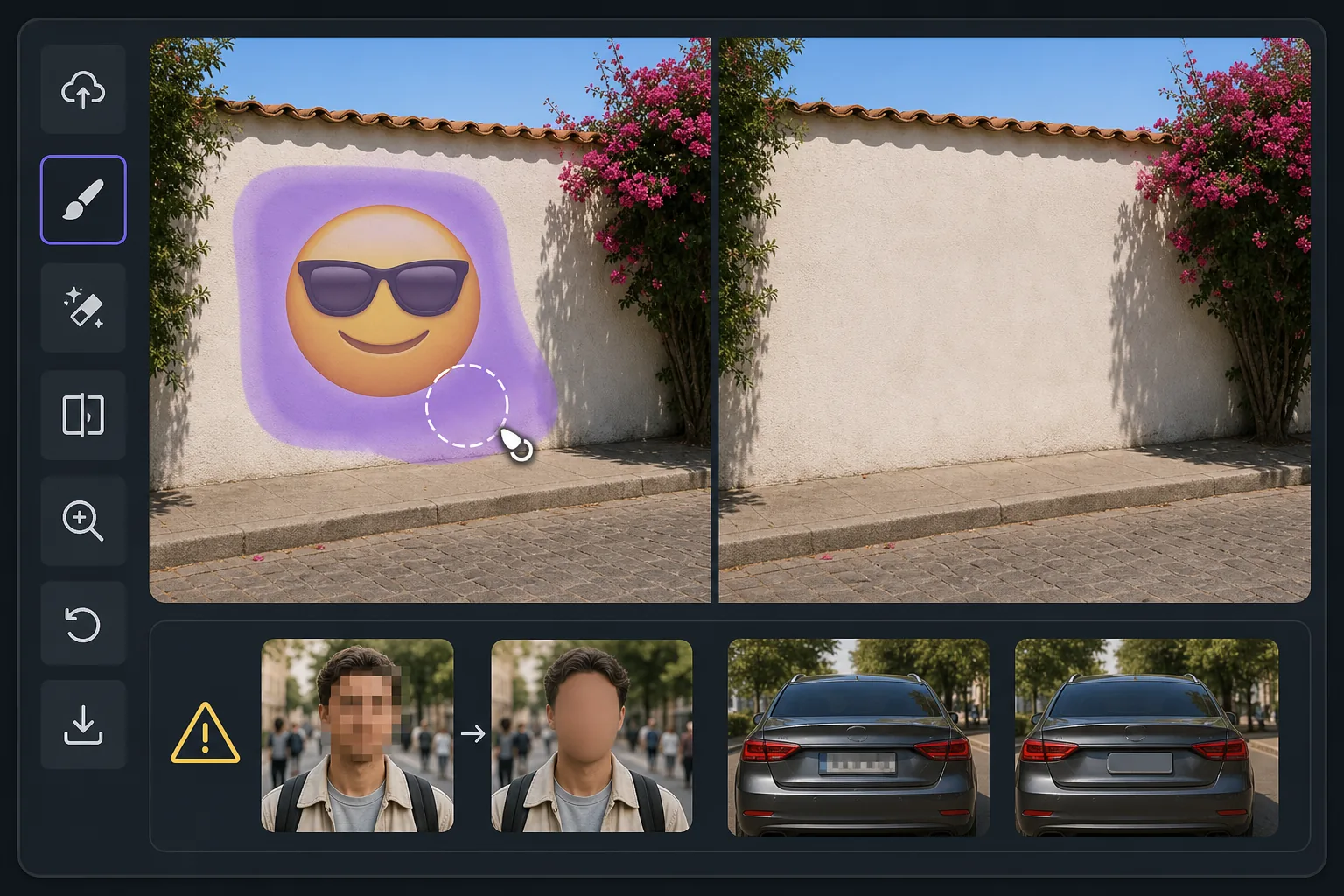
What "uncovering" an emoji really means — Magic Eraser
When someone covers part of a photo with an emoji, sticker, or smiley, the pixels underneath are gone — they were never saved in that file. So no tool, Magic Eraser included, can recover the true original content beneath the emoji. What Magic Eraser can do is far more useful than it sounds: its AI inpainting analyzes the surrounding image — colors, textures, lighting, and patterns — and synthesizes a clean, plausible reconstruction to fill the space the emoji occupied. The result is a seamless, emoji-free photo where the covered area blends naturally with everything around it. If the emoji was hiding a plain wall, a sky, grass, or fabric, the reconstruction is usually convincing because the AI has plenty of context to extend. If the emoji was covering a person's face, license plate, or specific text, the AI will invent something that fits the scene — it cannot reveal who or what was actually there. Going in with that expectation is the difference between being delighted and being disappointed. Magic Eraser works on the web and as a free iOS and Android app, with no watermark on the free tier, so you can try uncovering the area behind an emoji in seconds.
Before you start
分步教程
Start with 上传照片. The result preview above and tips below use this guide's existing content; no separate before-and-after proof is assumed.
- 1
上传照片
在网页、iOS 或 Android 上打开 Magic Eraser。拖放您的 JPEG、PNG、HEIC 或 WebP 照片。无需账户即可开始。
- 2
选择工具和区域
选择合适的工具并标记需要处理的区域。AI 会自动分析并在几秒内应用更改。
- 3
下载结果
预览结果并下载编辑后的照片。导出为高质量 PNG 或 JPEG 格式。
最适合
- Seeing what a scenic background looks like once an emoji or smiley sticker is lifted off a landscape or skyline photo
- Cleaning up screenshots where an emoji was dropped over a plain wall, sky, or surface and you want the unobstructed view
- Reconstructing simple textures — grass, water, carpet, fabric — that an emoji partially covered
- Removing playful stickers from your own photos so the image reads clean without the cartoon overlay
- Anyone who understands the AI paints a believable fill rather than recovering the literal pixels a face or detail behind the emoji
获得最佳效果的技巧
The single most important tip: Magic Eraser reconstructs, it does not recover. If an emoji was deliberately placed to hide someone's identity, a phone number, or sensitive text, removing it will not reveal the real thing — the AI simply paints whatever fits the surrounding scene. Treat results over plain or repeating backgrounds as reliable, and results over faces or specific details as creative guesses. For the most natural reconstruction, give the brush a little extra room around the emoji's edges, work on the highest-resolution copy you have, and run a second pass if any seams or color mismatches remain. Because the free tier on web, iOS, and Android adds no watermark, you can experiment freely until the uncovered area looks right.
常见问题
- 显示表情符号背后的图像功能是免费的吗?
- 是的,Magic Eraser 允许您在每日免费额度内显示表情符号背后的图像。升级到 Pro 可获得无限处理和高分辨率导出。
- 显示表情符号背后的图像需要多长时间?
- 只需几秒钟。Magic Eraser 的 AI 快速处理照片——大多数结果在上传后立即可用。
- 可以在手机上使用吗?
- 是的,Magic Eraser 可在 iOS、Android 和所有网页浏览器上使用。您可以在设备间自由切换。
- 图片质量会下降吗?
- 不会,Magic Eraser 保持原始照片质量。AI 智能处理以保留细节和清晰度。