
Remove Water Reflections From a Photo
学习如何使用 Magic Eraser Remove Water Reflections From a Photo。免费 AI 工具的简单分步指南。支持网页、iOS 和 Android。
Last updated
立即尝试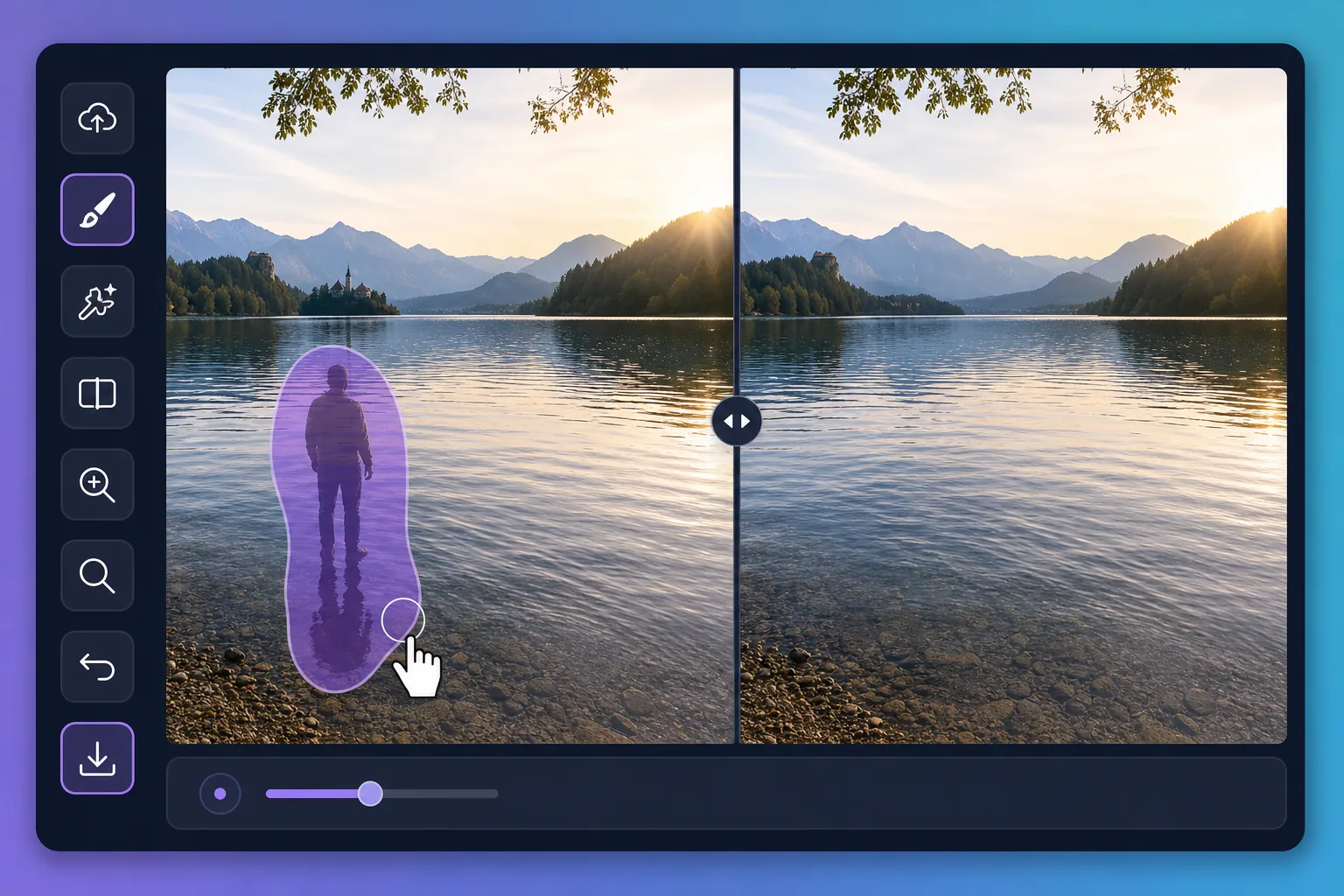
Why water reflections are tricky to edit — Magic Eraser
Water is a mirror that never holds still. A perfect dawn over a lake can be spoiled by the reflection of a power line, a parked car, or a stranger standing at the shore. Puddles after rain pick up neon signs, scaffolding, and harsh sky glare that pull attention away from your subject. Painting these out by hand is slow because the editor has to match ripples, color gradients, and the soft way reflections fade with distance. Magic Eraser handles that for you: brush over the unwanted reflection and its AI inpainting reconstructs a plausible stretch of water in its place — matching the surrounding tone and texture rather than leaving a flat smudge. It does not recover the literal scene that was hidden behind the reflection; it synthesizes a believable replacement that blends with the rest of the surface, which is exactly what you want for a clean travel or landscape shot.
Before you start
分步教程
Start with 上传照片. The result preview above and tips below use this guide's existing content; no separate before-and-after proof is assumed.
- 1
上传照片
在网页、iOS 或 Android 上打开 Magic Eraser。拖放您的 JPEG、PNG、HEIC 或 WebP 照片。无需账户即可开始。
- 2
选择工具和区域
选择合适的工具并标记需要处理的区域。AI 会自动分析并在几秒内应用更改。
- 3
下载结果
预览结果并下载编辑后的照片。导出为高质量 PNG 或 JPEG 格式。
最适合
- Wiping a reflected power line, crane, or building off a calm lake at sunrise
- Cleaning neon, signage, and headlight glare out of rain puddles in street shots
- Removing a stray person or parked car mirrored along a pond's far shore
- Softening harsh sun glare patches that blow out a glassy water surface
- Tidying reflections in fountains and reflecting pools for cleaner travel photos
获得最佳效果的技巧
Work in small sections rather than one giant brush stroke — water has subtle gradients and ripples that the AI rebuilds more convincingly across a smaller area. Keep your brush just inside the reflection so you preserve the genuine ripples around it. For mirror-still water, erasing a large reflection can leave the surface looking too uniform; brushing in a few short passes helps the reconstruction vary naturally. Remember the result is a synthesized surface, not the real scene beneath the reflection, so zoom in to confirm the edges blend before you export.
常见问题
- Remove Water Reflections From a Photo功能是免费的吗?
- 是的,Magic Eraser 允许您在每日免费额度内Remove Water Reflections From a Photo。升级到 Pro 可获得无限处理和高分辨率导出。
- Remove Water Reflections From a Photo需要多长时间?
- 只需几秒钟。Magic Eraser 的 AI 快速处理照片——大多数结果在上传后立即可用。
- 可以在手机上使用吗?
- 是的,Magic Eraser 可在 iOS、Android 和所有网页浏览器上使用。您可以在设备间自由切换。
- 图片质量会下降吗?
- 不会,Magic Eraser 保持原始照片质量。AI 智能处理以保留细节和清晰度。