
Remove Sun Glare From a Photo
学习如何使用 Magic Eraser Remove Sun Glare From a Photo。免费 AI 工具的简单分步指南。支持网页、iOS 和 Android。
Last updated
立即尝试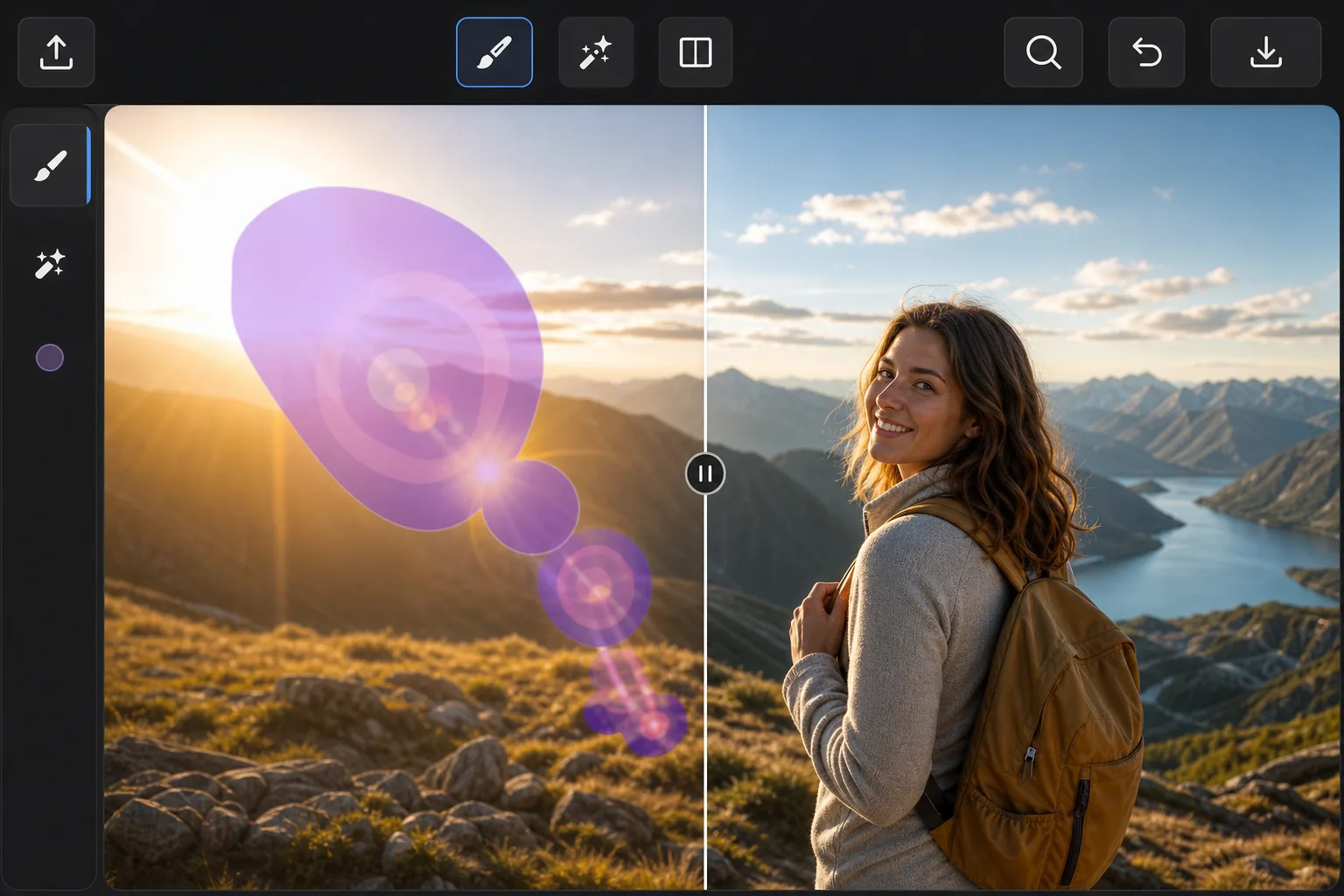
When the sun ruins an outdoor shot — Magic Eraser
Point a lens anywhere near the sun and the light fights back: hazy flare washing over a face, polygon-shaped lens-flare ghosts marching across the frame, and a searing hotspot that drowns out detail. These artifacts are different from a glossy reflection — they're scattered light baked into the exposure, so you can't just dim them down. Magic Eraser handles them by removing the affected pixels and inpainting a believable replacement. Instead of trying to recover blown-out detail that the sensor never captured, the AI studies the surrounding sky, foliage, or skin tones and synthesizes a plausible patch that blends in. It's a reconstruction, not hidden detail brought back — but for sky, gradients, and even backgrounds, the result usually looks like the flare was never there. It runs free in your browser or on the iOS and Android apps, with no watermark on the export.
Before you start
分步教程
Start with 上传照片. The result preview above and tips below use this guide's existing content; no separate before-and-after proof is assumed.
- 1
上传照片
在网页、iOS 或 Android 上打开 Magic Eraser。拖放您的 JPEG、PNG、HEIC 或 WebP 照片。无需账户即可开始。
- 2
选择工具和区域
选择合适的工具并标记需要处理的区域。AI 会自动分析并在几秒内应用更改。
- 3
下载结果
预览结果并下载编辑后的照片。导出为高质量 PNG 或 JPEG 格式。
最适合
- Sweeping sun-flare streaks and haze across landscape and beach photos
- Polygon-shaped lens-flare ghosts that march across the frame toward the sun
- Bright hotspots washing out faces in backlit portraits
- Rainbow flare arcs over skies, water, and open horizons
- Golden-hour shots where flare spills over an otherwise perfect scene
获得最佳效果的技巧
Tackle each flare element separately — one pass for the ghost rings, another for the haze, another for the hotspot — so the AI can sample the right neighbors for each. Glare sitting over smooth, predictable areas like open sky or water reconstructs almost invisibly; flare crossing detailed edges (tree lines, faces, architecture) is harder, so brush tightly around those and review the seams. If a hotspot has eaten fine detail that was never recorded, accept that the fill is a clean plausible substitute rather than the original texture. For stubborn spots, run a second light pass instead of one heavy brush stroke.
常见问题
- Remove Sun Glare From a Photo功能是免费的吗?
- 是的,Magic Eraser 允许您在每日免费额度内Remove Sun Glare From a Photo。升级到 Pro 可获得无限处理和高分辨率导出。
- Remove Sun Glare From a Photo需要多长时间?
- 只需几秒钟。Magic Eraser 的 AI 快速处理照片——大多数结果在上传后立即可用。
- 可以在手机上使用吗?
- 是的,Magic Eraser 可在 iOS、Android 和所有网页浏览器上使用。您可以在设备间自由切换。
- 图片质量会下降吗?
- 不会,Magic Eraser 保持原始照片质量。AI 智能处理以保留细节和清晰度。