
How to remove dark circles from a photo
学习如何使用 Magic Eraser How to remove dark circles from a photo。免费 AI 工具的简单分步指南。支持网页、iOS 和 Android。
Last updated
立即尝试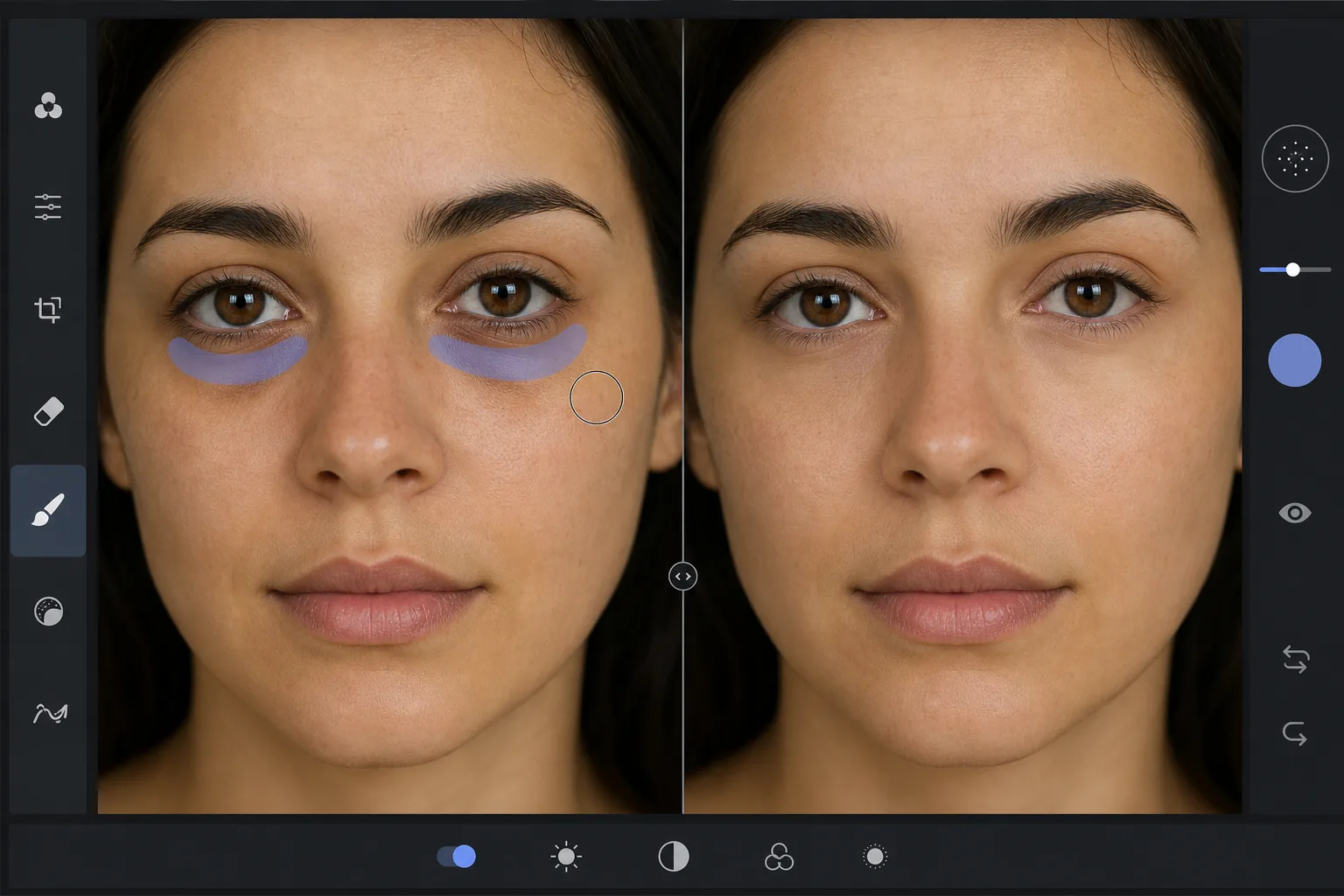
Why dark circles are tricky to retouch — Magic Eraser
Under-eye dark circles are not a single object you can cut out — they are a gradient of shadow and discoloration that blends into the surrounding skin. Heavy-handed editing (a brightness brush, a clone stamp) erases the natural shading that gives the face dimension, leaving a flat, obviously-retouched patch under the eye. The goal is to reduce the darkness while preserving skin texture, pores, and the subtle highlight-to-shadow transition that reads as real. Magic Eraser's AI treats the under-eye region as skin to reconstruct rather than a color to paint over: it lightens the area and rebuilds matching texture from the surrounding cheek and lower-lid skin, so the result looks like a well-rested version of the same face, not an airbrushed mask. This makes it useful for headshots, dating-profile photos, family portraits, and any shot where the subject looks more tired than they felt.
Before you start
分步教程
Start with 上传照片. The result preview above and tips below use this guide's existing content; no separate before-and-after proof is assumed.
- 1
上传照片
在网页、iOS 或 Android 上打开 Magic Eraser。拖放您的 JPEG、PNG、HEIC 或 WebP 照片。无需账户即可开始。
- 2
选择工具和区域
选择合适的工具并标记需要处理的区域。AI 会自动分析并在几秒内应用更改。
- 3
下载结果
预览结果并下载编辑后的照片。导出为高质量 PNG 或 JPEG 格式。
最适合
- Professional headshots where the subject looks tired despite good lighting
- Dating-profile and social photos that need a fresher, well-rested look
- Family and event portraits taken late in the day
- Quick retouching without learning frequency separation or dodge-and-burn
- Batch-cleaning a set of portraits to a consistent look
获得最佳效果的技巧
Reduce, don't erase. Real faces have some shadow under the eye — removing it completely reads as fake. Aim to lighten dark circles to the point they no longer draw attention, not to a uniform flat tone. Brush each eye separately so the AI references the skin closest to each one. If the subject has both dark circles and under-eye bags, the discoloration and the puffiness-shadow are two issues: lighten the discoloration first, then assess whether the remaining shadow still needs a light pass. For a related cleanup, pair this with removing blemishes or skin shine in the same edit. And as always, the most natural result keeps pores and skin texture intact — Magic Eraser preserves them automatically, so avoid over-brushing into clear skin.
常见问题
- How to remove dark circles from a photo功能是免费的吗?
- 是的,Magic Eraser 允许您在每日免费额度内How to remove dark circles from a photo。升级到 Pro 可获得无限处理和高分辨率导出。
- How to remove dark circles from a photo需要多长时间?
- 只需几秒钟。Magic Eraser 的 AI 快速处理照片——大多数结果在上传后立即可用。
- 可以在手机上使用吗?
- 是的,Magic Eraser 可在 iOS、Android 和所有网页浏览器上使用。您可以在设备间自由切换。
- 图片质量会下降吗?
- 不会,Magic Eraser 保持原始照片质量。AI 智能处理以保留细节和清晰度。