
Fotoğraftan logoyu kaldırma
Sahip olduğunuz veya düzenleme lisansına sahip olduğunuz fotoğraflardan marka logolarını, ağ hatalarını, tabelaları, mağaza etiketlerini ve baskı baskılarını çıkarın. Logoyu fırçalayın ve Magic Eraser'ün yapay zekası arkasındaki alanı doldursun.
Son güncelleme
Bir fotoğraftan logo nasıl kaldırılır
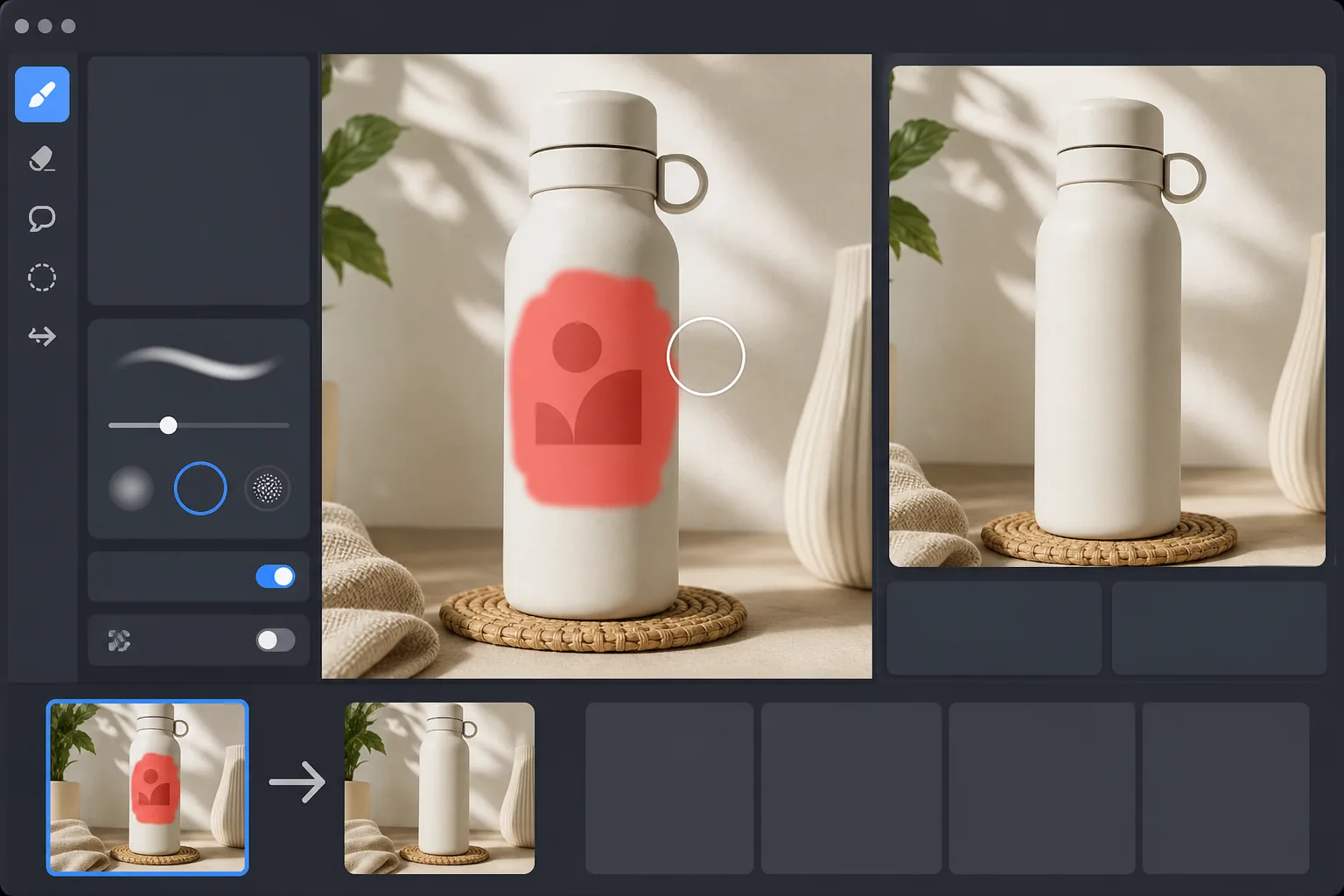
Bir fotoğraftan logoyu kaldırmak için web, iOS veya Android üzerinde Magic Eraser'ı açın, görseli yükleyin, logonun üzerine —gölgesi, parlaması veya konturu dahil— fırçayla geçin ve Erase'e dokunun. AI, işaretin çevresindeki alanı okuyup altındaki yüzeyi saniyeler içinde yeniden oluşturur; ister düz bir etikette, ister kavisli bir şişede, ister kumaşta olsun. Ücretsizdir, kayıt gerektirmez ve JPEG, PNG ile WebP formatlarında çalışır. Bir dizi fotoğrafta tekrar eden köşe logosu için her birini fırçayla işaretleyin ve tek tek çalıştırın. Logo kaldırma, varlığa sahip olduğunuzda veya onu düzenleme haklarına sahip olduğunuzda rutin bir düzenleme görevidir: kendi eski markanız, sattığınız ve yeniden kullanmak istediğiniz ürünlerin fotoğrafları, laboratuvarın stüdyo işareti eklediği arşiv taramaları veya kendi uygulamalarınızdan ekran görüntüleri. Sahip olmadığınız içerikten ticari marka veya telif hakkı sinyallerini çıkarmanın bir yolu değildir; yayın hataları, spor ligi işaretleri, rakiplerin ürünlerindeki marka işaretleri ve lisanslı eğlence ekran görüntülerinin tümü temsil ettikleri haklara bağlı kalır. Photoshop'ta kullandığınız standardın aynısını kullanın: Yalnızca düzenleme izniniz olan şeyleri düzenleyin.
Bir logoyu üç adımda kaldırın
- 1
Fotoğrafınızı yükleyin
Magic Eraser web, iOS veya Android'de açın ve görsele bırakın. Büyük taramalar ve ekran görüntüleri de dahil olmak üzere JPEG, PNG ve WebP'nin tümü desteklenir.
- 2
Logonun üzerini fırçalayın
Logonun tamamını boyayın. Alt gölgeyi, parıltıyı veya herhangi bir ana hat efektini (görsel olarak markaya ait olan her şeyi) örtün. Tekrarlanan logolar için (bir setteki her fotoğrafta köşe filigranları) her örneği fırçalayın.
- 3
Silme işlemini çalıştırın ve %100'de kontrol edin
Sil'e dokunun. Yapay zeka alanı saniyeler içinde yeniden inşa ediyor. %100'e yakınlaştırın ve logoda kalan kenar veya renk tonu olup olmadığını kontrol edin; gerekirse rötuş yapın.
Şunun için en iyisi:
- Yeniden markalama öncesinde fotoğraflardan kendi eski marka logolarınızı temizleme
- Taranan aile fotoğraflarından baskı laboratuvarı baskılarını kaldırma
- Gönderdiğiniz provalardan kendi stüdyo filigranınızı silme
- Yayınlamadan önce kendi uygulamalarınızın ekran görüntülerini temizleme
- Sahip olduğunuz ürün fotoğraflarından çıkartmaları, fiyat etiketlerini veya mağaza etiketlerini kaldırma
Logo kaldırma ne değildir
Logonun kaldırılması hakları devretmez. Fotoğrafını çektiğiniz bir üründe bir rakibin logosu görünüyorsa, logoyu kaldırmak size ürünü pazarlamanızda kullanma hakkı vermez. Yayın ağı hataları, spor ligi işaretleri ve lisanslı eğlence katmanlarının tümü, asıl sahibinin kontrol ettiği hakları temsil eder; görsel işaretin kaldırılması, temel medyanın sahibinin kim olduğunu değiştirmez. Şüpheye düştüğünüzde görseli uygun şekilde lisanslayın veya aklınızdaki kullanıma uygun bir stok fotoğrafı kullanın.
Sık sorulan sorular
- Bir markanın ürün fotoğrafından logoyu kaldırabilir miyim?
- Yalnızca o fotoğrafın haklarına ve temel ürünü çalışmanızda kullanma haklarına sahipseniz. Bir logoyu kaldırmak size ürün görselini kullanma izni vermez; bu ayrı bir lisans sorusudur.
- Yapay zeka bir logonun alt gölgesini ve ana hatlarını yakalayabilecek mi?
- Fırçaladığınız şeyi yakalar. Logonun parlaması veya gölgesi varsa, onu da fırçalayın; aksi halde logonun bulunduğu yerin etrafında bir halka görebilirsiniz.
- Kavisli veya 3 boyutlu yüzeylerdeki logolarda çalışır mı?
- Evet. Yapay zeka, kavisli şişeler, kumaş veya 3 boyutlu nesneler de dahil olmak üzere çevredeki bağlama göre alanı yeniden oluşturuyor. Ağır dokulu yüzeylerin (karbon fiber, ağ, tuğla) rötuşlanması gerekebilir.
- Şeffaf veya yarı şeffaf logolara ne dersiniz?
- Yapay zekanın okuyabileceği daha fazla çevre bağlamı olduğundan şeffaf filigranların kaldırılması genellikle opak logolara göre daha kolaydır.
- Bir fotoğraftan logoyu ücretsiz nasıl kaldırırım?
- Web'de ya da iOS veya Android uygulamasında Magic Eraser'ı açın, görselinizi yükleyin, logonun üzerine fırçayla geçin ve Erase'e dokunun. Ücretsiz sürüm logo kaldırmayı kapsar — kayıt yok ve çıktıda filigran yok. Sahip olduğunuz veya düzenleme izniniz olan bir fotoğrafı yükleyin, işareti temizleyin ve sonucu hiçbir ücret ödemeden indirin.
- Telefonumda bir fotoğraftan logoyu kaldırabilir miyim?
- Evet. Herhangi bir mobil tarayıcıda ya da iOS veya Android uygulamasında Magic Eraser'ı açın, fotoğrafı galerinizden yükleyin ve fırçalamadan önce iki parmağınızla yakınlaştırarak logoya odaklanın. Yakınlaştırmak, çevredeki tasarımı boyamadan işaretin tamamını —gölgesini veya parlamasını da— kaplamanızı sağlar. Erase'e dokunun, sonuç masaüstü sürümüyle aynı olur.
- Logo gittikten sonra geride bir kenar izi veya renk halkası kalır mı?
- İşaretin bir kısmı fırçalanmadan kaldıysa kalabilir — çoğunlukla bir gölgenin ya da parlamanın yumuşak dış kenarı. Görünen logonun biraz ötesine, o haleye doğru fırçalayın, Erase'i çalıştırın, ardından %100'e yakınlaştırıp birleşim yerini kontrol edin. Yoğun ya da dokulu bir yüzeyde, kalan herhangi bir soluk halka üzerinden ikinci kısa bir geçiş tonu dengeler.