
Daha keskin ayrıntılar, daha iyi renkler ve daha yüksek kalite için görüntüleri AI ile geliştirin
Netliği, rengi, yüz ayrıntılarını ve görüntü çözünürlüğünü saniyeler içinde iyileştirmek için Magic Eraser'nin AI Enhance aracını kullanın. Daha hızlı bir düzenleme iş akışıyla ürün fotoğraflarını, portreleri, sosyal medya görsellerini ve düşük kaliteli görselleri yükseltin.
Magic Eraser AI Enhance, görüntüleri büyütmek ve görünür keskinliği, renkleri ve yüz ayrıntılarını iyileştirmek için yapay zekâ kullanır. Eski, bulanık veya düşük çözünürlüklü fotoğraflara yardımcı olabilir; ancak sonuç kaynak görüntüye bağlıdır ve baskı ya da yayımdan önce kontrol edilmelidir.


Ürün fotoğraflarını ve günlük görselleri yapay zekayla geliştirin
Yumuşak, loş veya düz görüntüleri, manuel olarak yeniden oluşturmanıza gerek kalmadan yükseltin. AI Enhance e-ticaret, sosyal içerik ve portreler için daha temiz renklere, daha keskin ayrıntılara ve daha gösterişli bir görünüme kavuşmanıza yardımcı olur.
AI Enhance'ü aç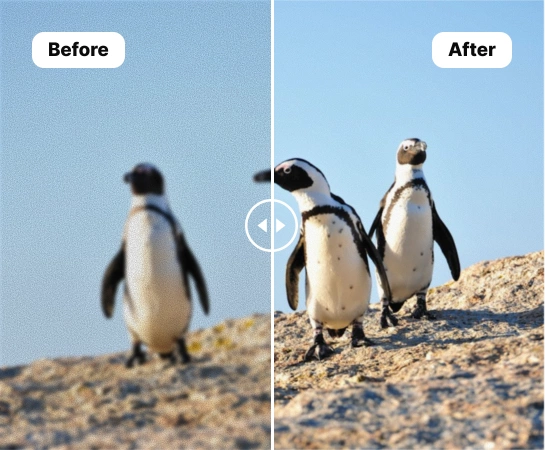
Ağır rötuş iş akışı olmadan zayıf görüntüleri yükseltin
Kaynak resimler çok yumuşak, soluk veya tutarsız olduğunda, AI Enhance yaratıcıların, satıcıların ve pazarlamacıların karmaşık bir düzenleme yığınını açmadan bunları daha hızlı geliştirmelerine yardımcı olur. Günlük görselleri yayınlamadan, listelemeden veya yeniden kullanıma sunmadan önce temizlemenin pratik bir yoludur.
AI Enhance'ü aç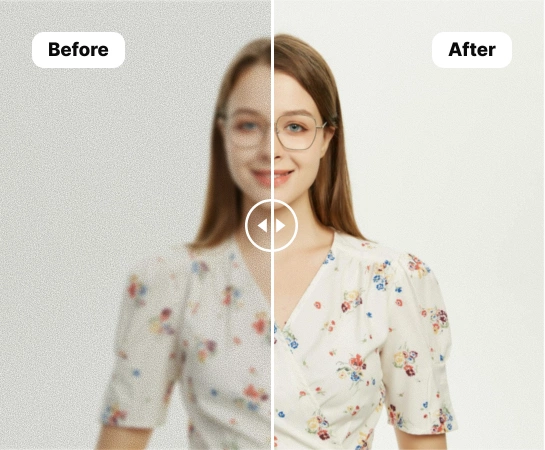
Ürün fotoğrafları, portreler ve sosyal içeriklerde AI Enhance kullanın
AI Enhance, e-ticaret ürün çekimlerinden portrelere, pazar yeri listelerinden sosyal görsellere kadar keskinliğin, aydınlatmanın ve konu netliğinin iyileştirilmesine yardımcı olur. Renk kurtarma, yüz ayrıntıları veya daha temiz, yüksek çözünürlükte dışa aktarma gerektiren görüntüler için özellikle kullanışlıdır.
AI Enhance'ü aç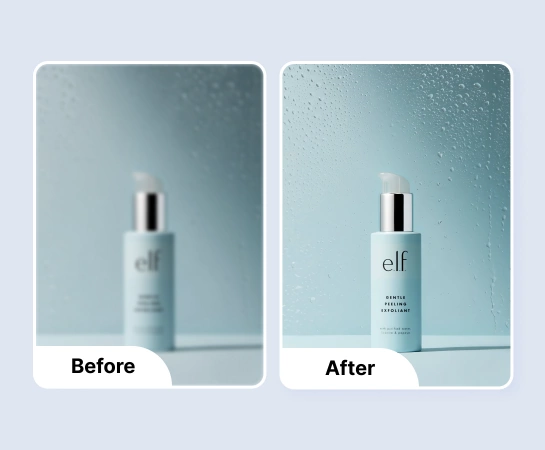
Resim iyileştirildikten sonra düzenlemeye devam edin
Geliştirme genellikle iş akışının geri kalanından önceki temizleme adımıdır. Görüntünüz daha net ve parlak göründüğünde arka planı kaldırma, tasarlama, yeniden boyutlandırma veya tuval genişletme işlemlerine geçebilirsiniz. Bu, ortalama kaynak görüntüden üretime hazır varlığa kadar daha hızlı bir yol oluşturur.
AI Enhance'ü aç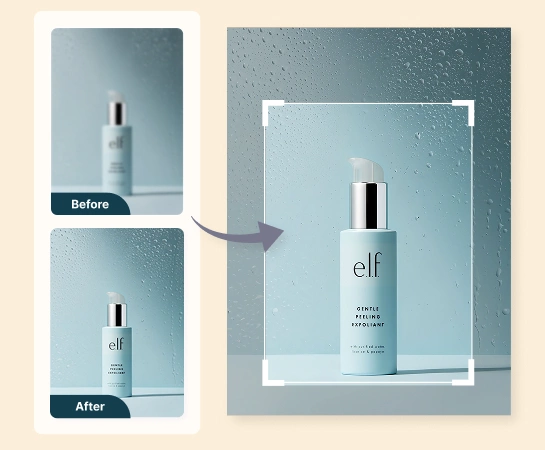
AI ile görseller nasıl geliştirilir?
Bir resim yükle
Bir ürün fotoğrafı, portre veya daha iyi keskinlik, renk veya genel netlik gerektiren herhangi bir görseli seçin.
Geliştirme seçeneklerini seçin
Görüntünün ihtiyacına göre renk geliştirmeyi, yüz geliştirmeyi veya yüksek çözünürlüklü işlemeyi açın.
AI Enhance komutunu çalıştırın
Magic Eraser'ün görüntüyü işlemesine ve ayrıntıları, parlaklığı, rengi ve yüz netliğini otomatik olarak iyileştirmesine izin verin.
İndirin veya düzenlemeye devam edin
Geliştirilmiş görüntüyü dışa aktarın veya Arka Planı Kaldır, Tasarım veya AI Genişletme gibi diğer iş akışlarına devam edin.
İhtiyacınız olan tüm AI görüntü düzenleme araçları
Temizleme ve geliştirmeden oluşturma ve tasarıma kadar Magic Eraser Web'de şu anda mevcut olan ana düzenleme yeteneklerini keşfedin.

AI Enhance
Daha hızlı yapay zeka tabanlı geliştirme iş akışıyla görüntü netliğini ve genel görünümü geliştirin.
Rengi geliştir
Daha düz veya mat görünümlü görüntüler için daha temiz renkler ve daha iyi görsel canlılık elde edin.
Yüzü geliştir
Portreler, profil fotoğrafları ve içerik oluşturucu içeriği için daha net yüz ayrıntıları ortaya çıkarın.

Yüksek çözünürlük
Sonucun daha büyük düzenlerde ve dışa aktarmalarda daha iyi çalışmasını sağlamak için görüntü çözünürlüğünü iyileştirin.

Arka Planı Kaldır
Daha temiz bir kompozisyona veya şeffaf varlığa ihtiyaç duyduğunuzda iyileştirilmiş görüntüyü kesme iş akışına taşıyın.
Yapay Zeka Genişlet
Geliştirilmiş görseli reklamlar, banner'lar ve sunum formatları için daha geniş düzenlere genişletin.

Tasarım
Metin ve yayına hazır düzen öğeleri eklemek için basit tasarım akışlarının içindeki geliştirilmiş görüntüyü kullanın.

Nesneleri Kaldır
Daha basit veya daha odaklanmış bir son görsel istediğinizde geliştirme sonrasında dikkat dağıtıcı unsurları temizleyin.
Sık sorulan sorular
Bir görsel yükleyin, istediğiniz geliştirme seçeneklerini seçin ve Magic Eraser'ün netliği, rengi, yüz detayını veya çözünürlüğü otomatik olarak iyileştirmesine izin verin. Daha sonra sonucu indirebilir veya düzenlemeye devam edebilirsiniz.
AI Enhance ürün görselleri, portreler, profil resimleri, sosyal içerikler ve daha iyi keskinlik, ışıklandırma veya genel görüntü kalitesi gerektiren günlük görseller için iyi çalışır.
Ana modlar şu anda renk iyileştirme, yüz iyileştirme ve yüksek çözünürlüklü çıktıya odaklanmaktadır; böylece düzelttiğiniz sorunun türüne göre görüntüyü iyileştirebilirsiniz.
Evet. Geliştirmeden sonra, iş akışınıza bağlı olarak Arka Planı Kaldır, AI Genişlet, Nesneleri Kaldır veya Tasarım gibi diğer Magic Eraser Web araçlarına devam edebilirsiniz.
Tipik akış basittir: görseli yükleyin, geliştirme ayarlarını seçin, düzenlemeyi çalıştırın, öncesi ve sonrasını karşılaştırın ve geliştirilmiş sürümü dışa aktarın.