
Remove Emoji from a Screenshot
เรียนรู้วิธีลบอิโมจิจากภาพหน้าจอด้วย Magic Eraser คำแนะนำทีละขั้นตอนง่ายๆ ด้วยเครื่องมือ AI ฟรี ใช้ได้บนเว็บ, iOS และ Android
Last updated
ลองใช้เลย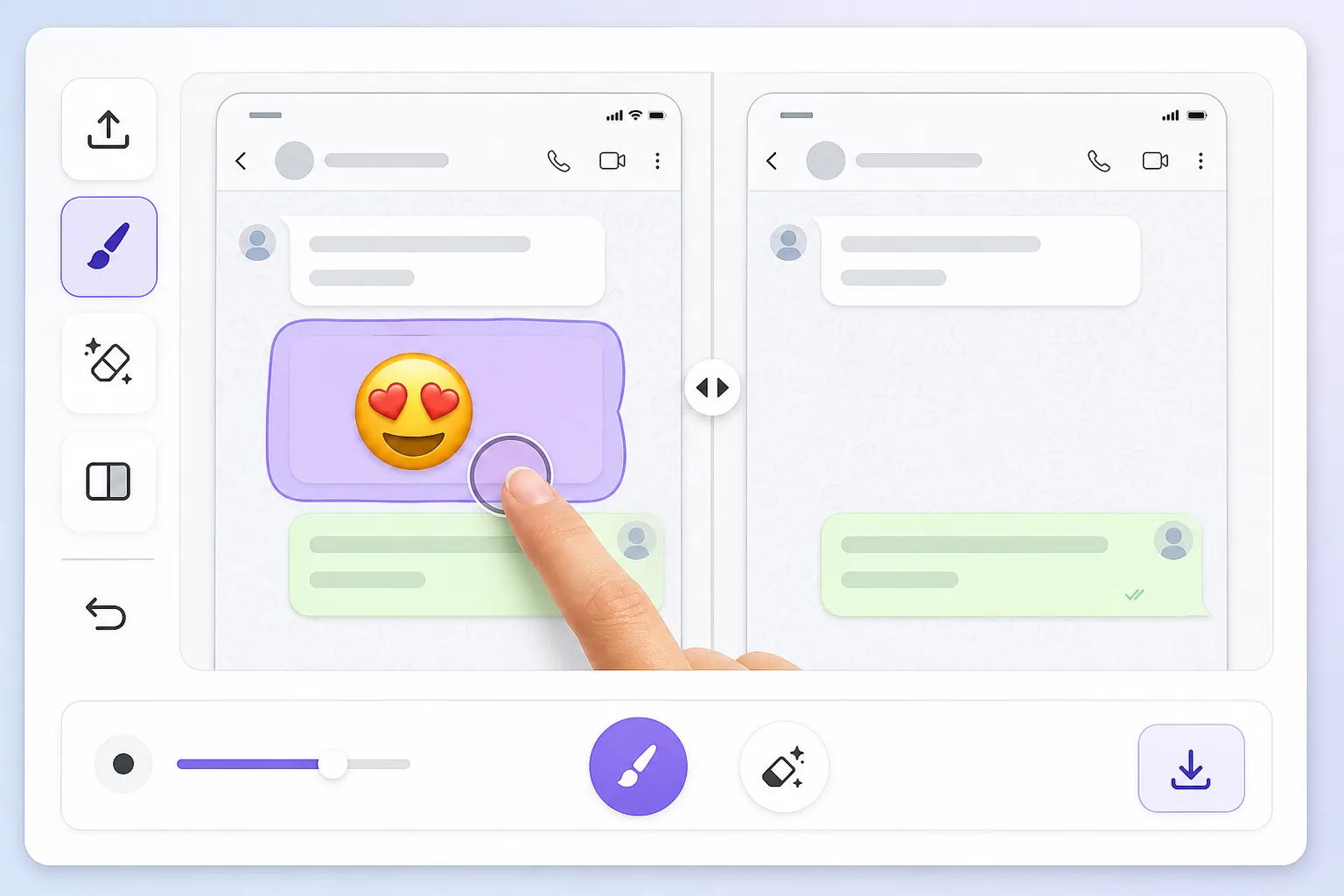
Why a screenshot makes the emoji impossible to just delete — Magic Eraser
When you screenshot a chat, a story, or an app, the device captures one flat raster image. Whatever emoji, reaction, or sticker was placed on top gets baked in alongside the text, photo, or UI behind it — there are no separate layers to undo. That's why you can't simply tap the emoji and remove it later: in the saved PNG or JPG it's the same pixels as everything else. To clear it you have to delete those pixels and fill the gap with something believable. Magic Eraser handles both steps: you brush over the baked-in emoji, the AI removes it, and it synthesizes a reconstruction of the screenshot content underneath. Be clear on one thing — the AI is making an informed guess at what was behind the emoji, not recovering the literal hidden pixels. For backgrounds, wallpaper, UI panels, and plain text it usually looks seamless; for a face or fine detail fully covered by the emoji, treat the result as a clean-up, not a true reveal.
Before you start
ขั้นตอนการใช้งาน
Start with อัปโหลดรูป. The result preview above and tips below use this guide's existing content; no separate before-and-after proof is assumed.
- 1
อัปโหลดรูป
เปิด Magic Eraser บนเว็บ, iOS หรือ Android ลากและวางรูป JPEG, PNG, HEIC หรือ WebP ไม่ต้องสร้างบัญชี
- 2
เลือกเครื่องมือและพื้นที่
เลือกเครื่องมือที่เหมาะสมและทำเครื่องหมายพื้นที่ที่ต้องการ AI จะวิเคราะห์และใช้การเปลี่ยนแปลงโดยอัตโนมัติภายในไม่กี่วินาที
- 3
ดาวน์โหลดผลลัพธ์
ดูตัวอย่างผลลัพธ์และดาวน์โหลดรูปที่แก้ไขแล้ว ส่งออกเป็น PNG หรือ JPEG คุณภาพสูง
เหมาะสำหรับ
- Chat screenshots where a reaction emoji or sticker covers part of the message you need to read
- Social media story screenshots with emojis slapped over a photo or background
- App or product screenshots where placeholder emojis need to come off before sharing
- Dating or profile screenshots with an emoji baked over the image you want cleaned up
- Saved memes or forwarded images where someone's emoji landed on the wrong spot
เคล็ดลับเพื่อผลลัพธ์ที่ดีที่สุด
Screenshots have lots of flat, predictable areas — solid chat backgrounds, white UI panels, gradient wallpapers — and the AI reconstructs those almost perfectly, so emojis sitting on plain backgrounds disappear cleanly. Trouble starts when the emoji overlaps busy detail: small text, a face, or a logo. There the AI invents a plausible fill rather than restoring the real characters, so don't rely on it to recover exact words or someone's hidden face. Brush tightly around the emoji instead of swiping broadly, and erase one emoji at a time on cluttered screenshots so each fill has clean reference pixels nearby. If a result looks off, undo and re-brush a slightly smaller area — leaving a sliver of original background gives the AI better context to match colors and texture.
คำถามที่พบบ่อย
- ฟีเจอร์ลบอิโมจิจากภาพหน้าจอใช้ฟรีไหม?
- ใช่ Magic Eraser ให้คุณลบอิโมจิจากภาพหน้าจอฟรีภายในโควตาประจำวัน อัปเกรดเป็น Pro สำหรับการประมวลผลไม่จำกัดและส่งออกความละเอียดสูง
- ลบอิโมจิจากภาพหน้าจอใช้เวลานานเท่าไหร่?
- แค่ไม่กี่วินาที AI ของ Magic Eraser ประมวลผลรูปอย่างรวดเร็ว ผลลัพธ์ส่วนใหญ่พร้อมใช้งานทันทีหลังอัปโหลด
- ใช้บนมือถือได้ไหม?
- ใช่ Magic Eraser ใช้ได้บน iOS, Android และเบราว์เซอร์ทุกชนิด สลับระหว่างอุปกรณ์ได้อย่างอิสระ
- คุณภาพภาพจะลดลงไหม?
- ไม่ Magic Eraser รักษาคุณภาพรูปต้นฉบับ AI ประมวลผลอย่างชาญฉลาดเพื่อรักษารายละเอียดและความคมชัด