
Magic Eraser vs Samsung Object Eraser
เปรียบเทียบ Magic Eraser กับ Samsung Object Eraser ดูฟีเจอร์ ราคา และความง่ายในการใช้งานแบบเทียบกัน ค้นพบว่าทำไม Magic Eraser ถึงเป็นตัวเลือกที่ดีกว่าสำหรับการแต่งรูปด้วย AI
Last updated
ทดลองใช้ Magic Eraser ฟรีComparison rows are editorial summaries from the latest page review, not a guarantee of current pricing, limits, watermark policy, batch support, speed, or platform availability.
ภาพรวม
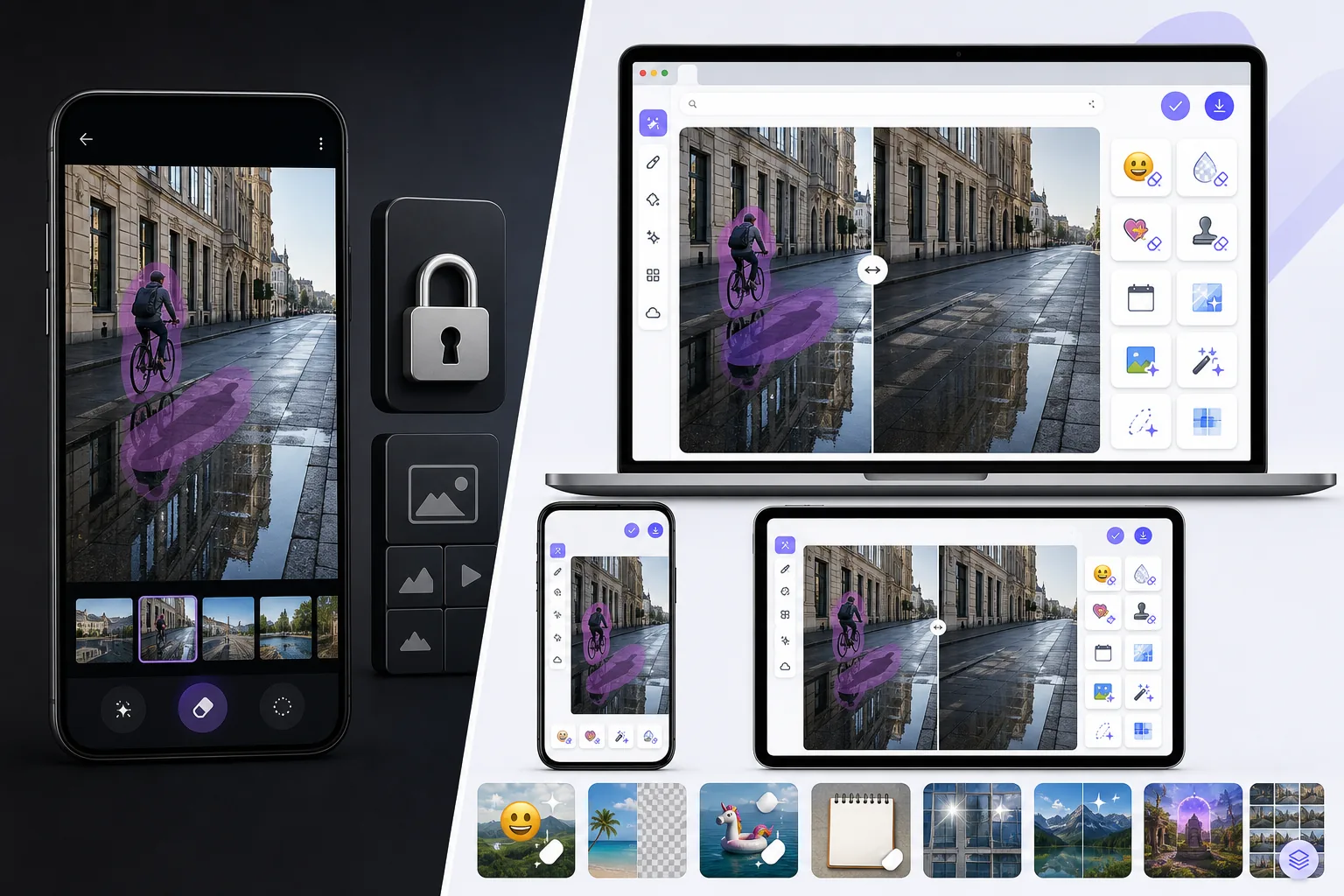
Magic Eraser เป็นโปรแกรมแต่งรูป AI ฟรีบนเว็บ มีเครื่องมือลบวัตถุ ลบพื้นหลัง เพิ่มคุณภาพภาพ ขยายภาพ AI fill, AI filter และประมวลผลแบบกลุ่ม ใช้งานได้บนทุกอุปกรณ์ที่มีเบราว์เซอร์ — ไม่ต้องติดตั้ง
Samsung Object Eraser is a feature inside the Gallery / Photo Editor on Samsung Galaxy phones, part of Galaxy AI. It removes objects, shadows, and reflections cleanly and is well integrated into One UI, but it is tied to Samsung Galaxy hardware and lives inside the Gallery app rather than as a standalone cross-platform tool.
เปรียบเทียบฟีเจอร์
Magic Eraser เป็นโปรแกรมแต่งรูป AI ฟรีบนเว็บ มีเครื่องมือลบวัตถุ ลบพื้นหลัง เพิ่มคุณภาพภาพ ขยายภาพ AI fill, AI filter และประมวลผลแบบกลุ่ม ใช้งานได้บนทุกอุปกรณ์ที่มีเบราว์เซอร์ — ไม่ต้องติดตั้ง
Samsung Object Eraser is a feature inside the Gallery / Photo Editor on Samsung Galaxy phones, part of Galaxy AI. It removes objects, shadows, and reflections cleanly and is well integrated into One UI, but it is tied to Samsung Galaxy hardware and lives inside the Gallery app rather than as a standalone cross-platform tool.
| Feature | Magic Eraser | Samsung Object Eraser |
|---|---|---|
| Works without a Samsung Galaxy | Yes — any browser/device | No — Galaxy phones only |
| Works on iPhone / desktop | Yes | No |
| Object removal | Yes | Yes |
| Shadow / reflection removal | Yes | Yes |
| Task-specific tools (130+) | Yes — emoji, watermark, sticker, etc. | No — general eraser |
| Generative fill / expand | Yes | Limited |
| Batch processing | Yes | No |
| Best for | Any device, free to start after sign-in | Galaxy owners in Gallery |
Feature rows summarize visible product positioning and should be rechecked against official product pages before purchase, migration, or compliance decisions.
- Last content review June 21, 2026
- Samsung Object Eraser source: official product site (https://www.samsung.com/galaxy-ai/)
- Magic Eraser source: https://magiceraser.live/th/product/magic-eraser
- Pricing, feature availability, platform support, and limits can change; recheck official sources before relying on a buying decision.
ข้อดีของ Magic Eraser
No Samsung Galaxy required
Samsung's Object Eraser only runs on Galaxy phones. Magic Eraser works free in any browser on any phone or computer — iPhone, other Android brands, Windows, Mac — plus native apps, so you're not tied to one manufacturer's hardware.
Task-specific tools, not just a general eraser
Samsung Object Eraser is one general removal tool in the Gallery. Magic Eraser adds 130+ dedicated removers — emoji, watermark, sticker, date stamp, glare, reflection — plus enhancement and generative fill.
A standalone web tool, not a phone feature
Object Eraser lives inside One UI's Gallery on a Galaxy device. Magic Eraser is a web tool you can open instantly and link to directly, independent of any phone's built-in app.
Batch and production workflows
For cleaning many photos at once — a catalog, an event shoot — Magic Eraser offers batch processing. Samsung's Object Eraser is a one-image-at-a-time edit in the Gallery.
เครื่องมือ
คำถามที่พบบ่อย
Magic Eraser ใช้ฟรีไหม?
+
ใช่ Magic Eraser ให้คุณแก้ไขรูปฟรีได้ทันที ไม่ต้องสมัครหรือติดตั้ง สามารถอัปเกรดเป็นแพลน Pro สำหรับการประมวลผลไม่จำกัด
Magic Eraser เทียบกับ Samsung Object Eraser เป็นอย่างไร?
+
Magic Eraser รวม 8 เครื่องมือ AI ไว้ในแพลตฟอร์มเดียว ได้แก่ ลบวัตถุ ลบพื้นหลัง เพิ่มคุณภาพ ขยายภาพ AI fill, AI filter, สร้างภาพ AI และออกแบบ เมื่อเทียบกับ Samsung Object Eraser แล้ว Magic Eraser มีฟีเจอร์มากกว่าโดยไม่ต้องติดตั้งซอฟต์แวร์
Magic Eraser ใช้บนมือถือได้ไหม?
+
ใช่ Magic Eraser ใช้ได้บน iOS, Android และเว็บ คุณสามารถสลับระหว่างอุปกรณ์ได้อย่างราบรื่น
ต้องสร้างบัญชีไหม?
+
ไม่ต้อง คุณสามารถเริ่มแก้ไขได้ทันทีโดยไม่ต้องสร้างบัญชี แค่เปิดเบราว์เซอร์แล้วเริ่มเลย
กรณีการใช้งานที่เกี่ยวข้อง
ดูว่ามืออาชีพใช้เครื่องมือเหล่านี้ในเวิร์กโฟลว์จริงอย่างไร
ภาพประกาศที่เต็มไปด้วยของส่วนตัว รถจอด หรืออุปกรณ์ก่อสร้าง ทำให้ผู้ซื้อไม่สนใจ Magic Eraser ใช้ AI ทำความสะอาดภาพอสังหาริมทรัพย์ของคุณทันที — ไม่ต้องมีทักษะ Photoshop
รูปสินค้าที่พื้นหลังรกรุงรังทำให้ลูกค้าเลื่อนผ่านร้านคุณทุกวัน Magic Eraser ช่วยสร้างรูปสินค้ามืออาชีพได้ในไม่กี่วินาที ไม่ต้องเก่ง Photoshop อัปโหลด ลบสิ่งรบกวน แล้วลงขายได้เลย
คนแปลกหน้าทำลายรูปท่องเที่ยวของคุณ? พื้นหลังรกๆ ทำให้เซลฟี่ดูไม่ดี? เลิกเสียเวลาหลายชั่วโมงกับ Photoshop ได้แล้ว Magic Eraser ลบสิ่งรบกวน ทำความสะอาดฉากหลัง และขยายรูปให้พอดีทุกแพลตฟอร์ม — แค่แตะครั้งเดียว
คู่มือที่เกี่ยวข้อง
ดูคู่มือและเนื้อหาเชิงบรรณาธิการเพิ่มเติมที่เกี่ยวข้องกับเวิร์กโฟลว์นี้
เรียนรู้วิธีใช้ Magic Eraser เพื่อลบวัตถุ คน ข้อความ และสิ่งรบกวนออกจากรูปภาพ พร้อมผลลัพธ์ AI ที่สะอาดขึ้น
เรียนรู้วิธีลบคนออกจากรูปภาพด้วย AI ภายในไม่กี่วินาที สำหรับรูปท่องเที่ยว อสังหาริมทรัพย์ และรูปสินค้า
คำแนะนำทีละขั้นตอนในการลบลายน้ำจากรูปภาพของคุณด้วย AI เมื่อไหร่ที่เหมาะสม เทคนิค และวิธีใช้ Magic Eraser
การเปรียบเทียบอื่นๆ
ดูว่า Magic Eraser เปรียบเทียบกับเครื่องมือแก้ไขรูปภาพอื่นอย่างไร
Cleanup.pictures เป็นเครื่องมือเว็บฟรีสำหรับลบวัตถุอย่างรวดเร็ว Magic Eraser มีเครื่องมือแก้ไข AI 8 ชนิด แอปมือถือ และระบบประมวลผลขั้นสูง มาดูการเปรียบเทียบกัน
โปรแกรมแต่งรูป AI ที่ทรงพลังสองตัวที่มีจุดแข็งต่างกัน Magic Eraser มีเครื่องมือ AI สร้างสรรค์ที่หลากหลายกว่า ขณะที่ Photoroom เชี่ยวชาญด้านภาพถ่ายสินค้าอีคอมเมิร์ซและการประมวลผลแบบกลุ่ม ดูว่าตัวไหนเหมาะกับคุณ
เราทดสอบและเปรียบเทียบเครื่องมือแต่งรูป AI ชั้นนำเพื่อคุณ จากการลบวัตถุไปจนถึงการเปลี่ยนพื้นหลัง ดูว่าโปรแกรมไหนให้ผลลัพธ์ที่ดีที่สุด
Fotor นำเสนอโปรแกรมแต่งภาพออนไลน์ที่ครอบคลุมพร้อมเทมเพลตและเครื่องมือเสริมความงาม ส่วน Magic Eraser มุ่งเน้นการทำความสะอาดภาพด้วย AI ที่ใช้งานจริง การลบพื้นหลัง การปรับปรุงภาพ และการแก้ไขเชิงสร้างสรรค์ เพื่อเวิร์กโฟลว์ประจำวันที่รวดเร็วกว่า
Snapseed ยังคงเป็นโปรแกรมแก้ไขภาพบนมือถือฟรียอดนิยม แต่เน้นการปรับแต่งด้วยตนเองและเครื่องมือแต่งภาพแบบดั้งเดิมมากกว่า ส่วน Magic Eraser เพิ่มเวิร์กโฟลว์ AI สมัยใหม่สำหรับผู้ที่ต้องการลบวัตถุและปรับแต่งภาพได้เร็วขึ้นโดยใช้ความพยายามน้อยลง
Pixlr มอบสภาพแวดล้อมการแก้ไขบนเบราว์เซอร์แบบคลาสสิกพร้อมเลเยอร์และเอฟเฟกต์ให้กับผู้ใช้ ส่วน Magic Eraser มุ่งเน้นการทำความสะอาด การปรับปรุง และงานพื้นหลังด้วย AI เป็นหลัก สำหรับผู้ใช้ที่ต้องการผลลัพธ์ที่ดูดีโดยไม่ต้องใช้อินเทอร์เฟซแก้ไขเต็มรูปแบบ