
Magic Eraser เทียบกับ Fotor: โปรแกรมแต่งภาพ AI ตัวไหนดีกว่าสำหรับการแต่งภาพแบบรวดเร็ว?
Fotor นำเสนอโปรแกรมแต่งภาพออนไลน์ที่ครอบคลุมพร้อมเทมเพลตและเครื่องมือเสริมความงาม ส่วน Magic Eraser มุ่งเน้นการทำความสะอาดภาพด้วย AI ที่ใช้งานจริง การลบพื้นหลัง การปรับปรุงภาพ และการแก้ไขเชิงสร้างสรรค์ เพื่อเวิร์กโฟลว์ประจำวันที่รวดเร็วกว่า
Last updated
ลองใช้ Magic Eraser ฟรีComparison rows are editorial summaries from the latest page review, not a guarantee of current pricing, limits, watermark policy, batch support, speed, or platform availability.
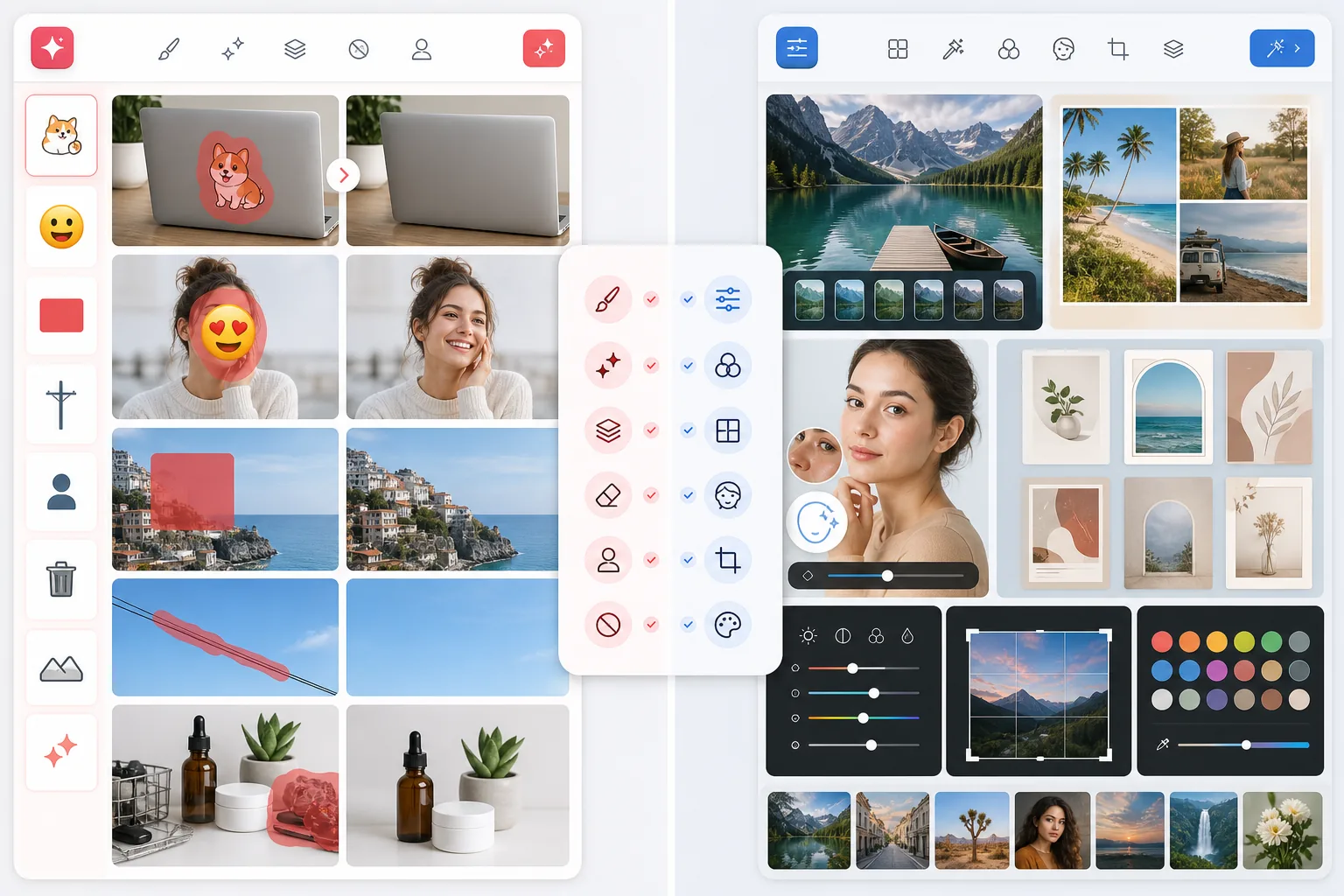
ภาพรวม
Magic Eraser ถูกสร้างขึ้นโดยยึดการทำความสะอาดและปรับปรุงภาพด้วย AI เป็นหลัก ช่วยให้ผู้ใช้ลบสิ่งรบกวน ลบพื้นหลัง ทำให้ภาพคุณภาพต่ำคมชัดขึ้น และสร้างผลลัพธ์ที่เรียบร้อยโดยใช้งานด้วยมือน้อยที่สุด
Fotor เป็นโปรแกรมแต่งภาพออนไลน์ที่ครอบคลุม พร้อมการปรับปรุงด้วย AI ฟิลเตอร์ การทำคอลลาจ และฟีเจอร์ที่เน้นการออกแบบ ตอบโจทย์ความต้องการแต่งภาพหลายอย่าง แต่มีความเชี่ยวชาญด้านความเร็วในการทำความสะอาดน้อยกว่า
การเปรียบเทียบฟีเจอร์
Magic Eraser ถูกสร้างขึ้นโดยยึดการทำความสะอาดและปรับปรุงภาพด้วย AI เป็นหลัก ช่วยให้ผู้ใช้ลบสิ่งรบกวน ลบพื้นหลัง ทำให้ภาพคุณภาพต่ำคมชัดขึ้น และสร้างผลลัพธ์ที่เรียบร้อยโดยใช้งานด้วยมือน้อยที่สุด
Fotor เป็นโปรแกรมแต่งภาพออนไลน์ที่ครอบคลุม พร้อมการปรับปรุงด้วย AI ฟิลเตอร์ การทำคอลลาจ และฟีเจอร์ที่เน้นการออกแบบ ตอบโจทย์ความต้องการแต่งภาพหลายอย่าง แต่มีความเชี่ยวชาญด้านความเร็วในการทำความสะอาดน้อยกว่า
| Feature | Magic Eraser | Fotor |
|---|---|---|
| การลบวัตถุ | ใช่ — เวิร์กโฟลว์หลัก | ใช่ |
| การลบพื้นหลัง | ใช่ | ใช่ |
| การปรับปรุงด้วย AI | ใช่ — เครื่องมือเฉพาะ | ใช่ |
| ฟิลเตอร์เชิงสร้างสรรค์ | ใช่ | ใช่ |
| การทำความสะอาดภาพแบบกลุ่ม | ใช่ | จำกัด |
| ความซับซ้อนของเวิร์กโฟลว์ | ต่ำ | ปานกลาง |
| เหมาะที่สุดสำหรับ | การทำความสะอาดด้วย AI ที่รวดเร็ว | การแต่งภาพทั่วไป |
| แพลตฟอร์ม | Web + iOS + Android | Web + มือถือ |
Feature rows summarize visible product positioning and should be rechecked against official product pages before purchase, migration, or compliance decisions.
- Last content review June 21, 2026
- Fotor source: official product site (https://www.fotor.com/)
- Magic Eraser source: https://magiceraser.live/th/product/magic-eraser
- Pricing, feature availability, platform support, and limits can change; recheck official sources before relying on a buying decision.
การเปรียบเทียบราคา
| Plan | Magic Eraser | Fotor |
|---|---|---|
| ระดับฟรี | ฟรี — แต่งภาพได้จำกัด | ฟรี — ฟีเจอร์พื้นฐาน |
| รายเดือน | $9.99/mo | $8.99/mo (Pro) |
| รายปี | $4.99/mo (เรียกเก็บรายปี) | $3.33/mo (Pro, เรียกเก็บรายปี) |
ราคา ณ May 2026 โปรดตรวจสอบอัตราปัจจุบันกับผู้ให้บริการแต่ละราย
Pricing rows are snapshots from review time. Free tiers, subscriptions, trials, export limits, and regional availability can change without notice.
- Last content review June 21, 2026
- Fotor source: official product site (https://www.fotor.com/)
- Magic Eraser source: https://magiceraser.live/th/product/magic-eraser
- Pricing, feature availability, platform support, and limits can change; recheck official sources before relying on a buying decision.
ทำไมต้องเลือก Magic Eraser
ขั้นตอนการแต่งภาพที่ตรงไปตรงมากว่า
Magic Eraser ลดเส้นทางระหว่างการอัปโหลดและผลลัพธ์ให้สั้นที่สุด ทำให้มีประโยชน์อย่างยิ่งสำหรับผู้ใช้ที่ให้ความสำคัญกับความเร็วมากกว่าเมนูโหมดการแต่งภาพที่ยาวเหยียด
เหมาะกับงานทำความสะอาดภาพมากกว่า
การลบป้าย สายไฟ คนที่ไม่ต้องการ ข้อความ สิ่งของรกๆ และพื้นหลังที่ไม่สม่ำเสมอ เป็นความต้องการทางธุรกิจที่พบบ่อย Magic Eraser มีจุดยืนชัดเจนกว่าในสถานการณ์การแต่งภาพที่ใช้งานจริงเหล่านี้
สมดุลที่แข็งแกร่งระหว่าง AI เชิงสร้างสรรค์และเชิงใช้งาน
Magic Eraser ผสานเครื่องมือทำความสะอาดเข้ากับการปรับปรุงภาพ การเติมด้วย AI และการสร้างสรรค์ ทำให้มีประโยชน์ทั้งการแก้ไขและการผลิตเนื้อหา
สม่ำเสมอในทุกอุปกรณ์
เวิร์กโฟลว์ AI ที่รวดเร็วแบบเดียวกันใช้ได้ทั้งบนเว็บและมือถือ ซึ่งเหมาะอย่างยิ่งสำหรับครีเอเตอร์และทีมที่แต่งภาพข้ามแล็ปท็อป แท็บเล็ต และโทรศัพท์
เครื่องมือ
คำถามที่พบบ่อย
Magic Eraser ใช้งานง่ายกว่า Fotor หรือไม่?
+
สำหรับการลบวัตถุ การทำความสะอาดพื้นหลัง และการปรับปรุงภาพอย่างรวดเร็ว ใช่ Magic Eraser มุ่งเน้นกว่าจึงใช้งานง่ายกว่าสำหรับงานเฉพาะเหล่านั้น
Fotor มีตัวเลือกการแต่งภาพมากกว่าหรือไม่?
+
Fotor นำเสนอฟีเจอร์การแต่งภาพและการออกแบบที่หลากหลาย ส่วน Magic Eraser มีโหมดการแต่งภาพแบบกว้างน้อยกว่า แต่มุ่งเน้นการทำความสะอาดด้วย AI และการปรับปรุงภาพที่ใช้งานจริงได้แข็งแกร่งกว่า
เครื่องมือไหนดีกว่าสำหรับครีเอเตอร์ที่โพสต์บ่อย?
+
Magic Eraser มักจะดีกว่าเมื่อความเร็วเป็นเรื่องสำคัญ เพราะช่วยลดจำนวนขั้นตอนที่จำเป็นในการทำให้ภาพเรียบร้อยพร้อมเผยแพร่
ฉันสามารถปรับปรุงภาพเบลอใน Magic Eraser ได้หรือไม่?
+
ได้ Magic Eraser มีเครื่องมือปรับปรุงด้วย AI ที่ออกแบบมาเพื่อเพิ่มรายละเอียด ความคมชัด และความคมของภาพในภาพคุณภาพต่ำ
เครื่องมือไหนดีกว่าสำหรับสื่อโซเชียลมีเดีย?
+
หากสิ่งสำคัญของคุณคือการทำให้ภาพต้นฉบับดูสะอาดและโดดเด่นขึ้น Magic Eraser มักเป็นก้าวแรกที่ดีกว่า หากคุณต้องการงานออกแบบที่เน้นเลย์เอาต์มากขึ้น Fotor อาจช่วยได้หลังจากทำความสะอาดแล้ว
ต้องการทำความสะอาดภาพด้วย AI ที่รวดเร็วกว่าไหม?
ลองใช้ Magic Eraser ฟรี และลบสิ่งรกรุงรัง เพิ่มรายละเอียด และสร้างภาพที่เรียบร้อยด้วยขั้นตอนที่น้อยลง
ลองใช้ Magic Eraser ฟรีกรณีการใช้งานที่เกี่ยวข้อง
ดูว่ามืออาชีพใช้เครื่องมือเหล่านี้ในเวิร์กโฟลว์จริงอย่างไร
ภาพประกาศที่เต็มไปด้วยของส่วนตัว รถจอด หรืออุปกรณ์ก่อสร้าง ทำให้ผู้ซื้อไม่สนใจ Magic Eraser ใช้ AI ทำความสะอาดภาพอสังหาริมทรัพย์ของคุณทันที — ไม่ต้องมีทักษะ Photoshop
รูปสินค้าที่พื้นหลังรกรุงรังทำให้ลูกค้าเลื่อนผ่านร้านคุณทุกวัน Magic Eraser ช่วยสร้างรูปสินค้ามืออาชีพได้ในไม่กี่วินาที ไม่ต้องเก่ง Photoshop อัปโหลด ลบสิ่งรบกวน แล้วลงขายได้เลย
คนแปลกหน้าทำลายรูปท่องเที่ยวของคุณ? พื้นหลังรกๆ ทำให้เซลฟี่ดูไม่ดี? เลิกเสียเวลาหลายชั่วโมงกับ Photoshop ได้แล้ว Magic Eraser ลบสิ่งรบกวน ทำความสะอาดฉากหลัง และขยายรูปให้พอดีทุกแพลตฟอร์ม — แค่แตะครั้งเดียว
คู่มือที่เกี่ยวข้อง
ดูคู่มือและเนื้อหาเชิงบรรณาธิการเพิ่มเติมที่เกี่ยวข้องกับเวิร์กโฟลว์นี้
เรียนรู้วิธีใช้ Magic Eraser เพื่อลบวัตถุ คน ข้อความ และสิ่งรบกวนออกจากรูปภาพ พร้อมผลลัพธ์ AI ที่สะอาดขึ้น
เรียนรู้วิธีลบคนออกจากรูปภาพด้วย AI ภายในไม่กี่วินาที สำหรับรูปท่องเที่ยว อสังหาริมทรัพย์ และรูปสินค้า
คำแนะนำทีละขั้นตอนในการลบลายน้ำจากรูปภาพของคุณด้วย AI เมื่อไหร่ที่เหมาะสม เทคนิค และวิธีใช้ Magic Eraser
การเปรียบเทียบอื่นๆ
ดูว่า Magic Eraser เปรียบเทียบกับเครื่องมือแก้ไขรูปภาพอื่นอย่างไร
Luminar Neo ทรงพลังสำหรับช่างภาพเดสก์ท็อปที่ต้องการการปรับปรุงเชิงลึกและการควบคุมเชิงสร้างสรรค์ Magic Eraser สร้างขึ้นสำหรับการล้างที่เร็วกว่า เวิร์กโฟลว์ที่เบากว่า และการแก้ไขที่ยืดหยุ่นทั้งบนเว็บและมือถือ
RetouchMe ใช้ช่างรีทัชที่เป็นคนสำหรับการแก้ไขภาพบุคคลและรูปร่าง โดยส่งผลลัพธ์ให้ภายในไม่กี่นาที ส่วน Magic Eraser ใช้ AI เพื่อให้ผลลัพธ์ทันทีในการลบวัตถุ การแก้ไขพื้นหลัง การปรับปรุงภาพ และเครื่องมือเจเนอเรทีฟ — มอบการควบคุมที่มากกว่าและเวลาดำเนินการที่เร็วกว่า
AirBrush เป็นโปรแกรมแก้ไขเซลฟี่และความงามที่เน้นการรีทัชภาพบุคคลและฟิลเตอร์ Magic Eraser เป็นโปรแกรมแก้ไขภาพด้วย AI อเนกประสงค์ที่สร้างขึ้นเพื่อการลบวัตถุ การลบพื้นหลัง การปรับปรุงภาพ และการแก้ไขแบบสร้างสรรค์สำหรับภาพทุกประเภท
เราทดสอบแอปแต่งรูปยอดนิยมสำหรับ iPhone เพื่อค้นหาว่าแอปไหนให้ผลลัพธ์ดีที่สุดสำหรับการแก้ไขด้วย AI การลบวัตถุ การปรับปรุงคุณภาพ และเอฟเฟกต์สร้างสรรค์ นี่คือตัวเลือกของเราสำหรับแอปแต่งรูป iPhone ที่ดีที่สุดในปีนี้
เราได้ทดสอบแอปแต่งรูปยอดนิยมที่มีบน Android เพื่อเปรียบเทียบการแต่งภาพด้วย AI การลบวัตถุ การเพิ่มคุณภาพ และเครื่องมือสร้างสรรค์ นี่คือโปรแกรมแต่งรูป Android ที่ดีที่สุดในปีนี้และการเปรียบเทียบของแต่ละตัว
Meitu เป็นโปรแกรมแต่งความงามและเซลฟี่ยอดนิยมที่มีฟิลเตอร์สำหรับภาพบุคคลมากมาย ส่วน Magic Eraser ตอบโจทย์การแก้ไขที่หลากหลายกว่า — การลบวัตถุด้วย AI การลบพื้นหลัง การปรับปรุงคุณภาพภาพ generative fill และเครื่องมือเชิงสร้างสรรค์ — ทำให้เป็นตัวเลือกที่ดีกว่าสำหรับผู้ที่แก้ไขภาพมากกว่าแค่ภาพเซลฟี่