
로고 투명 배경
어떤 배경에서든 로고를 추출하여 픽셀 단위로 정밀하게 가장자리를 다듬은 투명 PNG로 내보냅니다. 이 템플릿은 종이에 촬영된 로고, 명함에서 스캔한 로고, 웹사이트에서 스크린샷한 로고 또는 지저분한 배경의 디자인 도구에서 내보낸 로고를 처리합니다. 다중 크기 출력은 웹 파비콘, 소셜 미디어 프로필, 이메일 서명 및 고해상도 인쇄 용도를 모두 지원합니다.
이 템플릿 무료로 사용해 보기Design template preview
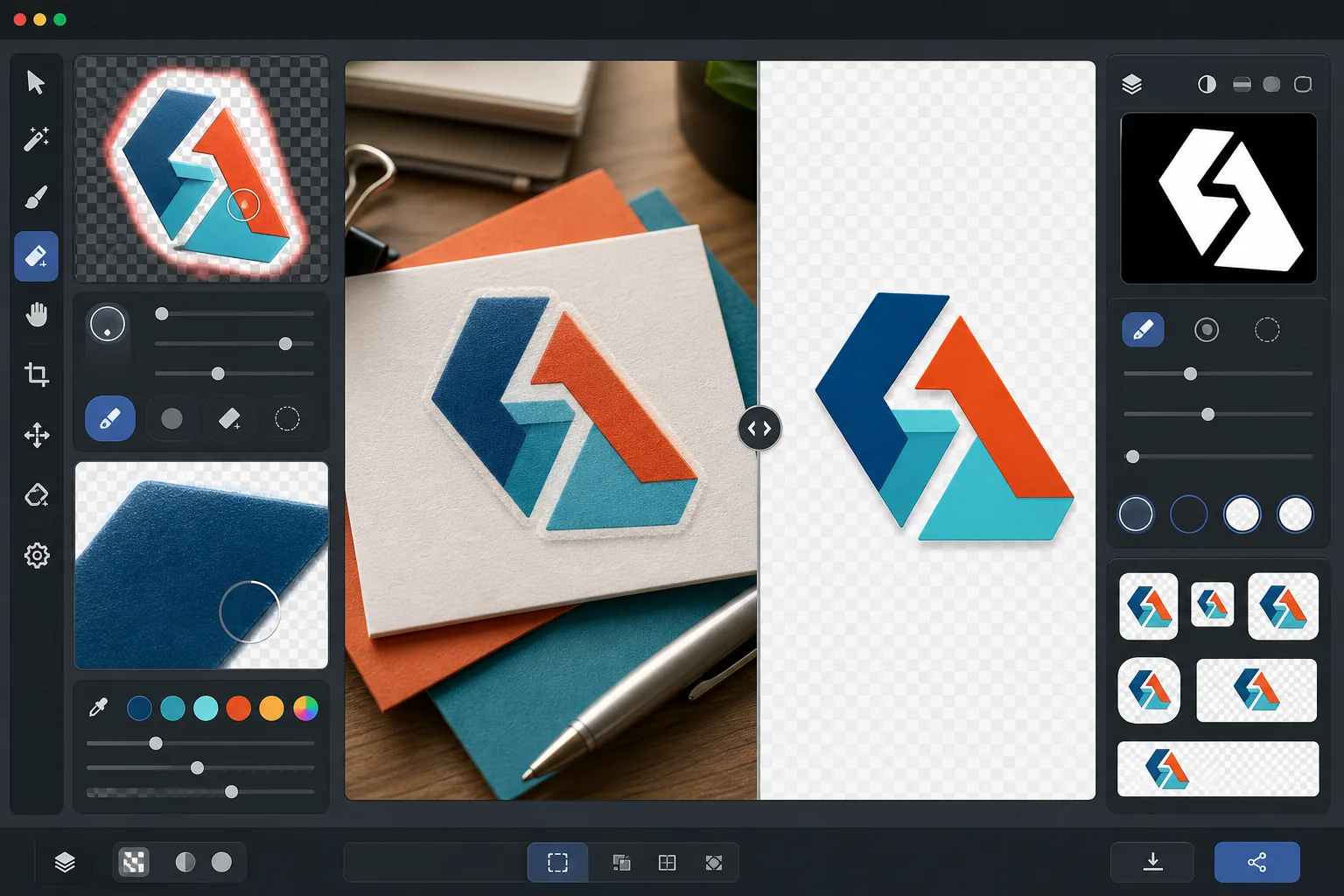
이 템플릿의 기능
로고와 워드마크에서 배경을 제거하여 모든 매체에서 사용할 수 있는 깔끔한 투명 PNG 파일을 생성합니다. Background Eraser는 흰 종이 스캔본, 색상이 있는 웹사이트 배경, 매장 간판 사진, 책상 위의 명함 등 원래 표면에서 로고를 분리합니다. AI Enhance는 가장자리를 다듬어 가느다란 서체, 얇은 선, 세밀한 아이콘 요소 주변에서 배경 제거가 지나치게 과감하게 잘라낼 때 흔히 나타나는 들쭉날쭉한 픽셀, 흰색 가장자리, 후광 아티팩트를 제거합니다. 출력물은 여러 표준 크기로 내보내져 웹 파비콘, 소셜 프로필 이미지, 이메일 서명 그래픽, 인쇄 해상도 브랜드 자산으로 즉시 사용할 수 있습니다.
템플릿 설정
| 배경 제거 | 1px 안티앨리어싱 가장자리를 적용한 완전한 투명도 |
| 가장자리 다듬기 | 서브픽셀 스무딩(흰색 가장자리 및 후광 아티팩트 제거) |
| 색상 보존 | 정확한 16진수 값 일치(배경 번짐으로 인한 색상 변화 없음) |
| 다중 크기 내보내기 | 16px, 32px, 180px, 512px, 1024px 및 원본 해상도 |
| 형식 | 알파 채널이 포함된 PNG-32(24비트 색상 + 8비트 투명도) |
이 템플릿 사용 방법
로고 이미지 업로드
로고를 어떤 형식으로든 업로드하세요 — 고해상도 디자인 내보내기 파일, 명함 스캔본, 웹사이트 스크린샷, 또는 인쇄된 간판 사진까지 가능합니다. 이 템플릿은 벡터처럼 선명한 디지털 로고와 그림자, 원근 왜곡, 고르지 않은 조명이 있는 불완전한 실사 촬영본을 모두 처리합니다.
배경 제거
Background Eraser는 원래 표면에서 로고를 분리하고 투명한 알파 채널을 생성합니다. AI는 로고의 의도적인 디자인 요소와 배경을 구분하여 내부 여백(O나 A의 구멍 등), 얇은 선, 세밀한 세리프를 올바르게 처리합니다.
가장자리와 색상 다듬기
AI Enhance는 가장자리 안티앨리어싱을 매끄럽게 다듬어 곡선과 대각선의 들쭉날쭉한 계단 모양 픽셀을 제거하고, 배경 번짐으로 인한 흰색 또는 유색 가장자리를 없애며, 추출 과정에서 로고 색상이 변하지 않았는지 확인합니다. 브랜드 색상은 원래의 16진수 값으로 보존됩니다.
여러 크기로 내보내기
완전한 로고 파일 세트를 다운로드하세요: 16x16px 파비콘, 32x32px 브라우저 탭 아이콘, 180x180px Apple 터치 아이콘, 512x512px 소셜 미디어 및 앱 스토어용, 1024x1024px 고해상도, 그리고 전체 원본 해상도. 모든 파일은 투명 배경의 PNG-32입니다.
최상의 결과를 위한 전문가 팁
- ✓가장 깔끔하게 추출하려면 찾을 수 있는 가장 높은 해상도의 로고 버전으로 시작하세요. 2000px 너비의 로고를 512px로 축소하면 200px 로고를 512px로 확대한 것보다 훨씬 깔끔한 가장자리를 얻을 수 있습니다. 작은 버전만 있는 경우 AI 업스케일링이 도움이 되지만 원본부터 큰 소스의 품질에는 미치지 못합니다.
- ✓인쇄된 로고(간판, 제품 또는 명함상의)를 촬영할 때는 원근 왜곡을 최소화하기 위해 정면에서 촬영하세요. 이 템플릿은 약한 키스톤 왜곡은 보정할 수 있지만, 정면 촬영은 보정 아티팩트 없이 기하학적으로 정확한 출력물을 만들어냅니다.
- ✓선이 매우 얇거나 세리프가 섬세한 로고는 작은 크기(32px 미만)에서 세밀한 디테일을 잃을 수 있습니다. 파비콘 용도로는 전체 워드마크보다 로고의 단순화된 마크나 아이콘 버전을 사용하는 것을 고려해 보세요. 다중 크기 내보내기를 통해 다운로드 전에 각 목표 크기에서 가독성을 확인할 수 있습니다.
- ✓로고에 그림자, 광채 또는 유리 효과와 같은 반투명 요소가 사용된 경우, 배경 제거는 이러한 투명도 수준을 알파 채널에 보존합니다. 그 결과 원래 디자인의 입체적인 효과를 잃지 않으면서 어떤 새 배경색 위에도 올바르게 합성됩니다.
자주 묻는 질문
간판 사진에서 로고를 추출할 수 있나요?
+
예. 이 템플릿은 매장 간판, 차량 래핑, 제품 포장, 전시회 배너 사진을 포함한 실사 촬영본을 처리합니다. AI는 고르지 않은 조명, 약한 원근 왜곡, 표면 질감(비닐 결이나 직물 짜임 등)을 보정하여 깔끔하고 평평한 로고 파일을 생성합니다. 사진이 선명하고 최대한 정면에 가깝게 촬영된 경우 가장 좋은 결과를 얻을 수 있습니다.
제 브랜드 색상이 정확하게 보존되나요?
+
색상 보존 알고리즘은 배경색이 가장자리로 번지지 않도록 하면서 로고 색상의 원래 16진수 값을 유지합니다. (디지털 파일이 아닌) 사진에서 추출한 로고의 경우 색상 정확도는 원본 사진의 조명에 따라 달라집니다. 중성 조명에서 추출된 색상은 일반적으로 실제 브랜드 색상과 delta-E 2 이내입니다.
PNG-32와 일반 PNG의 차이점은 무엇인가요?
+
PNG-32에는 픽셀당 256단계의 투명도를 지원하는 완전한 8비트 알파 채널이 포함되어 있어 매끄러운 안티앨리어싱 가장자리와 드롭 섀도우 및 광채 같은 반투명 효과를 구현할 수 있습니다. 투명도가 있는 일반 PNG-8은 완전 투명 또는 완전 불투명 픽셀만 지원하여 들쭉날쭉한 가장자리가 생깁니다. 이 템플릿의 모든 출력물은 최고 품질의 투명도를 위해 PNG-32를 사용합니다.
클릭 한 번으로 모든 플랫폼에 맞게 로고를 준비하세요
어떤 로고 이미지든 업로드하면 필요한 모든 크기의 투명 PNG 파일을 — 작은 파비콘부터 고해상도 인쇄 자산까지 — 완벽하게 깔끔한 가장자리로 받을 수 있습니다.
무료로 사용해 보기Related templates
More design templates for your workflow.
저자 마케팅 및 출판사 홍보를 위해 3D 원근감, 그림자 렌더링 및 라이프스타일 배경을 갖춘 사실적인 책 표지 모형을 생성합니다.
배경 교체, 호스트 세로 격리 및 타이포그래피 지원 레이아웃을 통해 Apple Podcast 및 Spotify 사양을 충족하는 팟캐스트 커버 아트를 디자인하세요.
AI 업스케일링, 캔버스 확장, 정확한 색상 교정, 인쇄용 파일 내보내기를 통해 대형 인쇄용 디지털 아트와 사진을 준비하세요.
상표 제거, 초상권 사용 동의서 준수 편집, 기술 품질 확인 및 대행사별 형식 요구 사항을 통해 스톡 대행사 제출을 위한 사진을 준비합니다.