
Remove a Logo Sticker From a Photo
Magic Eraser로 Remove a Logo Sticker From a Photo하는 방법을 알아보세요. 무료 AI 도구를 사용한 간단한 단계별 가이드. 웹, iOS, Android에서 사용 가능.
Last updated
지금 사용해보기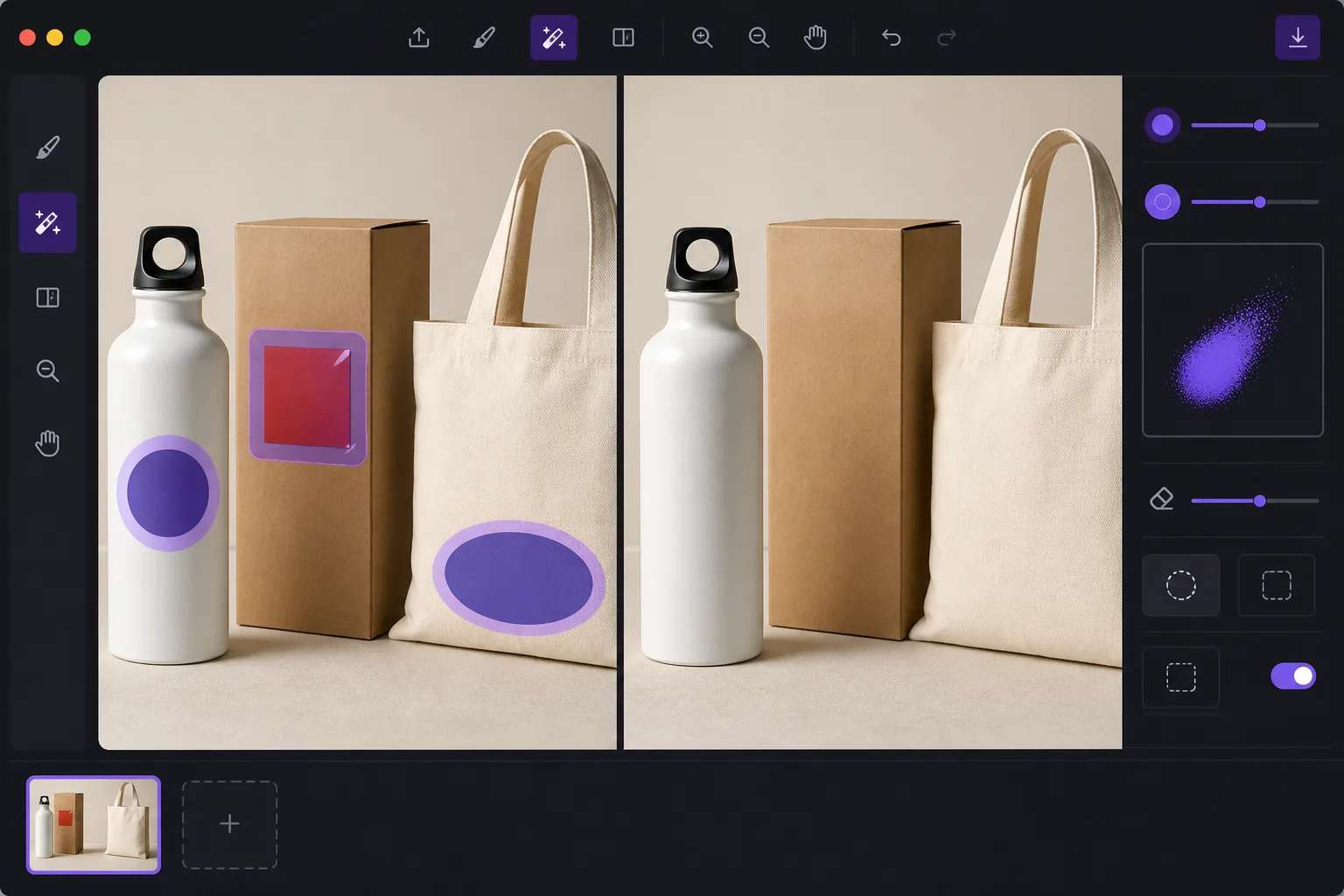
De-brand items for clean catalog photography — Magic Eraser
When you shoot products for a catalog, marketplace listing, or mockup, a stray brand logo sticker can pull focus, clash with your own branding, or raise licensing concerns. Peeling the sticker off in real life leaves residue, glare, or a torn label — and reshooting costs time. Magic Eraser lets you remove the logo sticker directly in the photo instead. Brush over the offending label and the AI inpainting engine reconstructs the material behind it: the box panel, the bottle curve, the fabric weave, or the matte surface the sticker was covering. It's worth being clear about how this works. Magic Eraser does not recover the literal pixels hidden under the sticker — that information isn't in the photo. It synthesizes a plausible reconstruction based on the surrounding texture, color, and lighting. For flat, evenly lit, single-color surfaces the result is usually seamless. Over busy patterns, text, or sharp edges you may need a second pass or a careful crop. Magic Eraser runs in your browser and on iOS and Android, has a free tier, and adds no watermark, so you can clean up a whole product set without extra cost.
Before you start
단계별 안내
Start with 사진 업로드. The result preview above and tips below use this guide's existing content; no separate before-and-after proof is assumed.
- 1
사진 업로드
웹, iOS 또는 Android에서 Magic Eraser를 여세요. JPEG, PNG, HEIC, WebP 사진을 드래그 앤 드롭하세요. 계정 없이 시작 가능.
- 2
도구와 영역 선택
적절한 도구를 선택하고 처리할 영역을 지정하세요. AI가 자동으로 분석하고 몇 초 안에 변경 사항을 적용합니다.
- 3
결과 다운로드
결과를 미리 보고 편집된 사진을 다운로드하세요. 고품질 PNG 또는 JPEG로 내보내기 가능.
추천 대상
- De-branding items so a stray logo doesn't compete with your own brand in catalog shots
- Cleaning price tags, barcodes, and store labels off retail products before listing
- Removing manufacturer logo stickers from props and backgrounds in lifestyle photography
- Prepping neutral product mockups where any visible third-party brand is a distraction
- Tidying review and resale photos so the focus stays on the item, not its packaging label
최상의 결과를 위한 팁
The flatter and more uniform the surface under the sticker, the cleaner the reconstruction. Logos on solid-color boxes, matte plastic, or plain fabric usually vanish in one pass. If the sticker sits over printed text, a logo print, or a sharp product edge, the AI is guessing at complex detail — brush in smaller sections, run a second pass on any smudged spots, and zoom in to check the blend. When a reconstruction looks slightly off, reframing or a tight crop can hide the seam entirely. Always confirm the de-branded image still represents the actual product honestly before you publish it to a store or catalog.
자주 묻는 질문
- Remove a Logo Sticker From a Photo 기능은 무료인가요?
- 네, Magic Eraser는 일일 무료 한도 내에서 Remove a Logo Sticker From a Photo이(가) 가능합니다. Pro로 업그레이드하면 무제한 처리와 고해상도 내보내기가 가능합니다.
- Remove a Logo Sticker From a Photo은(는) 얼마나 걸리나요?
- 몇 초면 됩니다. Magic Eraser의 AI는 사진을 빠르게 처리하며, 대부분 업로드 직후 결과를 확인할 수 있습니다.
- 모바일에서도 사용할 수 있나요?
- 네, Magic Eraser는 iOS, Android 및 모든 웹 브라우저에서 사용 가능합니다. 기기 간 자유롭게 전환할 수 있습니다.
- 이미지 품질이 저하되나요?
- 아니요, Magic Eraser는 원본 사진 품질을 유지합니다. AI가 세부 사항과 선명도를 보존하면서 스마트하게 처리합니다.