
Remove an Emoji From a Photo on Your Android Phone
Magic Eraser로 Android에서 이모지 제거하는 방법을 알아보세요. 무료 AI 도구를 사용한 간단한 단계별 가이드. 웹, iOS, Android에서 사용 가능.
Last updated
지금 사용해보기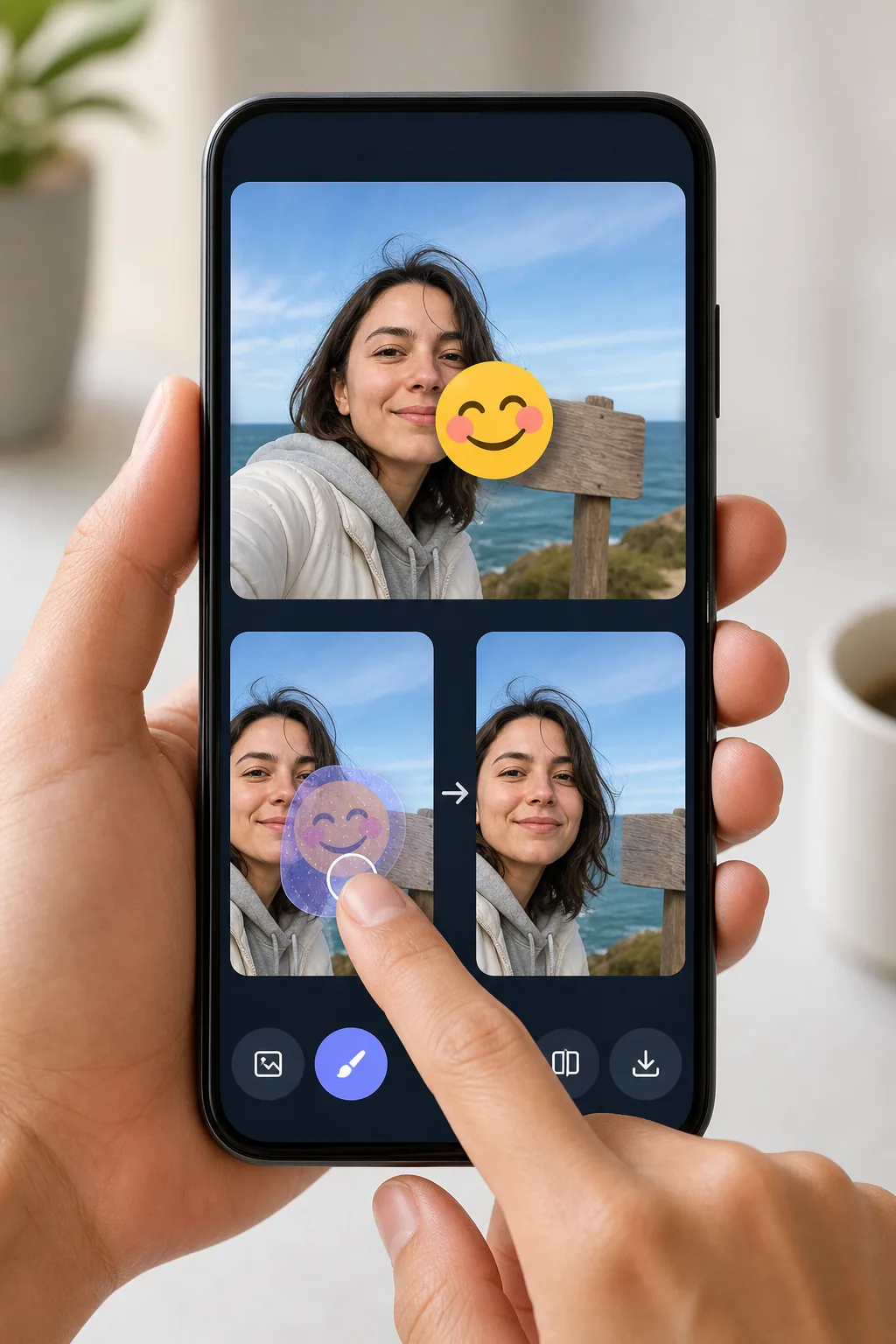
Erase emojis from Android photos without exporting to a desktop — Magic Eraser
Android makes it easy to drop an emoji or sticker onto a shot — Google Photos Markup, the built-in Gallery editor, Snapchat, WhatsApp Status — but undoing it later is the hard part. Once the edited image is saved to your camera roll, the emoji is baked into the pixels, so the Gallery's own undo button can't help. Magic Eraser handles exactly this: open the photo from your Android device, brush over the emoji, and the AI redraws the area behind it. Be clear about what's happening — the tool synthesizes a believable reconstruction of the background or surface, it does not recover the literal pixels that the emoji covered. For a patch of sky, wall, grass, or clothing the result usually looks seamless. It runs in your mobile browser or the Android app, works on the free tier, and never stamps a watermark on what you download back to your phone.
Before you start
단계별 안내
Start with 사진 업로드. The result preview above and tips below use this guide's existing content; no separate before-and-after proof is assumed.
- 1
사진 업로드
웹, iOS 또는 Android에서 Magic Eraser를 여세요. JPEG, PNG, HEIC, WebP 사진을 드래그 앤 드롭하세요. 계정 없이 시작 가능.
- 2
도구와 영역 선택
적절한 도구를 선택하고 처리할 영역을 지정하세요. AI가 자동으로 분석하고 몇 초 안에 변경 사항을 적용합니다.
- 3
결과 다운로드
결과를 미리 보고 편집된 사진을 다운로드하세요. 고품질 PNG 또는 JPEG로 내보내기 가능.
추천 대상
- Removing a face-covering emoji you added in Google Photos Markup before sharing the photo properly
- Cleaning a sticker off a WhatsApp Status or Snapchat shot that auto-saved to your Gallery
- Taking the smiley or heart emoji off a screenshot so the background reads clearly
- Stripping a privacy emoji from a phone number, plate, or sign once you no longer need it hidden
- Fixing a photo where the Gallery editor's emoji got baked in and undo no longer works
최상의 결과를 위한 팁
Start from the highest-resolution copy in Google Photos — if you've already shared the picture and got a compressed version back, the AI has less detail to work with. Brush slightly past the emoji's edges to catch the soft anti-aliased halo Android renders around stickers. Emojis sitting on a simple, repeating background (sky, a painted wall, water) reconstruct almost invisibly; one placed directly over an eye, mouth, or detailed pattern will be a convincing guess, not the true hidden detail. If the first pass leaves a smudge, undo and erase in two smaller strokes rather than one large swipe.
자주 묻는 질문
- Android에서 이모지 제거 기능은 무료인가요?
- 네, Magic Eraser는 일일 무료 한도 내에서 Android에서 이모지 제거이(가) 가능합니다. Pro로 업그레이드하면 무제한 처리와 고해상도 내보내기가 가능합니다.
- Android에서 이모지 제거은(는) 얼마나 걸리나요?
- 몇 초면 됩니다. Magic Eraser의 AI는 사진을 빠르게 처리하며, 대부분 업로드 직후 결과를 확인할 수 있습니다.
- 모바일에서도 사용할 수 있나요?
- 네, Magic Eraser는 iOS, Android 및 모든 웹 브라우저에서 사용 가능합니다. 기기 간 자유롭게 전환할 수 있습니다.
- 이미지 품질이 저하되나요?
- 아니요, Magic Eraser는 원본 사진 품질을 유지합니다. AI가 세부 사항과 선명도를 보존하면서 스마트하게 처리합니다.