
Remove the Background in GIMP — or Do It in 1 Click
Magic Eraser로 Remove the Background in GIMP — or Do It in 1 Click하는 방법을 알아보세요. 무료 AI 도구를 사용한 간단한 단계별 가이드. 웹, iOS, Android에서 사용 가능.
Last updated
지금 사용해보기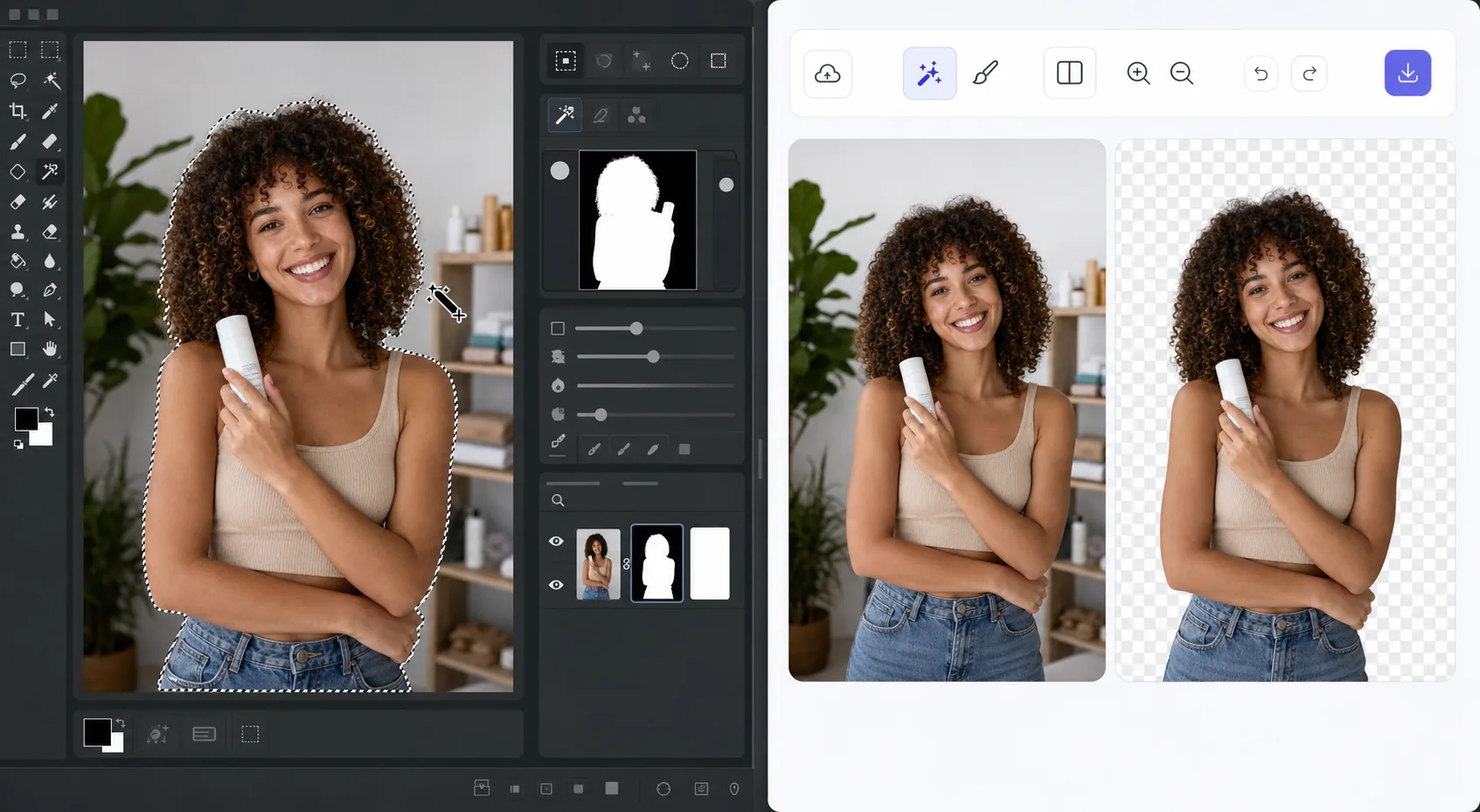
The GIMP method works — it just takes time — Magic Eraser
GIMP is a genuinely capable, free, open-source desktop editor, and removing a background in it is a well-trodden workflow. The usual route: open your image, add an alpha channel, then use the Fuzzy Select (magic wand) or Select by Color tool to grab the background. For clean, high-contrast edges you can often select and delete in a few clicks. For hair, fur, or busy backgrounds, you switch to a layer mask, paint with black to hide and white to reveal, and refine the edge by hand at high zoom. It's powerful and precise — but it's a learn-the-tools, manual process, and it lives on your desktop. If you just need a clean cutout fast, there's a shorter path that needs no install and runs on phone or browser.
Before you start
단계별 안내
Start with 사진 업로드. The result preview above and tips below use this guide's existing content; no separate before-and-after proof is assumed.
- 1
사진 업로드
웹, iOS 또는 Android에서 Magic Eraser를 여세요. JPEG, PNG, HEIC, WebP 사진을 드래그 앤 드롭하세요. 계정 없이 시작 가능.
- 2
도구와 영역 선택
적절한 도구를 선택하고 처리할 영역을 지정하세요. AI가 자동으로 분석하고 몇 초 안에 변경 사항을 적용합니다.
- 3
결과 다운로드
결과를 미리 보고 편집된 사진을 다운로드하세요. 고품질 PNG 또는 JPEG로 내보내기 가능.
추천 대상
- Product photos that need a clean white or transparent background for a store listing
- Profile pictures and headshots where you want the subject isolated fast
- Anyone without GIMP installed who needs a cutout right now in the browser
- Mobile editing on iOS or Android with no desktop software at hand
- Batch social and marketing images where per-image manual masking isn't worth the time
최상의 결과를 위한 팁
Use whichever path fits the task. For maximum pixel-level control — compositing, tricky semi-transparent edges, or work you want to keep fully local and offline — GIMP's layer masks reward the effort and cost nothing. For speed and convenience on a clean subject, Magic Eraser's 1-click removal gets you there without the learning curve or the install. A useful workflow: get the fast cutout in Magic Eraser, then open it in GIMP only if you need fine compositing afterward.
자주 묻는 질문
- Remove the Background in GIMP — or Do It in 1 Click 기능은 무료인가요?
- 네, Magic Eraser는 일일 무료 한도 내에서 Remove the Background in GIMP — or Do It in 1 Click이(가) 가능합니다. Pro로 업그레이드하면 무제한 처리와 고해상도 내보내기가 가능합니다.
- Remove the Background in GIMP — or Do It in 1 Click은(는) 얼마나 걸리나요?
- 몇 초면 됩니다. Magic Eraser의 AI는 사진을 빠르게 처리하며, 대부분 업로드 직후 결과를 확인할 수 있습니다.
- 모바일에서도 사용할 수 있나요?
- 네, Magic Eraser는 iOS, Android 및 모든 웹 브라우저에서 사용 가능합니다. 기기 간 자유롭게 전환할 수 있습니다.
- 이미지 품질이 저하되나요?
- 아니요, Magic Eraser는 원본 사진 품질을 유지합니다. AI가 세부 사항과 선명도를 보존하면서 스마트하게 처리합니다.