
Magic Eraser vs Canva: 사진 정리에 더 좋은 편집기는?
Canva는 레이아웃과 소셜 그래픽에 탁월하지만, 많은 사용자는 더 빠른 개체 제거, 더 깔끔한 배경 편집, 더 강력한 AI 사진 도구를 필요로 합니다. 이 비교는 이미지 중심 워크플로에서 Magic Eraser가 더 적합한 부분을 보여줍니다.
Last updated
Magic Eraser 무료로 사용해 보기Comparison rows are editorial summaries from the latest page review, not a guarantee of current pricing, limits, watermark policy, batch support, speed, or platform availability.
개요
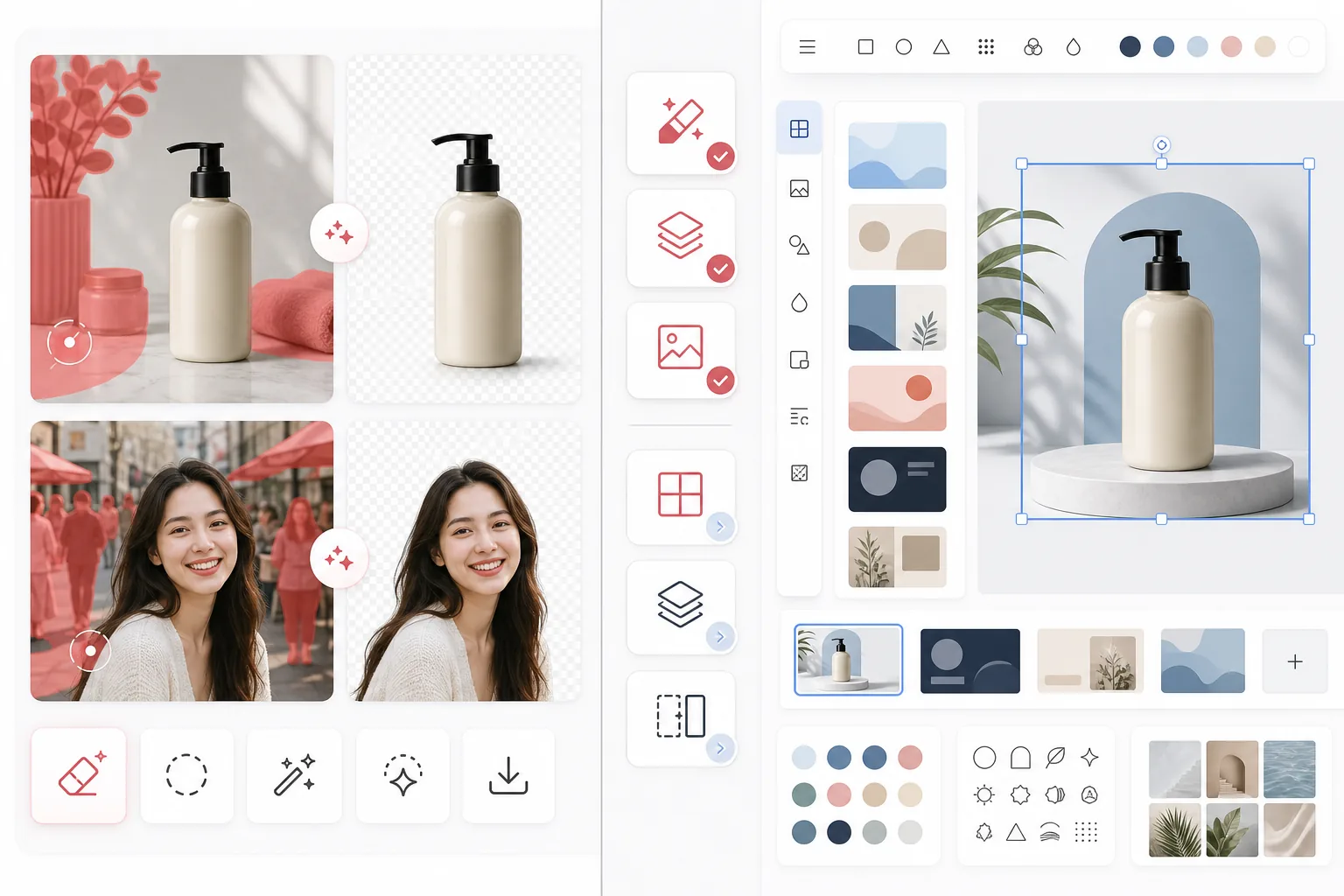
Magic Eraser는 개체 제거, 배경 정리, 이미지 향상, 생성형 채우기, 빠른 편집 등 AI 사진 편집 작업에 집중하며 웹과 모바일에서 모두 사용할 수 있습니다.
Canva는 프레젠테이션, 소셜 게시물, 마케팅 자산, 템플릿을 위해 만들어진 폭넓은 디자인 플랫폼입니다. 일부 사진 편집 도구가 포함되어 있지만, 그 도구들은 더 큰 디자인 워크플로의 일부입니다.
기능 비교
Magic Eraser는 개체 제거, 배경 정리, 이미지 향상, 생성형 채우기, 빠른 편집 등 AI 사진 편집 작업에 집중하며 웹과 모바일에서 모두 사용할 수 있습니다.
Canva는 프레젠테이션, 소셜 게시물, 마케팅 자산, 템플릿을 위해 만들어진 폭넓은 디자인 플랫폼입니다. 일부 사진 편집 도구가 포함되어 있지만, 그 도구들은 더 큰 디자인 워크플로의 일부입니다.
| Feature | Magic Eraser | Canva |
|---|---|---|
| 개체 제거 | 예 — 전용 AI 도구 | 제한적 |
| 배경 제거 | 예 — 핵심 기능 | 예 — 대체로 Pro 한정 |
| 이미지 향상 | 예 | 기본 수준 |
| 디자인 템플릿 | 아니요 | 예 — 광범위함 |
| 생성형 채우기 | 예 | 제한적 |
| 최적 워크플로 | 사진 정리 | 그래픽 디자인 |
| 플랫폼 | Web + iOS + Android | Web + iOS + Android |
| 첫 편집까지 시간 | 매우 빠름 | 디자인 흐름에 따라 다름 |
Feature rows summarize visible product positioning and should be rechecked against official product pages before purchase, migration, or compliance decisions.
- Last content review May 1, 2026
- Canva source: official product site (https://www.canva.com/)
- Magic Eraser source: https://magiceraser.live/ko/product/magic-eraser
- Pricing, feature availability, platform support, and limits can change; recheck official sources before relying on a buying decision.
가격 비교
| Plan | Magic Eraser | Canva |
|---|---|---|
| 무료 등급 | 무료 — 편집 제한 | 무료 — 기본 기능 |
| 월간 | $9.99/mo | $14.99/mo (Pro) |
| 연간 | $4.99/mo (연 단위 청구) | $12.99/mo (Pro, 연 단위 청구) |
May 2026 기준 가격입니다. 현재 요금은 각 제공업체에서 확인하세요.
Pricing rows are snapshots from review time. Free tiers, subscriptions, trials, export limits, and regional availability can change without notice.
- Last content review May 1, 2026
- Canva source: official product site (https://www.canva.com/)
- Magic Eraser source: https://magiceraser.live/ko/product/magic-eraser
- Pricing, feature availability, platform support, and limits can change; recheck official sources before relying on a buying decision.
Magic Eraser를 선택해야 하는 이유
사진 편집에 특화된 설계
Magic Eraser는 편집 동작을 가장 앞에 둡니다. 사진을 정리하기 전에 디자인 캔버스에 진입하거나, 레이아웃을 선택하거나, 템플릿 컨트롤을 탐색할 필요가 없습니다.
더 강력한 정리 워크플로
사람, 텍스트, 전선, 잡동사니, 지저분한 배경을 제거할 때 Magic Eraser는 Canva의 폭넓은 만능 편집기보다 더 직접적이고 일관된 AI 편집 흐름을 제공합니다.
이미지 작업이 많은 팀에 더 적합
다수의 사진을 처리하는 판매자, 마케터, 크리에이터, 에이전시는 템플릿의 다양성보다 정리 속도를 더 중요하게 여기는 경우가 많습니다. Magic Eraser는 그러한 사용 사례에 최적화되어 있습니다.
크리에이티브 제작으로의 깔끔한 인계
많은 팀이 먼저 Magic Eraser로 다듬어진 이미지 자산을 준비한 다음, 그 자산을 Canva나 다른 디자인 도구로 가져와 최종 레이아웃 작업을 진행합니다.
자주 묻는 질문
배경 제거에서 Magic Eraser가 Canva보다 더 나은가요?
+
전용 배경 정리와 이미지 중심 워크플로에서는 보통 Magic Eraser가 더 빠른 선택입니다. 이미지를 곧바로 디자인된 자산으로 만들어야 한다면 Canva가 더 낫습니다.
Canva로 사진에서 개체를 제거할 수 있나요?
+
Canva에는 일부 편집 도구가 포함되어 있지만, Magic Eraser는 안정적인 AI 개체 제거와 세밀한 정리 작업에 더 집중되어 있습니다.
두 도구를 함께 사용해야 하나요?
+
네. 많은 팀이 Magic Eraser로 이미지를 정리한 다음, 최종 자산을 Canva로 옮겨 프레젠테이션, 광고, 소셜 그래픽, 템플릿 기반 디자인 작업을 진행합니다.
이커머스 제품 이미지에는 어떤 도구가 더 좋나요?
+
방해 요소를 제거하고 제품을 분리하는 것이 핵심 워크플로이기 때문에 이커머스 사진 정리에는 Magic Eraser가 더 나은 경우가 많습니다.
Magic Eraser는 모바일 편집을 지원하나요?
+
네. Magic Eraser는 iOS, Android, 웹에서 작동하므로 어떤 기기에서든 편집할 수 있습니다.
디자인하기 전에 더 깔끔한 사진을 원하시나요?
Magic Eraser로 방해 요소를 제거하고, 배경을 개선하며, 이미지가 디자인 캔버스에 도달하기 전에 미리 준비하세요.
Magic Eraser 무료로 사용해 보기관련 사용 사례
전문가들이 실제 워크플로에서 이러한 도구를 어떻게 활용하는지 확인하세요.
개인 물품, 주차된 차량, 공사 장비가 잔뜩 찍힌 매물 사진은 매수자의 관심을 떨어뜨립니다. Magic Eraser는 AI로 매물 사진을 즉시 깔끔하게 만들어 줍니다 — 포토샵 기술 불필요.
지저분한 배경과 정리되지 않은 상품 사진은 매일 매출을 갉아먹습니다. Magic Eraser로 몇 초 만에 프로 수준의 상품 이미지를 만들 수 있습니다. 포토샵 실력이 필요 없습니다. 업로드하고, 불필요한 부분을 지우고, 바로 등록하세요.
여행 사진에 모르는 사람이 찍혔나요? 셀카 배경이 지저분한가요? 포토샵으로 몇 시간씩 낭비하지 마세요. Magic Eraser는 불필요한 요소를 제거하고, 배경을 정리하고, 모든 플랫폼 포맷에 맞게 사진을 확장합니다 — 탭 한 번이면 끝.
관련 가이드
이 워크플로와 관련된 더 많은 가이드와 에디토리얼 콘텐츠를 확인하세요.
다른 비교
Magic Eraser가 다른 사진 편집 도구와 어떻게 비교되는지 확인하세요.
주요 AI 사진 편집 도구를 테스트하고 비교했습니다. 개체 제거부터 배경 교체까지, 어떤 편집기가 최고의 결과를 제공하는지 확인하세요.
PhotoRoom은 배경 제거와 제품 사진 템플릿에 집중합니다. Magic Eraser는 이러한 기능을 동일하게 제공하면서 개체 제거, 이미지 향상, 생성형 채우기, 창의적인 디자인을 위한 강력한 AI 도구를 추가하여 웹과 모바일에서 더 많은 편집 능력을 제공합니다.
Canva는 다재다능한 디자인 플랫폼이지만, 사진 편집 도구는 디자인 중심의 초점에 비해 부차적입니다. Magic Eraser는 AI 기반 사진 편집을 위해 특별히 제작되어, 전문적인 사진 정리 도구가 필요한 사용자에게 더 나은 객체 제거, 배경 제거, 이미지 향상, 생성형 채우기를 제공합니다.
제거 품질, 교체 옵션, 창의적 유연성, 사용 편의성을 기준으로 주요 AI 배경 생성기를 테스트했습니다. 어떤 도구가 사진의 배경을 가장 쉽게 제거하고 교체하며 새로 생성하는지 확인하세요.
우리는 품질, 사실감, 맞춤화, 가성비를 기준으로 최고의 AI 헤드샷 생성기를 테스트했습니다. LinkedIn 헤드샷, 팀 사진, 전문 인물 사진 중 무엇이 필요하든 어떤 도구가 최고의 결과를 제공하는지 확인하세요.
TouchRetouch는 객체 및 결점 제거에 특화된 인기 유료 모바일 앱입니다. Magic Eraser는 설치 없이 모든 기기에서 무료 AI 편집을 제공합니다. 기능, 가격, 사용 편의성을 비교해 보세요.