
ヴィンテージ写真の修復
大切な古い写真をよみがえらせましょう。このテンプレートは、何十年もの歳月がプリント写真に与えた損傷を修復します。傷、折り目、シミを取り除き、色あせたプリントから色を回復し、セピアや白黒の原画でさえ、画像の時代らしさを保ちながらリアルなフルカラーに変換します。
このテンプレートを無料で試すRestoration template preview
このテンプレートの機能
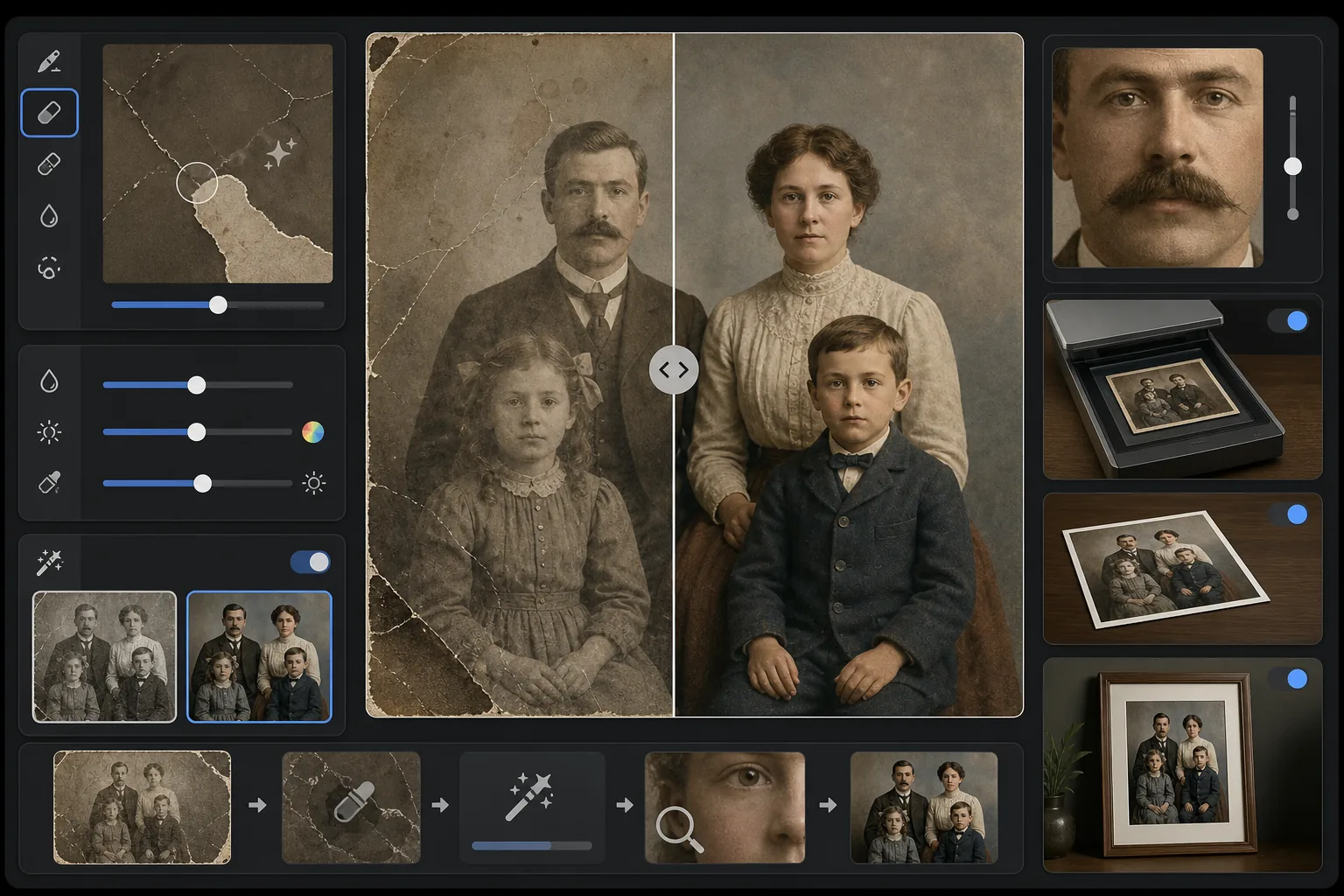
スキャンしたヴィンテージ写真の物理的な損傷や経年劣化を修復します。Magic Eraser は、周囲のコンテキストから失われた画像内容を再構築することで、傷、折り目、水シミ、カビの斑点、破れた縁を除去します。AI Enhance は、何十年もの間に変化または色あせた色を回復し、経年でぼやけたディテールをシャープにし、白黒やセピアの写真を原画の時代を尊重した時代に忠実な色で着色できます。
テンプレート設定
| 損傷修復 | 強力 — 傷、折り目、シミ、破れた縁を除去 |
| 色の回復 | フルスペクトル — 色あせた顔料を元の鮮やかさに復元 |
| 着色モード | オフ、控えめ、またはフル(白黒およびセピアの原画用) |
| ディテール回復 | 経年や低いスキャン解像度でぼやけた顔や細部を再構築 |
| 出力サイズ | 元のスキャン寸法に合わせ、オプションで2×に拡大 |
| 時代の保存 | 時代らしい粒状の質感と階調を維持 |
このテンプレートの使い方
原画をスキャンまたは撮影する
最も回復可能なディテールを得るため、ヴィンテージ写真を600 DPI以上でスキャンします。スキャンできない場合は、均一で拡散した光の下、平らな面でプリントを撮影してください。光沢プリントに反射の斑点を作るフラッシュは避けましょう。
物理的な損傷を修復する
Magic Eraser は傷、折り目、水による損傷、カビの斑点、テープの残りを識別して除去します。AI は周囲の画像内容を分析して失われた領域を再構築し、破れた角を埋め、顔をまたぐ亀裂をつなぎ、シミの変色を除去します。
色を回復または追加する
色あせたカラープリントの場合、AI Enhance は異なる染料層が経年で劣化する特定の仕方を逆転させて元のカラーパレットを復元します。白黒やセピアの原画の場合、オプションの着色が、肌の色合い、緑、空、布の模様などのコンテキストの手がかりに基づいてリアルな色を追加します。
シャープにして書き出す
ディテール回復は、何十年もの経年でぼやけた顔の特徴、文字、細部をシャープにします。元のスキャン解像度で書き出すか、原画より大きなサイズで印刷するために2×に拡大します。
最良の結果を得るためのプロのヒント
- ✓スキャナーが対応する最高解像度でスキャンしましょう — 最低600 DPI、できれば1200 DPI。取り込むディテールが多いほど、損傷した領域を再構築する際にAIが扱える情報が増えます。
- ✓写真が額縁やアルバムに固定されている場合は、破れる危険を冒すより、その場で撮影してください — テンプレートは額縁の縁やアルバムページのアーティファクトを除去できます。
- ✓歴史的な写真の着色には、可能であれば時代(年代)と場所のコンテキストを提供してください — 衣服の色、車の色、建材は時代や地域によって大きく異なりました。
- ✓完全な修復を実行する前に、写真の最も損傷した領域をテストとして先に処理しましょう — これにより再構築の品質が期待に沿うか確認できます。
よくある質問
破れた角のように欠けた部分がある写真を修正できますか?
+
はい。AI は周囲の画像のコンテキストを使って欠けた領域を再構築します。空、壁、緑などの背景では、結果はシームレスです。顔の欠けた部分や重要な細部については、再構築は印象的ですが、重要な特徴には軽微な手動調整が必要な場合があります。
白黒写真の着色はどれくらい正確ですか?
+
着色はコンテキスト分析を使ってリアルな色を割り当てます — 肌の色合い、空の青、緑、一般的な布の色は非常に正確です。AI がコンテキストから判断できない物体の特定の色(ドレスの正確な色合いなど)は、保証された正確さではなく、もっともらしいものになります。
修復によって写真のヴィンテージらしさは失われますか?
+
いいえ。時代の保存設定は、ヴィンテージ写真にその個性を与える時代らしい粒状の質感と階調を維持します。傷やシミなどの物理的な損傷は除去されますが、原画の時代の写真的な品質は尊重されます — 1940年代の写真は、損傷がないだけで、やはり1940年代の写真に見えます。