
Remove a Logo Sticker From a Photo
Scopri come Remove a Logo Sticker From a Photo con Magic Eraser. Guida semplice passo passo con strumento AI gratuito. Funziona su web, iOS e Android.
Last updated
Prova ora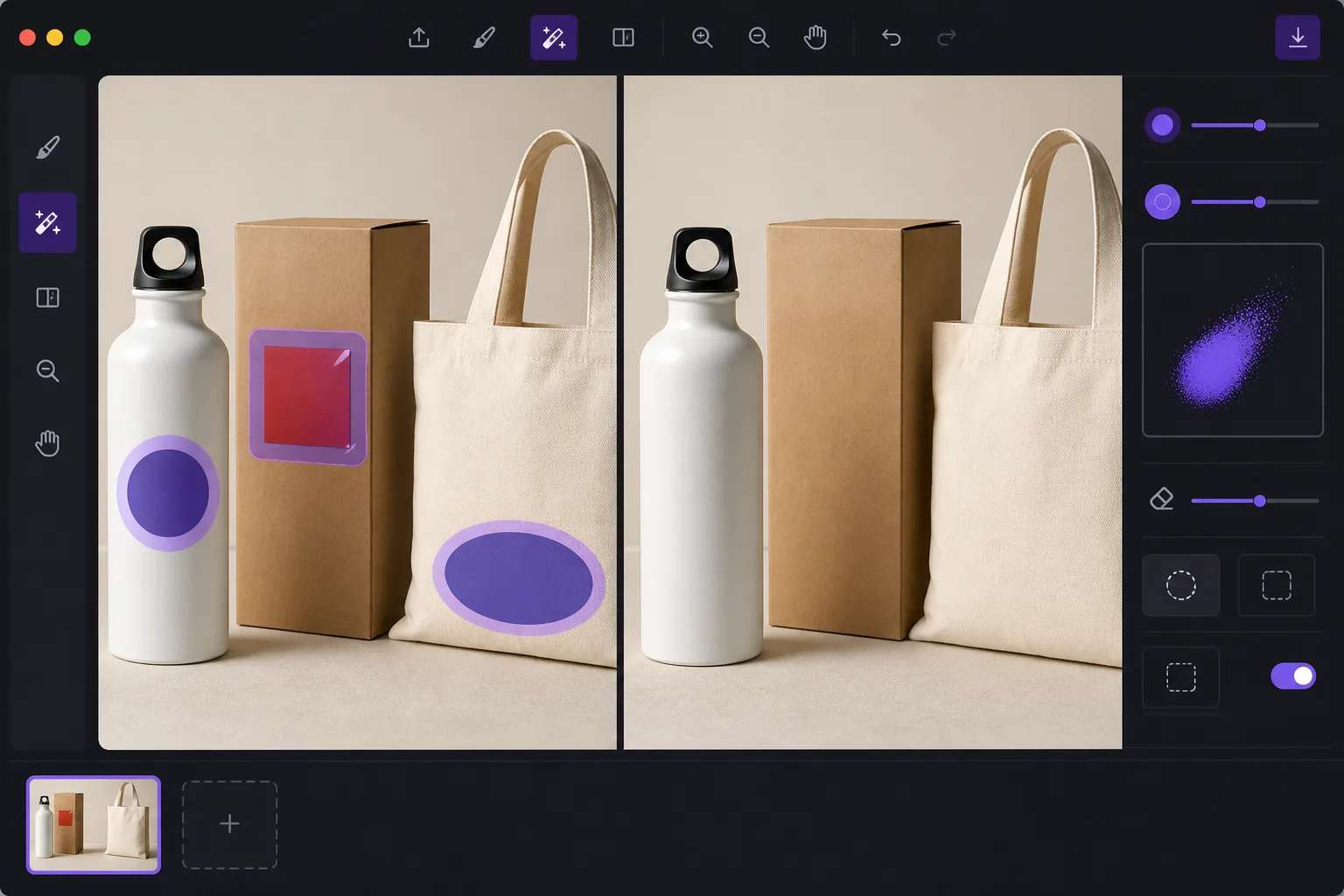
De-brand items for clean catalog photography con Magic Eraser
When you shoot products for a catalog, marketplace listing, or mockup, a stray brand logo sticker can pull focus, clash with your own branding, or raise licensing concerns. Peeling the sticker off in real life leaves residue, glare, or a torn label — and reshooting costs time. Magic Eraser lets you remove the logo sticker directly in the photo instead. Brush over the offending label and the AI inpainting engine reconstructs the material behind it: the box panel, the bottle curve, the fabric weave, or the matte surface the sticker was covering. It's worth being clear about how this works. Magic Eraser does not recover the literal pixels hidden under the sticker — that information isn't in the photo. It synthesizes a plausible reconstruction based on the surrounding texture, color, and lighting. For flat, evenly lit, single-color surfaces the result is usually seamless. Over busy patterns, text, or sharp edges you may need a second pass or a careful crop. Magic Eraser runs in your browser and on iOS and Android, has a free tier, and adds no watermark, so you can clean up a whole product set without extra cost.
Before you start
Istruzioni passo passo
Start with carica la foto. The result preview above and tips below use this guide's existing content; no separate before-and-after proof is assumed.
- 1
Carica la foto
Apri Magic Eraser su web, iOS o Android. Trascina e rilascia la foto JPEG, PNG, HEIC o WebP. Nessun account necessario.
- 2
Seleziona lo strumento e l'area
Scegli lo strumento adatto e seleziona l'area da elaborare. L'AI analizza e applica le modifiche automaticamente in pochi secondi.
- 3
Scarica il risultato
Visualizza l'anteprima del risultato e scarica la foto modificata. Esporta in PNG o JPEG ad alta qualità.
Ideale per
- De-branding items so a stray logo doesn't compete with your own brand in catalog shots
- Cleaning price tags, barcodes, and store labels off retail products before listing
- Removing manufacturer logo stickers from props and backgrounds in lifestyle photography
- Prepping neutral product mockups where any visible third-party brand is a distraction
- Tidying review and resale photos so the focus stays on the item, not its packaging label
Consigli per risultati migliori
The flatter and more uniform the surface under the sticker, the cleaner the reconstruction. Logos on solid-color boxes, matte plastic, or plain fabric usually vanish in one pass. If the sticker sits over printed text, a logo print, or a sharp product edge, the AI is guessing at complex detail — brush in smaller sections, run a second pass on any smudged spots, and zoom in to check the blend. When a reconstruction looks slightly off, reframing or a tight crop can hide the seam entirely. Always confirm the de-branded image still represents the actual product honestly before you publish it to a store or catalog.
Domande frequenti
- La funzione Remove a Logo Sticker From a Photo è gratuita?
- Sì, Magic Eraser permette di Remove a Logo Sticker From a Photo gratuitamente con limiti giornalieri. Passa al piano Pro per elaborazione illimitata ed esportazioni ad alta risoluzione.
- Quanto tempo ci vuole per Remove a Logo Sticker From a Photo?
- Solo pochi secondi. L'AI di Magic Eraser elabora le foto rapidamente — la maggior parte dei risultati è disponibile immediatamente.
- Posso usarlo sul cellulare?
- Sì, Magic Eraser funziona su iOS, Android e tutti i browser web. Puoi passare da un dispositivo all'altro liberamente.
- La qualità dell'immagine viene compromessa?
- No, Magic Eraser preserva la qualità originale della foto. L'AI elabora in modo intelligente per mantenere dettagli e nitidezza.