
Remove Glare From Glasses in Photos
Scopri come Remove Glare From Glasses in Photos con Magic Eraser. Guida semplice passo passo con strumento AI gratuito. Funziona su web, iOS e Android.
Last updated
Prova ora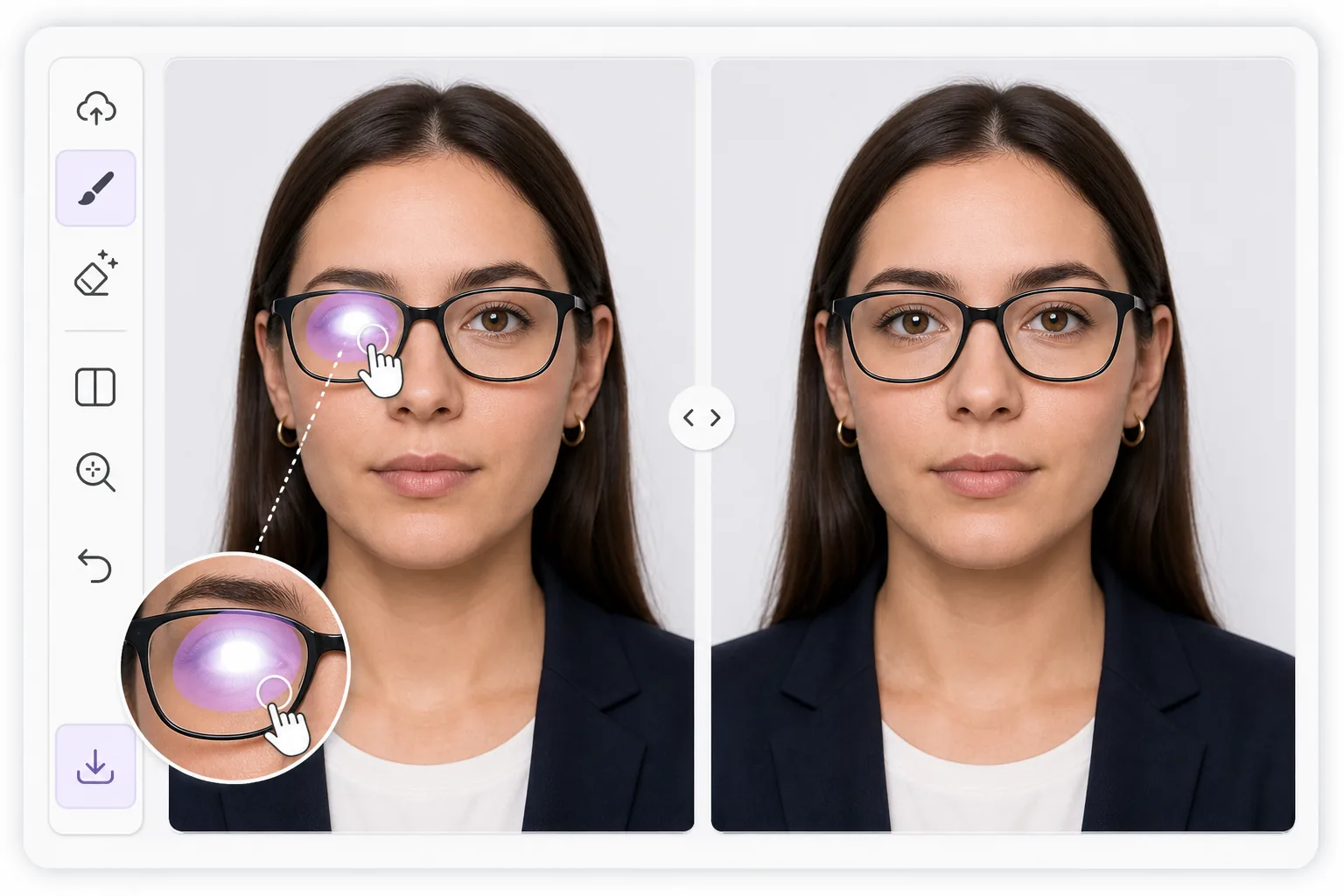
Why lens glare is harder than ordinary glare con Magic Eraser
Reflections on eyeglasses sit directly over the most important part of a portrait: the eyes. A flash, a window, or a ring light leaves a bright patch on the lens that flattens the eye behind it, sometimes erasing the iris or pupil entirely. Unlike glare on a wall or a table, you cannot just smooth it away, because the eye, eyelid, lashes, and lens frame all need to stay believable underneath. Magic Eraser uses AI inpainting to handle this. You brush over the bright spot, and the tool generates a plausible reconstruction of the eye and surrounding skin based on the rest of the face and the second, clearer eye when one is visible. It is honest to say this is synthesis, not recovery of hidden pixels: the original detail behind a blown-out highlight is gone, so the result is the model's best, natural-looking guess. For passport and ID photos that ban reflections, that reconstruction can be the difference between an accepted and a rejected shot, and it works the same way on a casual portrait you just want to look right.
Before you start
Istruzioni passo passo
Start with carica la foto. The result preview above and tips below use this guide's existing content; no separate before-and-after proof is assumed.
- 1
Carica la foto
Apri Magic Eraser su web, iOS o Android. Trascina e rilascia la foto JPEG, PNG, HEIC o WebP. Nessun account necessario.
- 2
Seleziona lo strumento e l'area
Scegli lo strumento adatto e seleziona l'area da elaborare. L'AI analizza e applica le modifiche automaticamente in pochi secondi.
- 3
Scarica il risultato
Visualizza l'anteprima del risultato e scarica la foto modificata. Esporta in PNG o JPEG ad alta qualità.
Ideale per
- Passport, visa, and ID photos that reject any lens reflection
- Headshots where a ring light or flash leaves a hotspot on one lens
- Family and group portraits where someone's eye is hidden by glare
- LinkedIn and profile pictures that need clear, glasses-on eye contact
- Indoor event photos shot near windows or bright overhead lighting
Consigli per risultati migliori
Work one lens at a time and zoom in before brushing. Tight, accurate strokes that cover only the bright patch give the AI more real detail to copy, so the rebuilt eye matches the face. When only one lens has glare, the clear eye acts as a reference and results look most natural. For heavy reflections that wash out the entire lens, expect a fuller synthesized eye and sanity-check iris color, gaze direction, and pupil size against the original. If the first pass looks off, undo and re-brush a slightly smaller area rather than a larger one. For ID shots, confirm the final image still meets the rule of a neutral expression and no visible reflection before you submit it.
Domande frequenti
- La funzione Remove Glare From Glasses in Photos è gratuita?
- Sì, Magic Eraser permette di Remove Glare From Glasses in Photos gratuitamente con limiti giornalieri. Passa al piano Pro per elaborazione illimitata ed esportazioni ad alta risoluzione.
- Quanto tempo ci vuole per Remove Glare From Glasses in Photos?
- Solo pochi secondi. L'AI di Magic Eraser elabora le foto rapidamente — la maggior parte dei risultati è disponibile immediatamente.
- Posso usarlo sul cellulare?
- Sì, Magic Eraser funziona su iOS, Android e tutti i browser web. Puoi passare da un dispositivo all'altro liberamente.
- La qualità dell'immagine viene compromessa?
- No, Magic Eraser preserva la qualità originale della foto. L'AI elabora in modo intelligente per mantenere dettagli e nitidezza.