
Remove an Emoji From an iPhone Photo
Scopri come Rimuovere emoji su iPhone con Magic Eraser. Guida semplice passo passo con strumento AI gratuito. Funziona su web, iOS e Android.
Last updated
Prova ora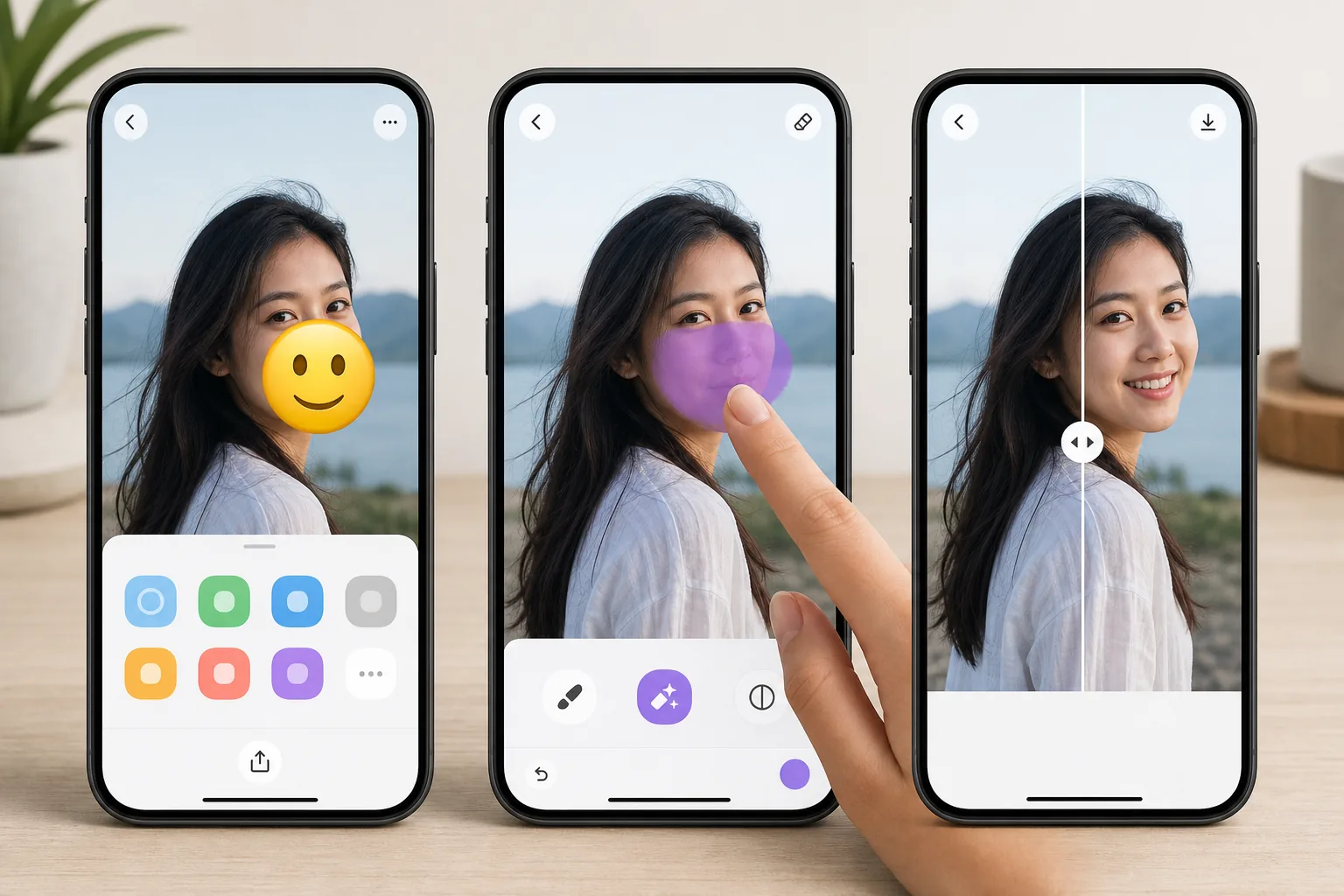
Erase emojis without leaving your iPhone con Magic Eraser
Emojis pile up on iPhone photos fast — a sticker you slapped on in Messages, a 😂 added in Markup, or a face cover someone dropped over a shot before AirDropping it to you. Once it is saved to your camera roll, that emoji is baked into the pixels, and iOS gives you no built-in way to peel it back off. Magic Eraser fixes that on-device. You open the photo in the iOS Photos app, send it to Magic Eraser through the standard share sheet (or the Magic Eraser app), brush over the emoji, and the AI inpainting reconstructs a plausible version of whatever was behind it. To be clear: the AI synthesizes a believable fill based on the surrounding texture — sky, wall, skin, grass — it does not recover the literal original pixels or reveal a hidden face. The result lands back in your Photos library at full resolution, free, and with no watermark on the free tier.
Before you start
Istruzioni passo passo
Start with carica la foto. The result preview above and tips below use this guide's existing content; no separate before-and-after proof is assumed.
- 1
Carica la foto
Apri Magic Eraser su web, iOS o Android. Trascina e rilascia la foto JPEG, PNG, HEIC o WebP. Nessun account necessario.
- 2
Seleziona lo strumento e l'area
Scegli lo strumento adatto e seleziona l'area da elaborare. L'AI analizza e applica le modifiche automaticamente in pochi secondi.
- 3
Scarica il risultato
Visualizza l'anteprima del risultato e scarica la foto modificata. Esporta in PNG o JPEG ad alta qualità.
Ideale per
- Wiping a 😂 or 🔥 sticker you added in iMessage or Markup off a saved photo
- Clearing an emoji face-cover someone placed before AirDropping a picture to you
- Cleaning up a screenshot where an emoji landed over the part you actually wanted
- Prepping a camera-roll shot for posting after removing a playful sticker
- Removing an emoji from a downloaded or received iPhone photo without a Mac or laptop
Consigli per risultati migliori
Brush slightly past the emoji's edges — sticker outlines and soft shadows extend a few pixels beyond the visible art, and missing them leaves a faint halo. Emojis sitting on flat backgrounds (a clear sky, a solid-color wall, blurred bokeh) reconstruct almost invisibly; ones plastered over a face, fine text, or busy patterns are harder, since the AI is inventing a plausible fill rather than restoring true detail. If the first pass looks slightly soft, zoom in on your iPhone and re-brush just the rough area instead of redoing the whole thing. Always keep the original in Photos until you are happy — iOS makes duplicating a shot easy, so edit the copy.
Domande frequenti
- La funzione Rimuovere emoji su iPhone è gratuita?
- Sì, Magic Eraser permette di Rimuovere emoji su iPhone gratuitamente con limiti giornalieri. Passa al piano Pro per elaborazione illimitata ed esportazioni ad alta risoluzione.
- Quanto tempo ci vuole per Rimuovere emoji su iPhone?
- Solo pochi secondi. L'AI di Magic Eraser elabora le foto rapidamente — la maggior parte dei risultati è disponibile immediatamente.
- Posso usarlo sul cellulare?
- Sì, Magic Eraser funziona su iOS, Android e tutti i browser web. Puoi passare da un dispositivo all'altro liberamente.
- La qualità dell'immagine viene compromessa?
- No, Magic Eraser preserva la qualità originale della foto. L'AI elabora in modo intelligente per mantenere dettagli e nitidezza.