
Arrière-plan transparent de logo
Extrayez des logos de n'importe quel arrière-plan et exportez-les en PNG transparents avec un raffinement des bords précis au pixel près. Ce modèle gère les logos photographiés sur papier, numérisés à partir de cartes de visite, capturés depuis des sites web ou exportés depuis des outils de conception avec des arrière-plans encombrés. La sortie multi-tailles couvre les favicons web, les profils de médias sociaux, les signatures d'e-mails et l'usage en impression haute résolution.
Essayer ce modèle gratuitementDesign template preview
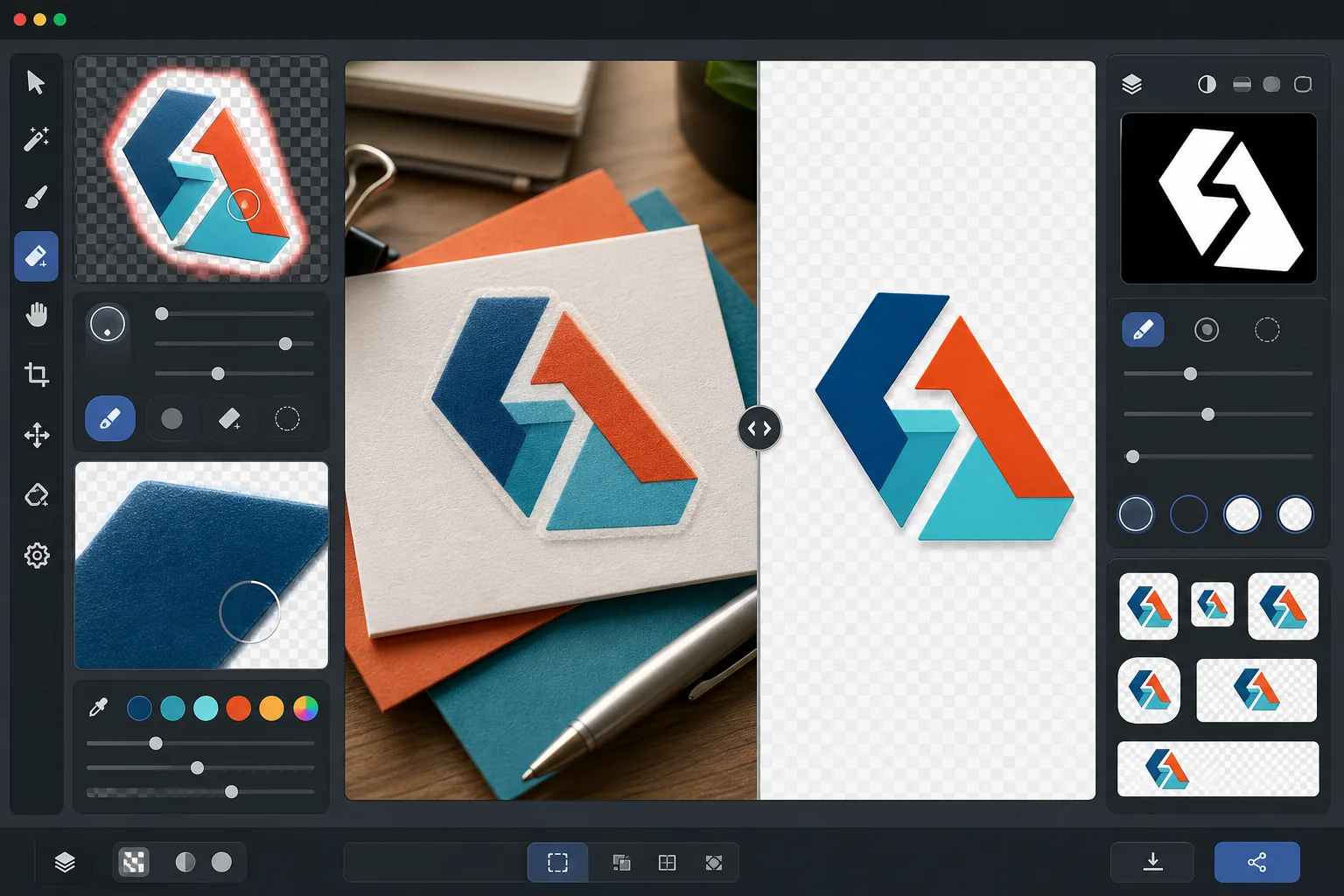
Ce que fait ce modèle
Supprime l'arrière-plan des logos et des logotypes pour produire des fichiers PNG transparents et nets, prêts à être utilisés sur tous les supports. Background Eraser isole le logo de sa surface d'origine — qu'il s'agisse d'une numérisation de papier blanc, d'un arrière-plan de site web coloré, d'une photo d'enseigne de magasin ou d'une carte de visite posée sur un bureau. AI Enhance affine les bords pour éliminer les pixels crénelés, les franges blanches et les artefacts de halo qui apparaissent souvent lorsque la suppression d'arrière-plan coupe trop agressivement autour des caractères fins, des lignes minces et des éléments d'icônes détaillés. La sortie est exportée en plusieurs tailles standard pour une utilisation immédiate comme favicons web, images de profil social, graphiques de signature d'e-mail et ressources de marque en résolution d'impression.
Paramètres du modèle
| Suppression de l'arrière-plan | Transparence totale avec bord anticrénelé de 1px |
| Raffinement des bords | Lissage sous-pixel (élimine les franges blanches et les artefacts de halo) |
| Préservation des couleurs | Correspondance exacte des valeurs hexadécimales (aucun décalage de couleur dû au débordement de l'arrière-plan) |
| Exportation multi-tailles | 16px, 32px, 180px, 512px, 1024px et résolution d'origine |
| Format | PNG-32 avec canal alpha (couleur 24 bits + transparence 8 bits) |
Comment utiliser ce modèle
Importez l'image de votre logo
Importez le logo dans n'importe quel format — un export de conception haute résolution, une numérisation de carte de visite, une capture d'écran d'un site web, ou même une photo d'une enseigne imprimée. Le modèle gère à la fois les logos numériques nets comme du vectoriel et les captures imparfaites du monde réel avec ombres, distorsion de perspective et éclairage inégal.
Supprimez l'arrière-plan
Background Eraser isole le logo de sa surface d'origine et crée un canal alpha transparent. L'IA distingue les éléments de conception intentionnels du logo et l'arrière-plan, en gérant correctement les espaces négatifs intérieurs (comme le trou dans un O ou un A), les lignes fines et les empattements délicats.
Affinez les bords et les couleurs
AI Enhance lisse l'anticrénelage des bords pour éliminer les pixels crénelés en escalier sur les courbes et les diagonales, supprime toute frange blanche ou colorée due au débordement de l'arrière-plan et vérifie que les couleurs du logo n'ont pas changé pendant l'extraction. Les couleurs de la marque sont préservées à leurs valeurs hexadécimales d'origine.
Exportez en plusieurs tailles
Téléchargez un ensemble complet de fichiers de logo : favicon 16x16px, icône d'onglet de navigateur 32x32px, icône Apple touch 180x180px, médias sociaux et boutiques d'applications 512x512px, haute résolution 1024x1024px et la résolution d'origine complète. Tous les fichiers sont en PNG-32 avec arrière-plans transparents.
Conseils de pro pour de meilleurs résultats
- ✓Pour l'extraction la plus nette, commencez avec la version du logo en plus haute résolution que vous pouvez trouver. Un logo de 2000px de large réduit à 512px aura des bords bien plus nets qu'un logo de 200px agrandi à 512px. Si vous n'avez qu'une petite version, l'agrandissement par IA aide mais ne peut égaler la qualité d'une source nativement grande.
- ✓Lorsque vous photographiez un logo imprimé (sur une enseigne, un produit ou une carte de visite), prenez la photo de face pour minimiser la distorsion de perspective. Le modèle peut corriger une légère distorsion trapézoïdale, mais une prise de vue frontale produit une sortie géométriquement précise sans aucun artefact de correction.
- ✓Les logos comportant des lignes très fines ou des empattements délicats à petite taille (en dessous de 32px) peuvent perdre des détails fins. Pour un usage en favicon, envisagez d'utiliser une version simplifiée ou en icône de votre logo plutôt que le logotype complet. L'exportation multi-tailles vous permet de vérifier la lisibilité à chaque taille cible avant le téléchargement.
- ✓Si votre logo utilise des éléments semi-transparents comme des ombres, des lueurs ou des effets de verre, la suppression d'arrière-plan préserve ces niveaux de transparence dans le canal alpha. Le résultat se compose correctement sur n'importe quelle nouvelle couleur d'arrière-plan sans perdre les effets dimensionnels de la conception d'origine.
Questions fréquentes
Peut-on extraire un logo à partir de la photo d'une enseigne ?
+
Oui. Le modèle gère les captures du monde réel, notamment les photos d'enseignes de magasins, d'habillages de véhicules, d'emballages de produits et de banderoles de salons professionnels. L'IA corrige l'éclairage inégal, la légère distorsion de perspective et la texture de surface (comme le grain du vinyle ou le tissage du tissu) pour produire un fichier de logo net et plat. Les résultats sont meilleurs lorsque la photo est nette et prise aussi proche que possible de la frontale.
Les couleurs de ma marque seront-elles préservées exactement ?
+
L'algorithme de préservation des couleurs maintient les valeurs hexadécimales d'origine des couleurs du logo sans laisser la couleur de l'arrière-plan déborder sur les bords. Pour les logos extraits de photos (par opposition aux fichiers numériques), la précision des couleurs dépend de l'éclairage de la photo d'origine. Sous un éclairage neutre, les couleurs extraites se situent généralement à un delta-E de 2 des vraies couleurs de la marque.
Quelle est la différence entre PNG-32 et PNG ordinaire ?
+
PNG-32 comprend un canal alpha 8 bits complet qui prend en charge 256 niveaux de transparence par pixel, permettant des bords anticrénelés lisses et des effets semi-transparents comme les ombres portées et les lueurs. Le PNG-8 ordinaire avec transparence ne prend en charge que les pixels entièrement transparents ou entièrement opaques, ce qui produit des bords crénelés. Toutes les sorties de ce modèle utilisent PNG-32 pour la plus haute qualité de transparence.
Préparez votre logo pour chaque plateforme en un clic
Importez n'importe quelle image de logo et obtenez des fichiers PNG transparents dans toutes les tailles dont vous avez besoin — des minuscules favicons aux ressources d'impression haute résolution — avec des bords parfaitement nets.
Essayer gratuitementRelated templates
More design templates for your workflow.
Générez des maquettes réalistes de couverture de livre avec une perspective 3D, un rendu des ombres et des arrière-plans de style de vie pour le marketing des auteurs et les promotions des éditeurs.
Concevez une pochette de podcast conforme aux spécifications Apple Podcasts et Spotify avec remplacement de l'arrière-plan, isolation du portrait de l'hôte et mises en page prêtes pour la typographie.
Préparez des œuvres d'art et des photographies numériques pour une impression grand format grâce à la mise à l'échelle de l'IA, à l'extension du canevas, à l'épreuvage aux couleurs précises et à l'exportation de fichiers prêts à imprimer.
Préparez des photos à soumettre à l'agence avec suppression de la marque, modification de la conformité des autorisations de modèle, contrôles de qualité technique et exigences de format spécifiques à l'agence.