
Magic Eraser vs Canva : quel editeur est meilleur pour le nettoyage de photos ?
Canva est excellent pour les mises en page et les visuels pour reseaux sociaux, mais de nombreux utilisateurs ont besoin d'une suppression d'objets plus rapide, de retouches d'arriere-plan plus nettes et d'outils photo IA plus puissants. Ce comparatif montre ou Magic Eraser convient mieux aux flux de travail centres sur l'image.
Last updated
Essayer Magic Eraser gratuitementComparison rows are editorial summaries from the latest page review, not a guarantee of current pricing, limits, watermark policy, batch support, speed, or platform availability.
Apercu
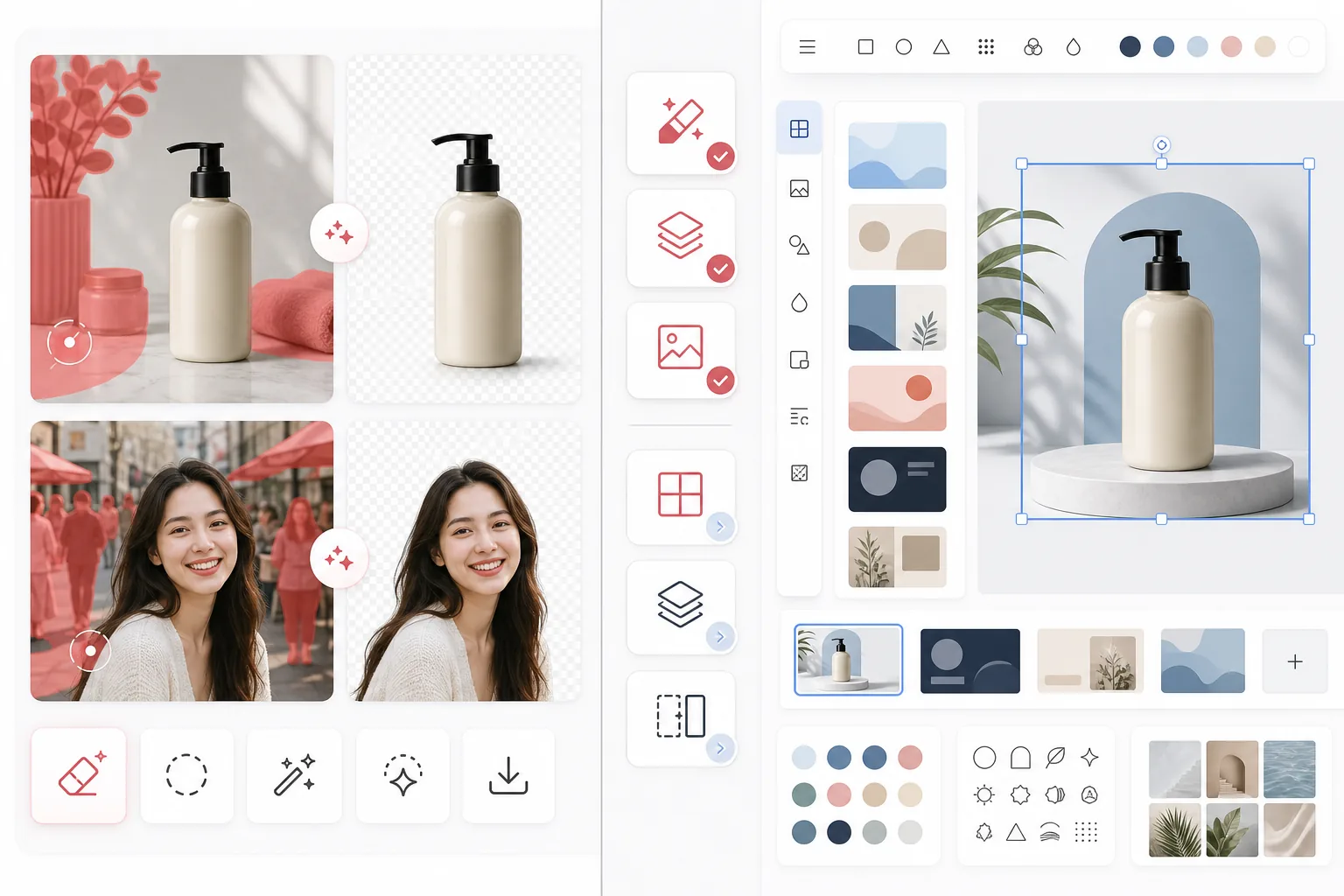
Magic Eraser se concentre sur les taches d'edition photo par IA telles que la suppression d'objets, le nettoyage d'arriere-plan, l'amelioration d'image, le remplissage generatif et les retouches rapides sur le web et mobile.
Canva est une vaste plateforme de design concue pour les presentations, les publications sur les reseaux sociaux, les supports marketing et les modeles. Elle inclut certains outils d'edition photo, mais ces outils font partie d'un flux de travail de design plus large.
Comparaison des fonctionnalites
Magic Eraser se concentre sur les taches d'edition photo par IA telles que la suppression d'objets, le nettoyage d'arriere-plan, l'amelioration d'image, le remplissage generatif et les retouches rapides sur le web et mobile.
Canva est une vaste plateforme de design concue pour les presentations, les publications sur les reseaux sociaux, les supports marketing et les modeles. Elle inclut certains outils d'edition photo, mais ces outils font partie d'un flux de travail de design plus large.
| Feature | Magic Eraser | Canva |
|---|---|---|
| Suppression d'objets | Oui — outil IA dedie | Limitee |
| Suppression d'arriere-plan | Oui — fonctionnalite cle | Oui — souvent reservee a Pro |
| Amelioration d'image | Oui | Basique |
| Modeles de design | Non | Oui — etendus |
| Remplissage generatif | Oui | Limite |
| Meilleur flux de travail | Nettoyage de photos | Design graphique |
| Plateforme | Web + iOS + Android | Web + iOS + Android |
| Temps avant la premiere retouche | Tres rapide | Depend du flux de design |
Feature rows summarize visible product positioning and should be rechecked against official product pages before purchase, migration, or compliance decisions.
- Last content review May 1, 2026
- Canva source: official product site (https://www.canva.com/)
- Magic Eraser source: https://magiceraser.live/fr/product/magic-eraser
- Pricing, feature availability, platform support, and limits can change; recheck official sources before relying on a buying decision.
Comparaison des tarifs
| Plan | Magic Eraser | Canva |
|---|---|---|
| Offre gratuite | Gratuit — retouches limitees | Gratuit — fonctionnalites de base |
| Mensuel | $9.99/mo | $14.99/mo (Pro) |
| Annuel | $4.99/mo (facture annuellement) | $12.99/mo (Pro, facture annuellement) |
Tarifs en date de May 2026. Verifiez aupres de chaque fournisseur les tarifs actuels.
Pricing rows are snapshots from review time. Free tiers, subscriptions, trials, export limits, and regional availability can change without notice.
- Last content review May 1, 2026
- Canva source: official product site (https://www.canva.com/)
- Magic Eraser source: https://magiceraser.live/fr/product/magic-eraser
- Pricing, feature availability, platform support, and limits can change; recheck official sources before relying on a buying decision.
Pourquoi choisir Magic Eraser
Concu specialement pour l'edition photo
Magic Eraser place l'action d'edition au premier plan. Vous n'avez pas besoin d'ouvrir un canevas de design, de choisir une mise en page ou de naviguer dans les controles de modeles avant de nettoyer une photo.
Flux de nettoyage plus puissant
Pour supprimer des personnes, du texte, des fils, du desordre et des arriere-plans encombres, Magic Eraser offre un flux d'edition IA plus direct et plus coherent que l'editeur polyvalent plus large de Canva.
Mieux adapte aux equipes traitant beaucoup d'images
Les vendeurs, marketeurs, createurs et agences qui traitent un grand nombre de photos se soucient souvent davantage de la rapidite de nettoyage que de la variete des modeles. Magic Eraser est optimise pour ce cas d'usage.
Transfert plus propre vers la production creative
De nombreuses equipes utilisent Magic Eraser pour preparer d'abord des images soignees, puis importent ces ressources dans Canva ou d'autres outils de design pour le travail de mise en page final.
Questions frequentes
Magic Eraser est-il meilleur que Canva pour la suppression d'arriere-plan ?
+
Pour le nettoyage d'arriere-plan dedie et les flux de travail centres sur l'image, Magic Eraser est generalement le choix le plus rapide. Canva est preferable lorsque vous devez aussi transformer immediatement l'image en ressource designee.
Canva peut-il supprimer des objets des photos ?
+
Canva inclut certains outils d'edition, mais Magic Eraser est davantage axe sur une suppression d'objets par IA fiable et des taches de nettoyage minutieuses.
Devrais-je utiliser les deux outils ensemble ?
+
Oui. De nombreuses equipes utilisent Magic Eraser pour nettoyer les images, puis transferent la ressource finale dans Canva pour les presentations, publicites, visuels sociaux et le travail de design base sur des modeles.
Quel outil est meilleur pour les images de produits e-commerce ?
+
Magic Eraser est souvent meilleur pour le nettoyage de photos e-commerce, car supprimer les distractions et isoler les produits est son flux de travail principal.
Magic Eraser prend-il en charge l'edition mobile ?
+
Oui. Magic Eraser fonctionne sur iOS, Android et le web, vous pouvez donc editer depuis n'importe quel appareil.
Vous voulez des photos plus nettes avant de concevoir ?
Utilisez Magic Eraser pour supprimer les distractions, ameliorer les arriere-plans et preparer les images avant qu'elles n'atteignent votre canevas de design.
Essayer Magic Eraser gratuitementCas d'utilisation associés
Découvrez comment les professionnels utilisent ces outils dans des workflows réels.
Des photos d'annonce encombrées d'effets personnels, de voitures garées ou de matériel de chantier font fuir les acheteurs. Magic Eraser nettoie vos photos de biens en un instant grâce à l'IA — aucune compétence Photoshop requise.
Des photos produits mal cadrées avec des arrière-plans encombrés vous font perdre des ventes chaque jour. Magic Eraser vous permet de créer des images produits professionnelles en quelques secondes — sans compétences Photoshop. Importez, effacez les distractions, et publiez en toute confiance.
Des inconnus qui gâchent vos photos de voyage ? Un arrière-plan en désordre qui ruine vos selfies ? Arrêtez de perdre des heures sur Photoshop. Magic Eraser supprime les distractions, nettoie vos clichés et adapte vos photos à tous les formats — en un clic.
Guides associés
Découvrez d'autres guides et contenus éditoriaux liés à ce workflow.
Découvrez comment l'IA transforme les opérations, de l'automatisation à l'analyse des données et à une expérience client plus personnalisée.
Apprenez à utiliser Magic Eraser pour supprimer objets, personnes, texte et distractions d’une photo avec un résultat IA plus propre.
Apprenez à supprimer des personnes de vos photos avec l'IA en quelques secondes. Guide pour photos de voyage, immobilier et produits.
Autres comparaisons
Découvrez comment Magic Eraser se compare aux autres outils de retouche photo.
Nous avons testé et comparé les meilleurs outils de retouche photo IA pour vous. De la suppression d'objets au remplacement d'arrière-plan, découvrez quel éditeur offre les meilleurs résultats.
PhotoRoom se concentre sur la suppression d'arrière-plan et les modèles de photographie de produits. Magic Eraser égale ces capacités et ajoute de puissants outils IA pour la suppression d'objets, l'amélioration d'images, le remplissage génératif et la conception créative — vous offrant plus de puissance d'édition sur le web et le mobile.
Canva est une plateforme de design polyvalente, mais ses outils de retouche photo sont secondaires par rapport à sa vocation de design. Magic Eraser est spécialement conçu pour la retouche photo par IA — offrant une meilleure suppression d'objets, suppression d'arrière-plan, amélioration d'image et remplissage génératif aux utilisateurs qui ont besoin d'outils spécialisés de nettoyage de photos.
Nous avons testé les principaux générateurs d'arrière-plan IA pour la qualité de suppression, les options de remplacement, la flexibilité créative et la facilité d'utilisation. Découvrez quel outil facilite le plus la suppression, le remplacement et la génération de nouveaux arrière-plans pour vos photos.
Nous avons testé les meilleurs générateurs de portraits IA pour leur qualité, leur réalisme, leur personnalisation et leur rapport qualité-prix. Que vous ayez besoin de portraits LinkedIn, de photos d'équipe ou de portraits professionnels, découvrez quel outil offre les meilleurs résultats.
TouchRetouch est une application mobile payante populaire pour supprimer objets et imperfections. Magic Eraser propose l'édition IA gratuite sur tout appareil sans installation. Comparez les fonctionnalités, prix et facilité d'utilisation.