
Remove an Emoji Covering a Face
Aprende cómo Eliminar emoji de una cara con Magic Eraser. Guía simple paso a paso con herramienta IA gratuita. Funciona en web, iOS y Android.
Last updated
Probar ahora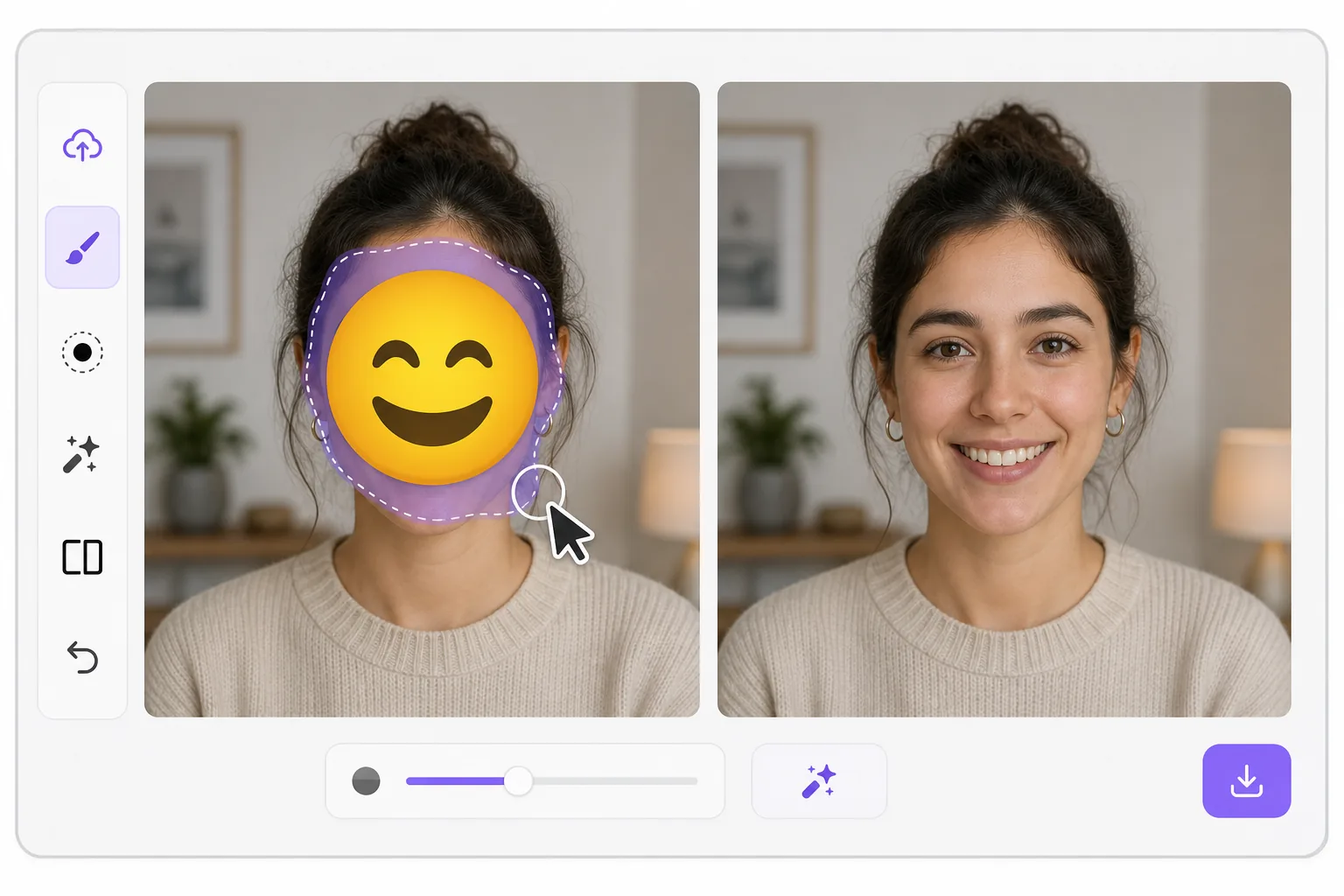
What "uncensoring" an emoji actually does con Magic Eraser
When a smiley, sunglasses, or blur-emoji is slapped over someone's face, those original pixels are gone — the emoji replaced them in the saved image. Magic Eraser's AI inpainting can remove that emoji and fill the gap with a natural-looking face that matches the lighting, skin tone, hairline, and angle around it. Here's the honest part most tools won't tell you: this is a reconstruction, not a recovery. The AI synthesizes a face that fits the scene; it does not and cannot reveal the true identity of whoever was censored. Treat the result as a plausible repair for a photo, not as forensic proof of who someone is. Use it to fix your own images or photos you have permission to edit — never to unmask someone who deliberately hid their face.
Before you start
Instrucciones paso a paso
Start with sube la foto. The result preview above and tips below use this guide's existing content; no separate before-and-after proof is assumed.
- 1
Sube la foto
Abre Magic Eraser en web, iOS o Android. Arrastra y suelta tu foto JPEG, PNG, HEIC o WebP. No necesitas cuenta para empezar.
- 2
Selecciona la herramienta y el área
Elige la herramienta adecuada y marca el área a procesar. La IA analiza y aplica los cambios automáticamente en segundos.
- 3
Descarga el resultado
Previsualiza el resultado y descarga la foto editada. Exporta en PNG o JPEG de alta calidad.
Ideal para
- Restoring an old group photo where you yourself added a privacy emoji and lost the original
- Cleaning up a meme or reaction image so the face area reads as a face again instead of a sticker
- Removing a smiley or sunglasses emoji a friend placed on your own picture before resharing
- Designers prototyping how a portrait looks without a placeholder emoji overlay
- Recovering the composition of a photo you edited, where you have the right to undo your own censorship
Consejos para mejores resultados
Smaller emojis over a clear, well-lit face reconstruct far better than a big sticker covering eyes, nose, and mouth at once — the more original face the AI can see around the edges, the more convincing its fill. If the emoji sits on a turned or partially shadowed face, expect a softer, more generic result. Run it two or three times and compare; each pass produces a different plausible face. Above all, stay honest with anyone you share it with: say the face was AI-reconstructed. Don't present the output as the real hidden person, and don't use it to identify or expose someone who covered their face on purpose.
Preguntas frecuentes
- ¿La función Eliminar emoji de una cara es gratuita?
- Sí, Magic Eraser permite Eliminar emoji de una cara gratis con límites diarios. Actualiza a Pro para procesamiento ilimitado y exportaciones de alta resolución.
- ¿Cuánto tiempo tarda Eliminar emoji de una cara?
- Solo unos segundos. La IA de Magic Eraser procesa fotos rápidamente — la mayoría de los resultados están disponibles inmediatamente.
- ¿Puedo usarlo en el móvil?
- Sí, Magic Eraser funciona en iOS, Android y todos los navegadores web. Puedes alternar entre dispositivos libremente.
- ¿Se pierde calidad de imagen?
- No, Magic Eraser mantiene la calidad original de la foto. La IA procesa de forma inteligente para conservar detalles y nitidez.