
婚礼照片增强
拯救曝光不足的婚宴照片,移除分散注意力的背景,并细化肤色,打造值得收入相册的婚礼影像。本模板专为仪式和婚宴中富有挑战的光线条件而设计——昏暗的场地、DJ 灯光造成的混合偏色,以及把注意力从新人身上引开的杂乱背景。
免费试用此模板Events template preview
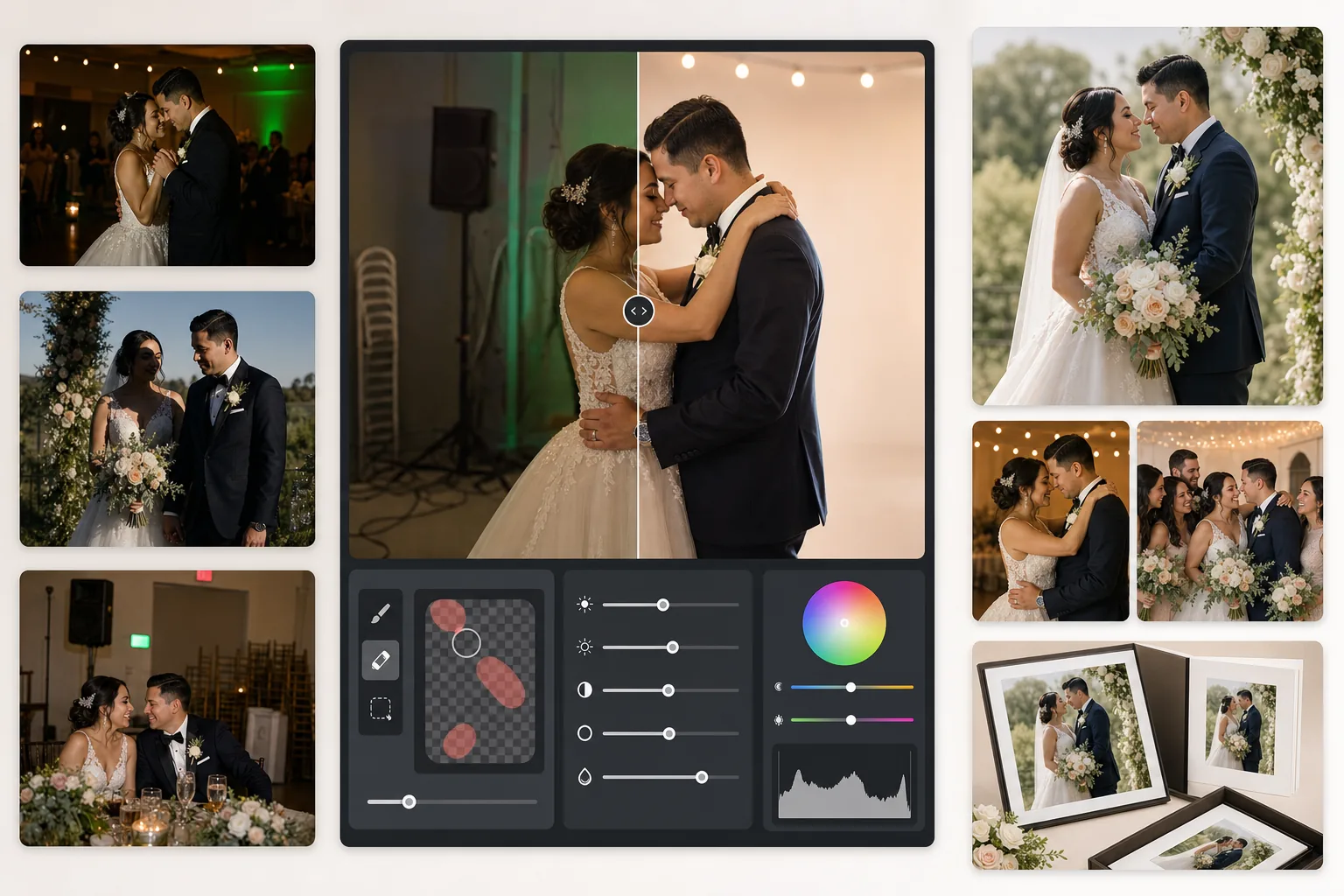
此模板的功能
校正婚礼摄影中最常见的问题:曝光不足的婚宴照片、钨丝灯的橙色或荧光灯的绿色偏色、生硬的闪光灯阴影,以及出口标志、堆叠的椅子和餐饮设备等分散注意力的背景元素。AI Enhance 可从昏暗的舞池照片中恢复细节并平衡混合光线,而 Magic Eraser 可移除不需要的物体且不留痕迹。肤色经过细化处理,看起来自然温暖,又不会过度磨皮。
模板设置
| 曝光恢复 | +1.5 EV 阴影提亮并保留高光 |
| 白平衡 | 自动混合光校正(钨丝灯/荧光灯/日光) |
| 肤色模式 | 自然暖调(+5 暖度,+3 平滑,保留细节) |
| 输出分辨率 | 长边 4000px(300 DPI 下可印至 13×19) |
| 色彩配置文件 | Adobe RGB(更广色域,适合专业印刷) |
| 降噪 | 高 ISO 自适应(保留提亮阴影中的细节) |
如何使用此模板
上传您的婚礼照片
上传婚宴照片、仪式照片或宾客用智能手机拍摄的照片。本模板可处理各种素材,从专业单反相机 RAW 导出的 JPEG 到压缩的手机照片——AI 会根据源文件质量调整增强强度。
校正光线和色彩
AI Enhance 提亮昏暗的婚宴场景,中和场地混合光线造成的橙绿偏色,并平衡闪光照亮的前景与环境光照亮的背景。肤色会转向自然暖调,同时不影响礼服的白色或装饰的色彩。
移除干扰元素
Magic Eraser 可移除出口标志、灭火器、堆叠的椅子、餐饮推车、地上的电源线,以及背景中乱入镜头的宾客。AI 会在被移除物体后方自然重建背景纹理。
导出用于相册和打印
以 Adobe RGB 长边 4000px 下载,用于专业照片冲印;或以 sRGB 下载,用于数字分享和在线相册。输出尺寸在 300 DPI 下可打印至 13×19 英寸。
获得最佳效果的专业技巧
- ✓对于昏暗的婚宴舞池照片,本模板可恢复约 1.5 档阴影细节。如果原始照片几乎全黑,增强可能会引入噪点——请从至少能隐约看到主体的照片开始。
- ✓肤色校正针对婚礼摄影的暖调进行了校准——比中性略暖,可在混合光线下衬托大多数肤色。对于已有良好自然光的户外仪式照片,校正会很微妙。
- ✓移除背景物体时,请一次处理一个区域,以获得最自然的效果。出口标志、消防喷头和墙壁插座足够小,可一次干净移除。堆叠的椅子等较大物体,分段移除效果更佳。
- ✓先处理新人的人像照,再处理合影,最后处理抓拍照。这样可以在处理最重要的照片时建立一致的调色基准,然后再处理次要影像。
常见问题
这能修复模糊的婚宴照片吗?
+
AI Enhance 可锐化由慢快门造成的轻微柔化,并恢复大量阴影细节,但无法修复主体明显拖影的严重运动模糊。带有轻微手抖模糊或轻微对焦不实的照片会有明显改善。
新娘的白色礼服会丢失细节吗?
+
色调映射算法会专门保护白色中的高光细节。即使在同一张图中提亮阴影,礼服质感、蕾丝图案和布料褶皱也会得到保留。最终效果可在从明亮白色到深邃阴影的完整范围内得以保持。
这对打印相册来说够好吗?
+
够好。300 DPI 下的 4000px 输出可支持最大 13×19 英寸的打印。Adobe RGB 色彩配置文件可保留专业照片冲印所使用的更广色域。对于标准 8×10 相册页面,分辨率远超清晰打印所需。
Related templates
More events templates for your workflow.