
模板Use case: Marketing
前后对比滑块
用完美对齐的前后对比图像展示你工作的影响力。此模板可创建可立即用于演示的图像对,保持一致的取景、光照平衡和尺寸——非常适合作品集、案例研究、社会认同以及视觉转变即是故事的产品营销。
免费试用此模板Marketing template preview
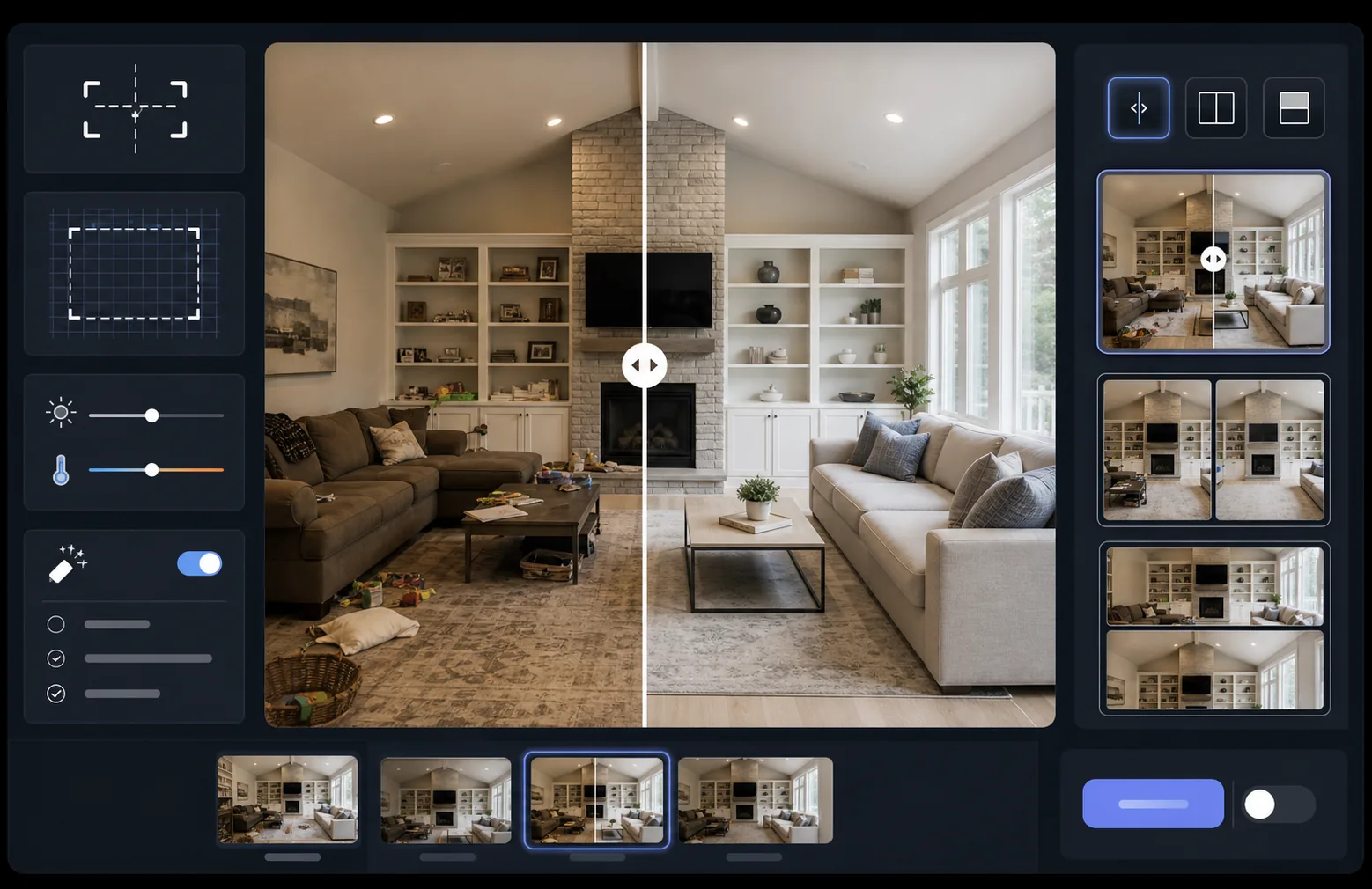
此模板的功能
将两张图像(一张「前」和一张「后」)处理为完美对齐的对比图像对,可立即用于滑块小部件、并排布局或动画展现。AI Enhance 会统一两帧之间的曝光和白平衡,使转变清晰可见,而不会因光照差异而模糊对比。Magic Eraser 可以清除任一帧中不属于预期转变的偶然干扰物。
模板设置
| 布局 | 可用于滑块的图像对、并排或纵向堆叠(可选) |
| 输出尺寸 | 每帧 1600×1200px(尺寸一致) |
| 对齐 | 自动配准——匹配各次拍摄之间的透视和取景 |
| 光照统一 | 在整对图像间平衡曝光和白平衡 |
| 标签叠加 | 可选的 'Before' / 'After' 标签,位置可自定义 |
| 边框 | 1px 中性灰分隔线或无缝边缘(可选) |
如何使用此模板
1
上传你的「前」图像
上传展示起始状态的原始、未修改照片。这可以是装修前的房间、优化前的产品、护理前的皮肤,或任何你想展示的视觉转变。
2
上传你的「后」图像
上传展示已完成转变的结果照片。尽量从与「前」拍摄相同的角度和距离进行拍摄。模板会自动对齐取景和透视上的细微差异。
3
统一并对齐
模板会自动配准两张图像,使对应元素逐像素对齐。曝光和白平衡会被统一,使各拍摄场次之间的光照差异不会分散人们对实际转变的注意力。
4
导出对比图
选择你的输出格式——用于滑块小部件的匹配图像对、用于社交媒体的并排合成图,或用于电子邮件营销的纵向堆叠。添加可选的 Before/After 标签,并以网页优化或印刷质量分辨率导出。
获得最佳效果的专业技巧
- ✓如有可能,请从完全相同的位置拍摄「前」和「后」——标记好三脚架的位置,或站在同一地点。AI 需要校正的对齐越少,对比就越清晰。
- ✓两次拍摄使用相同的焦距,以避免透视畸变差异,否则会让对齐后的对比显得微妙地不协调。
- ✓使用 Magic Eraser 移除「前」与「后」之间无关的变化——如果一盆植物移动了或出现了新物体,将其擦除,让观看者专注于预期的转变。
- ✓对于网页滑块嵌入,请将两张图像以完全相同的尺寸导出,并使用无损 PNG,以防止沿滑块分隔线出现压缩伪影。
常见问题
如果「前」和「后」照片是从略微不同的角度拍摄的怎么办?
+
自动配准系统能够处理相机角度、距离和取景上的中等差异。它会在两张图像中识别对应的参考点,并对其进行变换以使其匹配。为获得最佳效果,角度差异应小于 15 度。
我可以将其用于展示转变的视频缩略图吗?
+
可以。并排合成输出非常适合 YouTube 和社交媒体视频缩略图。带标签的分屏布局能立即传达一个转变故事,从而带动点击。
光照统一会改变所展示的实际结果吗?
+
不会。光照统一只调整整体曝光和白平衡,使两帧看起来像是在相同条件下拍摄的。实际的转变——主体的变化——会完全按照拍摄时的样子予以保留。