
Logo Şeffaf Arka Plan
Logoları herhangi bir arka plandan ayıklayın ve piksel düzeyinde hassas kenar iyileştirmesiyle şeffaf PNG olarak dışa aktarın. Bu şablon, kâğıda fotoğraflanmış, kartvizitlerden taranmış, web sitelerinden ekran görüntüsü alınmış veya dağınık arka planlı tasarım araçlarından dışa aktarılmış logoları işler. Çok boyutlu çıktı, web favicon'larını, sosyal medya profillerini, e-posta imzalarını ve yüksek çözünürlüklü baskı kullanımını kapsar.
Bu şablonu ücretsiz deneyinDesign template preview
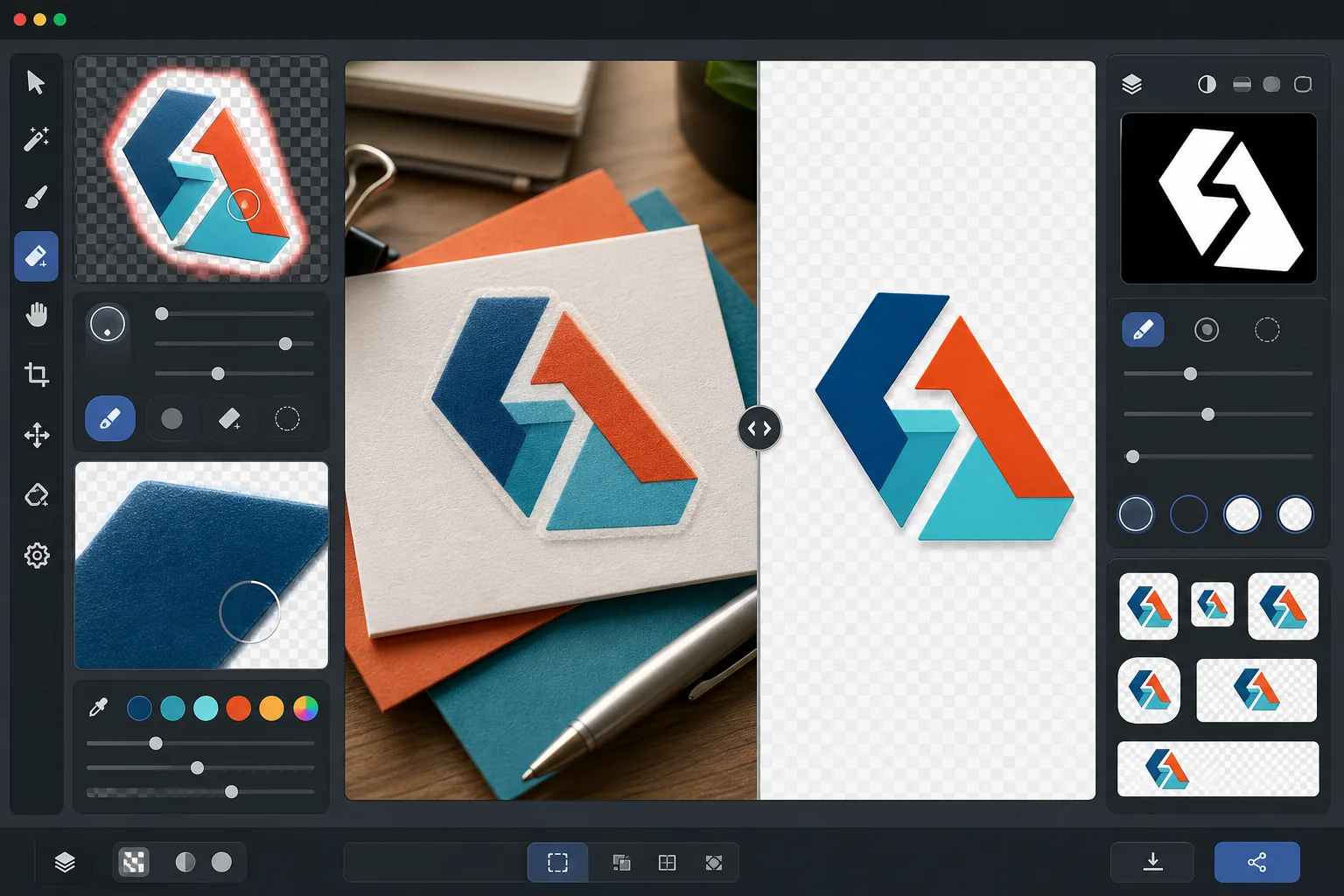
Bu şablon ne yapar
Tüm ortamlarda kullanıma hazır temiz, şeffaf PNG dosyaları üretmek için logolardan ve kelime markalarından arka planı kaldırır. Background Eraser, ister beyaz bir kâğıt taraması, ister renkli bir web sitesi arka planı, ister bir mağaza tabelasının fotoğrafı veya masadaki bir kartvizit olsun, logoyu orijinal yüzeyinden ayırır. AI Enhance, arka plan kaldırma işlemi ince yazı karakterleri, ince çizgiler ve ayrıntılı simge öğelerinin etrafında aşırı agresif kestiğinde yaygın olarak ortaya çıkan tırtıklı pikselleri, beyaz saçaklanmayı ve hale yapaylıklarını ortadan kaldırmak için kenarları iyileştirir. Çıktı, web favicon'ları, sosyal profil görselleri, e-posta imza grafikleri ve baskı çözünürlüğünde marka varlıkları olarak hemen kullanılmak üzere birden çok standart boyutta dışa aktarılır.
Şablon ayarları
| Arka plan kaldırma | 1px kenar yumuşatmalı tam şeffaflık |
| Kenar iyileştirme | Alt piksel yumuşatma (beyaz saçaklanmayı ve hale yapaylıklarını ortadan kaldırır) |
| Renk koruma | Tam onaltılık değer eşleştirmesi (arka plan sızıntısından kaynaklanan renk kayması yok) |
| Çok boyutlu dışa aktarma | 16px, 32px, 180px, 512px, 1024px ve orijinal çözünürlük |
| Biçim | Alfa kanallı PNG-32 (24 bit renk + 8 bit şeffaflık) |
Bu şablon nasıl kullanılır
Logo görselinizi yükleyin
Logoyu herhangi bir biçimde yükleyin — yüksek çözünürlüklü bir tasarım dışa aktarımı, bir kartvizit taraması, bir web sitesinden ekran görüntüsü, hatta basılı bir tabelanın fotoğrafı. Şablon, vektör gibi net dijital logoların yanı sıra gölgeler, perspektif bozulması ve düzensiz aydınlatma içeren kusurlu gerçek dünya çekimlerini de işler.
Arka planı kaldırın
Background Eraser, logoyu orijinal yüzeyinden ayırır ve şeffaf bir alfa kanalı oluşturur. Yapay zeka, logonun kasıtlı tasarım öğeleri ile arka plan arasında ayrım yapar; iç negatif alanı (O veya A harfindeki delik gibi), ince çizgileri ve ince serifleri doğru bir şekilde işler.
Kenarları ve renkleri iyileştirin
AI Enhance, eğri ve çaprazlardaki tırtıklı merdiven piksellerini ortadan kaldırmak için kenar yumuşatmayı pürüzsüzleştirir, arka plan sızıntısından kaynaklanan beyaz veya renkli saçaklanmaları kaldırır ve logo renklerinin ayıklama sırasında kaymadığını doğrular. Marka renkleri orijinal onaltılık değerlerinde korunur.
Birden çok boyutta dışa aktarın
Eksiksiz bir logo dosyası seti indirin: 16x16px favicon, 32x32px tarayıcı sekmesi simgesi, 180x180px Apple touch simgesi, 512x512px sosyal medya ve uygulama mağazası, 1024x1024px yüksek çözünürlük ve tam orijinal çözünürlük. Tüm dosyalar şeffaf arka planlı PNG-32'dir.
En iyi sonuçlar için profesyonel ipuçları
- ✓En temiz ayıklama için, bulabileceğiniz en yüksek çözünürlüklü logo sürümüyle başlayın. 512px'e küçültülmüş 2000px genişliğindeki bir logo, 512px'e büyütülmüş 200px'lik bir logodan çok daha temiz kenarlara sahip olacaktır. Yalnızca küçük bir sürümünüz varsa, yapay zeka ile büyütme yardımcı olur ancak doğası gereği büyük bir kaynağın kalitesine eşit olamaz.
- ✓Basılı bir logoyu (bir tabela, ürün veya kartvizit üzerinde) fotoğraflarken, perspektif bozulmasını en aza indirmek için doğrudan önden çekin. Şablon hafif keystone bozulmasını düzeltebilir, ancak önden çekilen bir fotoğraf, herhangi bir düzeltme yapaylığı olmadan geometrik olarak doğru bir çıktı üretir.
- ✓Çok ince çizgileri veya ince serifleri olan logolar, küçük boyutlarda (32px'in altında) ince ayrıntıları kaybedebilir. Favicon kullanımı için, tam kelime markası yerine logonuzun basitleştirilmiş bir işaret veya simge sürümünü kullanmayı düşünün. Çok boyutlu dışa aktarma, indirmeden önce her hedef boyutta okunabilirliği doğrulamanıza olanak tanır.
- ✓Logonuz gölgeler, parıltılar veya cam efektleri gibi yarı saydam öğeler kullanıyorsa, arka plan kaldırma bu şeffaflık seviyelerini alfa kanalında korur. Sonuç, orijinal tasarımın boyutsal etkilerini kaybetmeden herhangi bir yeni arka plan rengi üzerinde doğru bir şekilde birleştirilir.
Araçlar
Sık sorulan sorular
Bu, bir tabelanın fotoğrafından logo ayıklayabilir mi?
+
Evet. Şablon, mağaza tabelaları, araç kaplamaları, ürün ambalajları ve fuar afişlerinin fotoğrafları dahil olmak üzere gerçek dünya çekimlerini işler. Yapay zeka, temiz ve düz bir logo dosyası üretmek için düzensiz aydınlatmayı, hafif perspektif bozulmasını ve yüzey dokusunu (vinil tanesi veya kumaş dokuması gibi) düzeltir. Fotoğraf net olduğunda ve mümkün olduğunca önden çekildiğinde sonuçlar en iyisidir.
Marka renklerim tam olarak korunacak mı?
+
Renk koruma algoritması, arka plan renginin kenarlara sızmasına izin vermeden logo renklerinin orijinal onaltılık değerlerini korur. (Dijital dosyaların aksine) fotoğraflardan ayıklanan logolar için renk doğruluğu, orijinal fotoğraftaki aydınlatmaya bağlıdır. Nötr aydınlatma altında, ayıklanan renkler genellikle gerçek marka renklerinden delta-E 2 sınırı içindedir.
PNG-32 ile normal PNG arasındaki fark nedir?
+
PNG-32, piksel başına 256 şeffaflık seviyesini destekleyen tam bir 8 bit alfa kanalı içerir ve bu, pürüzsüz kenar yumuşatmalı kenarlara ve gölge düşürme ile parıltı gibi yarı saydam efektlere olanak tanır. Şeffaflıklı normal PNG-8 yalnızca tamamen şeffaf veya tamamen opak pikselleri destekler ve bu da tırtıklı kenarlarla sonuçlanır. Bu şablonun tüm çıktıları en yüksek şeffaflık kalitesi için PNG-32 kullanır.
Logonuzu tek tıklamayla her platform için hazırlayın
Herhangi bir logo görseli yükleyin ve ihtiyaç duyduğunuz her boyutta şeffaf PNG dosyaları edinin — küçücük favicon'lardan yüksek çözünürlüklü baskı varlıklarına kadar — mükemmel temiz kenarlarla.
Ücretsiz deneyinRelated templates
More design templates for your workflow.
Yazar pazarlaması ve yayıncı promosyonları için 3D perspektif, gölge oluşturma ve yaşam tarzı arka planlarıyla gerçekçi kitap kapağı maketleri oluşturun.
Arka plan değiştirme, ana bilgisayar portresi izolasyonu ve tipografiye hazır düzenlerle Apple Podcast'ler ve Spotify özelliklerini karşılayan podcast kapak resmi tasarlayın.
Yapay zeka yükseltme, tuval genişletme, doğru renkte prova ve baskıya hazır dosya dışa aktarma özellikleriyle dijital sanat eserlerini ve fotoğrafları geniş formatlı baskıya hazırlayın.
Ticari marka kaldırma, model yayın uyumluluğu düzenleme, teknik kalite kontrolleri ve ajansa özel format gereklilikleri ile fotoğrafları stok ajansına gönderilmek üzere hazırlayın.