
Fundo transparente de logotipo
Extraia logotipos de qualquer fundo e exporte-os como PNGs transparentes com refinamento de bordas preciso ao pixel. Este modelo processa logotipos fotografados em papel, digitalizados de cartões de visita, capturados de sites ou exportados de ferramentas de design com fundos desordenados. A saída em vários tamanhos abrange favicons web, perfis de redes sociais, assinaturas de e-mail e uso em impressão de alta resolução.
Experimente este modelo gratuitamenteDesign template preview
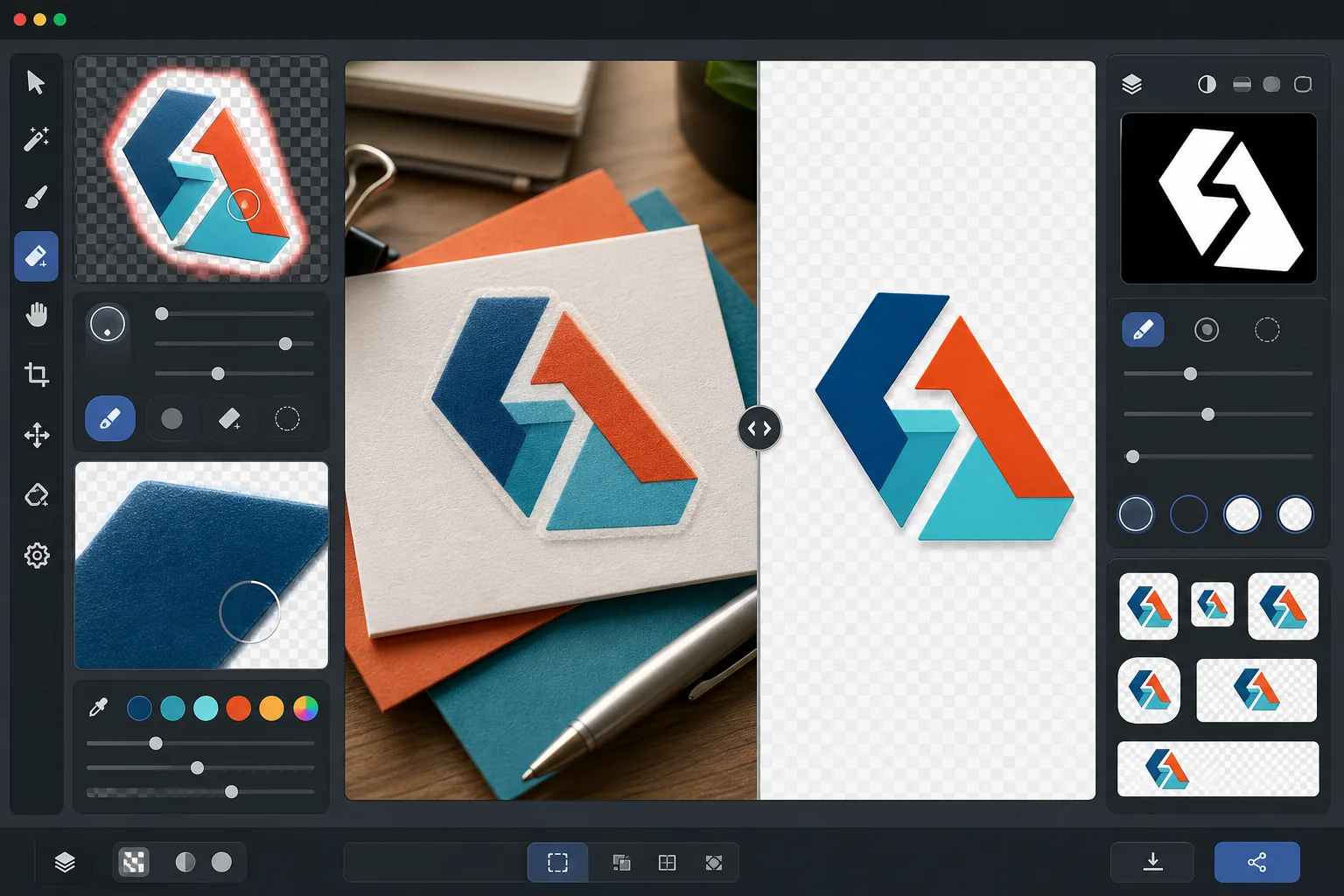
O que este modelo faz
Remove o fundo de logotipos e logotipos tipográficos para produzir arquivos PNG transparentes e limpos, prontos para uso em todas as mídias. O Background Eraser isola o logotipo de sua superfície original — seja uma digitalização de papel branco, um fundo colorido de site, uma fotografia da placa de uma loja ou um cartão de visita sobre uma mesa. O AI Enhance refina as bordas para eliminar pixels serrilhados, franjas brancas e artefatos de halo que costumam aparecer quando a remoção de fundo corta de forma muito agressiva ao redor de tipografias finas, linhas delgadas e elementos de ícones detalhados. A saída é exportada em vários tamanhos padrão para uso imediato como favicons web, imagens de perfil social, gráficos de assinatura de e-mail e recursos de marca em resolução de impressão.
Configurações do modelo
| Remoção do fundo | Transparência total com borda suavizada de 1px |
| Refinamento de bordas | Suavização de subpixel (elimina franjas brancas e artefatos de halo) |
| Preservação de cores | Correspondência exata de valores hexadecimais (sem desvio de cor por sangramento do fundo) |
| Exportação em vários tamanhos | 16px, 32px, 180px, 512px, 1024px e resolução original |
| Formato | PNG-32 com canal alfa (cor de 24 bits + transparência de 8 bits) |
Como usar este modelo
Envie a imagem do seu logotipo
Envie o logotipo em qualquer formato — uma exportação de design em alta resolução, a digitalização de um cartão de visita, uma captura de tela de um site ou até mesmo a fotografia de uma placa impressa. O modelo processa tanto logotipos digitais nítidos como vetores quanto capturas imperfeitas do mundo real com sombras, distorção de perspectiva e iluminação irregular.
Remova o fundo
O Background Eraser isola o logotipo de sua superfície original e cria um canal alfa transparente. A IA distingue entre os elementos de design intencionais do logotipo e o fundo, tratando corretamente o espaço negativo interno (como o buraco em um O ou A), linhas finas e serifas delicadas.
Refine bordas e cores
O AI Enhance suaviza o anti-aliasing das bordas para eliminar os pixels serrilhados em escada nas curvas e diagonais, remove qualquer franja branca ou colorida do sangramento do fundo e verifica se as cores do logotipo não mudaram durante a extração. As cores da marca são preservadas em seus valores hexadecimais originais.
Exporte em vários tamanhos
Baixe um conjunto completo de arquivos de logotipo: favicon de 16x16px, ícone de aba do navegador de 32x32px, ícone Apple touch de 180x180px, redes sociais e lojas de aplicativos de 512x512px, alta resolução de 1024x1024px e a resolução original completa. Todos os arquivos são PNG-32 com fundos transparentes.
Dicas profissionais para os melhores resultados
- ✓Para a extração mais limpa, comece com a versão de maior resolução do logotipo que você conseguir encontrar. Um logotipo de 2000px de largura reduzido para 512px terá bordas muito mais limpas do que um logotipo de 200px ampliado para 512px. Se você só tiver uma versão pequena, o aumento de escala por IA ajuda, mas não consegue igualar a qualidade de uma fonte nativamente grande.
- ✓Ao fotografar um logotipo impresso (em uma placa, produto ou cartão de visita), fotografe de frente para minimizar a distorção de perspectiva. O modelo pode corrigir uma leve distorção trapezoidal, mas uma foto frontal produz uma saída geometricamente precisa, sem nenhum artefato de correção.
- ✓Logotipos com linhas muito finas ou serifas delicadas em tamanhos pequenos (abaixo de 32px) podem perder detalhes finos. Para uso como favicon, considere usar uma versão simplificada de marca ou ícone do seu logotipo em vez do logotipo tipográfico completo. A exportação em vários tamanhos permite verificar a legibilidade em cada tamanho de destino antes de baixar.
- ✓Se o seu logotipo usar elementos semitransparentes como sombras, brilhos ou efeitos de vidro, a remoção do fundo preserva esses níveis de transparência no canal alfa. O resultado se compõe corretamente sobre qualquer nova cor de fundo sem perder os efeitos dimensionais do design original.
Ferramentas
Perguntas frequentes
Isto consegue extrair um logotipo da fotografia de uma placa?
+
Sim. O modelo processa capturas do mundo real, incluindo fotografias de placas de lojas, envelopamentos de veículos, embalagens de produtos e banners de feiras. A IA corrige a iluminação irregular, a leve distorção de perspectiva e a textura da superfície (como o grão do vinil ou a trama do tecido) para produzir um arquivo de logotipo limpo e plano. Os resultados são melhores quando a fotografia é nítida e tirada o mais de frente possível.
As cores da minha marca serão preservadas exatamente?
+
O algoritmo de preservação de cores mantém os valores hexadecimais originais das cores do logotipo sem permitir que a cor do fundo vaze para as bordas. Para logotipos extraídos de fotografias (ao contrário de arquivos digitais), a precisão das cores depende da iluminação na foto original. Sob iluminação neutra, as cores extraídas costumam ficar dentro de um delta-E de 2 em relação às verdadeiras cores da marca.
Qual é a diferença entre PNG-32 e PNG comum?
+
O PNG-32 inclui um canal alfa completo de 8 bits que suporta 256 níveis de transparência por pixel, permitindo bordas suavizadas com anti-aliasing e efeitos semitransparentes como sombras projetadas e brilhos. O PNG-8 comum com transparência suporta apenas pixels totalmente transparentes ou totalmente opacos, resultando em bordas serrilhadas. Todas as saídas deste modelo usam PNG-32 para a mais alta qualidade de transparência.
Prepare seu logotipo para cada plataforma com um clique
Envie qualquer imagem de logotipo e obtenha arquivos PNG transparentes em todos os tamanhos de que você precisa — desde favicons minúsculos até recursos de impressão de alta resolução — com bordas perfeitamente limpas.
Experimente gratuitamenteRelated templates
More design templates for your workflow.
Gere maquetes realistas de capas de livros com perspectiva 3D, renderização de sombras e planos de fundo de estilo de vida para marketing de autores e promoções de editoras.
Crie capas de podcast que atendam às especificações do Apple Podcasts e Spotify com substituição de plano de fundo, isolamento de retrato do host e layouts prontos para tipografia.
Prepare arte digital e fotografias para impressão em grandes formatos com upscaling de IA, expansão de tela, provas de cores precisas e exportação de arquivos prontos para impressão.
Prepare fotos para envio à agência de estoque com remoção de marca registrada, edição de conformidade com autorização de modelo, verificações de qualidade técnica e requisitos de formato específicos da agência.