
Restauración de fotos antiguas
Devuelva la vida a sus preciadas fotografías antiguas. Esta plantilla repara los daños que las décadas infligen a las fotos impresas: elimina rayones, dobleces y manchas, recupera el color de las copias descoloridas e incluso convierte los originales en sepia o blanco y negro a un color realista y completo, conservando el carácter propio de la época de la imagen.
Probar esta plantilla gratisRestoration template preview
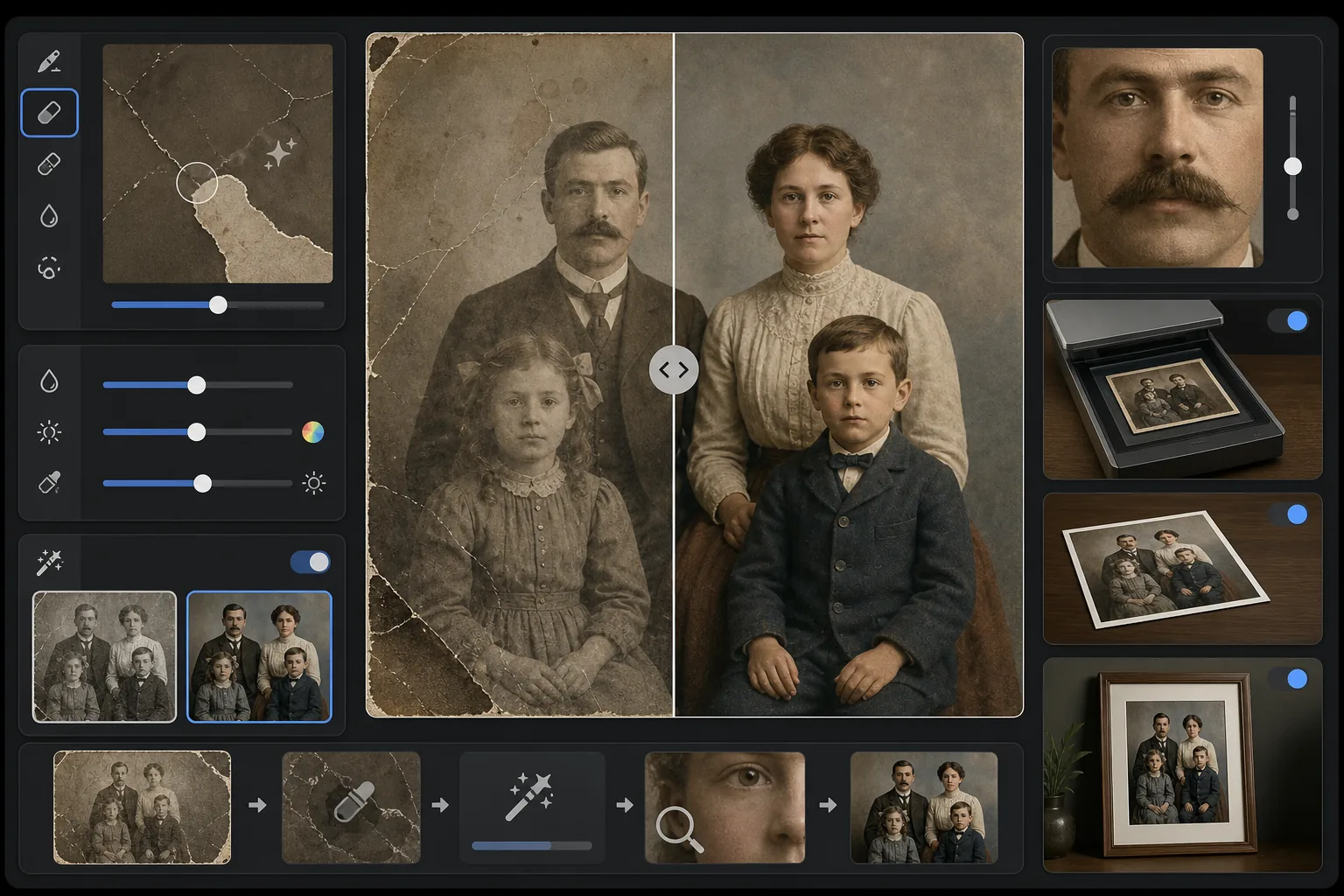
Qué hace esta plantilla
Repara los daños físicos y los efectos del envejecimiento en fotografías antiguas escaneadas. Magic Eraser elimina rayones, dobleces, manchas de agua, manchas de moho y bordes rasgados reconstruyendo el contenido faltante de la imagen a partir del contexto circundante. AI Enhance recupera el color que se ha desplazado o desvanecido a lo largo de las décadas, agudiza los detalles suavizados por el tiempo y puede colorear fotos en blanco y negro o sepia con colores fieles a la época que respetan el período de la imagen original.
Ajustes de la plantilla
| Reparación de daños | Agresiva — elimina rayones, dobleces, manchas y bordes rasgados |
| Recuperación de color | Espectro completo — restaura los pigmentos desvanecidos a su intensidad original |
| Modo de coloreado | Desactivado, Sutil o Completo (para originales en B/N y sepia) |
| Recuperación de detalles | Reconstruye rostros y detalles finos suavizados por la edad y la baja resolución de escaneo |
| Tamaño de salida | Coincide con las dimensiones del escaneo original con ampliación opcional de 2× |
| Conservación de la época | Mantiene la textura de grano y la calidad tonal propias de la época |
Cómo usar esta plantilla
Escanee o fotografíe el original
Escanee la foto antigua a 600 DPI o más para obtener el máximo de detalles recuperables. Si no dispone de escáner, fotografíe la copia sobre una superficie plana con luz uniforme y difusa: evite el flash, que crea reflejos en las copias satinadas.
Repare los daños físicos
Magic Eraser identifica y elimina rayones, dobleces, daños por agua, manchas de moho y residuos de cinta adhesiva. La IA reconstruye las áreas faltantes analizando el contenido circundante de la imagen: rellena las esquinas rasgadas, une las grietas que cruzan los rostros y elimina la decoloración de las manchas.
Recupere o añada color
Para las copias de color descoloridas, AI Enhance restaura la paleta de colores original revirtiendo las formas específicas en que las distintas capas de tinte se degradan con el tiempo. Para originales en blanco y negro o sepia, el coloreado opcional añade colores realistas basados en pistas contextuales como tonos de piel, follaje, cielo y patrones de tela.
Agudice y exporte
La recuperación de detalles agudiza los rasgos faciales, el texto y los detalles finos que décadas de envejecimiento han suavizado. Exporte a la resolución del escaneo original o amplíe a 2× para imprimir en tamaños mayores que el original.
Consejos profesionales para los mejores resultados
- ✓Escanee a la resolución más alta que admita su escáner: 600 DPI como mínimo, 1200 DPI preferiblemente. Cuantos más detalles se capturen, más material tendrá la IA para reconstruir las áreas dañadas.
- ✓Si la foto está atrapada en un marco o álbum, fotografíela en su lugar en vez de arriesgarse a romperla: la plantilla puede eliminar los bordes del marco y los artefactos de las páginas del álbum.
- ✓Para colorear fotos históricas, proporcione contexto sobre la época (década) y el lugar si es posible: los colores de la ropa, los automóviles y los materiales de construcción variaban considerablemente según el período y la región.
- ✓Procese primero el área más dañada de la foto como prueba antes de ejecutar la restauración completa: esto le permite confirmar que la calidad de la reconstrucción cumple sus expectativas.
Herramientas
Preguntas frecuentes
¿Puede arreglar fotos con secciones faltantes, como esquinas arrancadas?
+
Sí. La IA reconstruye las áreas faltantes usando el contexto de la imagen circundante. Para fondos como cielo, paredes y follaje, los resultados son impecables. Para porciones faltantes de rostros o detalles importantes, la reconstrucción es impresionante, pero puede requerir un ligero ajuste manual en los rasgos críticos.
¿Qué tan precisa es la coloración de las fotos en blanco y negro?
+
El coloreado usa análisis contextual para asignar colores realistas: los tonos de piel, el azul del cielo, el verde del follaje y los colores de tela comunes son muy precisos. Los colores específicos de objetos que la IA no puede determinar a partir del contexto (como el tono exacto de un vestido) serán plausibles en lugar de garantizadamente precisos.
¿La restauración eliminará el carácter antiguo de la foto?
+
No. El ajuste de conservación de la época mantiene la textura de grano y la calidad tonal propias de la época que dan a las fotos antiguas su carácter. Los daños físicos como rayones y manchas se eliminan, pero se respeta la calidad fotográfica de la época original: una foto de los años 1940 sigue pareciendo una foto de los años 1940, solo que sin daños.
Rescate los recuerdos de su familia
Suba un escaneo de cualquier fotografía dañada, descolorida o envejecida y observe cómo desaparecen décadas de desgaste. Rayones eliminados, color restaurado, recuerdos conservados.
Pruébelo gratis