
Uncover the Image Behind an Emoji
Magic Eraser ile Emoji arkasındaki görüntüyü göster yapmayı öğrenin. Ücretsiz AI aracıyla basit adım adım rehber. Web, iOS ve Android'de çalışır.
Last updated
Şimdi dene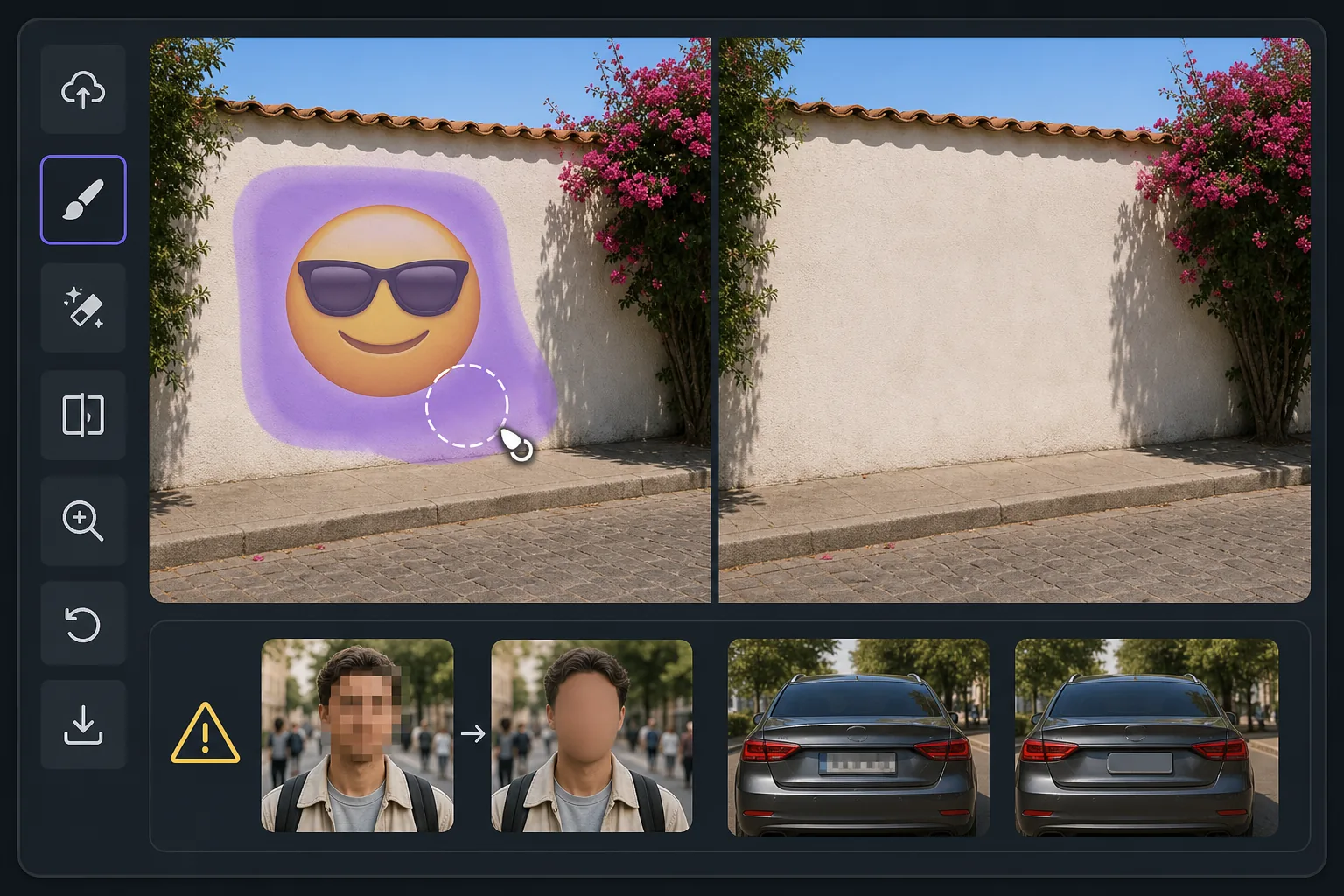
What "uncovering" an emoji really means — Magic Eraser
When someone covers part of a photo with an emoji, sticker, or smiley, the pixels underneath are gone — they were never saved in that file. So no tool, Magic Eraser included, can recover the true original content beneath the emoji. What Magic Eraser can do is far more useful than it sounds: its AI inpainting analyzes the surrounding image — colors, textures, lighting, and patterns — and synthesizes a clean, plausible reconstruction to fill the space the emoji occupied. The result is a seamless, emoji-free photo where the covered area blends naturally with everything around it. If the emoji was hiding a plain wall, a sky, grass, or fabric, the reconstruction is usually convincing because the AI has plenty of context to extend. If the emoji was covering a person's face, license plate, or specific text, the AI will invent something that fits the scene — it cannot reveal who or what was actually there. Going in with that expectation is the difference between being delighted and being disappointed. Magic Eraser works on the web and as a free iOS and Android app, with no watermark on the free tier, so you can try uncovering the area behind an emoji in seconds.
Before you start
Adım adım talimatlar
Start with fotoğrafı yükleyin. The result preview above and tips below use this guide's existing content; no separate before-and-after proof is assumed.
- 1
Fotoğrafı yükleyin
Web, iOS veya Android'de Magic Eraser'ı açın. JPEG, PNG, HEIC veya WebP fotoğrafınızı sürükleyip bırakın. Hesap gerekmez.
- 2
Aracı ve alanı seçin
Uygun aracı seçin ve işlenecek alanı işaretleyin. AI otomatik olarak analiz eder ve saniyeler içinde değişiklikleri uygular.
- 3
Sonucu indirin
Sonucu önizleyin ve düzenlenmiş fotoğrafı indirin. Yüksek kaliteli PNG veya JPEG olarak dışa aktarın.
En uygun
- Seeing what a scenic background looks like once an emoji or smiley sticker is lifted off a landscape or skyline photo
- Cleaning up screenshots where an emoji was dropped over a plain wall, sky, or surface and you want the unobstructed view
- Reconstructing simple textures — grass, water, carpet, fabric — that an emoji partially covered
- Removing playful stickers from your own photos so the image reads clean without the cartoon overlay
- Anyone who understands the AI paints a believable fill rather than recovering the literal pixels a face or detail behind the emoji
En iyi sonuçlar için ipuçları
The single most important tip: Magic Eraser reconstructs, it does not recover. If an emoji was deliberately placed to hide someone's identity, a phone number, or sensitive text, removing it will not reveal the real thing — the AI simply paints whatever fits the surrounding scene. Treat results over plain or repeating backgrounds as reliable, and results over faces or specific details as creative guesses. For the most natural reconstruction, give the brush a little extra room around the emoji's edges, work on the highest-resolution copy you have, and run a second pass if any seams or color mismatches remain. Because the free tier on web, iOS, and Android adds no watermark, you can experiment freely until the uncovered area looks right.
Sıkça sorulan sorular
- Emoji arkasındaki görüntüyü göster özelliği ücretsiz mi?
- Evet, Magic Eraser günlük ücretsiz limit dahilinde Emoji arkasındaki görüntüyü göster yapmanıza olanak tanır. Sınırsız işleme ve yüksek çözünürlüklü dışa aktarma için Pro'ya yükseltin.
- Emoji arkasındaki görüntüyü göster ne kadar sürer?
- Sadece birkaç saniye. Magic Eraser'ın AI'ı fotoğrafları hızla işler — çoğu sonuç yüklemeden hemen sonra hazırdır.
- Telefonda kullanabilir miyim?
- Evet, Magic Eraser iOS, Android ve tüm web tarayıcılarında çalışır. Cihazlar arasında özgürce geçiş yapabilirsiniz.
- Görüntü kalitesi düşer mi?
- Hayır, Magic Eraser orijinal fotoğraf kalitesini korur. AI, ayrıntıları ve netliği koruyarak akıllıca işler.