
Remove Water Reflections From a Photo
Magic Eraser ile Remove Water Reflections From a Photo yapmayı öğrenin. Ücretsiz AI aracıyla basit adım adım rehber. Web, iOS ve Android'de çalışır.
Last updated
Şimdi dene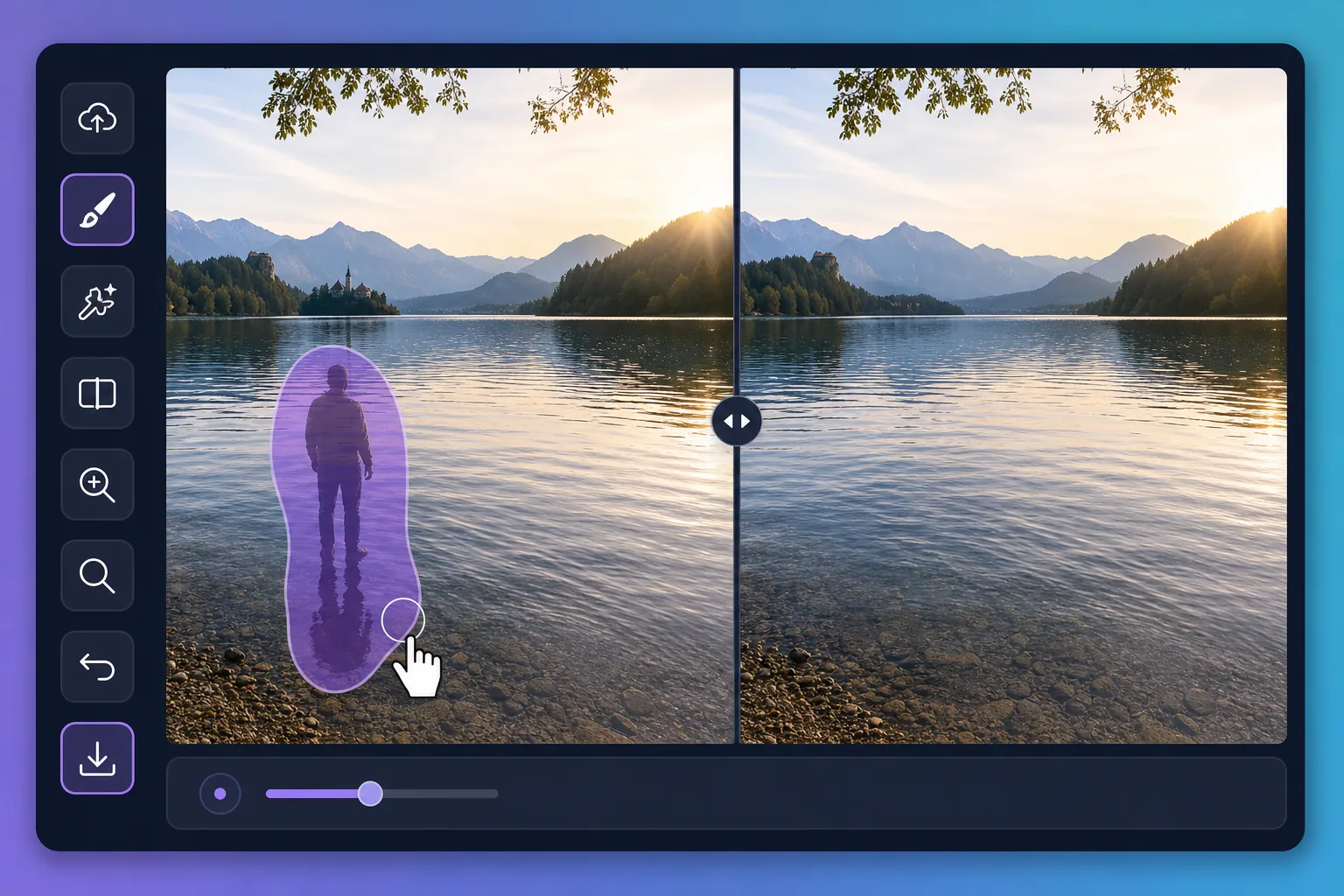
Why water reflections are tricky to edit — Magic Eraser
Water is a mirror that never holds still. A perfect dawn over a lake can be spoiled by the reflection of a power line, a parked car, or a stranger standing at the shore. Puddles after rain pick up neon signs, scaffolding, and harsh sky glare that pull attention away from your subject. Painting these out by hand is slow because the editor has to match ripples, color gradients, and the soft way reflections fade with distance. Magic Eraser handles that for you: brush over the unwanted reflection and its AI inpainting reconstructs a plausible stretch of water in its place — matching the surrounding tone and texture rather than leaving a flat smudge. It does not recover the literal scene that was hidden behind the reflection; it synthesizes a believable replacement that blends with the rest of the surface, which is exactly what you want for a clean travel or landscape shot.
Before you start
Adım adım talimatlar
Start with fotoğrafı yükleyin. The result preview above and tips below use this guide's existing content; no separate before-and-after proof is assumed.
- 1
Fotoğrafı yükleyin
Web, iOS veya Android'de Magic Eraser'ı açın. JPEG, PNG, HEIC veya WebP fotoğrafınızı sürükleyip bırakın. Hesap gerekmez.
- 2
Aracı ve alanı seçin
Uygun aracı seçin ve işlenecek alanı işaretleyin. AI otomatik olarak analiz eder ve saniyeler içinde değişiklikleri uygular.
- 3
Sonucu indirin
Sonucu önizleyin ve düzenlenmiş fotoğrafı indirin. Yüksek kaliteli PNG veya JPEG olarak dışa aktarın.
En uygun
- Wiping a reflected power line, crane, or building off a calm lake at sunrise
- Cleaning neon, signage, and headlight glare out of rain puddles in street shots
- Removing a stray person or parked car mirrored along a pond's far shore
- Softening harsh sun glare patches that blow out a glassy water surface
- Tidying reflections in fountains and reflecting pools for cleaner travel photos
En iyi sonuçlar için ipuçları
Work in small sections rather than one giant brush stroke — water has subtle gradients and ripples that the AI rebuilds more convincingly across a smaller area. Keep your brush just inside the reflection so you preserve the genuine ripples around it. For mirror-still water, erasing a large reflection can leave the surface looking too uniform; brushing in a few short passes helps the reconstruction vary naturally. Remember the result is a synthesized surface, not the real scene beneath the reflection, so zoom in to confirm the edges blend before you export.
Sıkça sorulan sorular
- Remove Water Reflections From a Photo özelliği ücretsiz mi?
- Evet, Magic Eraser günlük ücretsiz limit dahilinde Remove Water Reflections From a Photo yapmanıza olanak tanır. Sınırsız işleme ve yüksek çözünürlüklü dışa aktarma için Pro'ya yükseltin.
- Remove Water Reflections From a Photo ne kadar sürer?
- Sadece birkaç saniye. Magic Eraser'ın AI'ı fotoğrafları hızla işler — çoğu sonuç yüklemeden hemen sonra hazırdır.
- Telefonda kullanabilir miyim?
- Evet, Magic Eraser iOS, Android ve tüm web tarayıcılarında çalışır. Cihazlar arasında özgürce geçiş yapabilirsiniz.
- Görüntü kalitesi düşer mi?
- Hayır, Magic Eraser orijinal fotoğraf kalitesini korur. AI, ayrıntıları ve netliği koruyarak akıllıca işler.