
Remove Decorative Emoji Overlays From a Photo
Magic Eraser ile Emoji kaplamasını kaldır yapmayı öğrenin. Ücretsiz AI aracıyla basit adım adım rehber. Web, iOS ve Android'de çalışır.
Last updated
Şimdi dene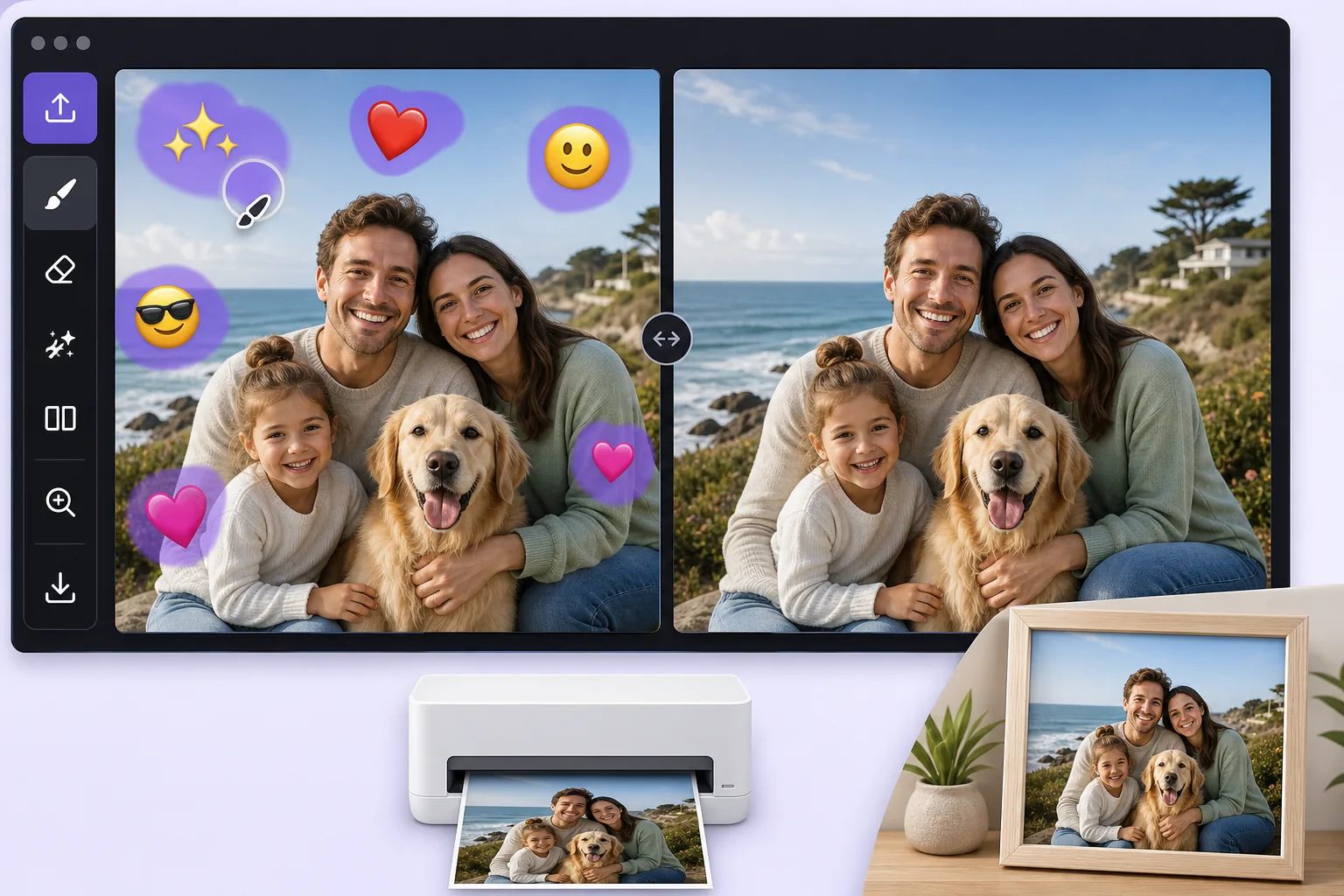
Turn a fun, sticker-covered photo into a clean print-ready image — Magic Eraser
We all decorate photos with emoji overlays for laughs, a crown on a birthday selfie, sunglasses on the dog, a string of hearts across a couple shot. The problem comes later, when you want to print that photo as a framed gift, submit it for a professional profile, or hand it to a client, and the cartoon stickers suddenly look out of place. Re-shooting is rarely an option, and the original un-stickered file is often long gone. Magic Eraser solves this by removing the decorative emoji overlay and using AI inpainting to fill the gap with a believable continuation of the surrounding scene. Be clear on what this does: the AI synthesizes a plausible reconstruction of the area an emoji was covering, it does not recover the literal original pixels that were hidden, and it cannot reveal a face or detail that the sticker concealed. For most decorative overlays, though, what was behind them is ordinary background, wall, sky, clothing, hair, so the result is clean enough to print or use professionally. It runs free on web, iOS, and Android with no watermark, so you can clean up a photo on your phone right after the fun and have a print-ready version in seconds.
Before you start
Adım adım talimatlar
Start with fotoğrafı yükleyin. The result preview above and tips below use this guide's existing content; no separate before-and-after proof is assumed.
- 1
Fotoğrafı yükleyin
Web, iOS veya Android'de Magic Eraser'ı açın. JPEG, PNG, HEIC veya WebP fotoğrafınızı sürükleyip bırakın. Hesap gerekmez.
- 2
Aracı ve alanı seçin
Uygun aracı seçin ve işlenecek alanı işaretleyin. AI otomatik olarak analiz eder ve saniyeler içinde değişiklikleri uygular.
- 3
Sonucu indirin
Sonucu önizleyin ve düzenlenmiş fotoğrafı indirin. Yüksek kaliteli PNG veya JPEG olarak dışa aktarın.
En uygun
- Cleaning a birthday or holiday selfie before ordering it as a framed print or photo gift
- Turning a fun, sticker-decorated headshot into a usable photo for a resume or LinkedIn profile
- Removing playful emoji a friend added before you reuse the shot in a client deck or brochure
- Stripping heart and sparkle overlays off a couple or wedding photo destined for a printed album
- Prepping a casually decorated product or pet photo for a professional listing or store catalog
En iyi sonuçlar için ipuçları
Start from the largest version of the file you can find, the original camera roll image rather than a re-saved chat screenshot, because printing magnifies any softness in the reconstructed area. Emoji placed over flat, repeating backgrounds like a wall, sky, or solid shirt reconstruct most convincingly; an emoji sitting on top of a face or fine detail is harder, and the AI will invent a plausible fill rather than restore the true hidden feature, so treat those spots critically before printing. Work emoji-by-emoji on busy photos and review each erased patch zoomed in. If a result looks off, a slightly larger or smaller brush selection often gives the AI better context to rebuild the scene.
Sıkça sorulan sorular
- Emoji kaplamasını kaldır özelliği ücretsiz mi?
- Evet, Magic Eraser günlük ücretsiz limit dahilinde Emoji kaplamasını kaldır yapmanıza olanak tanır. Sınırsız işleme ve yüksek çözünürlüklü dışa aktarma için Pro'ya yükseltin.
- Emoji kaplamasını kaldır ne kadar sürer?
- Sadece birkaç saniye. Magic Eraser'ın AI'ı fotoğrafları hızla işler — çoğu sonuç yüklemeden hemen sonra hazırdır.
- Telefonda kullanabilir miyim?
- Evet, Magic Eraser iOS, Android ve tüm web tarayıcılarında çalışır. Cihazlar arasında özgürce geçiş yapabilirsiniz.
- Görüntü kalitesi düşer mi?
- Hayır, Magic Eraser orijinal fotoğraf kalitesini korur. AI, ayrıntıları ve netliği koruyarak akıllıca işler.