
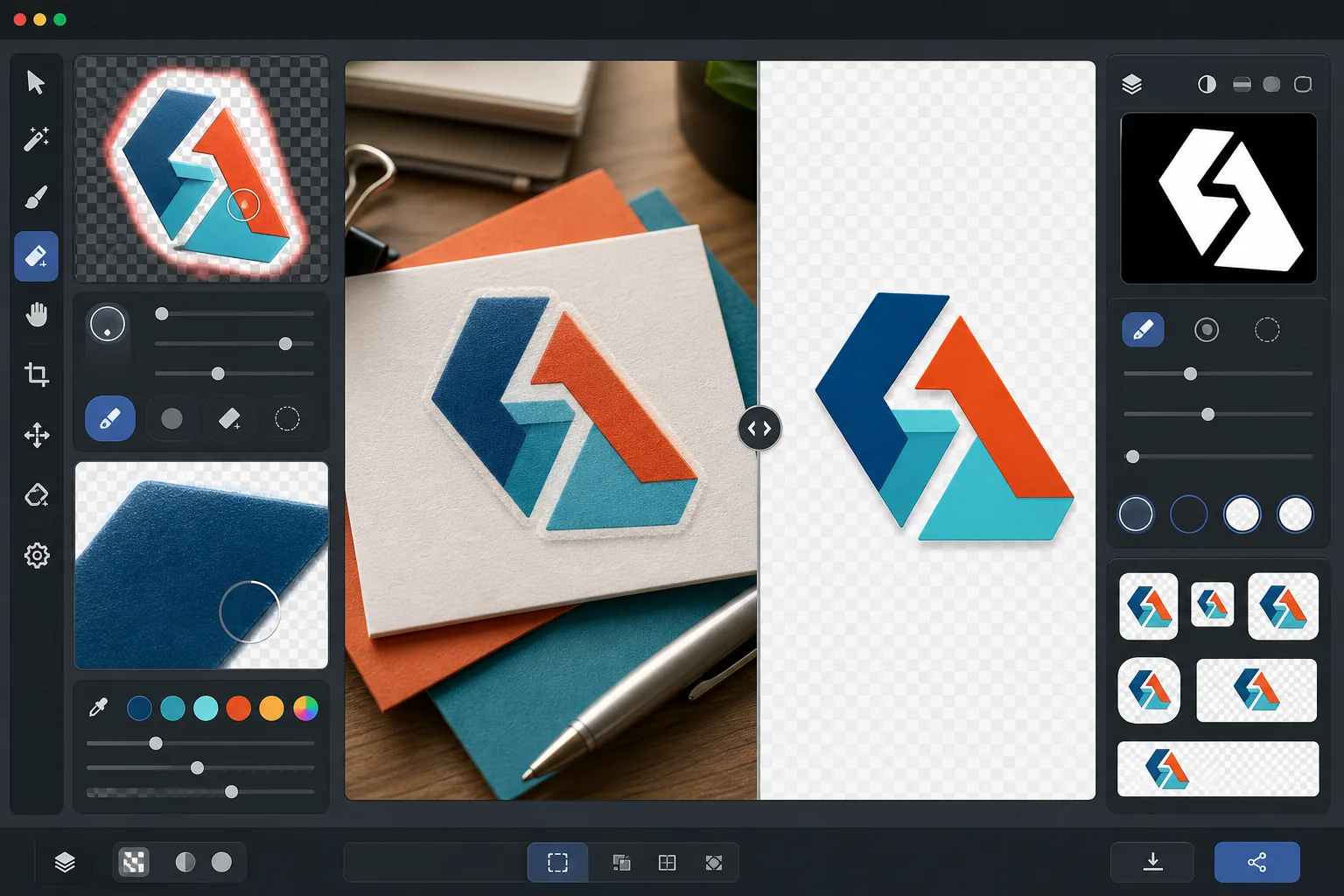
พื้นหลังโปร่งใสของโลโก้
แยกโลโก้ออกจากพื้นหลังใดก็ได้และส่งออกเป็น PNG โปร่งใสพร้อมการปรับแต่งขอบที่แม่นยำระดับพิกเซล เทมเพลตนี้รองรับโลโก้ที่ถ่ายภาพบนกระดาษ สแกนจากนามบัตร จับภาพหน้าจอจากเว็บไซต์ หรือส่งออกจากเครื่องมือออกแบบที่มีพื้นหลังรกตา เอาต์พุตหลายขนาดครอบคลุมไอคอนเว็บ โปรไฟล์โซเชียลมีเดีย ลายเซ็นอีเมล และการใช้งานสิ่งพิมพ์ความละเอียดสูง
ลองใช้เทมเพลตนี้ฟรีDesign template preview
เทมเพลตนี้ทำอะไร
ลบพื้นหลังออกจากโลโก้และเครื่องหมายตัวอักษรเพื่อสร้างไฟล์ PNG โปร่งใสที่สะอาดตา พร้อมใช้งานบนสื่อทุกประเภท Background Eraser แยกโลโก้ออกจากพื้นผิวต้นฉบับ ไม่ว่าจะเป็นการสแกนกระดาษขาว พื้นหลังเว็บไซต์สี ภาพถ่ายป้ายหน้าร้าน หรือนามบัตรบนโต๊ะ AI Enhance ปรับแต่งขอบเพื่อขจัดพิกเซลหยัก ขอบขาว และอาร์ติแฟกต์รัศมีที่มักปรากฏเมื่อการลบพื้นหลังตัดมากเกินไปรอบ ๆ ตัวอักษรเล็ก เส้นบาง และองค์ประกอบไอคอนที่มีรายละเอียด เอาต์พุตจะถูกส่งออกในหลายขนาดมาตรฐานเพื่อใช้งานได้ทันทีเป็นไอคอนเว็บ ภาพโปรไฟล์โซเชียล กราฟิกลายเซ็นอีเมล และทรัพย์สินแบรนด์ความละเอียดสำหรับพิมพ์
การตั้งค่าเทมเพลต
| การลบพื้นหลัง | ความโปร่งใสเต็มรูปแบบพร้อมขอบลบรอยหยัก 1px |
| การปรับแต่งขอบ | การปรับให้เรียบระดับซับพิกเซล (ขจัดขอบขาวและอาร์ติแฟกต์รัศมี) |
| การรักษาสี | การจับคู่ค่าเลขฐานสิบหกที่แม่นยำ (ไม่มีการเลื่อนสีจากการซึมของพื้นหลัง) |
| การส่งออกหลายขนาด | 16px, 32px, 180px, 512px, 1024px และความละเอียดต้นฉบับ |
| รูปแบบ | PNG-32 พร้อมช่องอัลฟา (สี 24 บิต + ความโปร่งใส 8 บิต) |
วิธีใช้เทมเพลตนี้
อัปโหลดภาพโลโก้ของคุณ
อัปโหลดโลโก้ในรูปแบบใดก็ได้ — ไฟล์ส่งออกการออกแบบความละเอียดสูง การสแกนนามบัตร ภาพหน้าจอจากเว็บไซต์ หรือแม้แต่ภาพถ่ายป้ายที่พิมพ์ออกมา เทมเพลตนี้รองรับทั้งโลโก้ดิจิทัลที่คมชัดแบบเวกเตอร์และภาพที่ถ่ายจากโลกจริงที่ไม่สมบูรณ์ซึ่งมีเงา การบิดเบือนมุมมอง และแสงที่ไม่สม่ำเสมอ
ลบพื้นหลัง
Background Eraser แยกโลโก้ออกจากพื้นผิวต้นฉบับและสร้างช่องอัลฟาโปร่งใส AI แยกแยะระหว่างองค์ประกอบการออกแบบที่ตั้งใจของโลโก้และพื้นหลัง โดยจัดการพื้นที่ว่างภายในได้อย่างถูกต้อง (เช่น รูในตัว O หรือ A) เส้นบาง และเซริฟที่ประณีต
ปรับแต่งขอบและสี
AI Enhance ปรับการลบรอยหยักของขอบให้เรียบเพื่อขจัดพิกเซลขั้นบันไดที่หยักบนเส้นโค้งและเส้นทแยงมุม ลบขอบสีขาวหรือสีใด ๆ จากการซึมของพื้นหลัง และตรวจสอบว่าสีของโลโก้ไม่ได้เลื่อนระหว่างการแยก สีแบรนด์จะถูกรักษาไว้ที่ค่าเลขฐานสิบหกดั้งเดิม
ส่งออกในหลายขนาด
ดาวน์โหลดชุดไฟล์โลโก้ที่สมบูรณ์: ไอคอน 16x16px, ไอคอนแท็บเบราว์เซอร์ 32x32px, ไอคอน Apple touch 180x180px, โซเชียลมีเดียและแอปสโตร์ 512x512px, ความละเอียดสูง 1024x1024px และความละเอียดต้นฉบับเต็ม ไฟล์ทั้งหมดเป็น PNG-32 ที่มีพื้นหลังโปร่งใส
เคล็ดลับมืออาชีพเพื่อผลลัพธ์ที่ดีที่สุด
- ✓เพื่อการแยกที่สะอาดที่สุด ให้เริ่มต้นด้วยโลโก้เวอร์ชันความละเอียดสูงสุดที่คุณหาได้ โลโก้กว้าง 2000px ที่ย่อลงเหลือ 512px จะมีขอบที่สะอาดกว่าโลโก้ 200px ที่ขยายขึ้นเป็น 512px มาก หากคุณมีเพียงเวอร์ชันเล็ก การขยายขนาดด้วย AI จะช่วยได้แต่ไม่สามารถเทียบเท่าคุณภาพของแหล่งที่มาที่ใหญ่ตั้งแต่ต้น
- ✓เมื่อถ่ายภาพโลโก้ที่พิมพ์ออกมา (บนป้าย ผลิตภัณฑ์ หรือนามบัตร) ให้ถ่ายตรง ๆ เพื่อลดการบิดเบือนมุมมองให้น้อยที่สุด เทมเพลตสามารถแก้ไขการบิดเบือนทรงสี่เหลี่ยมคางหมูเล็กน้อยได้ แต่การถ่ายภาพจากด้านหน้าจะให้เอาต์พุตที่แม่นยำทางเรขาคณิตโดยไม่มีอาร์ติแฟกต์จากการแก้ไขใด ๆ
- ✓โลโก้ที่มีเส้นบางมากหรือเซริฟที่ประณีตในขนาดเล็ก (ต่ำกว่า 32px) อาจสูญเสียรายละเอียดที่ละเอียด สำหรับการใช้งานไอคอนเว็บ ให้พิจารณาใช้เครื่องหมายหรือเวอร์ชันไอคอนที่เรียบง่ายของโลโก้แทนเครื่องหมายตัวอักษรเต็ม การส่งออกหลายขนาดช่วยให้คุณตรวจสอบความสามารถในการอ่านได้ในแต่ละขนาดเป้าหมายก่อนดาวน์โหลด
- ✓หากโลโก้ของคุณใช้องค์ประกอบกึ่งโปร่งใส เช่น เงา แสงเรือง หรือเอฟเฟกต์กระจก การลบพื้นหลังจะรักษาระดับความโปร่งใสเหล่านี้ไว้ในช่องอัลฟา ผลลัพธ์จะประกอบเข้ากันได้อย่างถูกต้องเหนือสีพื้นหลังใหม่ใด ๆ โดยไม่สูญเสียเอฟเฟกต์เชิงมิติของการออกแบบดั้งเดิม
เครื่องมือ
คำถามที่พบบ่อย
สิ่งนี้สามารถแยกโลโก้จากภาพถ่ายของป้ายได้หรือไม่
+
ได้ เทมเพลตรองรับภาพที่ถ่ายจากโลกจริงรวมถึงภาพถ่ายป้ายหน้าร้าน สติกเกอร์หุ้มรถ บรรจุภัณฑ์ผลิตภัณฑ์ และแบนเนอร์งานแสดงสินค้า AI แก้ไขแสงที่ไม่สม่ำเสมอ การบิดเบือนมุมมองเล็กน้อย และพื้นผิว (เช่น เนื้อไวนิลหรือลายทอผ้า) เพื่อสร้างไฟล์โลโก้ที่สะอาดและแบนราบ ผลลัพธ์จะดีที่สุดเมื่อภาพถ่ายคมชัดและถ่ายจากด้านหน้าให้มากที่สุดเท่าที่จะเป็นไปได้
สีแบรนด์ของฉันจะถูกรักษาไว้อย่างแม่นยำหรือไม่
+
อัลกอริทึมการรักษาสีจะรักษาค่าเลขฐานสิบหกดั้งเดิมของสีโลโก้ไว้โดยไม่ปล่อยให้สีพื้นหลังซึมเข้าไปในขอบ สำหรับโลโก้ที่แยกจากภาพถ่าย (ตรงข้ามกับไฟล์ดิจิทัล) ความแม่นยำของสีขึ้นอยู่กับแสงในภาพถ่ายต้นฉบับ ภายใต้แสงที่เป็นกลาง สีที่แยกออกมามักจะอยู่ภายใน delta-E เท่ากับ 2 จากสีแบรนด์ที่แท้จริง
ความแตกต่างระหว่าง PNG-32 และ PNG ทั่วไปคืออะไร
+
PNG-32 มีช่องอัลฟา 8 บิตเต็มรูปแบบที่รองรับความโปร่งใส 256 ระดับต่อพิกเซล ทำให้ได้ขอบลบรอยหยักที่เรียบเนียนและเอฟเฟกต์กึ่งโปร่งใส เช่น เงาตกกระทบและแสงเรือง PNG-8 ทั่วไปที่มีความโปร่งใสรองรับเฉพาะพิกเซลที่โปร่งใสเต็มที่หรือทึบเต็มที่เท่านั้น ส่งผลให้ขอบหยัก เอาต์พุตทั้งหมดจากเทมเพลตนี้ใช้ PNG-32 เพื่อความโปร่งใสคุณภาพสูงสุด
เตรียมโลโก้ของคุณให้พร้อมสำหรับทุกแพลตฟอร์มในคลิกเดียว
อัปโหลดภาพโลโก้ใด ๆ และรับไฟล์ PNG โปร่งใสในทุกขนาดที่คุณต้องการ — ตั้งแต่ไอคอนเว็บเล็ก ๆ ไปจนถึงทรัพย์สินสำหรับพิมพ์ความละเอียดสูง — พร้อมขอบที่สะอาดอย่างสมบูรณ์แบบ
ลองใช้ฟรีRelated templates
More design templates for your workflow.
สร้างการจำลองปกหนังสือที่สมจริงด้วยมุมมอง 3 มิติ การแสดงเงา และพื้นหลังไลฟ์สไตล์สำหรับการตลาดของผู้เขียนและการส่งเสริมการขายของผู้จัดพิมพ์
ออกแบบหน้าปกพอดแคสต์ที่ตรงตามข้อกำหนดของ Apple Podcasts และ Spotify พร้อมการเปลี่ยนพื้นหลัง การแยกแนวตั้งของโฮสต์ และเค้าโครงที่พร้อมสำหรับการพิมพ์
เตรียมงานศิลปะดิจิทัลและภาพถ่ายสำหรับการพิมพ์ขนาดใหญ่ด้วยการเพิ่มขนาด AI การขยายแคนวาส การพิสูจน์สีที่แม่นยำ และการส่งออกไฟล์พร้อมพิมพ์
เตรียมภาพถ่ายสำหรับการส่งตัวแทนสต็อกพร้อมการลบเครื่องหมายการค้า การแก้ไขการปฏิบัติตามข้อกำหนดการปล่อยตัวแบบ การตรวจสอบคุณภาพทางเทคนิค และข้อกำหนดด้านรูปแบบเฉพาะของเอเจนซี่