
Préparer des images produit pour l'emballage
Préparez des photos de produit pour l'emballage, les étiquettes et les articles dérivés avec les spécifications techniques correctes pour la fabrication.
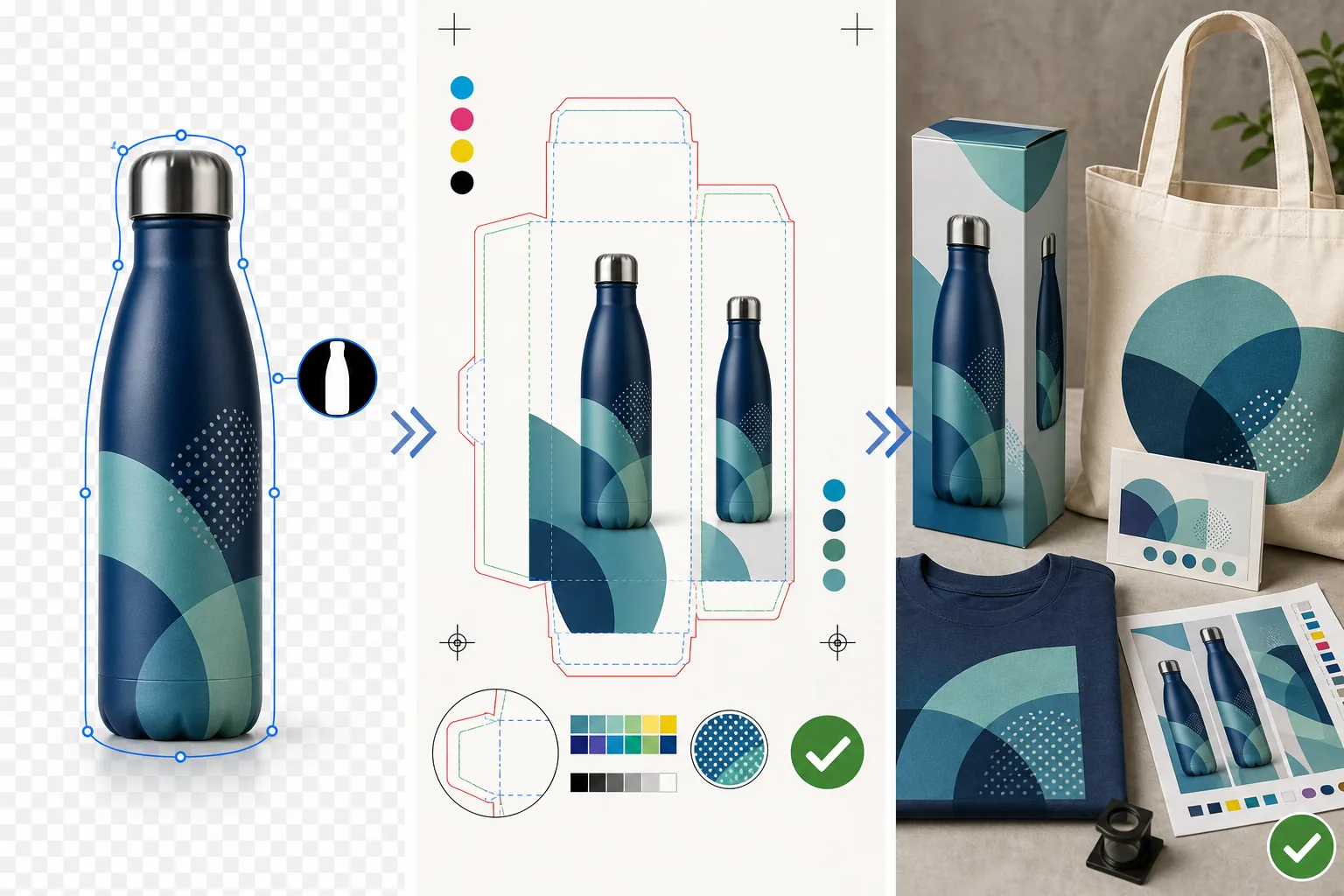
Lesson context before the long read
Review the result preview above, then scan the learning objectives below before reading the full lesson. Updated 2026-05-17.
Example visual uses an existing public asset: /content-images/print-packaging-merch-academy.webp.
Learning Objectives
- 1Retoucher des photos de produit pour répondre aux exigences d'emballage, notamment les masques de détourage, les arrière-plans transparents et les fonds perdus
- 2Travailler avec des modèles de tracés de découpe pour positionner précisément les images produit sur des formes d'emballage tridimensionnelles
- 3Garantir la précision colorimétrique entre les épreuves à l'écran et l'emballage imprimé à l'aide de la conversion CMYK et de la correspondance Pantone
Les photos de produit pour l'emballage et les étiquettes
L'emballage produit exige le plus haut niveau de précision technique en retouche photo, car les erreurs coûtent cher à corriger après la fabrication. Contrairement à une image numérique qui peut être mise à jour instantanément, un emballage imprimé est produit par lots de milliers ou de millions d'exemplaires. La première étape consiste à obtenir le modèle de tracé de découpe auprès de votre fabricant d'emballage, qui est une mise en page vectorielle à plat indiquant exactement où chaque panneau, pli et coupe se situera sur l'emballage fini. Vos images produit doivent être positionnées avec précision dans ce modèle, en tenant compte des zones de fond perdu qui s'enroulent autour des bords et des zones de sécurité qui maintiennent le contenu essentiel à l'écart des lignes de pliage.
Préparer les images pour l'impression sur articles dérivés
La suppression d'arrière-plan est presque toujours requise pour l'emballage produit, car les images de produit doivent s'intégrer de manière transparente dans le design de l'emballage. Utilisez le gommeur d'arrière-plan optimisé par IA de Magic Eraser pour créer un tracé de détourage net autour de votre produit. Le tracé doit être précis, en particulier pour les produits aux contours complexes comme les bouteilles de boisson aux reflets courbes ou les vêtements à la texture de tissu sur le contour. Exportez l'image produit détourée avec transparence sous forme de fichier TIFF ou PSD, jamais en JPEG qui ne prend pas en charge la transparence.
Spécifications de fichier pour les imprimeurs commerciaux
La précision colorimétrique sur l'emballage est cruciale car les consommateurs comparent l'emballage imprimé au produit réel. Convertissez vos images au profil CMYK spécifié par votre fabricant, généralement FOGRA39 pour l'impression européenne ou SWOP pour les presses nord-américaines. Pour les couleurs de marque qui doivent être exactes, utilisez les couleurs d'accompagnement Pantone pour les aplats et consultez votre imprimeur sur la façon dont les images CMYK interagiront avec les encres en couleur d'accompagnement. Demandez toujours une épreuve physique avant d'approuver un tirage de production complet, car les épreuves écran ne peuvent pas simuler parfaitement la façon dont l'encre se dépose sur votre support d'emballage spécifique.
Key Takeaways
- ✓Travaillez toujours dans le modèle de tracé de découpe du fabricant et respectez les zones de sécurité du fond perdu et des lignes de pliage
- ✓Exportez les images produit détourées avec transparence en TIFF ou PSD, jamais en JPEG
- ✓Demandez une épreuve physique sur le support d'emballage réel avant d'approuver un tirage de production