
Remove Sun Glare From a Photo
Aprenda como Remove Sun Glare From a Photo com Magic Eraser. Guia simples passo a passo com ferramenta de IA gratuita. Funciona na web, iOS e Android.
Last updated
Experimentar agora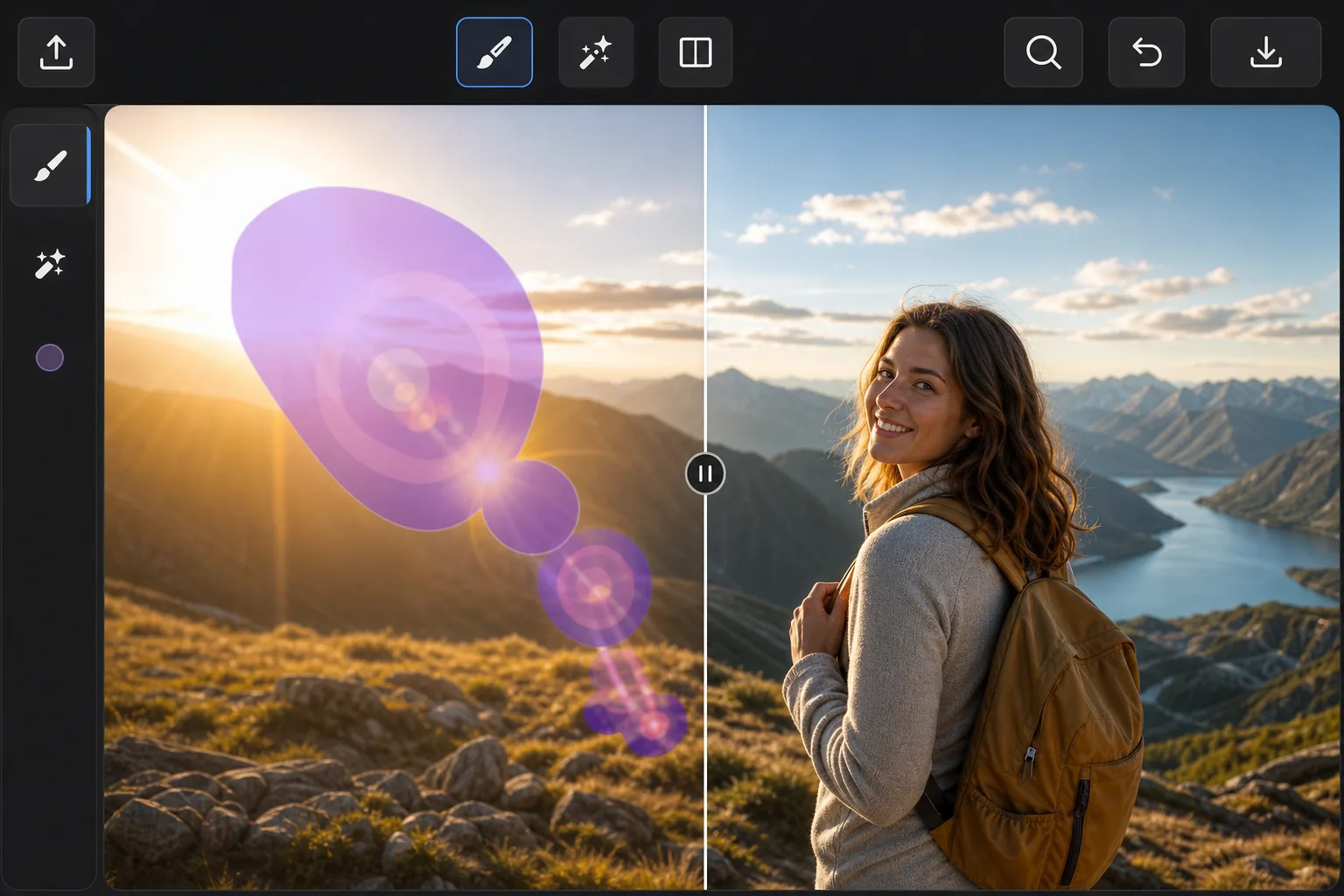
When the sun ruins an outdoor shot com Magic Eraser
Point a lens anywhere near the sun and the light fights back: hazy flare washing over a face, polygon-shaped lens-flare ghosts marching across the frame, and a searing hotspot that drowns out detail. These artifacts are different from a glossy reflection — they're scattered light baked into the exposure, so you can't just dim them down. Magic Eraser handles them by removing the affected pixels and inpainting a believable replacement. Instead of trying to recover blown-out detail that the sensor never captured, the AI studies the surrounding sky, foliage, or skin tones and synthesizes a plausible patch that blends in. It's a reconstruction, not hidden detail brought back — but for sky, gradients, and even backgrounds, the result usually looks like the flare was never there. It runs free in your browser or on the iOS and Android apps, with no watermark on the export.
Before you start
Instruções passo a passo
Start with carregue a foto. The result preview above and tips below use this guide's existing content; no separate before-and-after proof is assumed.
- 1
Carregue a foto
Abra o Magic Eraser na web, iOS ou Android. Arraste e solte sua foto JPEG, PNG, HEIC ou WebP. Sem necessidade de conta.
- 2
Selecione a ferramenta e a área
Escolha a ferramenta adequada e marque a área a processar. A IA analisa e aplica as alterações automaticamente em segundos.
- 3
Baixe o resultado
Visualize o resultado e baixe a foto editada. Exporte em PNG ou JPEG de alta qualidade.
Ideal para
- Sweeping sun-flare streaks and haze across landscape and beach photos
- Polygon-shaped lens-flare ghosts that march across the frame toward the sun
- Bright hotspots washing out faces in backlit portraits
- Rainbow flare arcs over skies, water, and open horizons
- Golden-hour shots where flare spills over an otherwise perfect scene
Dicas para melhores resultados
Tackle each flare element separately — one pass for the ghost rings, another for the haze, another for the hotspot — so the AI can sample the right neighbors for each. Glare sitting over smooth, predictable areas like open sky or water reconstructs almost invisibly; flare crossing detailed edges (tree lines, faces, architecture) is harder, so brush tightly around those and review the seams. If a hotspot has eaten fine detail that was never recorded, accept that the fill is a clean plausible substitute rather than the original texture. For stubborn spots, run a second light pass instead of one heavy brush stroke.
Perguntas frequentes
- A função Remove Sun Glare From a Photo é gratuita?
- Sim, o Magic Eraser permite Remove Sun Glare From a Photo gratuitamente com limites diários. Faça upgrade para o Pro para processamento ilimitado e exportações em alta resolução.
- Quanto tempo leva para Remove Sun Glare From a Photo?
- Apenas alguns segundos. A IA do Magic Eraser processa fotos rapidamente — a maioria dos resultados fica disponível imediatamente.
- Posso usar no celular?
- Sim, o Magic Eraser funciona no iOS, Android e em todos os navegadores. Você pode alternar entre dispositivos livremente.
- A qualidade da imagem é afetada?
- Não, o Magic Eraser preserva a qualidade original da foto. A IA processa de forma inteligente para manter detalhes e nitidez.