
Remove an Emoji Covering a Face
Aprenda como Remover emoji de um rosto com Magic Eraser. Guia simples passo a passo com ferramenta de IA gratuita. Funciona na web, iOS e Android.
Last updated
Experimentar agora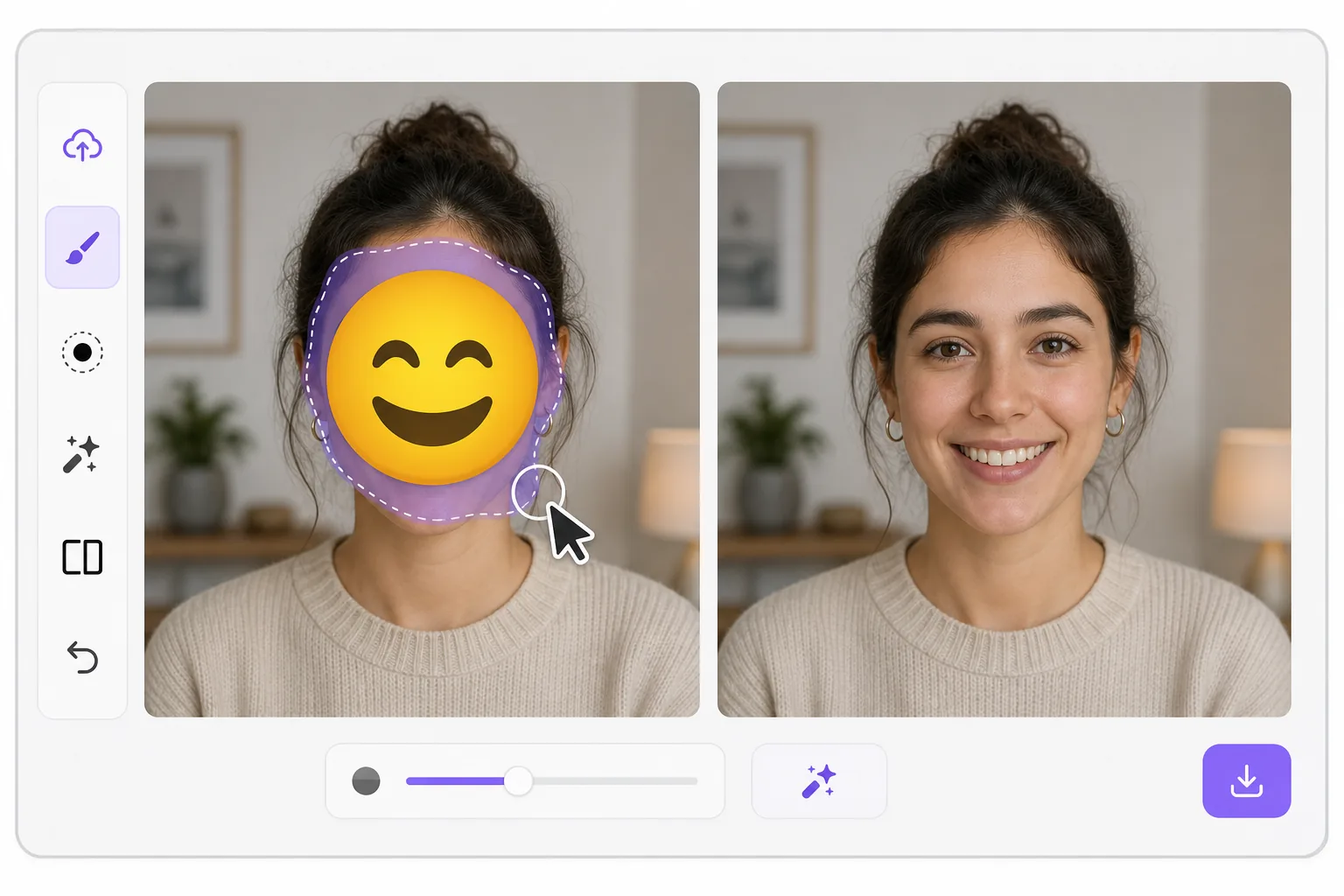
What "uncensoring" an emoji actually does com Magic Eraser
When a smiley, sunglasses, or blur-emoji is slapped over someone's face, those original pixels are gone — the emoji replaced them in the saved image. Magic Eraser's AI inpainting can remove that emoji and fill the gap with a natural-looking face that matches the lighting, skin tone, hairline, and angle around it. Here's the honest part most tools won't tell you: this is a reconstruction, not a recovery. The AI synthesizes a face that fits the scene; it does not and cannot reveal the true identity of whoever was censored. Treat the result as a plausible repair for a photo, not as forensic proof of who someone is. Use it to fix your own images or photos you have permission to edit — never to unmask someone who deliberately hid their face.
Before you start
Instruções passo a passo
Start with carregue a foto. The result preview above and tips below use this guide's existing content; no separate before-and-after proof is assumed.
- 1
Carregue a foto
Abra o Magic Eraser na web, iOS ou Android. Arraste e solte sua foto JPEG, PNG, HEIC ou WebP. Sem necessidade de conta.
- 2
Selecione a ferramenta e a área
Escolha a ferramenta adequada e marque a área a processar. A IA analisa e aplica as alterações automaticamente em segundos.
- 3
Baixe o resultado
Visualize o resultado e baixe a foto editada. Exporte em PNG ou JPEG de alta qualidade.
Ideal para
- Restoring an old group photo where you yourself added a privacy emoji and lost the original
- Cleaning up a meme or reaction image so the face area reads as a face again instead of a sticker
- Removing a smiley or sunglasses emoji a friend placed on your own picture before resharing
- Designers prototyping how a portrait looks without a placeholder emoji overlay
- Recovering the composition of a photo you edited, where you have the right to undo your own censorship
Dicas para melhores resultados
Smaller emojis over a clear, well-lit face reconstruct far better than a big sticker covering eyes, nose, and mouth at once — the more original face the AI can see around the edges, the more convincing its fill. If the emoji sits on a turned or partially shadowed face, expect a softer, more generic result. Run it two or three times and compare; each pass produces a different plausible face. Above all, stay honest with anyone you share it with: say the face was AI-reconstructed. Don't present the output as the real hidden person, and don't use it to identify or expose someone who covered their face on purpose.
Perguntas frequentes
- A função Remover emoji de um rosto é gratuita?
- Sim, o Magic Eraser permite Remover emoji de um rosto gratuitamente com limites diários. Faça upgrade para o Pro para processamento ilimitado e exportações em alta resolução.
- Quanto tempo leva para Remover emoji de um rosto?
- Apenas alguns segundos. A IA do Magic Eraser processa fotos rapidamente — a maioria dos resultados fica disponível imediatamente.
- Posso usar no celular?
- Sim, o Magic Eraser funciona no iOS, Android e em todos os navegadores. Você pode alternar entre dispositivos livremente.
- A qualidade da imagem é afetada?
- Não, o Magic Eraser preserva a qualidade original da foto. A IA processa de forma inteligente para manter detalhes e nitidez.