
Remove the Background in GIMP — or Do It in 1 Click
Aprenda como Remove the Background in GIMP — or Do It in 1 Click com Magic Eraser. Guia simples passo a passo com ferramenta de IA gratuita. Funciona na web, iOS e Android.
Last updated
Experimentar agora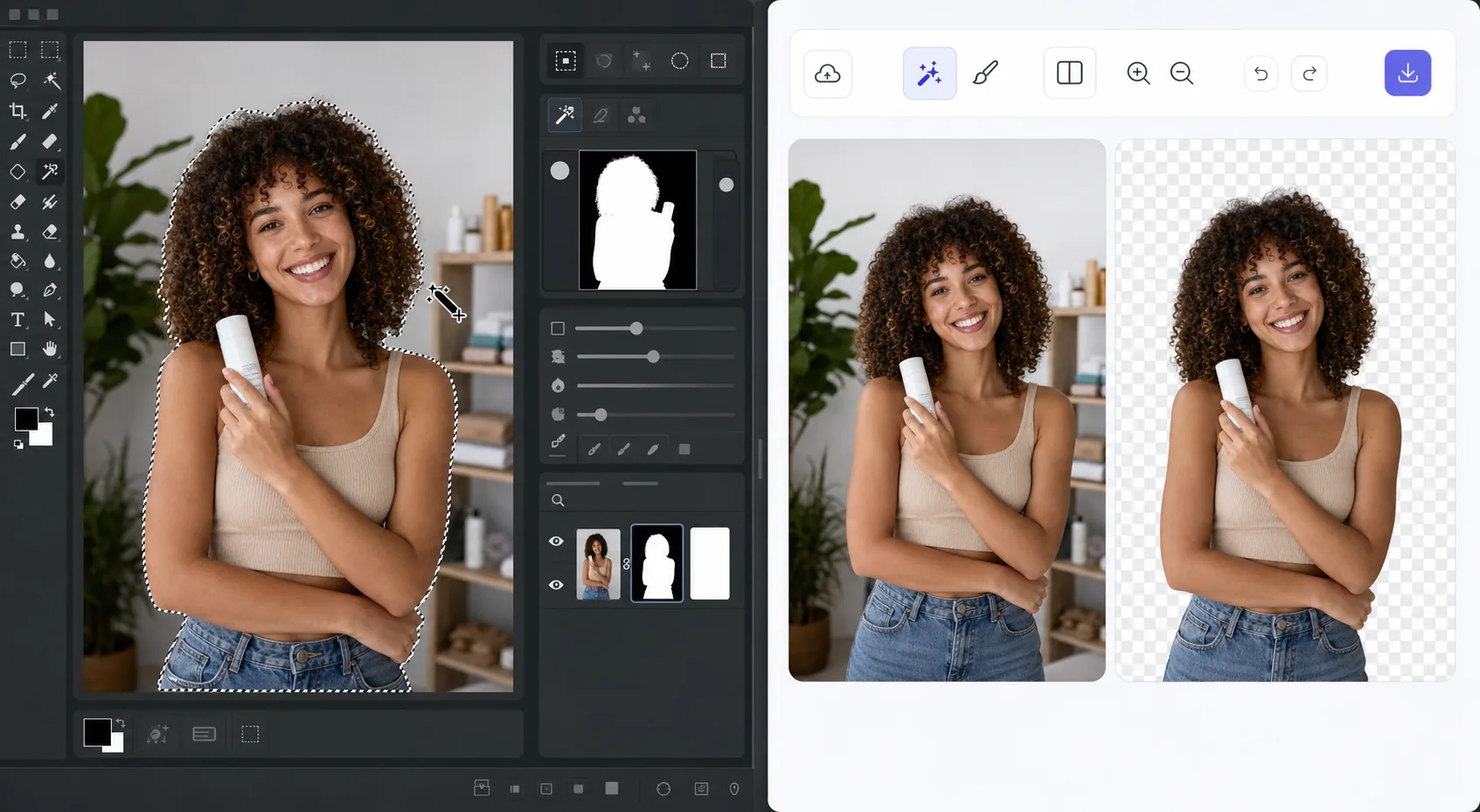
The GIMP method works — it just takes time com Magic Eraser
GIMP is a genuinely capable, free, open-source desktop editor, and removing a background in it is a well-trodden workflow. The usual route: open your image, add an alpha channel, then use the Fuzzy Select (magic wand) or Select by Color tool to grab the background. For clean, high-contrast edges you can often select and delete in a few clicks. For hair, fur, or busy backgrounds, you switch to a layer mask, paint with black to hide and white to reveal, and refine the edge by hand at high zoom. It's powerful and precise — but it's a learn-the-tools, manual process, and it lives on your desktop. If you just need a clean cutout fast, there's a shorter path that needs no install and runs on phone or browser.
Before you start
Instruções passo a passo
Start with carregue a foto. The result preview above and tips below use this guide's existing content; no separate before-and-after proof is assumed.
- 1
Carregue a foto
Abra o Magic Eraser na web, iOS ou Android. Arraste e solte sua foto JPEG, PNG, HEIC ou WebP. Sem necessidade de conta.
- 2
Selecione a ferramenta e a área
Escolha a ferramenta adequada e marque a área a processar. A IA analisa e aplica as alterações automaticamente em segundos.
- 3
Baixe o resultado
Visualize o resultado e baixe a foto editada. Exporte em PNG ou JPEG de alta qualidade.
Ideal para
- Product photos that need a clean white or transparent background for a store listing
- Profile pictures and headshots where you want the subject isolated fast
- Anyone without GIMP installed who needs a cutout right now in the browser
- Mobile editing on iOS or Android with no desktop software at hand
- Batch social and marketing images where per-image manual masking isn't worth the time
Dicas para melhores resultados
Use whichever path fits the task. For maximum pixel-level control — compositing, tricky semi-transparent edges, or work you want to keep fully local and offline — GIMP's layer masks reward the effort and cost nothing. For speed and convenience on a clean subject, Magic Eraser's 1-click removal gets you there without the learning curve or the install. A useful workflow: get the fast cutout in Magic Eraser, then open it in GIMP only if you need fine compositing afterward.
Perguntas frequentes
- A função Remove the Background in GIMP — or Do It in 1 Click é gratuita?
- Sim, o Magic Eraser permite Remove the Background in GIMP — or Do It in 1 Click gratuitamente com limites diários. Faça upgrade para o Pro para processamento ilimitado e exportações em alta resolução.
- Quanto tempo leva para Remove the Background in GIMP — or Do It in 1 Click?
- Apenas alguns segundos. A IA do Magic Eraser processa fotos rapidamente — a maioria dos resultados fica disponível imediatamente.
- Posso usar no celular?
- Sim, o Magic Eraser funciona no iOS, Android e em todos os navegadores. Você pode alternar entre dispositivos livremente.
- A qualidade da imagem é afetada?
- Não, o Magic Eraser preserva a qualidade original da foto. A IA processa de forma inteligente para manter detalhes e nitidez.