
Magic Eraser vs Luminar Neo: qual editor com IA se adapta melhor ao trabalho diário?
O Luminar Neo é poderoso para fotógrafos de desktop que querem aprimoramento profundo e controles criativos. O Magic Eraser é construído para uma limpeza mais rápida, fluxos de trabalho mais leves e edição flexível em web e móvel.
Last updated
Experimente o Magic Eraser grátisComparison rows are editorial summaries from the latest page review, not a guarantee of current pricing, limits, watermark policy, batch support, speed, or platform availability.
Visão geral
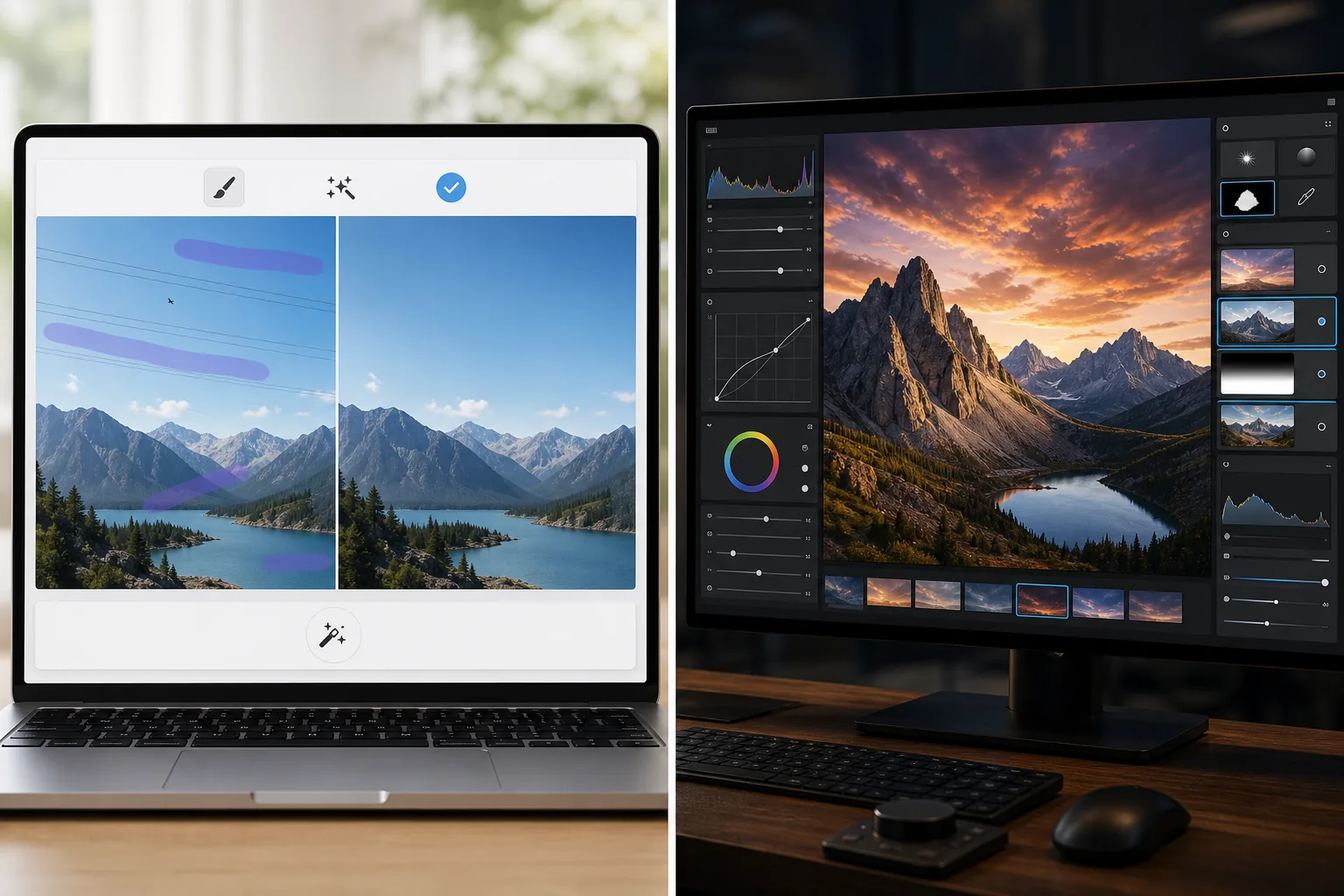
O Magic Eraser foca em tarefas práticas de IA: remover distrações, apagar fundos, aprimorar fotos e criar rapidamente visuais polidos de qualquer dispositivo.
O Luminar Neo é um editor de fotos com IA focado em desktop com aprimoramento avançado, reiluminação, substituição de céu, mascaramento e controles criativos voltados para fotógrafos.
Comparação de recursos
O Magic Eraser foca em tarefas práticas de IA: remover distrações, apagar fundos, aprimorar fotos e criar rapidamente visuais polidos de qualquer dispositivo.
O Luminar Neo é um editor de fotos com IA focado em desktop com aprimoramento avançado, reiluminação, substituição de céu, mascaramento e controles criativos voltados para fotógrafos.
| Feature | Magic Eraser | Luminar Neo |
|---|---|---|
| Remoção de objetos com IA | Sim | Sim |
| Remoção de fundo | Sim | Limitada |
| Reiluminação criativa | Não | Sim |
| Aprimoramento com IA | Sim | Sim — avançado |
| Edição web | Sim | Não |
| Acesso móvel | Sim | Limitado |
| Ideal para | Edições práticas rápidas | Fluxos de trabalho de desktop de fotógrafos |
| Complexidade de configuração | Baixa | Média a alta |
Feature rows summarize visible product positioning and should be rechecked against official product pages before purchase, migration, or compliance decisions.
- Last content review June 21, 2026
- Luminar Neo source: official product site (https://skylum.com/luminar)
- Magic Eraser source: https://magiceraser.live/pt/product/magic-eraser
- Pricing, feature availability, platform support, and limits can change; recheck official sources before relying on a buying decision.
Comparação de preços
| Plan | Magic Eraser | Luminar Neo |
|---|---|---|
| Nível gratuito | Grátis — edições limitadas | Teste de 7 dias |
| Mensal | US$ 9,99/mês | US$ 14,95/mês |
| Anual | US$ 4,99/mês (cobrado anualmente) | US$ 9,95/mês (cobrado anualmente) |
Preços em maio de 2026. Verifique cada fornecedor para tarifas atuais.
Pricing rows are snapshots from review time. Free tiers, subscriptions, trials, export limits, and regional availability can change without notice.
- Last content review June 21, 2026
- Luminar Neo source: official product site (https://skylum.com/luminar)
- Magic Eraser source: https://magiceraser.live/pt/product/magic-eraser
- Pricing, feature availability, platform support, and limits can change; recheck official sources before relying on a buying decision.
Por que escolher o Magic Eraser
Mais rápido para equipes não fotógrafas
Equipes de marketing, vendedores e criadores muitas vezes se importam mais com velocidade e consistência do que com controles de desktop de nível profissional. O Magic Eraser é otimizado para essa realidade.
Fluxo de trabalho de navegador mais forte
O Luminar Neo é centrado no uso de desktop. O Magic Eraser mantém a edição acessível pelo navegador e dispositivos móveis sem exigir uma configuração de estação de trabalho.
Melhor para trabalhos focados em limpeza
Quando sua principal necessidade é remover desordem, limpar produtos, corrigir fotos de anúncios ou apagar texto e pessoas, o Magic Eraser chega lá mais rápido.
Fácil de adotar em uma equipe
O Magic Eraser oferece às equipes um fluxo de trabalho padrão mais simples para trabalhos recorrentes de limpeza de imagens sem treinamento profundo em uma interface voltada para fotógrafos.
Ferramentas
Perguntas frequentes
O Luminar Neo é mais poderoso que o Magic Eraser?
+
Para fotografia de desktop avançada e controle criativo, sim. Para limpeza com IA rápida e edição multidispositivo mais fácil, o Magic Eraser costuma ser a melhor opção.
O Magic Eraser pode aprimorar fotos como o Luminar Neo?
+
Sim. O Magic Eraser inclui ferramentas de aprimoramento com IA para dar nitidez aos detalhes e melhorar a qualidade da imagem, embora o Luminar Neo ofereça um kit de aprimoramento profissional mais amplo.
Qual ferramenta é melhor para equipes de e-commerce?
+
O Magic Eraser costuma ser melhor para equipes de e-commerce e marketing porque é mais rápido para limpeza repetível, edição de fundo e preparação de imagens prontas para apresentação.
O Luminar Neo funciona no navegador?
+
Não. O Luminar Neo é principalmente focado em desktop. O Magic Eraser é baseado no navegador e também disponível em móvel.
Qual editor é mais fácil para iniciantes?
+
O Magic Eraser é mais fácil para iniciantes porque é construído em torno de tarefas de edição com IA claras em vez de um fluxo de trabalho fotográfico mais complexo.
Quer edição com IA sem a complexidade do desktop?
Experimente o Magic Eraser grátis e obtenha fotos mais limpas, correções de fundo mais rápidas e visuais mais nítidos de qualquer dispositivo.
Experimente o Magic Eraser grátisCasos de uso relacionados
Veja como profissionais utilizam essas ferramentas em fluxos de trabalho reais.
Fotos de anúncios cheias de pertences pessoais, carros estacionados ou material de obra afastam compradores. O Magic Eraser usa IA para limpar suas fotos de imóveis instantaneamente — sem precisar de Photoshop.
Fundos bagunçados e fotos de produto descuidadas custam vendas todos os dias. O Magic Eraser ajuda você a criar imagens de produto profissionais em segundos — sem precisar saber Photoshop. Faça upload, apague distrações e anuncie com confiança.
Estranhos estragando suas fotos de viagem? Fundos bagunçados arruinando seus selfies? Pare de perder horas no Photoshop. O Magic Eraser remove distrações, limpa suas fotos e adapta para qualquer formato — tudo em um toque.
Guias relacionados
Explore mais guias e conteúdo editorial relacionado a este fluxo de trabalho.
Aprenda a usar o Magic Eraser para remover objetos, pessoas, texto e distrações de fotos com resultados de IA mais limpos.
Aprenda a remover pessoas de fotos usando IA em segundos. Guia para fotos de viagem, imóveis e produtos.
Guia passo a passo para remover marcas d'água das suas fotos com IA. Quando é apropriado, técnicas e dicas.
Outras comparações
Veja como o Magic Eraser se compara a outras ferramentas de edição de fotos.
O Fotor oferece um amplo editor de fotos online com modelos e ferramentas de beleza. O Magic Eraser foca na limpeza prática com IA, remoção de fundo, aprimoramento e edição generativa para fluxos de trabalho diários mais rápidos.
O RetouchMe usa retocadores humanos para edições de retrato e corpo com resultados entregues em minutos. O Magic Eraser usa IA para resultados instantâneos em remoção de objetos, edição de fundo, aprimoramento e ferramentas generativas — dando a você mais controle e entrega mais rápida.
O AirBrush é um editor de selfies e beleza focado em retoque de retratos e filtros. O Magic Eraser é um editor de fotos com IA versátil, criado para remoção de objetos, remoção de fundo, aprimoramento e edição generativa em todos os tipos de fotos.
Testamos os principais apps de edição de fotos para iPhone para descobrir quais oferecem os melhores resultados em edição com IA, remoção de objetos, aprimoramento e efeitos criativos. Aqui estão nossas escolhas para os melhores editores de fotos para iPhone deste ano.
Testamos os principais apps de edição de fotos disponíveis no Android para comparar edição com IA, remoção de objetos, aprimoramento e ferramentas criativas. Aqui estão os melhores editores de fotos para Android deste ano e como eles se comparam.
O Meitu é um popular editor de selfies e beleza com amplos filtros de retrato. O Magic Eraser atende a uma gama mais ampla de necessidades de edição — remoção de objetos com IA, remoção de fundo, aprimoramento de imagens, preenchimento generativo e ferramentas criativas — tornando-se a melhor escolha para usuários que editam mais do que apenas selfies.