
Magic Eraser vs Canva: qual editor e melhor para limpeza de fotos?
O Canva e excelente para layouts e graficos para redes sociais, mas muitos usuarios precisam de remocao de objetos mais rapida, edicoes de fundo mais limpas e ferramentas de foto com IA mais robustas. Esta comparacao mostra onde o Magic Eraser se encaixa melhor em fluxos de trabalho centrados em imagens.
Last updated
Experimente o Magic Eraser gratisComparison rows are editorial summaries from the latest page review, not a guarantee of current pricing, limits, watermark policy, batch support, speed, or platform availability.
Visao geral
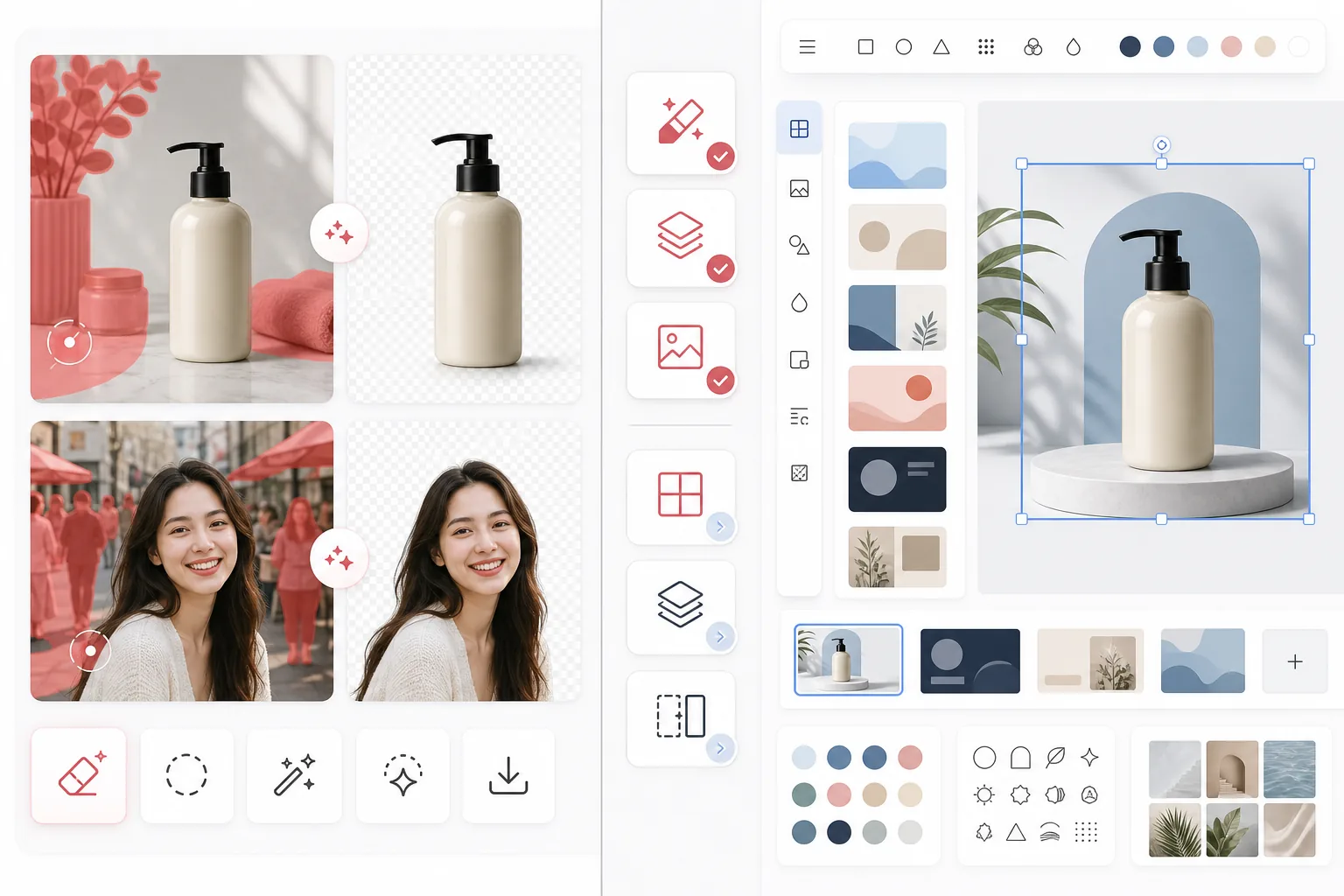
O Magic Eraser e focado em tarefas de edicao de fotos com IA, como remocao de objetos, limpeza de fundo, aprimoramento de imagens, preenchimento generativo e edicoes rapidas na web e no celular.
O Canva e uma plataforma de design ampla, criada para apresentacoes, posts em redes sociais, materiais de marketing e modelos. Ele inclui algumas ferramentas de edicao de fotos, mas elas fazem parte de um fluxo de trabalho de design maior.
Comparacao de recursos
O Magic Eraser e focado em tarefas de edicao de fotos com IA, como remocao de objetos, limpeza de fundo, aprimoramento de imagens, preenchimento generativo e edicoes rapidas na web e no celular.
O Canva e uma plataforma de design ampla, criada para apresentacoes, posts em redes sociais, materiais de marketing e modelos. Ele inclui algumas ferramentas de edicao de fotos, mas elas fazem parte de um fluxo de trabalho de design maior.
| Feature | Magic Eraser | Canva |
|---|---|---|
| Remocao de objetos | Sim — ferramenta de IA dedicada | Limitada |
| Remocao de fundo | Sim — recurso principal | Sim — muitas vezes restrita ao Pro |
| Aprimoramento de imagem | Sim | Basico |
| Modelos de design | Nao | Sim — bastante amplos |
| Preenchimento generativo | Sim | Limitado |
| Melhor fluxo de trabalho | Limpeza de fotos | Design grafico |
| Plataforma | Web + iOS + Android | Web + iOS + Android |
| Tempo ate a primeira edicao | Muito rapido | Depende do fluxo de design |
Feature rows summarize visible product positioning and should be rechecked against official product pages before purchase, migration, or compliance decisions.
- Last content review May 1, 2026
- Canva source: official product site (https://www.canva.com/)
- Magic Eraser source: https://magiceraser.live/pt/product/magic-eraser
- Pricing, feature availability, platform support, and limits can change; recheck official sources before relying on a buying decision.
Comparacao de precos
| Plan | Magic Eraser | Canva |
|---|---|---|
| Plano gratuito | Gratis — edicoes limitadas | Gratis — recursos basicos |
| Mensal | $9.99/mo | $14.99/mo (Pro) |
| Anual | $4.99/mo (cobrado anualmente) | $12.99/mo (Pro, cobrado anualmente) |
Precos em May 2026. Verifique as tarifas atuais com cada provedor.
Pricing rows are snapshots from review time. Free tiers, subscriptions, trials, export limits, and regional availability can change without notice.
- Last content review May 1, 2026
- Canva source: official product site (https://www.canva.com/)
- Magic Eraser source: https://magiceraser.live/pt/product/magic-eraser
- Pricing, feature availability, platform support, and limits can change; recheck official sources before relying on a buying decision.
Por que escolher o Magic Eraser
Feito especificamente para edicao de fotos
O Magic Eraser coloca a acao de edicao em primeiro lugar. Voce nao precisa entrar em uma tela de design, escolher um layout ou navegar por controles de modelos antes de limpar uma foto.
Fluxo de limpeza mais eficiente
Para remover pessoas, texto, fios, bagunca e fundos confusos, o Magic Eraser oferece um fluxo de edicao com IA mais direto e consistente do que o editor multiuso mais amplo do Canva.
Mais adequado para equipes com muitas imagens
Vendedores, profissionais de marketing, criadores e agencias que processam grandes quantidades de fotos costumam se importar mais com a velocidade de limpeza do que com a variedade de modelos. O Magic Eraser e otimizado para esse caso de uso.
Transicao mais limpa para a producao criativa
Muitas equipes usam o Magic Eraser para preparar primeiro ativos de imagem refinados e, em seguida, levam esses ativos para o Canva ou outras ferramentas de design para o trabalho final de layout.
Ferramentas
Perguntas frequentes
O Magic Eraser e melhor que o Canva para remocao de fundo?
+
Para limpeza de fundo dedicada e fluxos de trabalho centrados em imagens, o Magic Eraser costuma ser a opcao mais rapida. O Canva e melhor quando voce tambem precisa transformar a imagem em um ativo desenhado de imediato.
O Canva consegue remover objetos das fotos?
+
O Canva inclui algumas ferramentas de edicao, mas o Magic Eraser e mais focado em remocao confiavel de objetos com IA e em tarefas de limpeza detalhadas.
Devo usar as duas ferramentas juntas?
+
Sim. Muitas equipes usam o Magic Eraser para limpar imagens e depois levam o ativo final para o Canva para apresentacoes, anuncios, graficos para redes sociais e trabalho de design baseado em modelos.
Qual ferramenta e melhor para imagens de produtos de e-commerce?
+
O Magic Eraser costuma ser melhor para limpeza de fotos de e-commerce porque remover distracoes e isolar produtos e o seu fluxo de trabalho principal.
O Magic Eraser oferece suporte a edicao no celular?
+
Sim. O Magic Eraser funciona em iOS, Android e web, para que voce possa editar a partir de qualquer dispositivo.
Quer fotos mais limpas antes de comecar a projetar?
Use o Magic Eraser para remover distracoes, melhorar fundos e preparar imagens antes mesmo de chegarem a sua tela de design.
Experimente o Magic Eraser gratisCasos de uso relacionados
Veja como profissionais utilizam essas ferramentas em fluxos de trabalho reais.
Fotos de anúncios cheias de pertences pessoais, carros estacionados ou material de obra afastam compradores. O Magic Eraser usa IA para limpar suas fotos de imóveis instantaneamente — sem precisar de Photoshop.
Fundos bagunçados e fotos de produto descuidadas custam vendas todos os dias. O Magic Eraser ajuda você a criar imagens de produto profissionais em segundos — sem precisar saber Photoshop. Faça upload, apague distrações e anuncie com confiança.
Estranhos estragando suas fotos de viagem? Fundos bagunçados arruinando seus selfies? Pare de perder horas no Photoshop. O Magic Eraser remove distrações, limpa suas fotos e adapta para qualquer formato — tudo em um toque.
Guias relacionados
Explore mais guias e conteúdo editorial relacionado a este fluxo de trabalho.
Explore como a IA está transformando as operações das empresas, da automação à análise de dados e a experiências mais personalizadas.
Aprenda a usar o Magic Eraser para remover objetos, pessoas, texto e distrações de fotos com resultados de IA mais limpos.
Aprenda a remover pessoas de fotos usando IA em segundos. Guia para fotos de viagem, imóveis e produtos.
Outras comparações
Veja como o Magic Eraser se compara a outras ferramentas de edição de fotos.
Testamos e comparamos as melhores ferramentas de edição de fotos com IA para que você não precise fazer isso. Da remoção de objetos à substituição de fundo, veja qual editor entrega os melhores resultados.
O PhotoRoom foca-se na remoção de fundo e em modelos de fotografia de produtos. O Magic Eraser iguala essas capacidades e adiciona poderosas ferramentas de AI para remoção de objetos, aprimoramento de imagens, preenchimento generativo e design criativo — dando-lhe mais poder de edição na web e no celular.
O Canva é uma plataforma de design versátil, mas suas ferramentas de edição de fotos são secundárias em relação ao seu foco em design. O Magic Eraser foi desenvolvido especificamente para edição de fotos com IA, oferecendo melhor remoção de objetos, remoção de fundo, aprimoramento de imagens e preenchimento generativo para usuários que precisam de ferramentas especializadas de limpeza de fotos.
Testamos os principais geradores de fundo com IA quanto à qualidade de remoção, opções de substituição, flexibilidade criativa e facilidade de uso. Veja qual ferramenta torna mais fácil remover, substituir e gerar novos fundos para suas fotos.
Testamos os principais geradores de headshot com IA quanto à qualidade, realismo, personalização e custo-benefício. Seja para headshots no LinkedIn, fotos de equipe ou retratos profissionais, veja qual ferramenta entrega os melhores resultados.
TouchRetouch é um popular app móvel pago para remover objetos e imperfeições. Magic Eraser oferece edição IA gratuita em qualquer dispositivo sem instalação. Compare recursos, preços e facilidade de uso.