
Home staging virtual imobiliario: ferramentas IA gratuitas vs pagas comparadas
O que as ferramentas de home staging virtual realmente custam, quais fluxos de trabalho gratuitos produzem resultados de qualidade e as regras de divulgacao NAR.

Product Marketing
Índice
- Por que o home staging virtual e importante (e por que o custo caiu 90% em 2026)
- A pilha gratuita: o que funciona, o que nao funciona
- A pilha paga: para onde vai o gasto de $15-29 por mes
- O nivel pago por foto: quando a revisao humana vale $29-49 por foto
- O que procurar ao escolher entre ferramentas de home staging
- As regras de divulgacao que decidem se voce pode usar fotos home stagiadas por IA
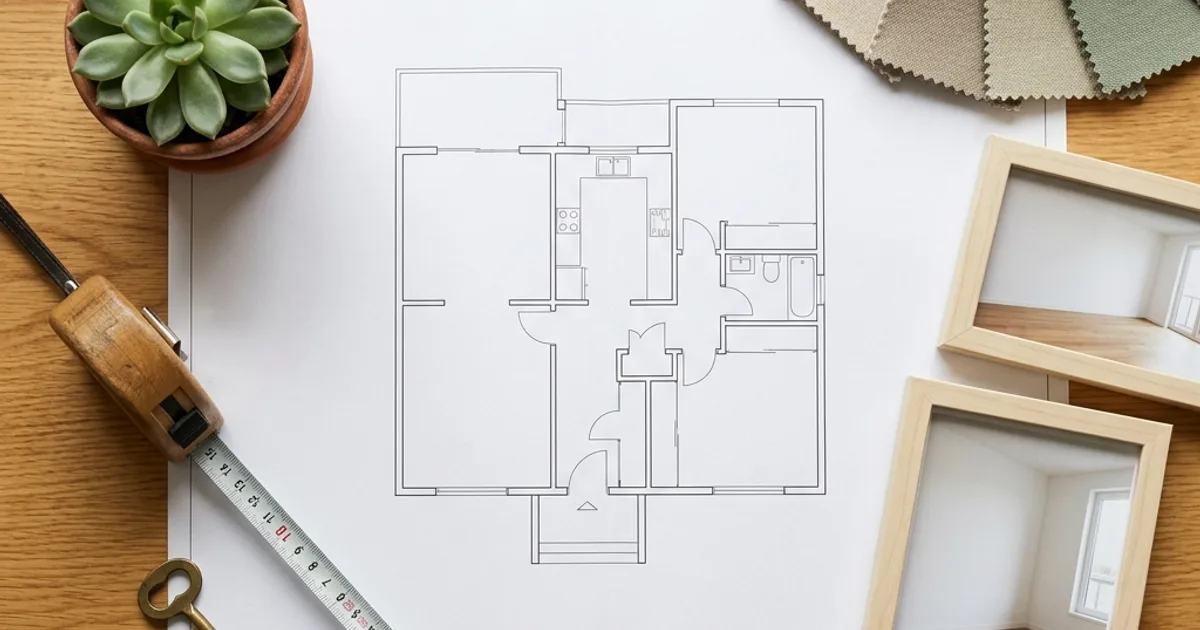
O home staging virtual costumava significar uma renderização de $40 por foto feita por um estúdio de CAD com prazo de quatro dias. Em 2026, significa enviar a foto de um cômodo vazio, escolher um estilo e receber de volta quatro variantes decoradas em menos de um minuto. Às vezes de graça, às vezes por $15 por mês, às vezes por $29 por foto. O detalhe é que a diferença entre o resultado gratuito mais barato e uma renderização paga hoje tem mais a ver com fluxo de trabalho do que com a qualidade do modelo. A qualidade dos modelos convergiu. O que não convergiu é o quanto cada ferramenta é tolerante quando a foto de origem está bagunçada, o quão realista a direção da iluminação se mantém. Se o resultado decorado é algo que um MLS realmente vai aceitar sem revisões.
Este guia compara as pilhas de home staging por IA gratuitas vs pagas que um corretor de imóveis em atividade ou um investidor autônomo montaria hoje. Ele percorre o fluxo de trabalho real que a maioria dos fotógrafos e corretores segue, aponta onde o caminho gratuito desmorona. Lista as regras de divulgação que decidem se você pode usar uma foto com home staging virtual ou não. A parte da divulgação importa mais do que a parte das ferramentas. Há uma diferença real entre um MLS que exige que toda foto decorada tenha uma legenda e uma comissão estadual de imóveis que pode cassar uma licença por violações repetidas.
Se você é totalmente novo no home staging virtual, a versão resumida é esta: capture uma foto limpa de um cômodo vazio, faça a limpeza com uma ferramenta de remoção de objetos, gere móveis e decoração com uma ferramenta de home staging por IA, refine áreas problemáticas localizadas com o AI Fill, aprimore a imagem final e faça a divulgação. As seções abaixo detalham cada etapa, as opções de ferramentas gratuitas e pagas em cada etapa. O que observar ao escolher entre elas.
- Pilha gratuita hoje: Magic Eraser (limpeza + AI Fill) + uma ferramenta com nível de home staging gratuito (créditos limitados por mês) + uma passada de aprimoramento por IA — cobre o uso para uma única listagem ou ocasional.
- Pilha paga ($15-29/mês): Magic Eraser Pro + uma ferramenta dedicada de home staging virtual com créditos ilimitados ou 20-50 créditos/mês — cobre corretores em tempo integral que decoram de 5 a 20 listagens por mês.
- Pilha paga por foto ($29-49/foto, $99-149 para um conjunto completo de listagem): BoxBrownie ou equivalente para um home staging sem complicações e revisado por humanos. Cobre listagens de luxo onde uma renderização ruim custa a listagem ao corretor.
- A divulgação é inegociável: toda foto decorada precisa da legenda 'Virtually staged'. O NAR Article 12 trata o home staging virtual não divulgado como publicidade enganosa; muitas comissões estaduais fazem cumprir isso.
- O que separa um resultado profissional de um amador raramente é a ferramenta de IA. É a foto de origem (bem iluminada, sem bagunça, alinhada com a parede), a consistência de estilo ao longo da listagem e se a imagem final recebeu uma passada de aprimoramento.
Por que o home staging virtual e importante (e por que o custo caiu 90% em 2026)
Listagens vazias vendem por menos e ficam mais tempo no mercado. O número amplamente citado é que casas decoradas vendem 73% mais rápido e por 6-10% mais do que comparáveis vazias. Mesmo depois de descontar as versões promovidas por agências desse número, os próprios dados do setor de corretagem residencial mostram um prêmio de preço consistente de 1-3% e uma redução de 15-30 dias no tempo de mercado para listagens decoradas em comparação com vazias. O home staging físico custa $2.000-$5.000 para uma única sala de estar ao longo de um contrato de staging de 30 dias. O home staging virtual — conseguir a mesma aparência das fotos da listagem sem alugar móveis — costumava custar $40-$80 por foto. Para uma listagem típica de 25 fotos, isso dá $1.000-$2.000 por listagem, valor que os corretores repassavam aos vendedores ou absorviam contra a comissão.
O que mudou em 2024-2026 é a mesma coisa que mudou em todos os outros nichos que a IA agora toca: os modelos subjacentes de geração de imagens ficaram rápidos e baratos o suficiente para que uma assinatura de $29/mês possa oferecer créditos de home staging ilimitados e ainda dar lucro. O mesmo home staging que custava $40 por foto em um estúdio de CAD em 2022 agora é uma geração em menos de um minuto, com um custo mensal amortizado de $4. Isso representa uma redução de custo de cerca de 90% em três anos. A qualidade acompanhou o suficiente para que compradores rolando uma listagem no celular não consigam notar a diferença, a menos que estejam procurando especificamente por ela.
Mas ferramentas mais baratas não tornaram o fluxo de trabalho trivial. O corretor ou fotógrafo ainda precisa capturar bem o cômodo vazio, escolher um estilo consistente, fazer as passadas de limpeza e aprimoramento e seguir as regras de divulgação. A economia aparece em dólares por listagem, não em horas por listagem. O home staging virtual hoje ainda leva de 15-30 minutos por foto, da captura até a exportação pronta para o MLS. A vantagem é que o custo em dólares passou de quatro dígitos para dois. Coloca o home staging virtual ao alcance de todo corretor em atividade, em vez de apenas das corretoras de luxo.
- Listagens decoradas vendem 1-3% mais caro e 15-30 dias mais rápido do que comparáveis vazias (leitura conservadora dos dados do setor).
- Home staging físico: $2.000-$5.000 por cômodo para um contrato de 30 dias.
- Home staging virtual em 2022: $40-$80 por foto, $1.000-$2.000 para uma listagem de 25 fotos.
- Home staging virtual em 2026: de gratuito a $0,50-$2 por foto nos níveis de assinatura, ou $29-$49 por foto para entregas revisadas por humanos.
- O tempo por listagem continua sendo de 15-30 minutos por foto — a economia está nos dólares por listagem, não nas horas por listagem.
A pilha gratuita: o que funciona, o que nao funciona
Uma pilha de home staging virtual gratuita e viável em 2026 tem três partes. Primeiro, o Magic Eraser cuida da limpeza do cômodo vazio. Apague contornos de fita adesiva, ganchos removidos, fita crepe de pintor esquecida, uma vassoura no canto. O nível gratuito dá conta da limpeza de uma única listagem com facilidade; quanto mais limpa for a origem do cômodo vazio, melhor cada ferramenta seguinte vai funcionar. Segundo, uma ferramenta dedicada de home staging por IA com um nível inicial gratuito (a maioria das principais ferramentas de home staging virtual agora oferece de 3 a 5 créditos gratuitos para demonstrar o produto) gera os móveis e a decoração de fato. Terceiro, o AI Fill do Magic Eraser refina áreas problemáticas localizadas. Uma planta flutuante, uma moldura distorcida, um travesseiro derretido — sem precisar refazer a passada de home staging.
O caminho gratuito desmorona em escala. Um nível gratuito de ferramenta de home staging de 3 a 5 fotos por mês cobre exatamente uma listagem inteira de home staging se você decorar apenas os três ou quatro cômodos principais. Se você está decorando uma única casa para vender ou é um investidor revendendo uma propriedade por vez, a pilha gratuita funciona. Se você é um corretor ativo com três listagens por mês, vai esgotar os níveis gratuitos na primeira semana. O outro ponto onde o caminho gratuito desmorona é na consistência de estilo: os níveis gratuitos costumam limitar os estilos disponíveis, o que significa que uma listagem pode acabar com uma sala de estar moderna, um quarto de transição. Uma cozinha estilo fazenda, porque esses eram os créditos gratuitos disponíveis quando você gerou cada cômodo.
O caminho gratuito também exige que a foto de origem seja genuinamente boa. Os modelos gratuitos de home staging por IA são menos tolerantes com fotos de origem ruins. Uma parede levemente inclinada, um estouro de luz na janela ou um tom de cor amarelado aparecem todos piores no resultado do nível gratuito do que no resultado pago, porque as ferramentas pagas costumam incluir passadas de pré-processamento que corrigem problemas menores da origem antes de o modelo de home staging rodar. Se você sabe fotografar bem, o caminho gratuito economiza dinheiro. Se suas fotos de origem estão bagunçadas, o caminho pago economiza tempo.
- A pilha gratuita funciona para 1-3 listagens/mês no volume de home staging da maioria dos corretores.
- O nível gratuito do Magic Eraser cobre a limpeza; o nível gratuito do AI Fill cobre o refinamento localizado.
- Níveis gratuitos de ferramentas de home staging: 3-5 fotos por mês — exatamente uma listagem inteira.
- A consistência de estilo sofre nos níveis gratuitos porque os estilos disponíveis mudam conforme os créditos.
- O home staging gratuito por IA é menos tolerante com fotos de origem ruins — uma captura limpa importa mais, não menos.
A pilha paga: para onde vai o gasto de $15-29 por mes
O nível intermediário é uma pilha de assinatura paga que custa de $15-$30/mês no total. O Magic Eraser Pro cuida da limpeza ilimitada e do AI Fill. Uma assinatura dedicada de home staging por IA — a maioria dos principais provedores de home staging virtual cobra entre $15 e $29 por mês para níveis ilimitados ou de 20-50 créditos — cuida da geração de fato dos móveis e da decoração. A maioria dos corretores combina isso com uma assinatura de aprimoramento por IA (frequentemente incluída no Magic Eraser Pro ou disponível avulsa) para a passada final de upscale e aprimoramento antes da exportação para o MLS.
A pilha paga cobre um corretor em atividade que decora de 5 a 20 listagens por mês a um custo mensal previsível. Para comparação: a 10 listagens por mês com 5 cômodos decorados por listagem, isso dá 50 fotos decoradas por mês. Em um nível pago por foto ($29-49/foto), isso são $1.500-$2.450 por mês. No nível de assinatura, são $30-60 por mês no total, incluindo as ferramentas de limpeza — uma redução de custo de 95-98% em escala. A diferença de qualidade é menor do que a diferença de custo sugere: as ferramentas de home staging por assinatura evoluíram substancialmente desde 2024, e a diferença entre o resultado por assinatura e o resultado por foto revisado por humanos agora tem mais a ver com lidar com casos extremos. Formatos de cômodo estranhos, layouts complexos de janelas, espaços de dois andares — do que com a qualidade básica.
O ponto de equilíbrio entre o preço por assinatura e o preço por foto fica em torno de 2-3 listagens por mês. Abaixo disso, o pagamento por foto com revisão humana é mais barato e menos estressante. Acima disso, a assinatura se paga já na primeira listagem e o resto é margem. Para os corretores em dúvida, um teste de um mês de um nível de assinatura junto com seu fluxo de trabalho atual por foto revela a diferença real de qualidade e tempo no mercado específico deles.
- $15-$30/mês: home staging por assinatura ilimitado ou de 20-50 créditos + limpeza com Magic Eraser Pro + aprimoramento.
- Ponto de equilíbrio em relação ao preço por foto: 2-3 listagens por mês.
- Diferença de qualidade vs revisado por humanos por foto: menor em 2026 do que em 2024, principalmente no tratamento de casos extremos.
- Melhor encaixe: corretores ativos que decoram de 5 a 20 listagens por mês a um custo mensal previsível.
O nivel pago por foto: quando a revisao humana vale $29-49 por foto
A ponta de luxo do mercado de home staging virtual ainda paga $29-49 por foto (muitas vezes empacotados em $99-$149 para uma listagem completa de 5-7 fotos) por home staging revisado por humanos da BoxBrownie ou de um de meia dúzia de serviços comparáveis. A entrega é a mesma foto decorada, mas um designer humano no serviço de home staging revisa cada resultado da IA, corrige os erros da IA manualmente. Entrega um produto que não precisa de passadas de refinamento do seu lado.
Para uma listagem de $400 mil, o home staging revisado por humanos por foto é exagero — a comissão do corretor não justifica o gasto. Para uma listagem de $1,5 mi-$3 mi, uma única planta flutuante em uma foto principal custa ao corretor mais em confiança do comprador do que toda a taxa do serviço de home staging. A conta se inverte. Listagens de luxo que precisam de fotografia especializada também precisam de revisão de home staging especializada. O público examina as fotos com mais atenção e o custo de errar aumenta junto com o preço da listagem.
O outro caso em que o home staging revisado por humanos por foto compensa é quando a foto de origem tem problemas estruturais. Formatos estranhos de teto, vigas aparentes, uma lareira que divide a parede, um átrio de dois andares — com os quais os modelos de home staging por assinatura ainda têm dificuldade. O revisor humano do serviço ou roda o modelo novamente com entradas diferentes ou corrige o resultado à mão. O que os usuários de assinatura têm que fazer sozinhos. Se suas listagens sempre têm essas características, pagar por foto pela revisão humana incluída é mais barato do que o seu tempo corrigindo o resultado da IA manualmente.
- Por foto: $29-$49/foto ou $99-$149 para uma listagem completa de 5-7 fotos.
- Vale a pena em listagens de luxo ($1,5 mi+) onde uma renderização ruim custa a confiança do comprador.
- Vale a pena em cômodos estruturalmente complexos — tetos estranhos, átrios, vigas aparentes.
- Não vale a pena em listagens de entrada ou de mercado intermediário, onde a qualidade da assinatura é indistinguível da revisão humana na velocidade da rolagem.
O que procurar ao escolher entre ferramentas de home staging
A amplitude de tipos de cômodo é o primeiro filtro. Uma ferramenta de home staging com bom resultado em sala de estar e quarto, mas fraca em escritórios domésticos e salas de jantar, força você a misturar ferramentas no meio da listagem, o que destrói a consistência de estilo. Teste qualquer ferramenta que você esteja considerando em três tipos diferentes de cômodo da mesma listagem antes de se comprometer. As fraquezas da maioria das ferramentas aparecem nos cômodos que elas não divulgam como seu ponto forte.
A direção da iluminação é o segundo filtro e aquele em que a maioria dos resultados amadores falha. Observe de onde vem a luz original da janela na foto do cômodo vazio, depois olhe o resultado decorado: as sombras embaixo dos móveis, ao redor das plantas. Atrás dos objetos de decoração apontam todas na mesma direção, para longe da janela original? Se não apontam, o home staging vai parecer falso para qualquer um que perceba conscientemente. Levemente estranho para todos que não percebem. Os níveis gratuitos falham nessa verificação com mais frequência do que os pagos. Mesmo em ferramentas pagas, uma em cada cinco gerações erra a iluminação e precisa ser refeita.
As opções de estilo de móveis e a capacidade de esvaziar cômodos são os dois filtros seguintes. As opções de estilo importam para a consistência ao longo de uma listagem (tratada acima). Esvaziar cômodos importa quando você está decorando uma listagem que está atualmente ocupada. A maioria dos corretores prefere fotos de cômodos vazios como origem do home staging, mas para uma casa ocupada você pode precisar de uma ferramenta capaz de esvaziar virtualmente um cômodo mobiliado antes de decorá-lo em um novo estilo. Nem todas as ferramentas oferecem isso. Algumas exigem que você use primeiro uma ferramenta separada de remoção de objetos (como o Magic Eraser) na foto mobiliada e depois envie o resultado vazio para o home staging. O caminho de duas etapas é aceitável, só planeje-o no seu orçamento de tempo.
Entregas compatíveis com o MLS e metadados de divulgação são os últimos filtros. Alguns MLSs exigem dimensões de imagem, formato de arquivo e perfil de cor específicos. Alguns exigem que as fotos decoradas sejam sinalizadas nos metadados da imagem (EXIF ou IPTC), não apenas legendadas. Verifique as regras do seu MLS local antes de assinar uma ferramenta que não suporte essas necessidades de saída. Reexportar cada foto por uma ferramenta separada para adicionar tags IPTC desperdiça dez minutos por foto em escala.
- Amplitude de tipos de cômodo: teste 3 tipos diferentes de cômodo de uma listagem antes de se comprometer.
- Direção da iluminação: as sombras devem combinar com a janela original — falha em 1 em 5 mesmo em ferramentas pagas.
- Opções de estilo de móveis: variedade suficiente para manter uma listagem visualmente consistente.
- Capacidade de esvaziar cômodos: importa para casas ocupadas; caminhos de duas etapas via Magic Eraser funcionam.
- Entregas para o MLS: dimensões, formato, perfil de cor e (às vezes) marcação de divulgação IPTC.
As regras de divulgacao que decidem se voce pode usar fotos home stagiadas por IA
O NAR Article 12 (Veracidade na Publicidade) exige que os REALTORS apresentem um quadro verdadeiro em sua publicidade, incluindo as fotos de marketing. O home staging virtual sem divulgação viola isso. E as queixas éticas do NAR podem resultar em multas, retreinamento ético obrigatório e, em casos repetidos, suspensão da associação. O custo de reputação profissional costuma ser maior do que a sanção formal.
Além do NAR, muitas comissões estaduais de imóveis têm regras específicas de home staging virtual. Vários estados exigem que toda foto com home staging virtual traga um texto de legenda visível identificando o staging como virtual. Vários MLSs exigem o mesmo. A redação específica varia — 'Virtually staged' é a mais comum, mas alguns mercados exigem 'Photo virtually staged for illustration purposes' literalmente. Alguns exigem divulgação tanto na legenda da foto quanto no texto da descrição da listagem. Antes de publicar qualquer foto com home staging por IA, confirme a redação exata que o seu MLS local e a comissão estadual exigem.
O fluxo de trabalho prático é simples: faça o home staging normalmente, depois adicione a legenda de divulgação a cada imagem decorada tanto no conjunto de fotos da listagem quanto em qualquer sindicação de terceiros (Zillow, Realtor.com, Redfin, site da corretora). A maioria dos formulários de entrada de listagem tem um campo de legenda por foto — use-o. Onde a plataforma de listagem não suportar legendas por foto, adicione uma divulgação no nível da listagem: 'Some photos in this listing have been virtually staged for illustration purposes. All virtually staged photos are marked.' Guarde a foto original do cômodo vazio junto de cada versão decorada para que, se um comprador ou corretor perguntar, você possa apresentar a origem sem home staging quando solicitado.
- O NAR Article 12 exige veracidade na publicidade — o home staging virtual não divulgado viola isso.
- As comissões estaduais de imóveis e muitos MLSs têm regras específicas de divulgação de home staging virtual.
- A redação exata varia: 'Virtually staged' é a base comum; alguns mercados exigem uma linguagem específica mais longa.
- Adicione a divulgação à legenda de cada foto decorada e ao texto da descrição da listagem.
- Mantenha a foto original do cômodo vazio como prova — apresente-a quando solicitada por qualquer comprador ou contraparte.
How to do it
- 1
Capture the empty room with even, neutral light
Shoot the empty room from a tripod at chest height with the wide end of a 16-35mm lens, doors open, all interior lights on, exterior shades up if natural light is even. Bracket three exposures (−1, 0, +1) and merge to flatten window blowout. The AI staging step needs a clean, well-exposed canvas. High-contrast shadows confuse the model and produce furniture with wrong lighting direction.
- 2
Remove clutter and personal items with object-removal AI
Use Magic Eraser to clean up the empty room: erase tape outlines on the floor, painter's tape on walls, leftover hardware, a broom in the corner, the previous owner's hanging hooks. The cleaner the source frame, the better the AI staging output. The staging model treats every existing artifact as something to design around instead of paint over.
- 3
Decide the staging style before opening any staging tool
Pick the style first: modern, transitional, farmhouse, mid-century, coastal, or Scandinavian. Match it to the listing's price band and neighborhood comps — a $400K starter home stages farmhouse or transitional. A $1.2M condo stages modern or modern. Switching style mid-process burns staging credits and produces a portfolio that looks inconsistent to buyers scrolling Zillow.
- 4
Generate the AI staging pass with room-type and style locked in
Submit the cleaned empty-room image to your chosen AI staging tool with the room type (living room, primary bedroom, dining room, home office, nursery) and the style locked in. Most tools return 2-4 variants per submission. Pick the variant with realistic shadow direction matching the original window light. That single check rules out 80% of obviously-fake output before you waste time on details.
- 5
Refine and replace problem objects with AI fill
AI staging tools sometimes generate plants that float, art that warps, or pillows with melted edges. Use Magic Eraser AI Fill to repaint the problem region locally without re-rolling the entire staging pass. Outpainting one cushion is faster than re-running the staging credit and getting a brand-new layout you didn't want.
- 6
Enhance the final image to broker-portal export specs
Run one AI boost pass to recover detail in the floor texture, window light, and furniture fabric. Then export at the resolution your MLS requires; most allow 1500-2400px on the long edge, and some accept 4K. Save the original empty-room file alongside the staged version. You must disclose virtual staging on the listing, and the empty original is the proof.
- 7
Caption every staged photo with required disclosure language
Add the caption 'Virtually staged' (or your local MLS's required wording. Some require 'Photo virtually staged for illustration' verbatim) to every staged image in the listing photo set and on every third-party syndication. NAR Article 12 treats virtual staging without disclosure as a deceptive advertising violation. Some state real estate commissions can suspend a license for repeat offenses.
Fontes
- Code of Ethics and Standards of Practice (Article 12 — Truth in Advertising) — National Association of REALTORS
- MLS Clear Cooperation Policy and Listing Content Standards — National Association of REALTORS