
Edição de fotos com IA para ceramistas: mostre seu trabalho online
Saiba como artistas de cerâmica usam a edição de fotos com IA para fotografar e apresentar seus trabalhos para lojas online, exposições e portfólios. Limpe fotos de estúdio, aprimore cores de esmalte e crie imagens de produtos especializadas.

Product Marketing
Revisado por Magic Eraser Editorial ·
Índice
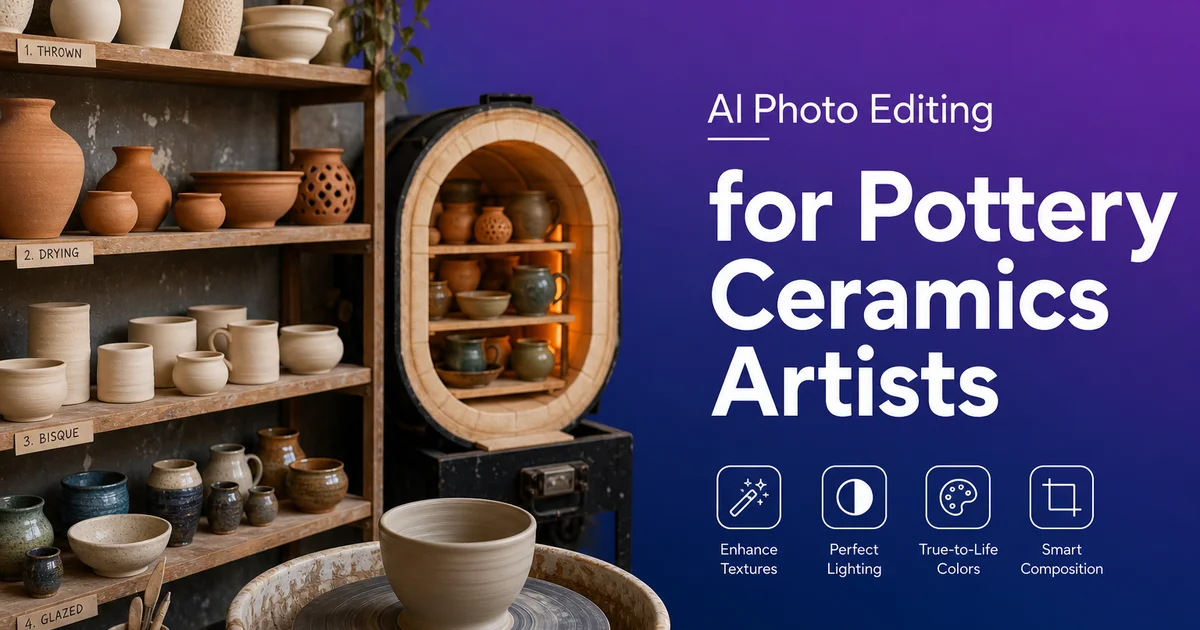
A cerâmica e a olaria são formas de arte tridimensionais que precisam ser comunicadas por meio de imagens bidimensionais quando vendidas online, submetidas a exposições ou apresentadas em um portfólio. A distância entre experimentar uma peça de cerâmica nas mãos — sentir o seu peso, ver como o esmalte capta a luz quando você a gira, notar as variações sutis na textura da superfície — e vê-la em uma foto é enorme. Fechar essa distância com melhor fotografia e uma edição cuidadosa é a coisa de maior impacto que um ceramista pode fazer para aumentar as vendas online e fortalecer as candidaturas a exposições.
A maioria dos ceramistas não são fotógrafos especialistas, e a maioria dos ateliês não são estúdios fotográficos. O espaço de trabalho é projetado para criar. Fornos, prateleiras, tornos, mesas de sova, sacos de argila e baldes de esmalte dominam o ambiente. Fotografar o trabalho finalizado acontece nas margens, sobre qualquer superfície livre, sob qualquer luz disponível. O resultado é muitas vezes uma peça de cerâmica tecnicamente competente representada por uma foto visualmente medíocre.
A edição de fotos com IA preenche essa lacuna. Ferramentas como Magic Eraser, Background Eraser e AI Enhance permitem que você pegue um instantâneo funcional do ateliê e o transforme em uma imagem que transmite a verdadeira qualidade, cor e habilidade do seu trabalho. O tipo de imagem que convence um comprador online a decidir ou um júri de exposição a aceitar a sua candidatura.
- A correção de cor com IA garante que as cores do esmalte nas fotos correspondam à peça real, reduzindo a decepção do comprador e as devoluções.
- A remoção de objetos elimina a desordem do ateliê, as imperfeições do fundo e os elementos que distraem das fotos de produto.
- O aprimoramento da textura revela detalhes da superfície — craquelê, formações cristalinas, camadas de esmalte — que os compradores não conseguem ver pessoalmente.
- Um tratamento de fundo consistente em todos os anúncios cria uma aparência de loja profissional e curada.
- As mesmas imagens editadas servem para lojas online, submissões a exposições, redes sociais e portfólios impressos.
- Um fluxo de edição rápido significa que as peças finalizadas podem ser anunciadas no mesmo dia em que saem do forno.
Por que a qualidade da foto determina as vendas de cerâmica online
Em marketplaces de artesanato online como Etsy, Shopify e sites de artistas independentes, a foto do produto é o produto. Um comprador não pode pegar uma caneca, sentir o seu peso, envolvê-la com as mãos ou ver como o esmalte muda de azul para verde conforme o ângulo muda. Ele vê uma imagem plana em uma tela. Apenas a partir dessa imagem ele decide se vai gastar quarenta, oitenta ou duzentos dólares em uma peça feita à mão. As próprias pesquisas de vendedores da Etsy sempre mostram que a qualidade da foto do anúncio é o preditor mais forte da taxa de conversão, superando o preço, o tamanho da descrição e até o número de avaliações.
O desafio é especialmente difícil para a cerâmica porque as qualidades que tornam a olaria feita à mão valiosa — a variação sutil do esmalte, a textura da superfície, a forma orgânica, as marcas da mão de quem cria — são exatamente as qualidades que a fotografia tende a achatar ou perder. Uma caneca com um magnífico esmalte de cinzas que muda de âmbar para sálvia conforme o ângulo parece uma simples caneca marrom em uma foto mal iluminada. Uma tigela com um delicado padrão de craquelê em seu esmalte celadon parece um prato verde liso quando a iluminação não capta a textura.
A IA recupera o que a câmera perde. Ao corrigir o balanço de branco, aumentar o microcontraste nas áreas de textura e aguçar os detalhes sem introduzir ruído, o AI Enhance torna visíveis na tela a variação do esmalte, o caráter da superfície e a qualidade dimensional do trabalho cerâmico. As fotos resultantes não exageram a peça. Elas a representam com precisão, que é exatamente o que um comprador tomando uma decisão de compra precisa.
- As fotos de produto são o principal fator de decisão de compra na Etsy e em outros marketplaces de artesanato.
- A variação sutil do esmalte, a textura da superfície e a forma dimensional se perdem facilmente em fotos comuns.
- O aprimoramento com IA recupera as mudanças de esmalte, os padrões de craquelê e os detalhes de textura que a iluminação plana suprime.
- Uma representação precisa reduz a decepção do comprador, as devoluções e as avaliações negativas.
Limpando a fotografia de estúdio sem um estúdio
A montagem fotográfica ideal para cerâmica é um canto dedicado com papel sem emendas, iluminação controlada e distância suficiente da bagunça do ateliê para manter os fundos limpos. A realidade para a maioria dos oleiros em atividade é que a fotografia acontece na mesa de esmaltação, na superfície de sova ou na prateleira do forno — onde quer que uma peça possa ser apoiada e um fundo possa ser montado. O fundo costuma ser um pedaço de tecido ou papel com rugas, manchas de sessões anteriores ou bordas visíveis onde encontra a mesa.
O Magic Eraser transforma essa montagem funcional em um cenário fotográfico limpo no pós-processamento. Passe o pincel sobre as rugas do fundo de tecido e elas se alisam. Remova a borda visível onde o papel encontra a mesa e o fundo fica perfeitamente uniforme. Apague os tijolos do forno que aparecem acima do fundo, a poeira de argila na superfície, a gota de esmalte que caiu no papel três queimas atrás e o grampo que segura o fundo no lugar.
O resultado parece que você tem um estúdio fotográfico dedicado. Mas você não precisou construir um, manter um, nem mesmo liberar um espaço permanente para um. A edição leva menos tempo do que limpar e reorganizar fisicamente o seu espaço de trabalho para a fotografia. Os resultados são mais consistentes porque a IA produz um fundo perfeitamente limpo todas as vezes, independentemente de como o espaço físico realmente seja.
- A maioria dos ceramistas fotografa sobre superfícies de trabalho, não em estúdios fotográficos dedicados.
- O Magic Eraser remove rugas do fundo, poeira de argila, equipamento do forno e manchas da superfície.
- A limpeza no pós-processamento é mais rápida e consistente do que preparar fisicamente uma área fotográfica.
- O resultado parece de qualidade de estúdio sem exigir um espaço fotográfico de estúdio permanente.
Reprodução precisa da cor do esmalte em todas as telas
A precisão da cor do esmalte é a consideração de edição mais crucial para a fotografia de cerâmica. Um comprador que encomenda uma caneca de celadon azul e recebe uma cinza-esverdeada ficará decepcionado mesmo que a peça seja lindamente feita. A distância entre a cor esperada e a cor recebida é o maior impulsionador de devoluções e avaliações negativas na venda de cerâmica feita à mão. Acertar a cor na foto — não apenas bonita, mas fiel — é fundamental.
A imprecisão de cor nas fotos de cerâmica vem de duas fontes: a iluminação no momento da captura e a configuração de balanço de branco da câmera. As lâmpadas fluorescentes do ateliê adicionam um tom verde ou amarelo que desloca os azuis frios para o verde-azulado e os marrons quentes para o oliva. A luz da janela em um dia nublado adiciona um tom azul que faz o grés quente parecer mais frio do que é. As câmeras dos telefones ajustam automaticamente o balanço de branco de maneiras que muitas vezes interpretam mal as superfícies cerâmicas neutras.
O AI Enhance corrige o balanço de branco analisando os tons de referência neutros na imagem — o fundo branco, o piso cinza do ateliê, a cor natural de argila de um pé não esmaltado — e ajustando toda a paleta para que esses tons de referência fiquem neutros. Quando os neutros estão corretos, as superfícies esmaltadas exibem sua verdadeira cor. O celadon se lê como celadon, o tenmoku mostra sua profundidade vermelho-ferro, o flash alaranjado do esmalte shino é quente e vívido. Isso não é uma gradação de cor criativa — é uma restauração de cor para corresponder à realidade.
Submissões para exposições e apresentação de portfólio
Os júris de exposições avaliam o trabalho cerâmico principalmente por meio de fotografias. O American Craft Council e as principais organizações de cerâmica sempre aconselham os artistas de que a qualidade da imagem é tão importante quanto a qualidade do trabalho no processo de seleção. Uma peça forte representada por uma foto fraca será preterida em favor de uma peça mediana representada por uma foto especializada. Isso não é um comentário sobre o viés do júri; é a realidade prática de avaliar trabalho tridimensional por meio de imagens bidimensionais.
As fotos de submissão a exposições têm necessidades específicas que diferem das fotos de e-commerce. Elas costumam exigir um fundo limpo e neutro (branco ou cinza claro), iluminação consistente sem sombras duras e foco nítido em toda a peça. Muitas chamadas também exigem fotos de detalhe que mostrem a qualidade da superfície, a técnica de construção e o caráter do esmalte. A edição com IA garante que cada foto de submissão atenda a esses padrões básicos, independentemente das condições fotográficas físicas do seu ateliê.
A apresentação do portfólio segue princípios semelhantes, mas permite mais liberdade criativa. Um portfólio pode incluir fotos ambientadas do seu trabalho em uso — uma caneca em uma mesa de café da manhã, um vaso no parapeito de uma janela, um conjunto de tigelas em uma cozinha — ao lado das fotos limpas de estúdio. Para essas imagens de estilo de vida, o Magic Eraser ajuda a limpar o ambiente doméstico (remover um cabo de energia indesejado, uma caixa de cereal fora de lugar) enquanto o AI Enhance garante que a peça de cerâmica seja o foco visual com cor precisa e nítido detalhe de textura.
- Os júris de exposições avaliam o trabalho por fotos — a qualidade da imagem afeta diretamente as taxas de aceitação.
- Fundos limpos, iluminação consistente e foco nítido são requisitos básicos para as submissões.
- As imagens do portfólio podem incluir cenários de estilo de vida limpos com o Magic Eraser para dar contexto sem desordem.
- O mesmo fluxo de edição com IA produz imagens adequadas tanto para submissões selecionadas quanto para portfólios online.
How to do it
- 1
Set up a simple photography area in your studio
Use a large sheet of seamless paper or fabric as a backdrop. White, grey, or a neutral earth tone that does not compete with your glaze colors. Position the piece on a sturdy surface near a window for natural side light. If your studio has no good natural light, use two inexpensive daylight-balanced clip lights positioned at 45-degree angles to the piece to reduce harsh shadows.
- 2
Photograph each piece from multiple angles
Capture at minimum a front view, a three-quarter angle showing form and depth. A top-down view for bowls and plates. For pieces with notable surface texture, glaze variation, or interior detail, add close-up detail shots. Shoot against your backdrop for each angle so all images in a listing share a consistent visual treatment.
- 3
Remove studio clutter and background imperfections with Magic Eraser
Brush over any visible studio elements. Clay dust on the backdrop, kiln bricks in the background, tools on the work surface, wrinkles in the backdrop fabric, and any marks on the shooting surface. Magic Eraser reconstructs a clean, seamless background that lets the ceramic piece command full attention.
- 4
Enhance glaze color and surface detail with AI Enhance
Run each photo through AI Enhance to correct white balance so glaze colors appear true to life. The tool sharpens surface texture — revealing the subtle crazing in a raku piece, the crystal formations in a high-fire glaze, the smooth matte gradient of a reduction-fired bowl. Accurate color and visible texture detail are critical for online sales where buyers cannot hold the piece.
- 5
Export optimized images for Etsy, exhibitions, and your portfolio
Save full-resolution images for exhibition applications and print portfolios. Export web-optimized versions for Etsy, Shopify, and your own website — following each platform's recommended dimensions. Create square crops for social media posts and maintain a consistent background across all product listings for a professional shop look.
Fontes
- Photographing Ceramics for Online Sales: Best Practices — Crafts Council
- E-Commerce Photography and Artisan Product Conversion Rates — Etsy Seller Handbook
- The Role of Visual Presentation in Art Exhibition Applications — American Craft Council