
Edição de fotos com IA para músicos e bandas: Construa sua marca visual com qualquer orçamento
Use a edição de fotos com IA para criar fotos promocionais especializadas para músicos e bandas. Corrija fotos de shows ao vivo, remova bagunça de fundo, aplique estilos específicos de gênero. Construa uma marca visual consistente no Spotify, Instagram e materiais de imprensa.
SEO & Growth
Revisado por Magic Eraser Editorial ·
Índice
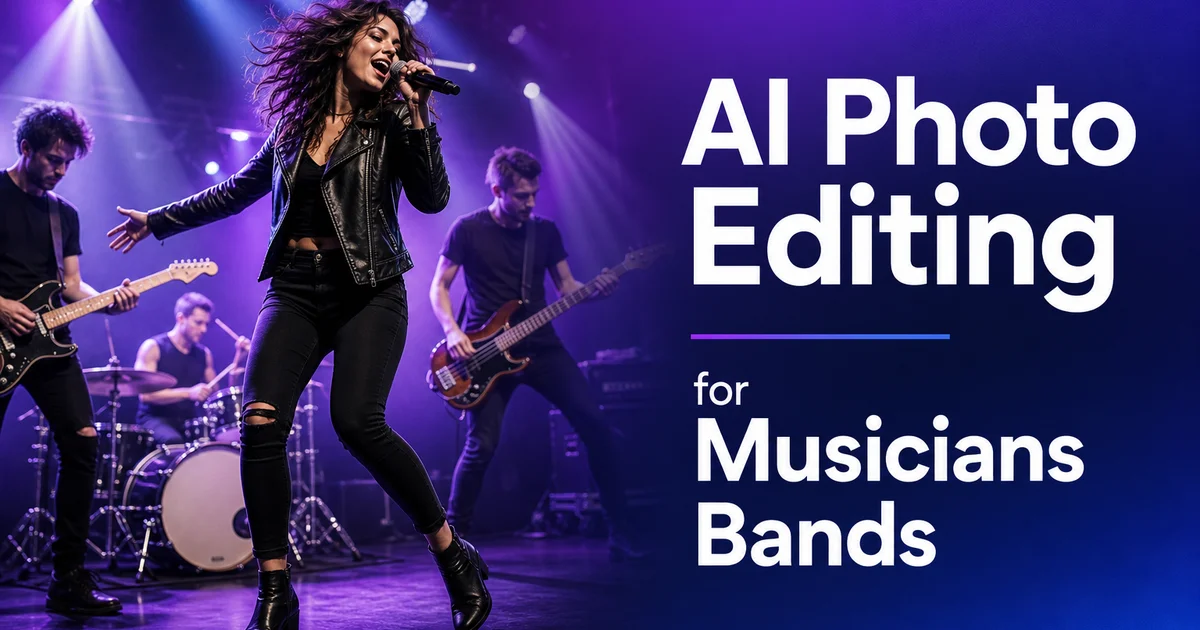
Na era do streaming, a marca visual de um músico é tão importante quanto seu som. Os próprios recursos para artistas do Spotify enfatizam que uma imagem de perfil forte e uma identidade visual consistente aumentam a conversão de seguidores e a inclusão em playlists. Instagram e TikTok são os principais canais de descoberta, onde os fãs passam por milhares de publicações. E os artistas que fazem os polegares parar são aqueles com visuais marcantes e de aparência profissional. No entanto, a maioria dos músicos e bandas independentes não pode arcar com sessões fotográficas profissionais regulares. Eles dependem de cliques de smartphone tirados em shows ao vivo, selfies na sala de ensaio e uma única foto de imprensa desatualizada de três anos atrás.
A distância entre o que custa uma marca visual profissional e o que os artistas independentes podem pagar tem sido ampla no passado. Uma única sessão fotográfica profissional de banda custa de 500 a 2.000 dólares. Razoável para um artista contratado com apoio de gravadora, mas proibitivo para uma banda local que divide as gorjetas de um show de terça à noite. As ferramentas de edição de fotos com IA fecham essa distância transformando o material bruto que os músicos já têm. Fotos de shows ao vivo, cliques espontâneos de bastidores, registros de ensaio — em peças promocionais polidas.
Este guia aborda os fluxos de trabalho específicos de edição de fotos de que músicos e bandas precisam para construir e manter uma marca visual profissional, desde corrigir a iluminação péssima do local até criar estéticas consistentes em cada plataforma onde os fãs descobrem e seguem você.
- A substituição de fundo permite criar retratos promocionais com qualidade de estúdio a partir de qualquer local — sala de ensaio, estacionamento ou camarim do local.
- Os filtros de IA aplicam estilos visuais consistentes e adequados ao gênero em todas as suas imagens promocionais para reconhecimento de marca imediato.
- A correção de fotos ao vivo conserta a iluminação extrema de palco, as sombras profundas e os tons de cor desviados que tornam as fotos de show inutilizáveis.
- A remoção de objetos limpa pedestais de microfone, emaranhados de cabos, placas de saída e a identidade visual do local nos retratos da banda.
- O aprimoramento com IA resgata fotos de smartphone mal iluminadas de locais pequenos e as transforma em conteúdo aproveitável para redes sociais.
- As exportações específicas para cada plataforma a partir de uma única imagem de origem editada cobrem Spotify, Apple Music, Instagram, YouTube e kits de imprensa.
Por que músicos lutam com branding visual
A indústria da música sempre foi visual. Capas de álbum, videoclipes e cartazes de show moldaram a identidade dos artistas por décadas. Mas as plataformas de streaming e as redes sociais multiplicaram o número de pontos de contato visuais onde um artista precisa apresentar uma aparência coesa. Seu perfil de artista no Spotify, sua página no Apple Music, seu canal no YouTube, sua grade no Instagram, seu perfil no TikTok, seu cabeçalho no Bandcamp, seu kit de imprensa, seu cartaz de evento e sua loja de produtos todos precisam de fotos. E todas precisam parecer pertencer ao mesmo artista.
Os músicos independentes enfrentam um problema de recursos. A fotografia profissional é cara e pouco frequente. A maioria das bandas consegue fotos profissionais uma vez por ano, na melhor das hipóteses, e depois estica essas imagens por cada plataforma e necessidade promocional até as fotos parecerem gastas. Entre as sessões profissionais, eles preenchem as lacunas com fotos de celular que não correspondem à qualidade nem ao estilo do trabalho profissional. O resultado é uma identidade visual fragmentada. Fotos de imprensa polidas ao lado de selfies borrados do local ao lado de registros de ensaio mal iluminados.
A fotografia de show ao vivo acrescenta outra camada de dificuldade. As fotos de show costumam ser as imagens mais enérgicas e autênticas que um músico tem. Elas são feitas nas piores condições possíveis: luzes de palco coloridas que mudam rapidamente, contraste extremo entre os artistas iluminados pelos refletores e a plateia escura, borrão de movimento e névoa das máquinas de fumaça do palco. Sem uma edição importante, a maioria das fotos ao vivo fica escura demais, com desvio de cor demais ou ruído demais para servir de material promocional.
- As plataformas de streaming e redes sociais exigem visuais consistentes em 8 a 10 formatos de perfil diferentes.
- As sessões fotográficas profissionais são caras (500-2.000 dólares) e pouco frequentes para artistas independentes.
- As fotos de show ao vivo são autênticas, mas tecnicamente desafiadoras: iluminação extrema, borrão de movimento e ruído.
- A distância entre as fotos de sessão profissional e os cliques cotidianos de celular fragmenta a identidade visual.
Criando retratos promocionais de qualquer local
Você não precisa de um estúdio fotográfico para criar retratos promocionais de aparência profissional. Você precisa de uma câmera ou smartphone decente, luz natural razoável e o Background Eraser. Fotografe os integrantes da banda um a um ou em grupo em qualquer local acessível. Uma sala de ensaio, um estacionamento, a sala de estar de um amigo ou o camarim do local antes de um show. Concentre-se em captar expressões genuínas e uma linguagem corporal que reflitam sua personalidade musical.
Abra as fotos no Background Eraser e isole os sujeitos do cenário em que você por acaso fotografou. Substitua o fundo por algo que reforce sua identidade de marca. Um fundo preto sólido cria o drama do rock clássico. Um degradê roxo profundo ou azul meia-noite parece sombrio e adequado ao dream pop ou a grupos eletrônicos. Cores neon ousadas funcionam para hip-hop e pop. Um fundo de parede de concreto texturizado ou de tijolos combina com punk, garage rock. Com as estéticas indie sem obrigá-lo a realmente encontrar a parede de tijolos perfeita.
A vantagem decisiva é a consistência. Quando cada foto promocional usa o mesmo tratamento de fundo, sua marca visual é instantaneamente distinta, quer um fã veja você no Spotify, no Instagram, na página de evento de um local ou em uma matéria de blog. Você pode atualizar essas fotos com a frequência que quiser. Depois de cada ensaio, antes de cada show, sempre que alguém na banda muda o visual — porque a edição leva minutos, não horas, e não custa nada além da assinatura da ferramenta.
Corrigindo fotos de shows ao vivo
As fotos de show ao vivo carregam uma energia que as fotos promocionais posadas não conseguem reproduzir. Um vocalista no meio de um grito, um guitarrista perdido em um solo, um baterista capturado em um borrão cinético. Os fãs se conectam com esses momentos porque eles representam a experiência real de ver o artista se apresentar. Mas tecnicamente, a maioria das fotos ao vivo é uma bagunça. A iluminação do palco muda entre vermelho, azul, verde e roxo a cada poucos segundos. Os refletores criam pontos estourados em rostos e instrumentos enquanto todo o resto cai para um quase preto. A fumaça do palco espalha a luz e reduz o contraste. A iluminação de locais pequenos costuma ser apenas algumas par cans que deixam metade do palco em escuridão total.
O AI Enhance trata desses problemas em uma única passagem. Ele detecta a cor dominante da iluminação do palco e a corrige parcialmente, mantendo o suficiente da qualidade teatral para preservar a atmosfera ao vivo. Ele clareia as sombras profundas para revelar detalhe nas áreas escuras sem deixar a imagem com aparência chapada. Ele reduz o ruído que a captação com ISO alto em locais escuros produz com o tempo. O resultado é uma foto de show que parece capturada e editada profissionalmente, mas que ainda transmite autenticidade da experiência ao vivo.
Para as situações de iluminação mais extremas. Um artista totalmente iluminado em vermelho profundo sem nenhuma outra fonte de luz — o AI Enhance pode não corrigir totalmente o desvio de cor, mas equilibrará a exposição e reduzirá o ruído o suficiente para tornar a foto utilizável. Sobreponha o Magic Eraser para remover elementos indesejados como placas de saída, extintores ou a identidade visual do local visíveis atrás do artista. Você tem uma foto de show pronta para redes sociais a partir do que originalmente era uma captura escura e inutilizável de smartphone.
- O AI Enhance corrige parcialmente os desvios de cor da iluminação do palco preservando a atmosfera teatral da apresentação ao vivo.
- O clareamento de sombras revela detalhe nas áreas escuras sem deixar a imagem com aparência chapada ou superprocessada.
- A redução de ruído resgata fotos com ISO alto de locais escuros, tornando utilizáveis as fotos de show feitas com smartphone.
- Sobreponha o Magic Eraser para remover placas de saída, identidade visual do local e bagunça visíveis atrás dos artistas.
Construindo uma estética de gênero consistente com filtros de IA
O estilo visual comunica o gênero antes mesmo de o ouvinte apertar o play. Os fãs que navegam por uma playlist ou rolam as redes sociais fazem associações instantâneas com base no tom visual: imagens escuras e dessaturadas sugerem música pesada ou alternativa, um visual quente com granulado de filme sugere indie ou folk, cores saturadas de alto contraste sugerem pop ou hip-hop, uma estética limpa e minimalista sugere eletrônica ou ambient. Seu estilo visual deve combinar com sua identidade sonora.
O AI Filter permite definir um tratamento visual consistente e aplicá-lo em todas as suas imagens promocionais. Selecione um estilo base que reflita seu gênero e depois ajuste a intensidade a gosto. Aplique o mesmo filtro a retratos da banda, fotos ao vivo, conteúdo de bastidores e até fotos de produtos da loja. Quando cada imagem da sua grade do Instagram compartilha a mesma qualidade tonal, seu perfil se torna uma experiência visual coesa em vez de uma coleção aleatória de fotos.
A consistência ao longo do tempo é igualmente importante. Quando você lança um novo single ou álbum, atualize suas fotos promocionais com tomadas frescas editadas no mesmo estilo estabelecido. Os fãs devem reconhecer sua marca visual na hora, mesmo quando as imagens específicas mudam. Pense nas configurações do seu filtro como um logotipo visual — ele permanece consistente entre lançamentos, estações e plataformas. O desvio deliberado ocasional (um EP acústico despojado com fotos claras e limpas) torna-se mais impactante quando contrasta com uma norma estabelecida.
- O tom visual comunica o gênero na hora: tons escuros para música pesada, granulado quente para indie, cor ousada para pop.
- Aplique o mesmo filtro de IA a retratos, fotos ao vivo e conteúdo de bastidores para um branding coeso.
- Mantenha seu estilo visual entre lançamentos e estações para que os fãs reconheçam sua marca na hora.
- Os desvios deliberados do seu estilo estabelecido tornam-se mais impactantes quando a norma é consistente.
Limpando fotos de banda para imprensa e redes sociais
As fotos da banda acumulam bagunça visual que distrai dos sujeitos. Nas fotos do local, pedestais de microfone em ângulos estranhos, emaranhados de cabos cruzando o palco, placas de saída iluminadas acima das portas. Copos de bebida sobre os monitores de palco atraem o olhar para longe dos artistas. Nas sessões ao ar livre e informais, pedestres passando, carros estacionados, lixo e placas comprometem a composição. Nas fotos da sala de ensaio, cases de equipamento, mochilas, garrafas de água e extensões emaranhadas preenchem o fundo.
O Magic Eraser remove essas distrações rapidamente. Pincele sobre um cabo e ele desaparece no piso do palco. Pinte sobre uma placa de saída e a IA reconstrói a parede ou o teto atrás dela. Remova um pedestal de microfone que está bloqueando o rosto de um integrante da banda e a IA preenche o corpo dele e o fundo. Para fotos de grupo em que um integrante piscou ou olhou para o lado, talvez você não consiga compor as cabeças. Você pode pelo menos limpar todos os outros elementos do quadro para que aquela única expressão imperfeita seja o único compromisso.
Os kits de imprensa exigem as imagens mais limpas possíveis porque blogs de música, revistas e promotores de eventos as usarão sem edição adicional. Forneça aos seus contatos de imprensa imagens que passaram pelo fluxo de trabalho completo: substituição ou limpeza de fundo, AI Enhance para cor e exposição, Magic Eraser para quaisquer distrações restantes, e cortadas para dimensões de imprensa padrão. Uma imagem pronta para imprensa evita a situação constrangedora em que um local promove seu show com a pior foto das suas redes sociais em vez da imagem que você pretendia.
Exportações específicas por plataforma e guia de formato
Cada plataforma onde sua música vive tem especificações de imagem diferentes. Usar dimensões ou resolução erradas significa que sua foto cuidadosamente editada acaba cortada de forma estranha ou comprimida em uma miniatura borrada. Crie todas as suas exportações a partir da mesma imagem de origem editada em alta resolução para manter a consistência visual entre as plataformas.
Para os perfis de artista do Spotify e do Apple Music, use um corte quadrado (mínimo de 2400x2400 pixels). A imagem aparece em cortes circulares em algumas interfaces. Mantenha o sujeito centralizado com um pouco de respiro nas bordas. A arte de canal do YouTube usa um banner de 2560x1440 pixels com uma área segura de 1546x423 pixels no centro. Projete para a área segura e deixe as bordas serem decorativas. As publicações do feed do Instagram têm melhor desempenho em 1080x1350 pixels (4:5 retrato), enquanto os Stories e Reels usam 1080x1920 (9:16). As capas de evento do Facebook são de 1200x628 pixels.
Para materiais impressos — pôsteres, panfletos e produtos — exporte a 300 DPI no tamanho de impressão pretendido. Um pôster padrão de 11x17 requer 3300x5100 pixels. Sempre mantenha o arquivo original editado em alta resolução para poder reexportar para qualquer formato no futuro sem editar do zero. Mantenha uma estrutura de pastas organizada por data de edição e finalidade (redes sociais, perfis de streaming, imprensa, impressão) para encontrar rapidamente a versão certa quando um promotor de evento mandar um e-mail à meia-noite pedindo uma foto de imprensa.
- Spotify e Apple Music: quadrado, mínimo de 2400x2400px, sujeito centralizado para as variantes de corte circular.
- Arte de canal do YouTube: 2560x1440px com área segura de 1546x423px centralizada.
- Feed do Instagram: 1080x1350px (4:5); Stories e Reels: 1080x1920px (9:16).
- Materiais impressos: 300 DPI no tamanho pretendido; mantenha os originais em alta resolução para reexportação futura.
How to do it
- 1
Gather your raw photos from shows, rehearsals, and shoots
Collect the best shots from live performances, rehearsal spaces, casual band hangouts, and any formal photo sessions. Focus on images that capture energy and personality. Even smartphone photos from a dimly lit venue can become usable assets with AI editing.
- 2
Remove background distractions and isolate subjects
Use Background Eraser to isolate band members or solo artists from cluttered venue backgrounds, messy rehearsal spaces, or inconsistent outdoor settings. Replace with a solid color, gradient, or themed backdrop that matches your musical brand and genre aesthetic.
- 3
Apply AI filters for genre-appropriate visual style
Use AI Filter to apply a consistent visual style across all your promotional images. Dark moody tones for metal and alternative acts, warm vintage film looks for indie and folk, high-contrast bold colors for pop and hip-hop. A consistent filter style ties your social media, streaming profiles, and press materials together visually.
- 4
Fix lighting and exposure from live performance shots
Run live performance photos through AI Enhance to correct the extreme lighting conditions at concerts. Harsh colored stage lights, deep shadows, blown-out spotlights, and mixed color temperatures. AI Enhance balances these exposures and restores natural skin tones while keeping the energy of the stage lighting.
- 5
Clean up promotional portraits
Use Magic Eraser to remove unwanted elements from band portraits: mic stands in awkward positions, cable clutter on stage, exit signs above heads, drink cups on nearby tables. Venue branding you do not have rights to display. The AI fills these areas with clean background texture.
- 6
Export for streaming platforms, social media, and press kits
Create platform-specific exports: square crops for Spotify and Apple Music artist profiles, 16:9 for YouTube channel art, 4:5 for Instagram feed posts. High-resolution versions for press kits and poster printing. Maintain the same visual style across all formats for brand recognition.