
Edição de fotos com IA para blogueiros de gastronomia: Crie imagens de receitas que param o scroll
Use a edição de fotos com IA para transformar a fotografia gastronômica do seu blog. Remova a bagunça da mesa, melhore as cores apetitosas, troque fundos e otimize imagens para Pinterest, Instagram e resultados de busca de receitas.
SEO & Growth
Revisado por Magic Eraser Editorial ·
Índice
- Por que a qualidade da fotografia gastronômica impacta diretamente a receita do blog
- Corrigindo imperfeições da fotografia gastronômica do mundo real
- Correção de cor que faz a comida parecer apetitosa
- Substituição de fundo para estética de blog consistente
- Otimizando imagens gastronômicas para Pinterest, Instagram e SEO de receitas
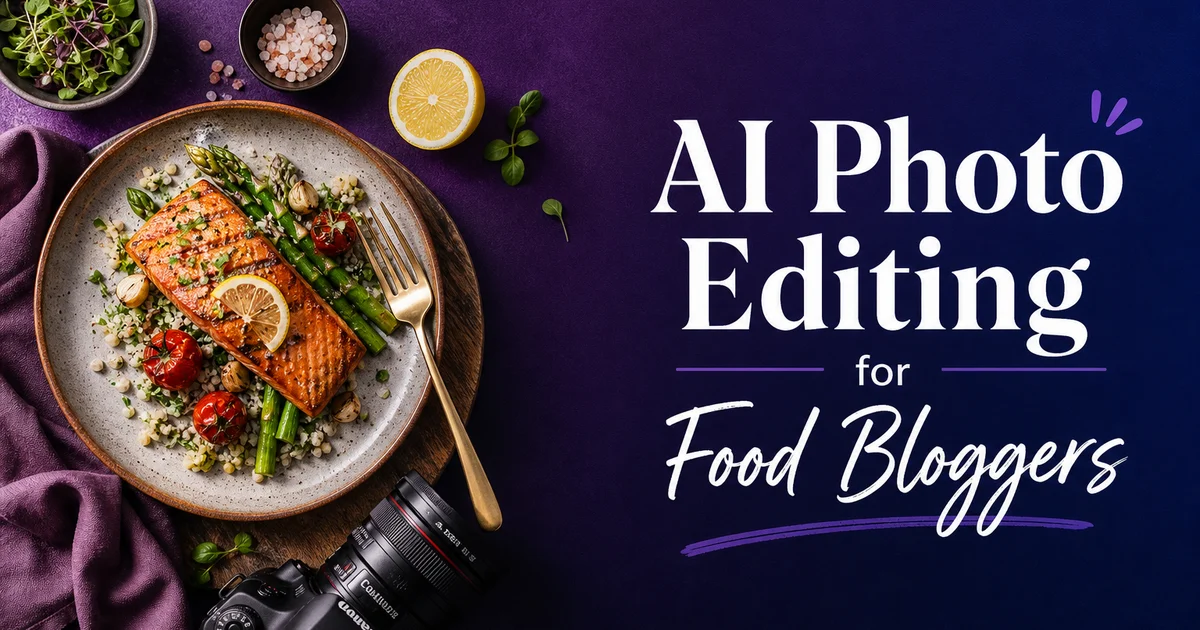
O blog gastronômico vive e morre pela qualidade da fotografia. Um estudo da Mediavine descobriu que blogs de culinária com imagens sempre de alta qualidade geram muito mais receita publicitária por visualização de página, porque os visitantes passam mais tempo na página, rolam mais a fundo pelo conteúdo e clicam para outras receitas. Os leitores decidem em segundos se vale a pena experimentar uma receita baseando-se inteiramente na imagem principal. Se a foto não fizer o prato parecer delicioso, eles voltam aos resultados de busca, não importa quão bem escrita esteja a receita ou quão boa ela seja de fato.
O desafio para os blogueiros gastronômicos é que, no passado, uma ótima fotografia de comida exigia uma configuração cara: equipamento de iluminação profissional, coleções de adereços selecionados, superfícies e cenários estilizados. Horas de pós-produção no Lightroom e no Photoshop para corrigir o balanço de branco, remover imperfeições e fazer as cores saltarem. Blogueiros que fotografam dezenas de receitas por mês não podem se dar ao luxo de gastar duas horas editando cada imagem, e quem fotografa em restaurantes não tem nenhum controle sobre o ambiente. Iluminação ruim, mesas bagunçadas e fundos indesejados são a norma.
As ferramentas de edição de fotos com IA comprimem o fluxo de trabalho da fotografia gastronômica de horas para minutos por imagem. O Magic Eraser remove as migalhas, os pingos e a bagunça de fundo que atrapalham as sessões de comida do mundo real. O AI Enhance corrige os problemas de balanço de branco e de vivacidade de cores que fazem a comida parecer pouco apetitosa sob luz artificial. O AI Fill pode substituir um fundo inteiro quando o ambiente da foto joga contra você. O resultado é uma fotografia gastronômica de qualidade profissional, alcançável por um blogueiro solitário fotografando na cozinha de casa com um smartphone.
- Remova migalhas, pingos de molho, impressões digitais em copos e bagunça da mesa das fotos de comida em segundos.
- Corrija o balanço de branco para eliminar os tons de cor amarelo quente ou azul frio que fazem a comida parecer pouco apetitosa.
- Substitua fundos bagunçados de restaurante por superfícies limpas que combinem com a estética do seu blog.
- Realce a vivacidade das cores para que os verdes pareçam frescos, os vermelhos intensos e os tons dourados perfeitamente crocantes.
- Exporte em tamanhos otimizados para Pinterest, Instagram e imagens principais de blog a partir de um único arquivo mestre editado.
Por que a qualidade da fotografia gastronômica impacta diretamente a receita do blog
Os blogs gastronômicos monetizam por meio de publicidade display, links de afiliados, conteúdo patrocinado e venda de livros de receitas. E cada uma dessas fontes de receita é influenciada pela qualidade da fotografia. Redes de publicidade display como Mediavine e AdThrive usam métricas de engajamento, incluindo tempo na página e profundidade de rolagem. E páginas por sessão para determinar as taxas de anúncio. Imagens de alta qualidade mantêm os leitores engajados por mais tempo, aumentam a profundidade de rolagem à medida que veem as fotos do processo passo a passo. Incentivam cliques para receitas relacionadas, tudo isso aumentando diretamente o RPM (receita por mil visualizações de página).
O Pinterest gera a maior parcela de tráfego para a maioria dos blogs gastronômicos. O Pinterest é uma plataforma totalmente visual onde a imagem é o conteúdo. Um pin de receita com uma imagem principal deslumbrante, bem iluminada e devidamente estilizada superará uma receita idêntica com uma foto medíocre em uma ordem de grandeza em salvamentos e cliques. O algoritmo do Pinterest promove os pins que recebem alto engajamento inicial, criando um efeito cumulativo em que uma fotografia melhor leva a mais distribuição. Leva a mais tráfego, o que leva a mais receita publicitária. A qualidade fotográfica de uma única imagem pode determinar se uma receita atrai dez visitantes ou dez mil.
As parcerias de conteúdo patrocinado, que representam a maior receita por publicação para os blogueiros gastronômicos, são concedidas com base na qualidade do portfólio visual. As marcas que avaliam parceiros em potencial percorrem as publicações recentes de um blogueiro e fazem um julgamento em segundos sobre se a qualidade visual atende aos seus padrões. Um blog gastronômico com imagens sempre de aparência profissional cobra taxas de três a cinco vezes mais altas do que um com fotos inconsistentes de qualidade de smartphone. Mesmo que os dois blogs tenham números de tráfego semelhantes. O padrão visual do seu acervo determina diretamente seu potencial de ganhos por publicação patrocinada.
- O RPM da publicidade display aumenta com o tempo na página e a profundidade de rolagem, ambos impulsionados por uma fotografia envolvente que mantém os leitores navegando.
- O Pinterest distribui os pins visualmente atraentes exponencialmente mais do que os medíocres, criando efeitos cumulativos de tráfego.
- As taxas de conteúdo patrocinado estão diretamente ligadas à qualidade visual do portfólio — fotos profissionais cobram taxas de três a cinco vezes mais altas.
- Uma qualidade fotográfica consistente em todo o seu acervo constrói a percepção de marca que desbloqueia oportunidades premium de monetização.
Corrigindo imperfeições da fotografia gastronômica do mundo real
Até a sessão de comida mais cuidadosamente estilizada produz imagens com imperfeições que precisam ser removidas. As migalhas se espalham do pão fatiado. Respingos de molho caem fora do prato. A condensação de uma bebida gelada pinga na superfície da mesa. Um fio de cabelo perdido do cozinheiro cai na borda do prato. Esses detalhes são invisíveis na correria da sessão, mas gritantemente óbvios quando você revisa as imagens em uma tela maior. Fotógrafos gastronômicos profissionais reservam tempo para retocar cada foto. Blogueiros solitários que fotografam várias receitas por dia não podem se dar a esse luxo.
O Magic Eraser lida com essas imperfeições próprias da comida com notável precisão. Passe o pincel sobre migalhas espalhadas em uma tábua de corte de madeira e elas desaparecem, substituídas pela textura dos veios da madeira que continua sem emendas. Remova um pingo de molho da borda de um prato branco e a superfície de cerâmica limpa se preenche perfeitamente. Apague manchas de impressões digitais de uma taça de vinho e a superfície transparente se recompõe de forma limpa. A ferramenta entende as texturas dos materiais — madeira, cerâmica, vidro, linho — e as reconstrói com precisão ao preencher a imperfeição removida.
A limpeza do fundo é igualmente importante para a fotografia gastronômica feita em ambientes reais. Fotos de restaurante incluem outros clientes, garçons, cardápios, porta-condimentos e porta-contas que poluem o enquadramento. Fotos de cozinha doméstica captam a borda de um escorredor de pratos, uma tomada visível ou uma bancada bagunçada. O Magic Eraser remove essas distrações, e o Background Eraser pode isolar o prato por completo se você quiser compô-lo sobre uma superfície limpa ou usá-lo como gráfico recortado para pins do Pinterest e cartões de redes sociais.
- Remova migalhas, respingos, pingos de condensação e fios de cabelo perdidos que aparecem mesmo em sessões de comida cuidadosamente estilizadas.
- O Magic Eraser reconstrói as texturas dos materiais — veios de madeira, cerâmica, vidro, linho — com precisão ao preencher as áreas removidas.
- Limpe os fundos de restaurante e de cozinha doméstica removendo objetos que distraem, tomadas e bagunça.
- O Background Eraser isola os pratos para compô-los sobre superfícies estilizadas ou criar gráficos recortados para o Pinterest.
Correção de cor que faz a comida parecer apetitosa
A precisão das cores é especialmente crucial na fotografia gastronômica porque os humanos têm fortes reações instintivas às cores dos alimentos que determinam se algo parece comestível e apetitoso. Os verdes devem parecer frescos e vibrantes — verdes murchos e opacos sinalizam ingredientes velhos. Os vermelhos devem ser intensos e saturados — tomates, morangos e carne precisam parecer no auge da maturação. Os tons dourados de pães, doces e assados devem parecer quentes e caramelizados. Amarelo demais parece cru, escuro demais parece queimado. Erros de balanço de branco que mal seriam notados em uma foto de paisagem podem fazer a comida parecer completamente pouco apetitosa.
O problema de cor mais comum na fotografia gastronômica é fotografar sob luz artificial que introduz um tom de cor que o olho humano compensa, mas que a câmera registra fielmente. Lâmpadas incandescentes de cozinha adicionam um tom amarelo-laranja quente que deixa tudo com aparência gordurosa e cozida demais. Luzes fluorescentes adicionam um tom esverdeado que deixa a comida com aparência doentia. Painéis de LED podem introduzir um tom azul que deixa alimentos quentes com aparência fria e pouco atraente. Até a luz natural muda de temperatura de cor ao longo do dia. A luz da hora dourada é quente, a luz de céu nublado é fria, e o sol direto do meio-dia é duro, com sombras profundas.
O AI Enhance corrige esses problemas de cor de forma inteligente, em vez de aplicar um ajuste uniforme de balanço de branco. Ele identifica os diferentes materiais no enquadramento e os ajusta por conta própria. Neutralizando o tom de cor em pratos e tecidos brancos, ao mesmo tempo que mantém os tons quentes naturais das crostas douradas e dos legumes assados. Ele aumenta a vivacidade do verde em ervas e saladas sem supersaturar os elementos vermelhos no mesmo enquadramento. Essa correção seletiva produz imagens em que cada elemento parece no seu melhor natural, em vez do meio-termo que um único controle deslizante global de balanço de branco oferece.
- Lâmpadas incandescentes adicionam tons amarelo-laranja que deixam a comida gordurosa; as fluorescentes adicionam verde que parece doentio.
- O AI Enhance corrige os tons de cor de forma seletiva — neutralizando pratos e tecidos enquanto preserva os tons naturais da comida.
- A vivacidade do verde em ervas e saladas pode ser aumentada independentemente dos elementos vermelhos, como tomates e frutas vermelhas.
- A abordagem seletiva evita o meio-termo de um único ajuste global de balanço de branco que ajuda alguns elementos enquanto prejudica outros.
Substituição de fundo para estética de blog consistente
Blogs gastronômicos de sucesso mantêm uma identidade visual consistente. Uma paleta distinta de superfícies, adereços e estilização que os leitores associam à marca. Mas a consistência é difícil quando você fotografa em locais diferentes, em horários diferentes do dia, com quaisquer superfícies e adereços disponíveis. Uma receita é fotografada em uma bancada de mármore em casa, a seguinte em uma mesa escura de restaurante de madeira, a seguinte em uma bancada de preparo de aço inoxidável durante uma demonstração de culinária. As fotos individuais podem parecer boas, mas a identidade visual do blog fica fragmentada ao longo de dezenas de ambientes inconsistentes.
O AI Fill possibilita a consistência do fundo independentemente de onde ou como você fotografou a imagem original. Isole o prato e seus elementos de estilização imediatos, depois gere um fundo de substituição que combine com a estética estabelecida do seu blog. Tons de madeira quentes para uma marca rústica, mármore limpo para uma estética sofisticada, linho neutro para um visual minimalista. A IA combina a direção da iluminação e a intensidade das sombras. E a temperatura de cor da cena original para que a composição pareça natural em vez de colada. O prato repousa de forma convincente em sua nova superfície porque a IA entende como a luz interage com diferentes materiais.
Essa técnica é especialmente valiosa para posts de coletâneas de receitas e coleções sazonais. E também para designs de pins do Pinterest em que a consistência visual entre várias imagens faz a coleção parecer curada e profissional. Uma coletânea de receitas de Ação de Graças em que cada prato repousa na mesma mesa de madeira quente cria uma narrativa visual coesa que uma mistura de fundos aleatórios não consegue alcançar. A consistência sinaliza intenção editorial e qualidade. A mesma linguagem visual que as revistas gastronômicas usam e que os leitores associam instintivamente a conteúdo confiável e profissional.
- O AI Fill gera fundos de substituição que combinam com a identidade visual estabelecida e a estética de marca do seu blog.
- A direção da iluminação, os padrões de sombra e a temperatura de cor são combinados para que as composições pareçam naturais e convincentes.
- Posts de coletâneas de receitas e coleções sazonais se beneficiam mais de fundos consistentes entre várias imagens.
- A consistência visual sinaliza qualidade editorial e constrói o reconhecimento de marca que diferencia os blogs gastronômicos profissionais.
Otimizando imagens gastronômicas para Pinterest, Instagram e SEO de receitas
Cada plataforma onde os blogs gastronômicos distribuem conteúdo tem necessidades de imagem específicas que afetam tanto a qualidade visual quanto o desempenho algorítmico. O Pinterest favorece imagens verticais altas na proporção 2:3 (1000 por 1500 pixels) com sobreposições de texto em negrito para os títulos das receitas. Esses pins recebem mais impressões e salvamentos do que imagens quadradas ou horizontais. O Instagram tem melhor desempenho com imagens quadradas (1080 por 1080) ou altas (1080 por 1350) com alta saturação de cor que se destacam em um feed de rolagem rápida. As imagens principais de blog devem ter pelo menos 1200 pixels de largura para uma renderização nítida em telas de alta densidade e prévias adequadas de compartilhamento social.
Para os resultados de busca de receitas do Google, que são a principal fonte de tráfego orgânico para a maioria dos blogs gastronômicos, a imagem principal deve atender a padrões de qualidade específicos. O Google recomenda imagens com pelo menos 1200 pixels de largura e em orientação paisagem ou quadrada para os cartões de resultados avançados de receitas. A imagem deve mostrar claramente o prato finalizado, não uma foto do processo ou uma cena de mesa estilizada em que a comida é secundária. Os algoritmos de qualidade de imagem do Google avaliam nitidez e exposição. E a composição, e imagens de baixa qualidade podem impedir que uma receita apareça no carrossel visual de receitas que domina o topo dos resultados de busca relacionados a comida.
Crie um fluxo de trabalho de exportação multiplataforma a partir de uma única imagem mestre de alta resolução. Edite a imagem uma vez em resolução total, depois exporte versões derivadas recortadas e dimensionadas para cada plataforma. O Pinterest recebe um recorte vertical com o prato centralizado na parte superior (deixando espaço para a sobreposição de texto). O Instagram recebe um recorte quadrado ou quase quadrado que preenche o enquadramento. Seu blog recebe a versão paisagem completa. O AI Enhance pode nitidificar cada exportação uma a uma para compensar o amolecimento que ocorre durante o redimensionamento, garantindo que cada derivada pareça nítida em seu tamanho de destino.
- Os pins do Pinterest têm melhor desempenho a 1000 por 1500 pixels (vertical 2:3) com sobreposição de texto — pins mais altos recebem mais impressões e salvamentos.
- Os resultados avançados de receitas do Google exigem imagens com pelo menos 1200 pixels de largura que mostrem claramente o prato finalizado.
- Edite uma vez em resolução total e exporte recortes derivados dimensionados para Pinterest, Instagram, imagem principal de blog e compartilhamento social.
- O AI Enhance nitidifica cada exportação individualmente para compensar o amolecimento introduzido pelo redimensionamento e pela recompressão das plataformas.
How to do it
- 1
Photograph the dish with natural light and proper styling
Shoot near a large window using natural side light. Creates the soft shadows and gentle highlights that make food look appetizing. Style the scene with matching props. Linens, utensils, garnishes, and ingredients — that tell the story of the dish without cluttering the frame. Take multiple angles including overhead flat-lay, 45-degree three-quarter view, and straight-on for layered dishes like burgers and cakes.
- 2
Remove distracting background elements and table clutter
Use Magic Eraser to remove stray crumbs, sauce drips on the table surface, fingerprints on glassware, price tags on props. Any background clutter that draws attention away from the food. For busy restaurant settings, erase other diners, menus, condiment bottles, and receipt holders that crept into the frame. Clean backgrounds direct the viewer's eye straight to the dish.
- 3
Enhance color vibrancy and white balance for appetizing tones
Run the image through AI Enhance to correct white balance, which is critical for food photography. A warm color cast makes everything look yellow and greasy, while a cool cast makes food look unappetizing and clinical. Boost saturation slightly to make greens, reds, and golden-brown tones pop. The goal is colors that look vibrant but natural — oversaturation makes food look artificial and processed.
- 4
Use AI Fill to improve or replace the background setting
If the original background is cluttered or does not match the aesthetic of your blog, use AI Fill to generate a clean replacement. Swap a busy restaurant table for a rustic wooden surface, a marble countertop, or a neutral linen backdrop. AI Fill matches the lighting direction and shadow patterns of the original scene so the dish sits naturally in its new setting.
- 5
Export at optimized sizes for blog posts and Pinterest
Save the hero image at high resolution for your blog post, then export extra versions optimized for Pinterest (1000 by 1500 pixels vertical format), Instagram (1080 by 1080 or 1080 by 1350), and Facebook (1200 by 630). Consistent, expert food photography across all platforms builds your blog's visual identity and drives higher click-through rates from social feeds and search results.
Fontes
- Food Photography and Styling: How What You Eat Looks on Camera — The New York Times
- The State of Food Blogging: Traffic and Revenue Report — Mediavine
- How Pinterest Drives Food Blog Traffic — Pinterest Business