
AI Create style
เครื่องสร้างภาพครอสติชด้วย AI
สร้างภาพสไตล์ครอสติชจากข้อความด้วยฝีเข็มรูป X ที่ชัดเจน ชุดสีจำกัด และพื้นผิวผ้าที่มองเห็นได้ เหมาะกับลายตกแต่ง การ์ด ของขวัญ และไอเดียงานฝีมือ โดยระบุตัวแบบ สีด้าย ความหนาแน่นของฝีเข็ม และชนิดผ้า

Use case
ลายตกแต่ง งานแขวนผนัง และไอเดียของขวัญเฉพาะบุคคล
Use case
ลวดลายสำหรับการ์ด งานประดิษฐ์ และบรรจุภัณฑ์อารมณ์ทำมือ
Use case
ไอคอน ลายประดับ และตัวละครเรียบง่ายแบบงานปัก

Visual direction preview
Use the style thumbnail as the creative target
The preview gives users a concrete reference for color, texture, edge detail, and mood before they open the generator. Pair it with the prompt starters below to keep the page useful instead of only decorative.
Generated examples
See the ครอสติช style in real outputs
These examples were generated through the Magic Eraser AI Create API with the ครอสติช style selected.
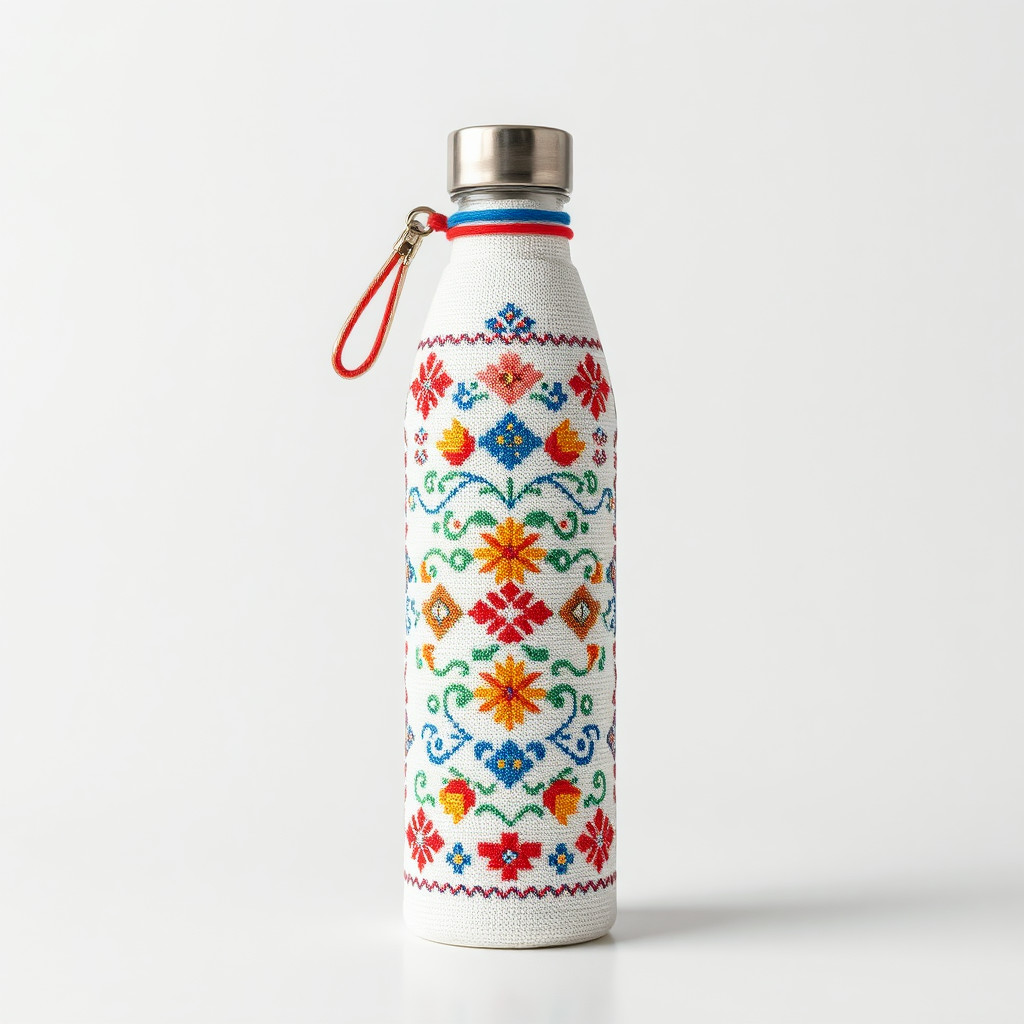
Prompt workflow
How to get a stronger ครอสติช result
เลือกตัวแบบหลักหนึ่งอย่างที่มีเส้นรอบรูปชัดและองค์ประกอบเรียบง่าย
ระบุสีด้าย ขนาดฝีเข็ม X ชนิดผ้า และระดับรายละเอียด
สร้างหลายแบบ เลือกลายที่อ่านง่ายที่สุด แล้วครอปและลบฝีเข็มส่วนเกิน
Prompt starters
- “ช่อดอกไม้ป่าครอสติช ด้ายแดงและเขียว ผ้าลินินสีครีม องค์ประกอบสมมาตร”
- “สุนัขจิ้งจอกตัวเล็กครอสติช โทนฤดูใบไม้ร่วง ฝีเข็ม X ชัด ผ้าขาว”
- “ลายภูเขาครอสติช สีน้ำเงินและเขียว องค์ประกอบมินิมอล”
Style tips
- จำกัดชุดสีเพื่อให้รูปทรงชัดเจนบนตารางผ้า
- ใช้รูปทรงเรียบง่ายแทนรายละเอียดเล็กจำนวนมาก
- เพิ่มข้อความที่ถูกต้องและตารางสำหรับพิมพ์หลังสร้างภาพ
Output planning checklist
- Decide the final placement before prompting: square post, vertical story, product insert, poster, thumbnail, or wide banner.
- Keep one primary subject and one visual mood so the ครอสติช style has a clear job.
- Describe the background as simple, detailed, bright, dark, studio, outdoor, or textured instead of leaving it open-ended.
- Generate variations first, then edit the selected image for crop, cleanup, and export size.
When to choose this style
Choose ครอสติช when the image needs a clear creative direction before production: an ad concept, a social visual, a character idea, a packaging mood, or a fast design draft. Choose another style if the final asset must look like a camera photo, preserve exact product color, or include precise typography.
For commercial work, treat the generated image as a starting point. Review details, remove distracting artifacts, add exact text separately, and export the final size from the editor.
FAQ
Can I edit the generated image?
Yes. Generate the image, then continue with cleanup, crop, background, and export tools in Magic Eraser.
Should I include exact text?
Use AI Create for the visual direction. Add exact text later with editable design tools for cleaner spelling and layout.
Is this style selected automatically?
The CTA opens AI Create with the ครอสติช style parameter, and the app falls back safely if the option changes.