
Cleanup & background editing
Handle high-intent cleanup workflows such as object removal, background removal, and generative rebuilding.






Enhancement & styling
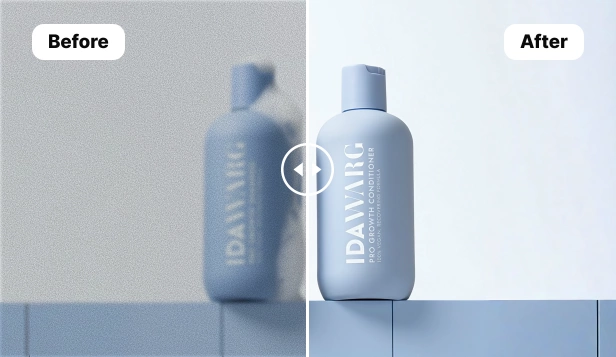
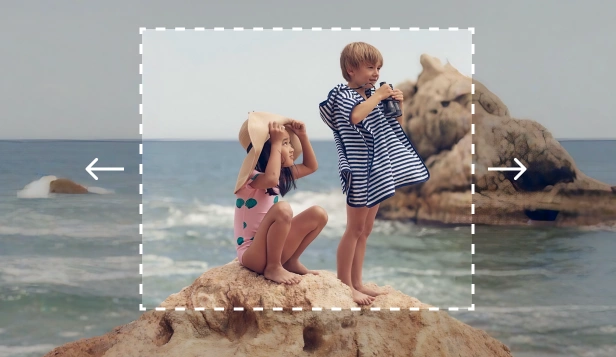
Improve image quality, expand framing, and apply styles for social, ecommerce, and marketing visuals.




Creation & design workflows
Generate new visuals from prompts or build final assets in the editor to move from idea to launch faster.




Common workflows you can start with immediately
Product photo cleanup
Use Remove Objects to clear distractions, Background Remover to create a clean cutout, then AI Enhance to sharpen the image before exporting for a website or marketplace.
Social and ad creative production
Start with AI Create for concept generation, refine mood and framing with AI Filter or AI Expand, then finish the asset in Design.
Fast retouch and rebuild
When you need to replace or repair part of an image, use AI Fill to rebuild the missing area naturally, then continue with AI Enhance or Design.
Questions about Magic Eraser tools
Use these answers to choose the right tool for the job, understand how the tools fit together, and know where to start for common editing workflows.
What is the Magic Eraser tools page for?
It acts as the main hub for Magic Eraser image workflows, including object removal, background removal, enhancement, expansion, filters, generative fill, image generation, and design.
Which tool should I start with?
Start with Remove Objects or Background Remover for cleanup work, AI Create or Design for asset creation, and AI Enhance or AI Expand when you need to improve or reframe an existing image.
Can these tools be combined in one workflow?
Yes. Many users remove a background, enhance the image, then move into Design or another editor to finish the asset for publishing.
Is this tools hub useful for ecommerce and social content?
Yes. The toolset is useful for product photography, social posts, banners, ads, thumbnails, marketplace visuals, and other marketing assets.
Related use cases
See how professionals use these tools in real-world workflows.
Listing photos cluttered with personal items, parked cars, or construction equipment can turn buyers away. Magic Eraser uses AI to clean up your property photos instantly — no Photoshop skills required.
Blurry backgrounds and cluttered product shots cost you sales every day. Magic Eraser helps you create clean, professional product images in seconds — no Photoshop skills required. Just upload, erase distractions, and list with confidence.
Photobombers ruining your travel pics? Messy backgrounds killing your selfie game? Stop wasting hours in Photoshop. Magic Eraser removes distractions, cleans up cluttered shots, and expands your photos to fit any platform format — all in one tap.
Passport and visa offices reject thousands of photos every day for incorrect backgrounds. Magic Eraser removes any background and replaces it with the exact color you need — white, light gray, or blue — in seconds.
Dealing with screenshots cluttered by captions, old photos stamped with dates, or images covered in text overlays? Magic Eraser's AI text remover erases unwanted text from any image and rebuilds the background naturally, so your photos look clean and professional.
You need eye-catching collages, banners, and flyers — but you don't have the budget for a designer or the time to learn Photoshop. Magic Eraser gives you layout tools, AI-generated backgrounds, and one-click cutouts so you can create scroll-stopping marketing visuals in minutes.
Other comparisons
See how Magic Eraser compares to other photo editing tools.
TouchRetouch is a popular paid mobile app for removing objects and blemishes. Magic Eraser offers free AI-powered editing on any device with no install required. See how they compare across features, pricing, and ease of use.
Cleanup.pictures is a free web tool for quick object removal. Magic Eraser goes further with 8 AI-powered editing tools, mobile apps, and advanced processing. See how the two compare.
remove.bg is the market leader for background removal, offering a powerful API and integrations with Photoshop and Figma. Magic Eraser goes further with eight AI-powered editing tools — from object removal and generative fill to AI enhance and design — all in one editor.
Two powerful AI photo editors with different strengths. Magic Eraser offers a broader set of generative AI tools for creative editing, while Photoroom excels at e-commerce product photography and batch processing. See which fits your workflow.
We tested and compared the top AI photo editing tools so you don't have to. From object removal to background replacement, see which editor delivers the best results for your workflow.
Photoshop is the industry standard for deep image editing, but many people only need fast object removal, clean backgrounds, and AI-powered fixes. Magic Eraser focuses on those jobs with a lighter workflow that works in seconds on web and mobile.