
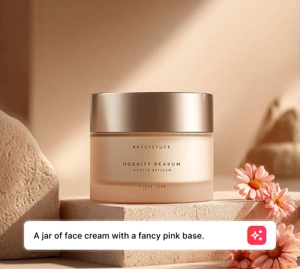
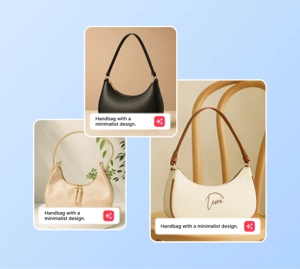


"I needed social media visuals fast and didn't have a photographer. Typed a prompt, picked a style, and had four usable images in under a minute. This is a game changer for solo creators."
PixelNomad
April 12, 2026 • 63 helpful
Use Magic Eraser's AI image generator to turn prompts into fresh visuals for ads, social media, thumbnails, posters, and product concepts. Choose styles, iterate faster, and generate multiple image ideas in one workflow.
Magic Eraser AI Create is a text-to-image generator that turns written prompts into visual content. Users describe the image they want and the AI produces multiple variations in different styles — commonly used for ad creatives, social media visuals, thumbnails, concept mockups, and rapid visual ideation.
Move from rough idea to visual direction fast. Write a prompt, test a scene, choose a style, and generate image options for ad concepts, thumbnails, posters, and social creatives without waiting for a full production cycle.
Open AI Create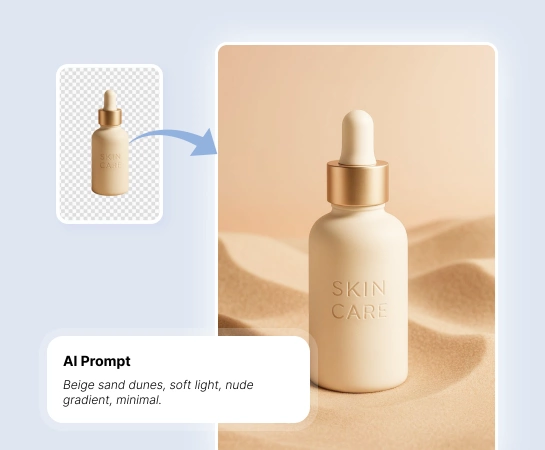
When teams need more creative options in less time, AI Create helps marketers, creators, and sellers explore visual directions before full production. It is a practical way to test ideas, moods, and campaign angles with less cost and less waiting.
Open AI Create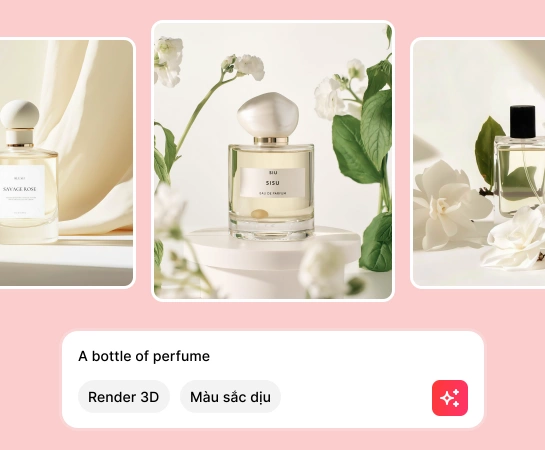
From ad creatives, thumbnails, posters, and mockups to social visuals and concept art, AI Create helps you generate new images from text prompts and shift the visual direction quickly with style presets.
Open AI Create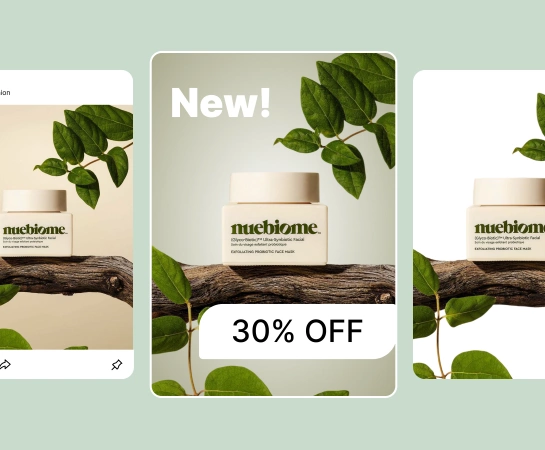
Generation is usually the first step, not the last. Once you have a strong image, you can move into design, remove the background, expand the canvas, or refine the asset for landing pages, marketplaces, ads, and social content. This creates a faster path from rough idea to production-ready visual.
Open AI Create
Describe the subject, scene, lighting, and mood you want to generate. The clearer the prompt, the easier it is to steer the output.
Pick a style preset, resolution, and optional advanced settings to shape the visual direction before you generate.
Create several image options from the same prompt so you can compare compositions, style direction, and quality quickly.
Download the image you like most or move it into other Magic Eraser tools for background removal, design, or further refinement.
Explore the main editing capabilities currently available in Magic Eraser Web, from cleanup and enhancement to generation and design.
Generate brand-new images from prompts for concepts, campaigns, and content production.
Shift the look and feel of your results with ready-made styles for faster creative exploration.
Bring generated visuals into lightweight design flows to add text and build quick layouts.
Convert generated images into cutouts when you need cleaner compositions or transparent assets.
Extend generated scenes to fit wider layouts, ads, and presentation formats.
Improve clarity and polish when you want a cleaner final asset after generation.
Replace or regenerate specific regions when one part of the image needs a different treatment.
Clean up extra details after generation when you want a simpler visual or cleaner focal point.
These examples reflect common ways creators, marketers, and sellers use AI image generation to create visuals faster.
"I needed social media visuals fast and didn't have a photographer. Typed a prompt, picked a style, and had four usable images in under a minute. This is a game changer for solo creators."
"Our team uses AI Create to mock up ad concepts before sending them to the design team. It cuts our brainstorming cycle from days to hours."
"Generated product scene concepts for my Shopify store without hiring a photographer. The quality surprised me — customers thought we did a full photoshoot."
"As a freelance designer, I use this to generate mood boards and concept art for client pitches. Saves hours of searching stock photo sites."
You enter a prompt, choose a style or settings, and AI Create generates multiple image results from your description. You can then download the best option or keep editing it in other Magic Eraser tools.
Yes. AI Create is useful for ad concepts, thumbnails, posters, social content, mockups, product scenes, and early visual exploration for campaigns.
Yes. You can steer the output with your prompt, choose style presets, adjust generation settings, and iterate several times to move closer to the visual direction you want.
Yes. Generated images can be used with other Magic Eraser Web tools such as Remove Background, AI Expand, AI Fill, and Design depending on the next step in your workflow.
The usual flow is simple: write a prompt, pick a style, generate several results, review the output, then download or continue refining the selected image.
See how Magic Eraser compares to other photo editing tools.
We tested and compared the top AI photo editing tools so you don't have to. From object removal to background replacement, see which editor delivers the best results for your workflow.
Canva is excellent for layouts and social graphics, but many users need faster object removal, cleaner background edits, and stronger AI photo tools. This comparison shows where Magic Eraser fits better for image-first workflows.
PhotoRoom focuses on background removal and product photography templates. Magic Eraser matches those capabilities and adds powerful AI tools for object removal, image enhancement, generative fill, and creative design — giving you more editing power on web and mobile.
Canva is a versatile design platform, but its photo editing tools are secondary to its design focus. Magic Eraser is purpose-built for AI-powered photo editing — delivering better object removal, background removal, image enhancement, and generative fill for users who need specialized photo cleanup tools.
IMG.AI focuses on AI image generation and enhancement. Magic Eraser offers a broader suite of AI editing tools including object removal, background removal, enhancement, and generative fill for complete photo editing workflows.
We tested the leading AI background generators for removal quality, replacement options, creative flexibility, and ease of use. See which tool makes it easiest to remove, replace, and generate new backgrounds for your photos.
See how professionals use these tools in real-world workflows.
You need eye-catching collages, banners, and flyers — but you don't have the budget for a designer or the time to learn Photoshop. Magic Eraser gives you layout tools, AI-generated backgrounds, and one-click cutouts so you can create scroll-stopping marketing visuals in minutes.
Tired of the same stock photos your competitors use? Stop paying designers hundreds per post. AI Create generates original illustrations, artwork, and visuals from simple text prompts — then AI Filter and AI Enhance polish them to perfection. Unique, on-brand content for every platform, every day.
A clean, professional headshot matters for LinkedIn profiles, team pages, and corporate directories. Magic Eraser helps individuals and companies produce polished portraits without a studio reshoot.
Explore more guides and editorial content related to this workflow.
Explore how AI is reshaping business operations, from automation to data analysis and more personalized customer experiences.
Learn how text-to-image AI works and how to write effective prompts. Step-by-step guide using Magic Eraser's AI Create for marketing, social media, and concept art.
Go beyond object removal with AI generative fill: extend canvases, replace objects, generate context, and create design variations.